
Recurring invoice software
Recurring invoice software: monthly invoices and bills that enter themselves
Fill in an invoice once, click Make recurring and schedule it. Each time it falls due, AcboBooks enters it as a real, numbered invoice when you open the company, and the home screen tells you what is due. Rent, retainers, maintenance contracts and memberships take care of themselves.
Recurring bills and journal entries work the same way. It is part of AcboBooks, the desktop accounting program bought once for $399.99.
No card, no account. Windows 10 and 11. United States and Canada.

What it means
In practice
A template, then real documents
A recurring invoice is a saved template. When it runs, it becomes an ordinary invoice with the next invoice number, in accounts receivable and on the customer's statement. A recurring bill becomes a bill with its due date from the vendor's terms, ready in Pay Bills.
Entered when you open the books
Tick Automatically enter when due and AcboBooks enters what is due each time the company opens, catching up any it missed while the PC was off. Anything that would fall in a closed period waits instead.
Or enter it yourself
Leave the template manual and click Enter to post it on the date you choose, or Post due recurring now to enter everything that is due in one go. The home screen reminders count what is due.
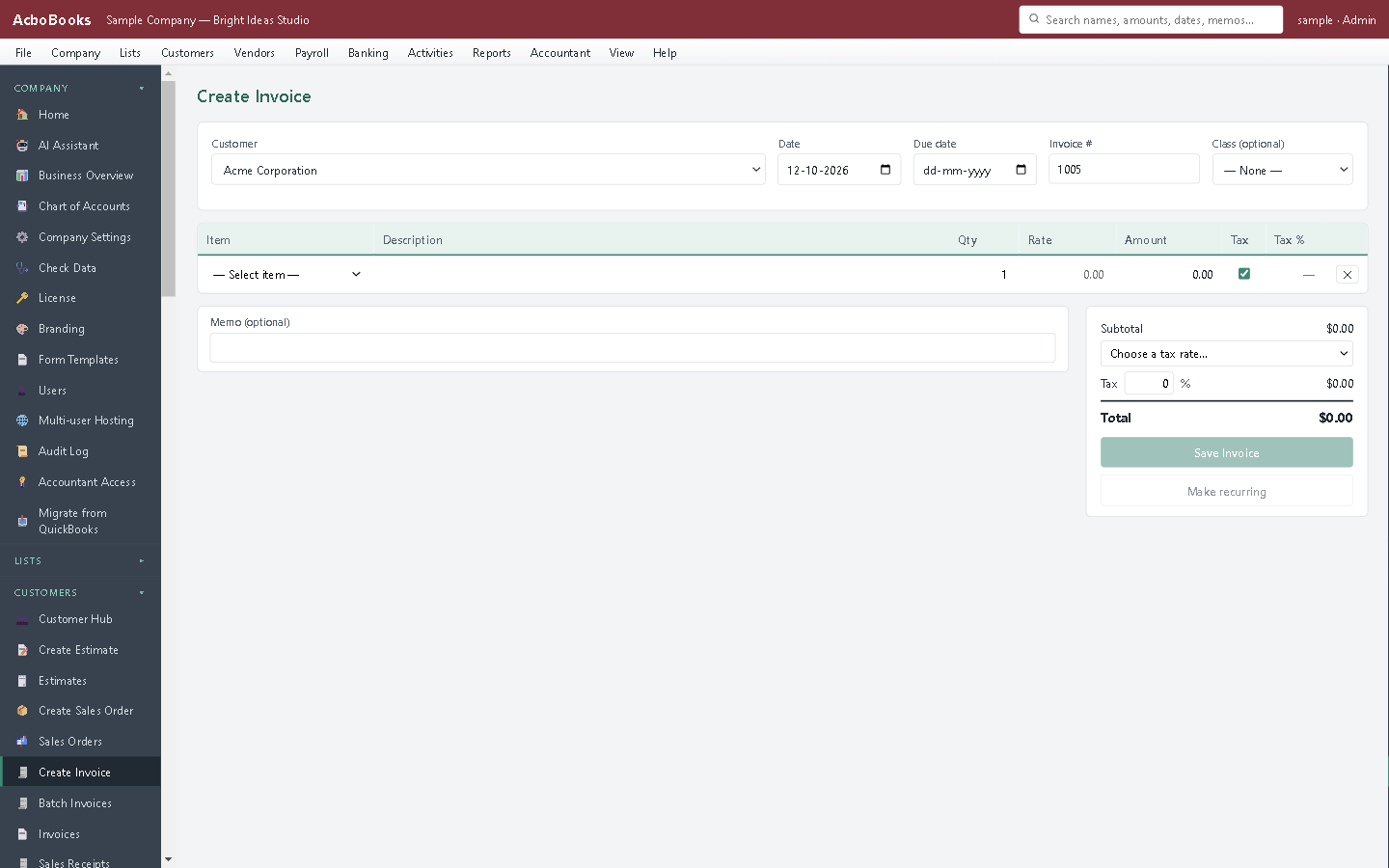
Fill in the invoice once, then click Make recurring.
The first of the month, without the copy and paste
Twenty offices on the same monthly contract used to mean twenty invoices typed from last month's. Now each is a template, and on the first they are entered before the coffee is ready.
For a one-off run to many customers at once, batch invoicing creates the same invoice for a whole group of customers in one step.
What is in the licence
The whole job, in one price
What can recur
Schedules
Entering
Around it
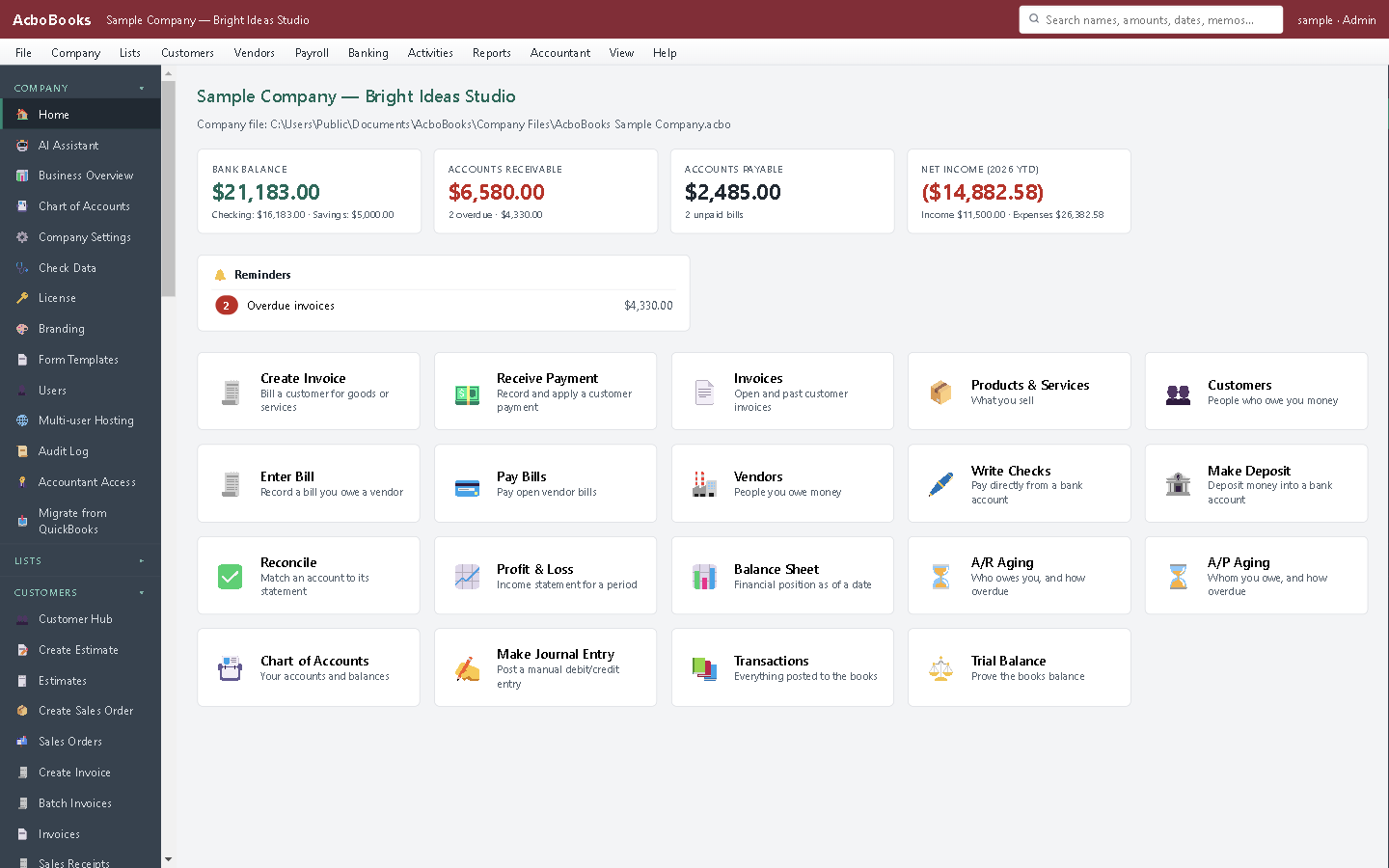
Recurring transactions due, among the home screen reminders.
What it does not do
· Bill payments, paychecks, sales orders and inventory adjustments cannot recur.
· Templates cannot be edited; delete and make a new one to change it.
· Entering a template by hand does not move its next date on; only scheduled automatic runs do.
· Billable costs and time are not carried on a recurring invoice.
· Invoices are not emailed automatically; AcboBooks has no mail server.
· Windows 10 and 11 for now (no Mac version yet); no phone app.
· One company per file; open as many files as you have businesses.
Questions people ask
Before you download
Does the PC need to be on when the invoice is due?
No. Due templates are entered the next time you open the company, each on its own scheduled date, so a week away just means a short catch-up.
Will the customer get the invoice automatically?
No. AcboBooks creates the invoice in your books. Click Email… on the invoice to send it with the PDF attached, or tick it to email later and send everything waiting in one go, through Outlook or your own email account.
Can I make a recurring bill for rent?
Yes. Enter the rent bill, click Make recurring and schedule it monthly. Each month it appears as a bill due by the landlord's terms, ready to pay.
What is the difference from batch invoicing?
Recurring is one invoice repeated over time. Batch invoicing is one invoice sent to many customers at once. Many businesses use both.
Coming from something else?
How it compares to what you use now
Get started
Set up next month's invoices now.
Make an invoice recurring in the trial and watch it enter itself.
No card. No account. Nothing to cancel.