
AcboBooks Academy · 13 lessons · about 94 min
Sales and customers
This track follows a sale from start to finish in AcboBooks: set up what you sell and who you sell to, quote with an estimate, bill with an invoice, take the payment and get it into the bank. Later lessons cover recurring invoices, cash sales, credits and refunds, retainers, sales orders, statements and finance charges. Every screenshot comes from the Bright Ideas Studio sample company, so you can follow along in your own copy without touching real books. Where the Canadian edition differs, a note says so.

Lessons
Lesson 1 · 6 min · Beginner
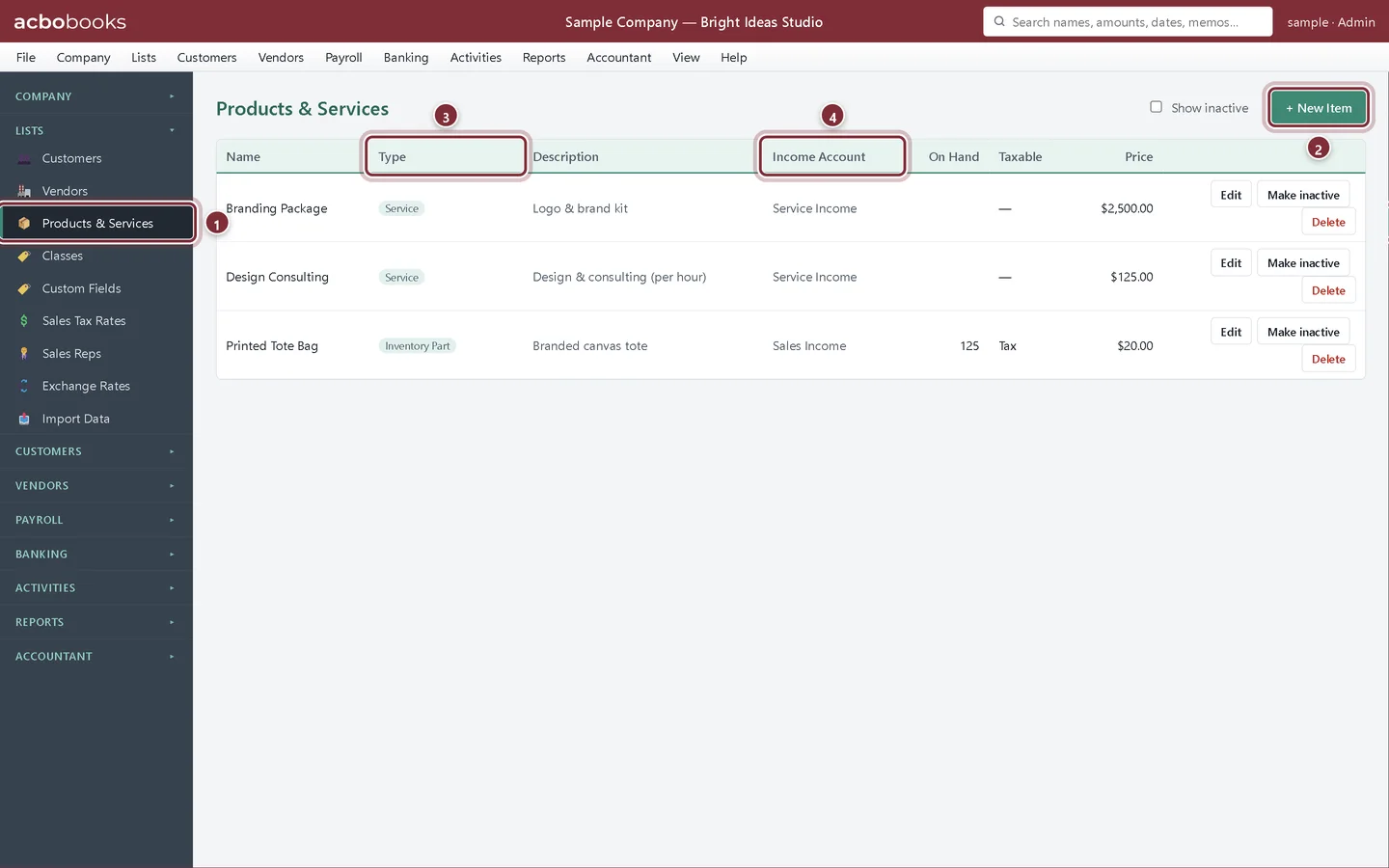
Set up your products and services
Add the services and products you sell in AcboBooks: item types, prices, income accounts and sales tax, so invoices fill themselves in.
Lesson 2 · 8 min · Beginner
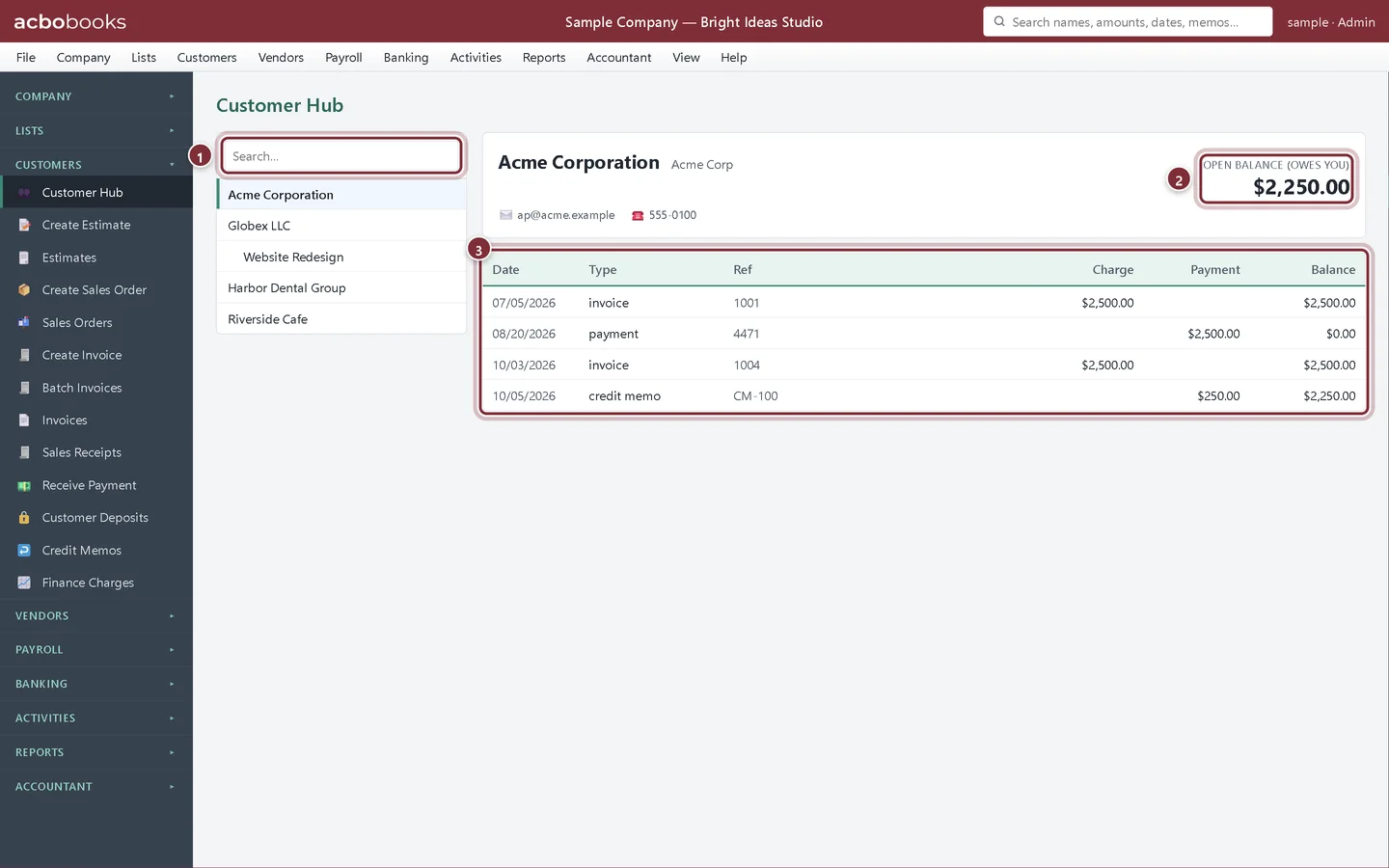
Add and manage customers
Add customers in AcboBooks with payment terms, credit limits, opening balances and jobs, and see each customer's history in the Customer Hub.
Lesson 3 · 10 min · Beginner
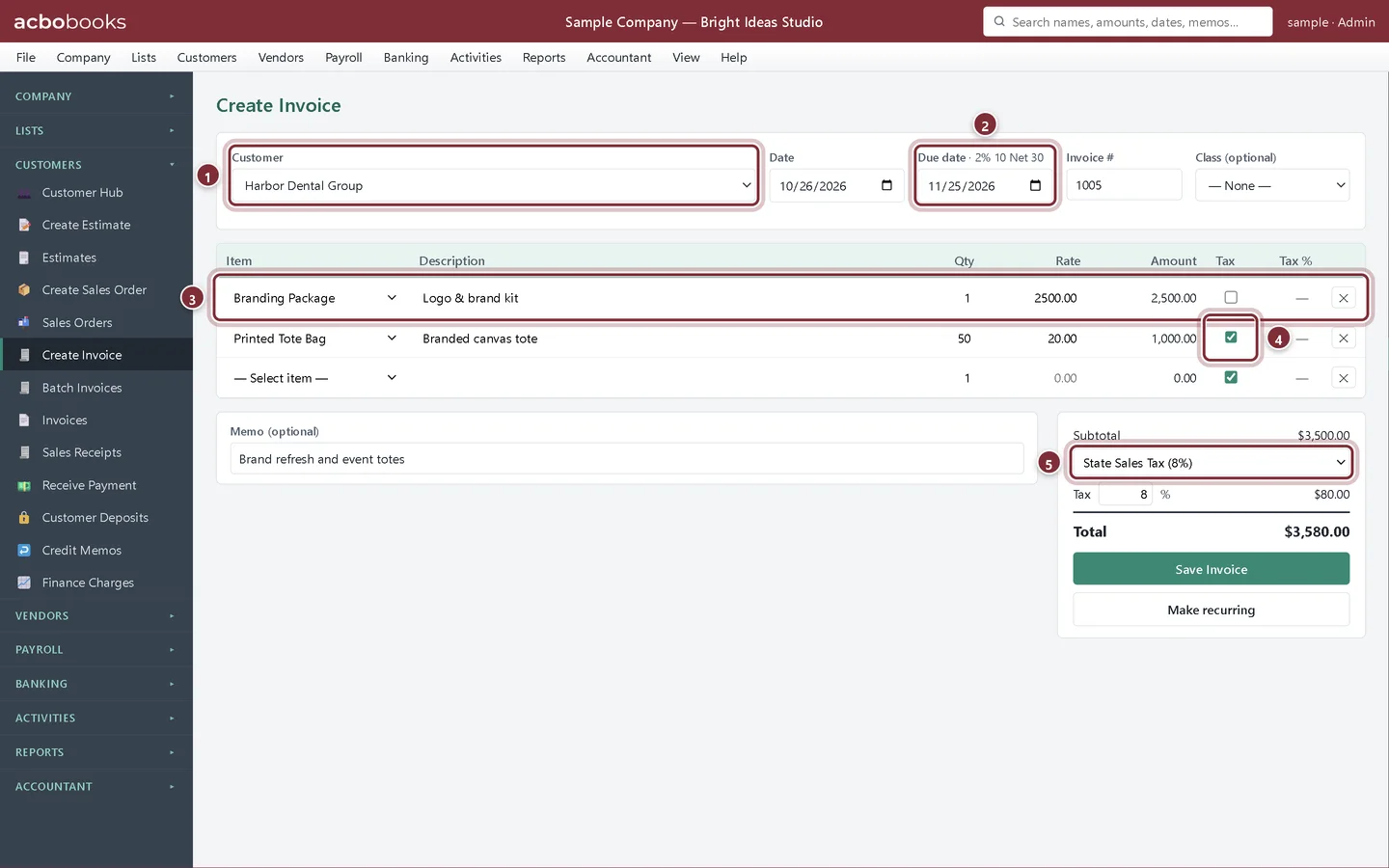
Create and send an invoice
Create an invoice in AcboBooks step by step: customer, terms, lines and sales tax, then save a PDF, email a payment request or send a card payment link.
Lesson 4 · 7 min · Beginner
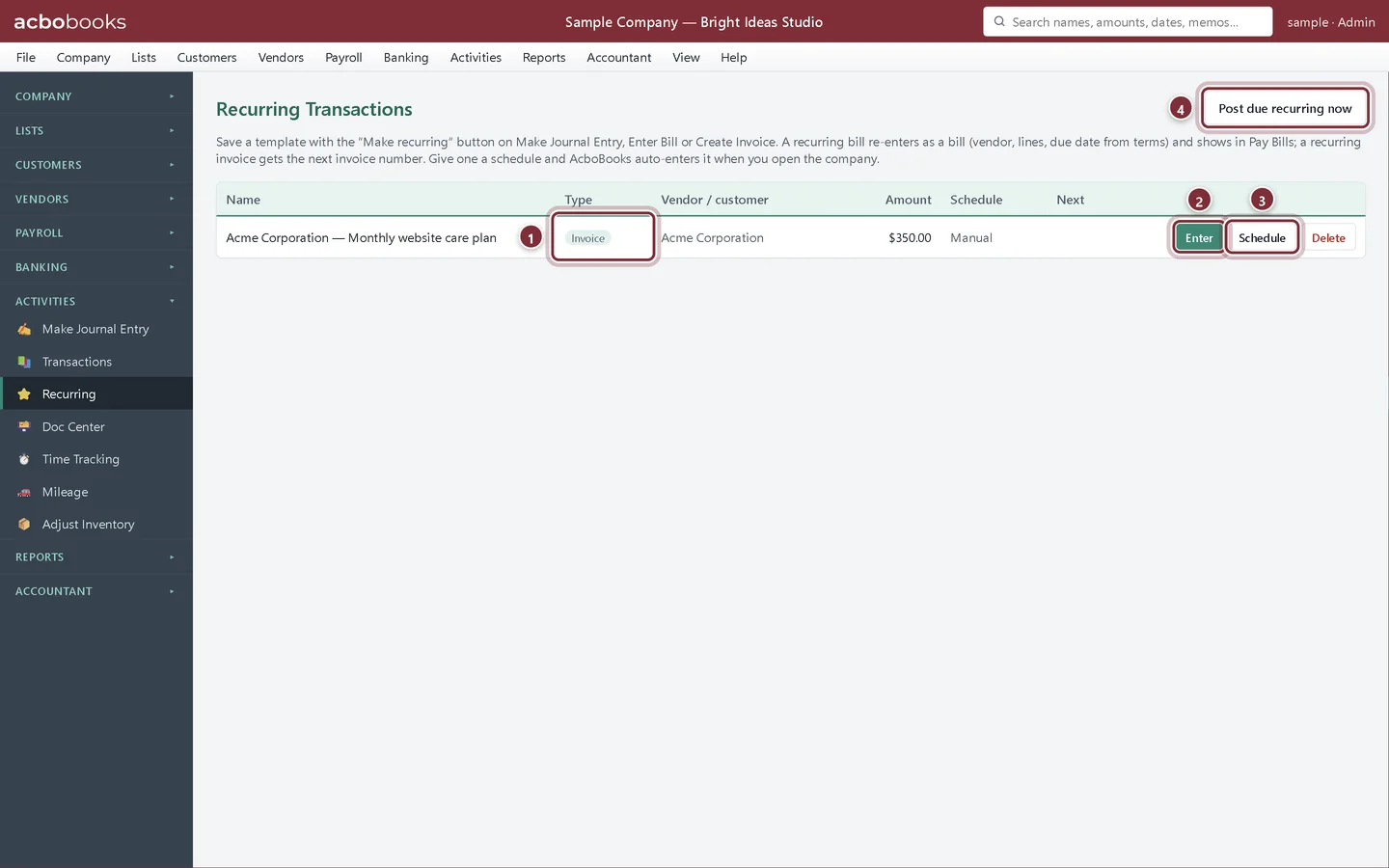
Set up recurring invoices
Save an invoice as a recurring template in AcboBooks, give it a monthly schedule, and post the invoices that are due from Activities → Recurring.
Lesson 5 · 8 min · Intermediate
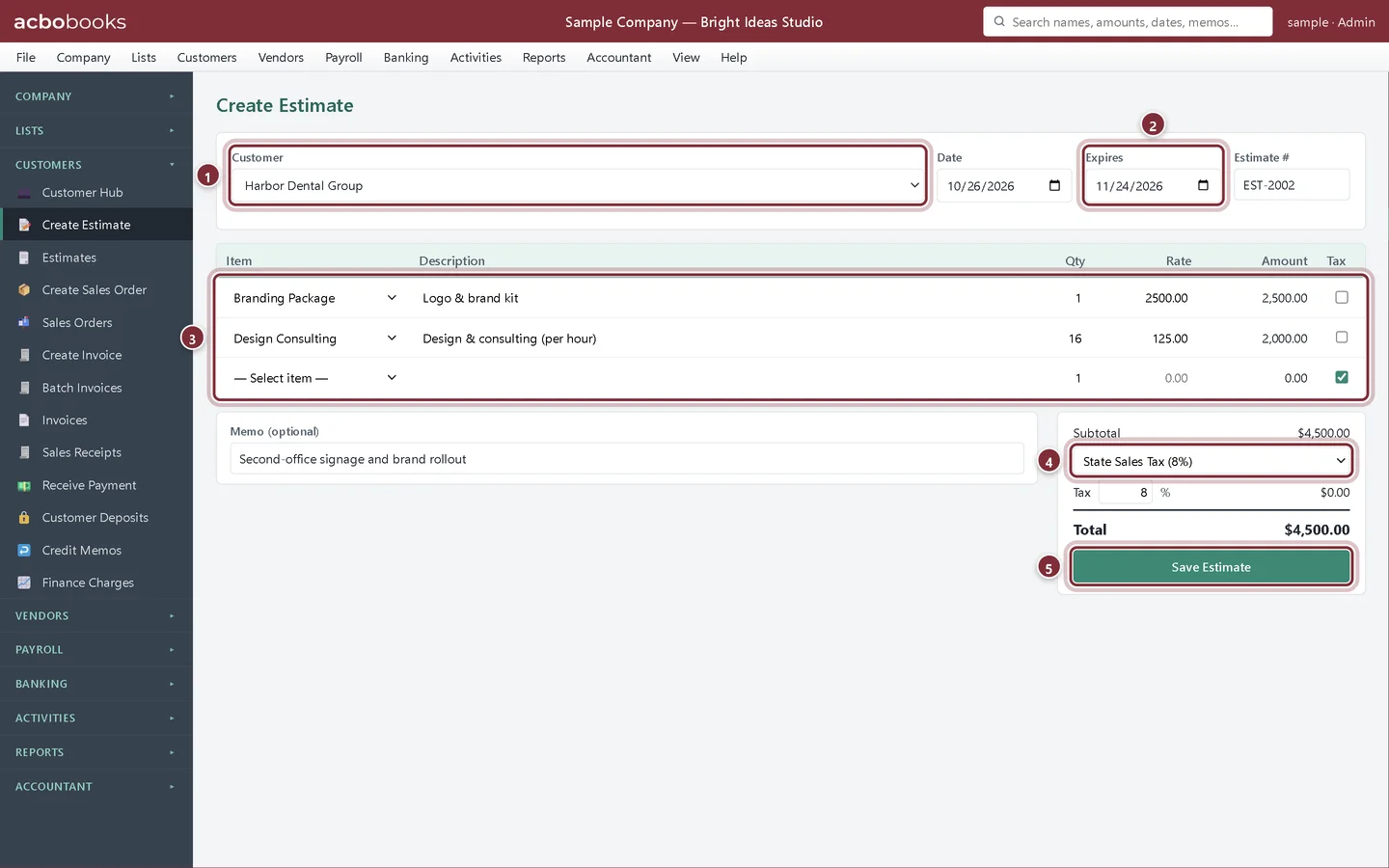
Turn an estimate into an invoice
Create an estimate in AcboBooks, then invoice all of it in one click or bill it in stages with progress invoicing by percentage or by line.
Lesson 6 · 9 min · Beginner
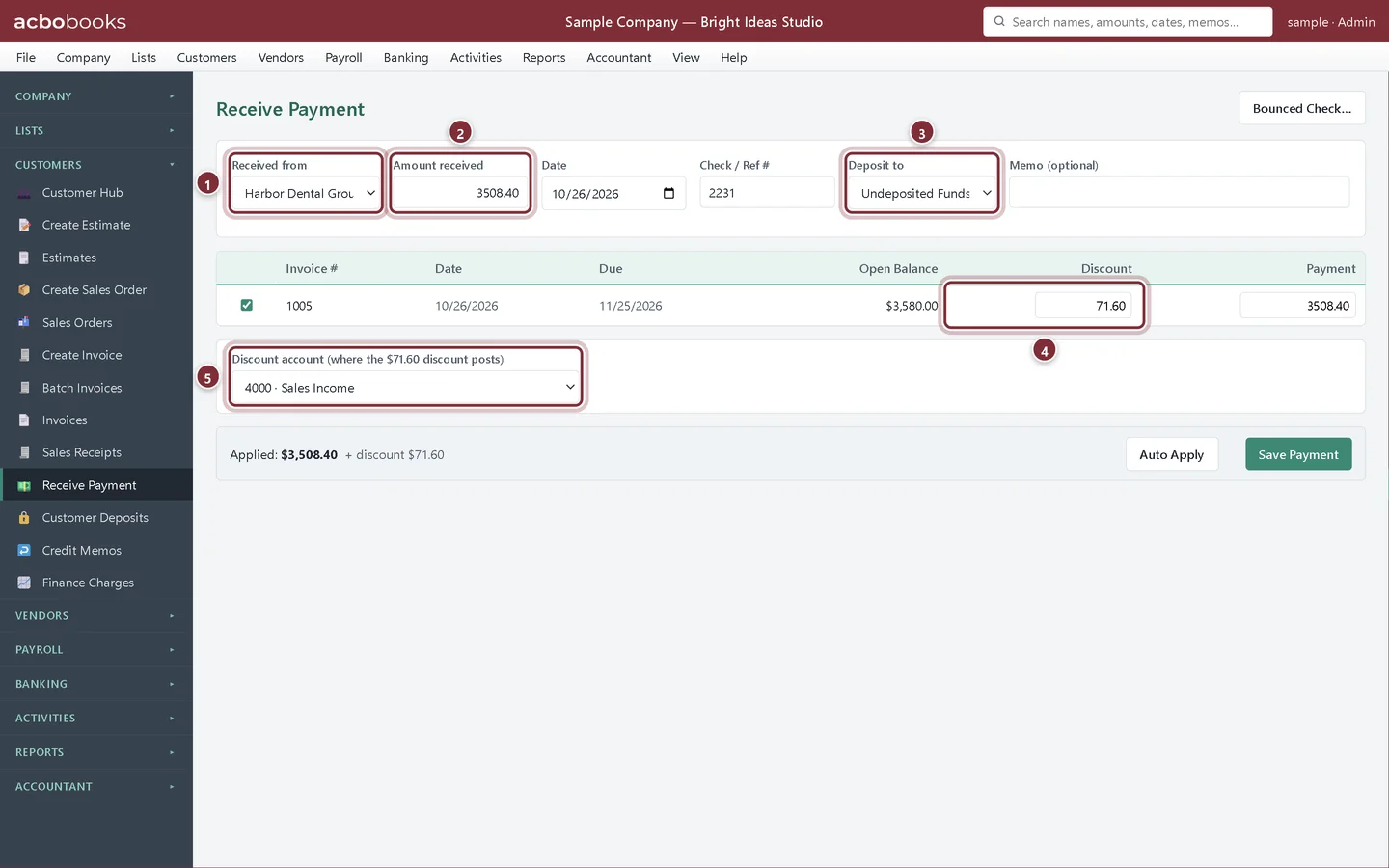
Receive customer payments
Record customer payments in AcboBooks: full and partial payments, early-payment discounts, Auto Apply, and what happens to an overpayment.
Lesson 7 · 5 min · Beginner
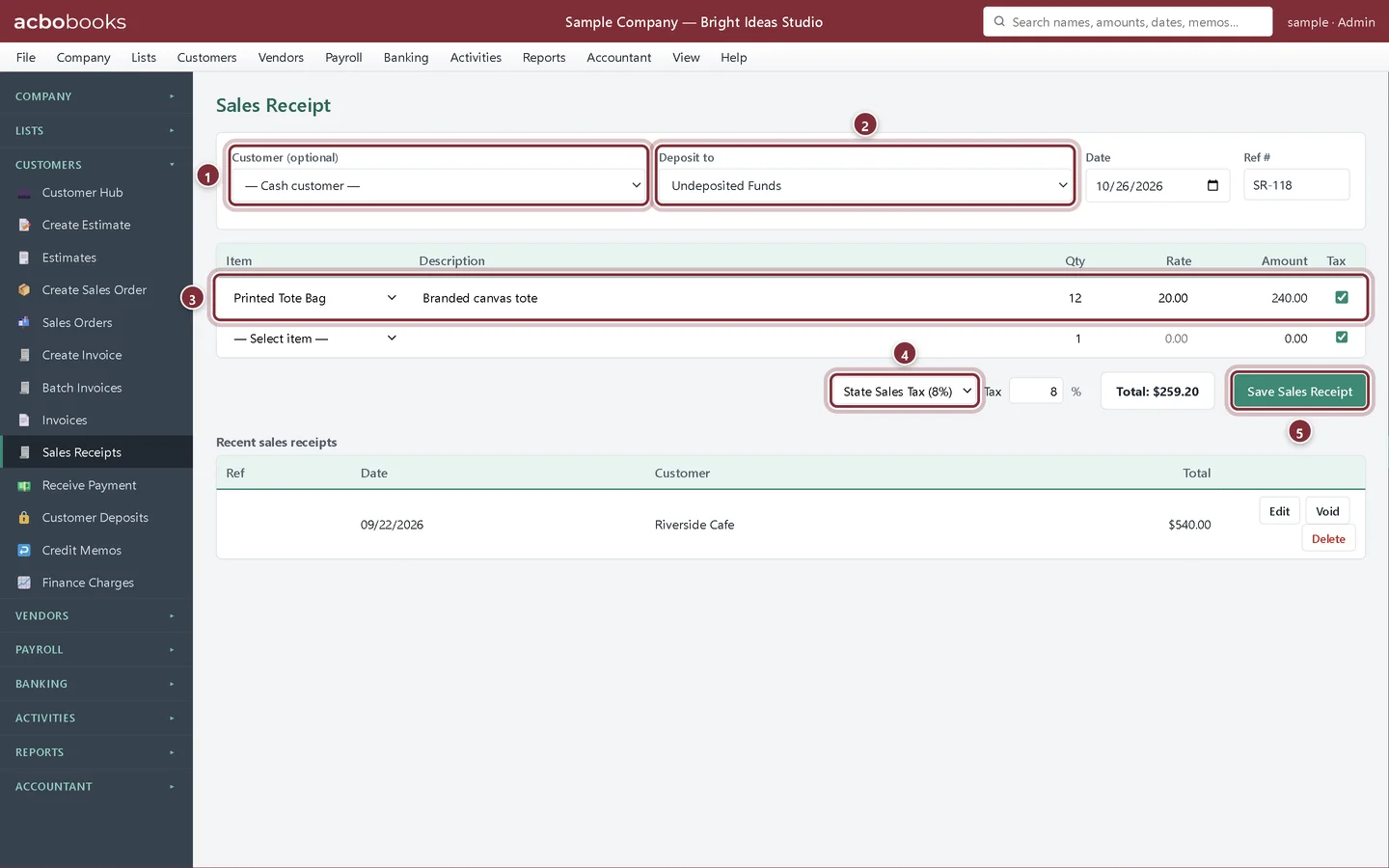
Record cash sales with sales receipts
Use a sales receipt in AcboBooks when the customer pays on the spot: no invoice, no accounts receivable, just the sale and the money.
Lesson 8 · 6 min · Beginner
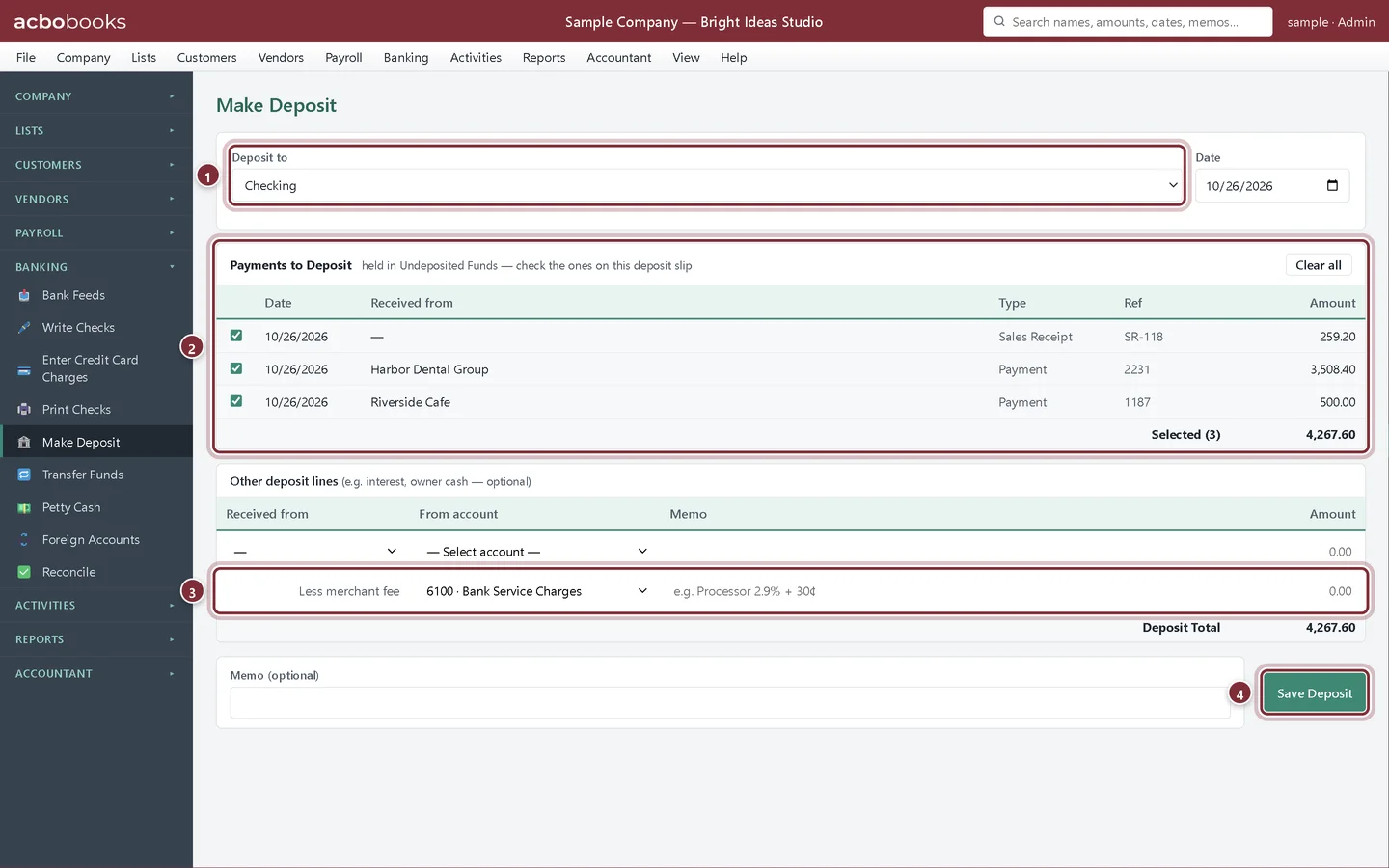
Deposit customer payments
Group payments held in Undeposited Funds into one bank deposit in AcboBooks, take off a card processor's fee and print a deposit slip.
Lesson 9 · 8 min · Intermediate
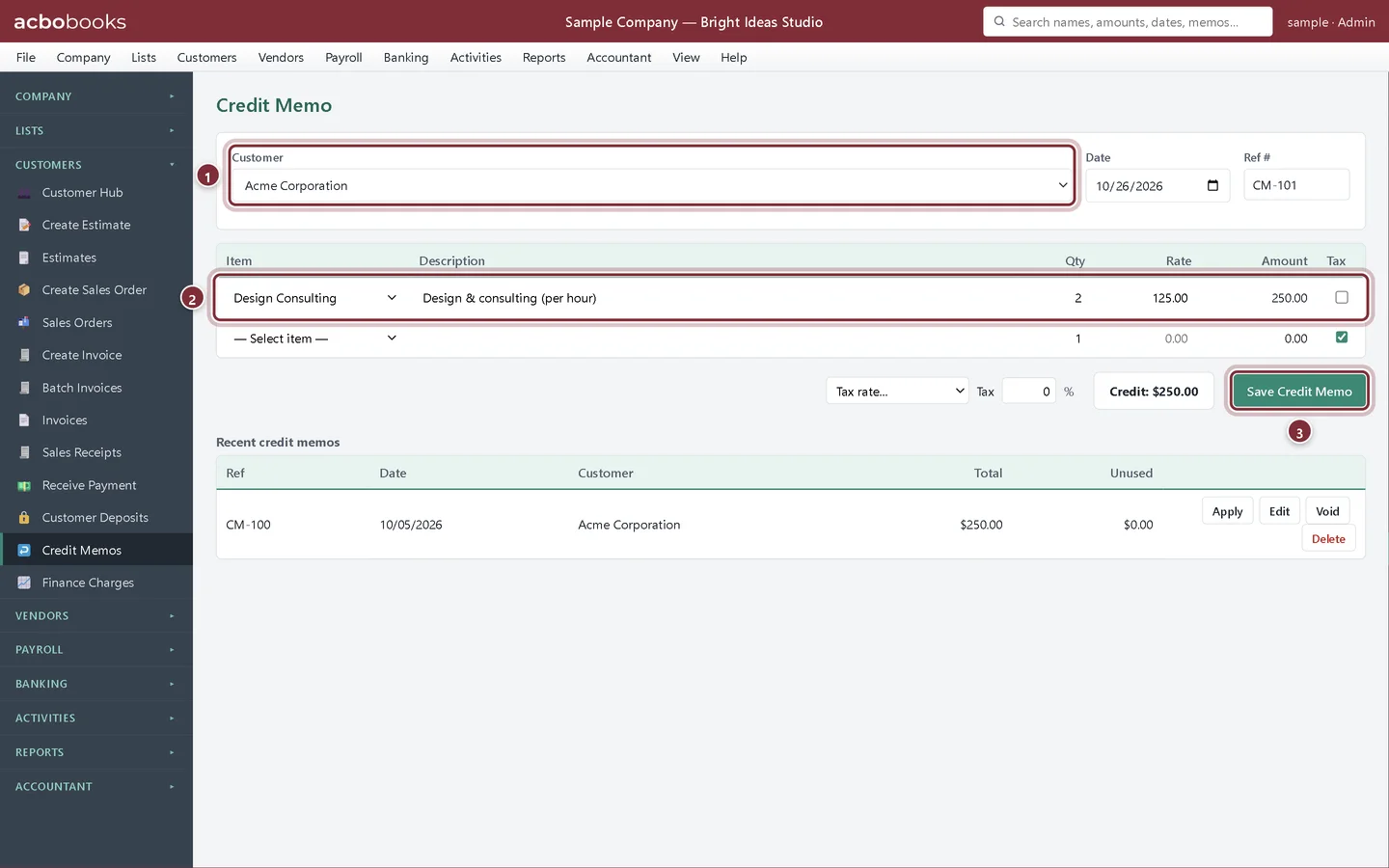
Credit memos and refunds
Use a credit memo in AcboBooks to reduce what a customer owes, apply it to an open invoice, or refund it by check.
Lesson 10 · 7 min · Intermediate
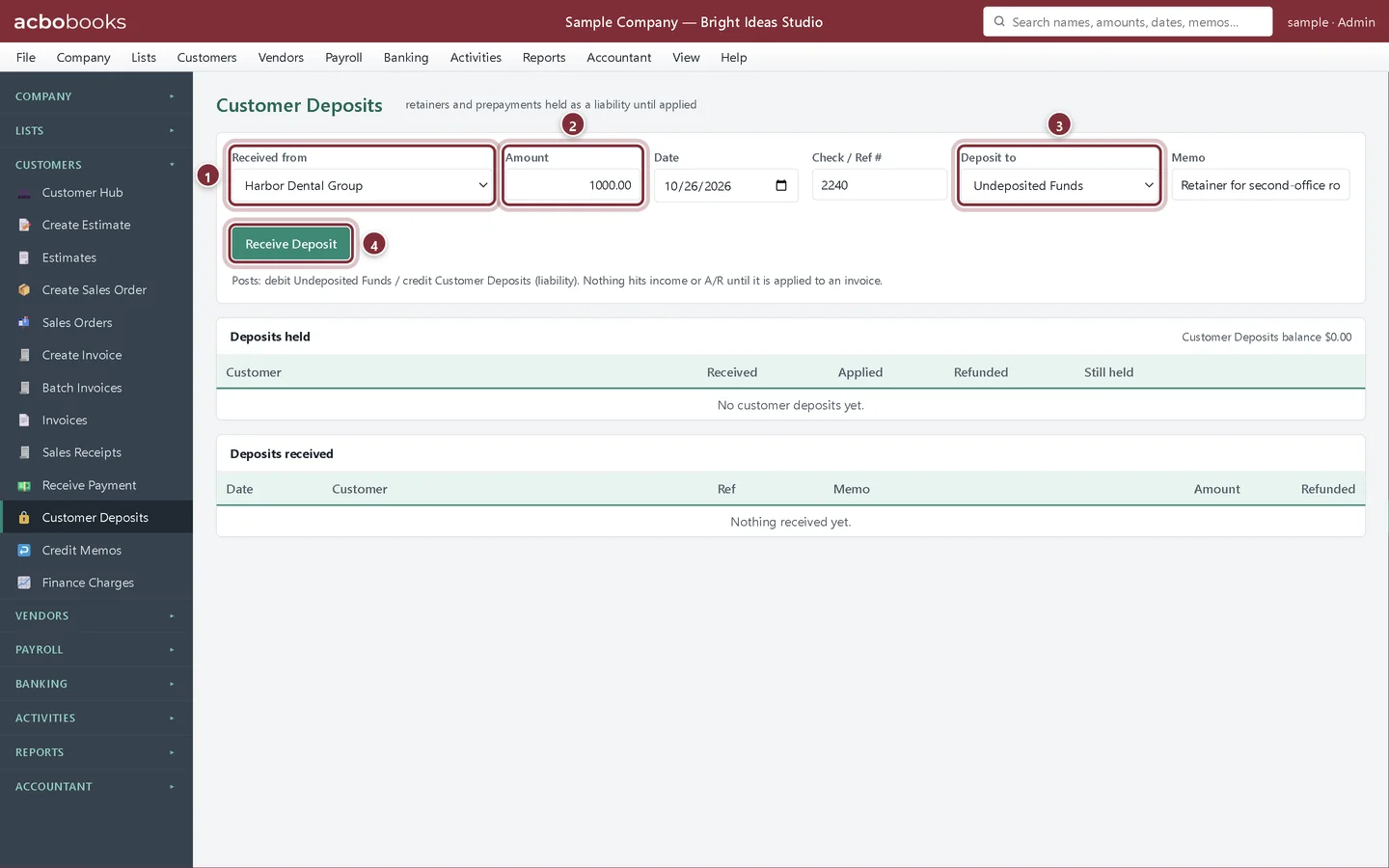
Customer deposits and retainers
Record money a customer pays before the work as a customer deposit in AcboBooks, then apply it to the invoice or refund it.
Lesson 11 · 7 min · Intermediate
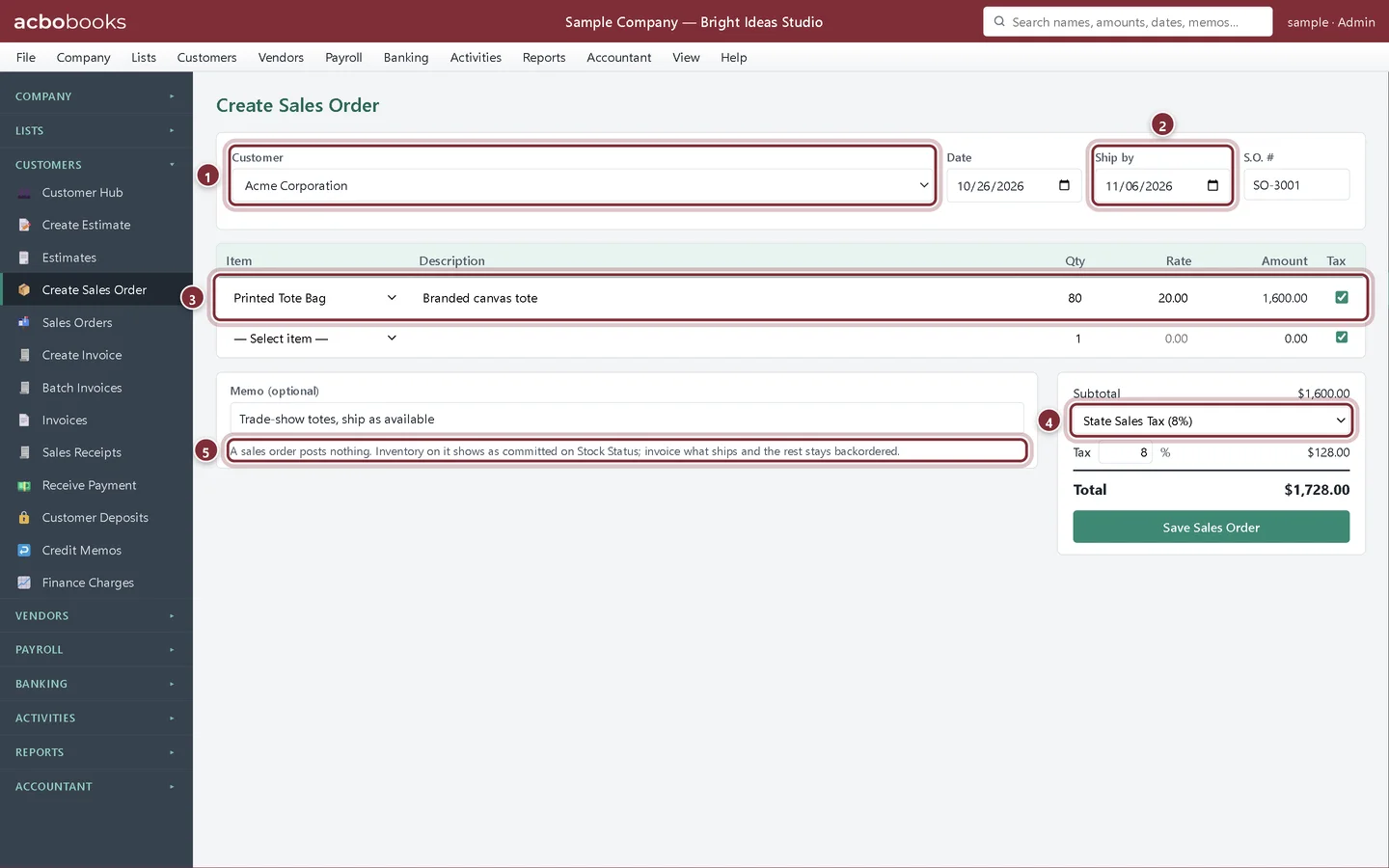
Sales orders and backorders
Take an order with a sales order in AcboBooks, invoice what ships now and keep the rest on backorder until it is ready.
Lesson 12 · 7 min · Beginner
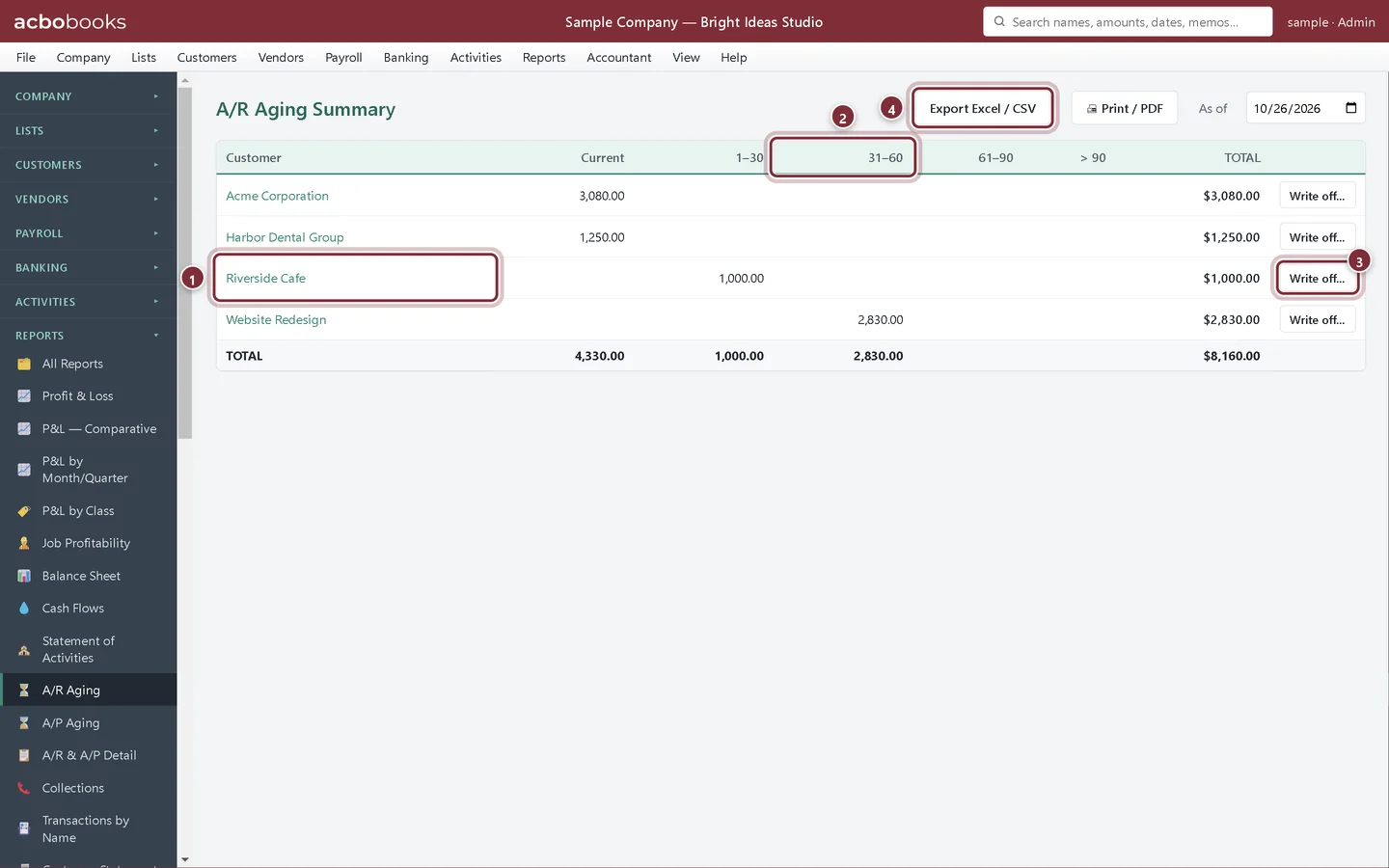
Customer statements and A/R aging
See who owes you and for how long with the A/R Aging report in AcboBooks, then send customer statements one at a time or in a batch PDF.
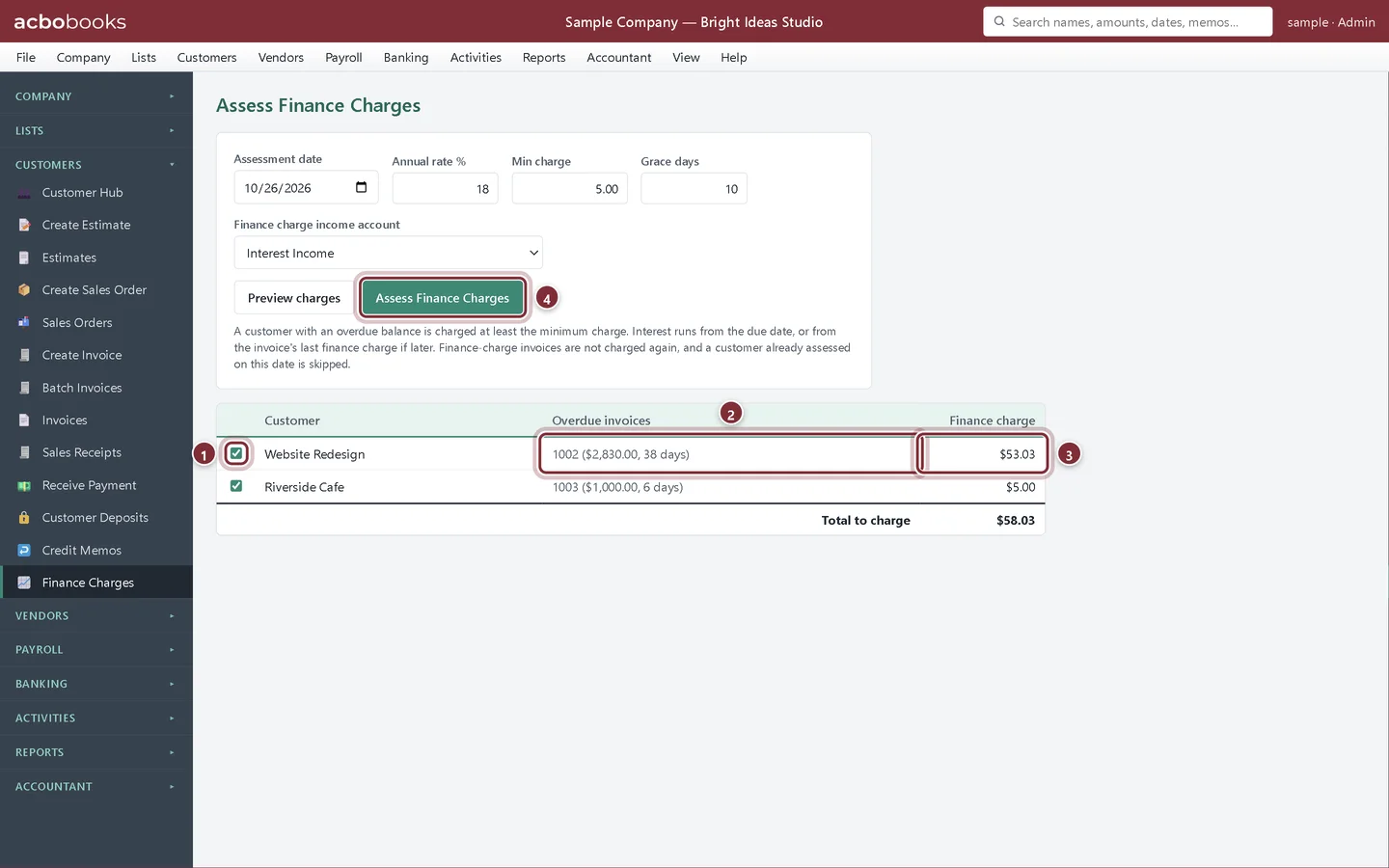
Lesson 13 · 6 min · Intermediate
Assess finance charges on overdue invoices
Charge interest on overdue customer invoices in AcboBooks with Assess Finance Charges: annual rate, grace days, minimum charge and the income account.
All Academy tracks · Help centre · Bookkeeping how-to guides
Get started
Try every lesson in the sample company.
AcboBooks comes with a sample company to practise on. Free for 15 days, then bought once.
No card. No account. Nothing to cancel.