
In this lesson you will
- Know when to use a sales receipt instead of an invoice
- Record a cash or card sale with sales tax
- Choose where the money goes
- Edit, void or delete a sales receipt
Before you start
Record the sale
Step 1: Fill in the sales receipt
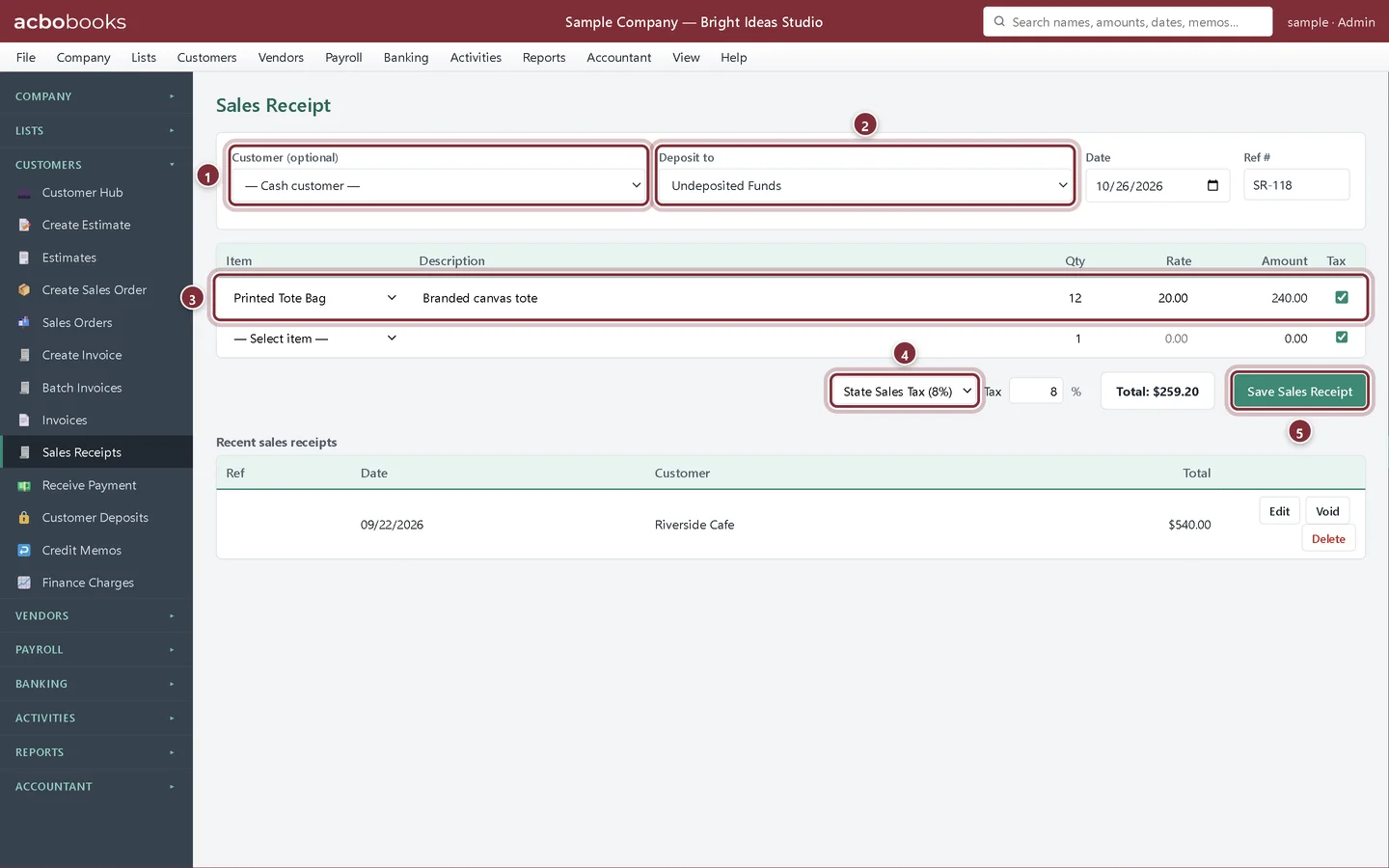
Choose Customers → Sales Receipts. The customer is optional: leave — Cash customer — for walk-in sales, or pick a customer to keep the sale on their history. Add the lines, choose the tax rate and click Save Sales Receipt.
- Customer (optional).
- Deposit to: Undeposited Funds, or straight to a bank account.
- The items sold.
- The tax rate for the sale.
- Save Sales Receipt.
Find it again
Step 2: Recent sales receipts
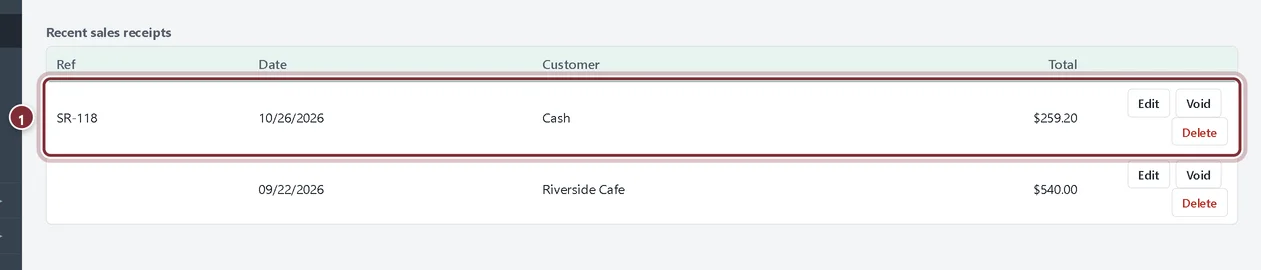
The receipt appears under Recent sales receipts with its ref, date, customer (Cash for a walk-in sale) and total. Use Edit to correct it, Void to keep it at $0, or Delete to remove it.
- The sales receipt you just saved.
Recap
- Use a sales receipt when the customer pays at the time of sale.
- Record a walk-in sale with no customer.
- Choose Undeposited Funds or a bank account.
Questions
Sales receipt or invoice?
If you are paid now, use a sales receipt. If you will be paid later, use an invoice and record the payment when it arrives.
How do I record a whole day of till sales?
One sales receipt per day or per shift works well: one line per item or category, deposited to Undeposited Funds. See how to record cash sales from a till.
Screenshots from AcboBooks 0.2.2 with the built-in sample company. Updated October 25, 2026. Your screens may differ slightly with another version or window size.