
In this lesson you will
- Create an estimate with an expiry date
- Turn an estimate into an invoice
- Bill part of an estimate with a progress invoice
- See how much of an estimate has been billed
Before you start
Create the estimate
Step 1: Fill in Create Estimate
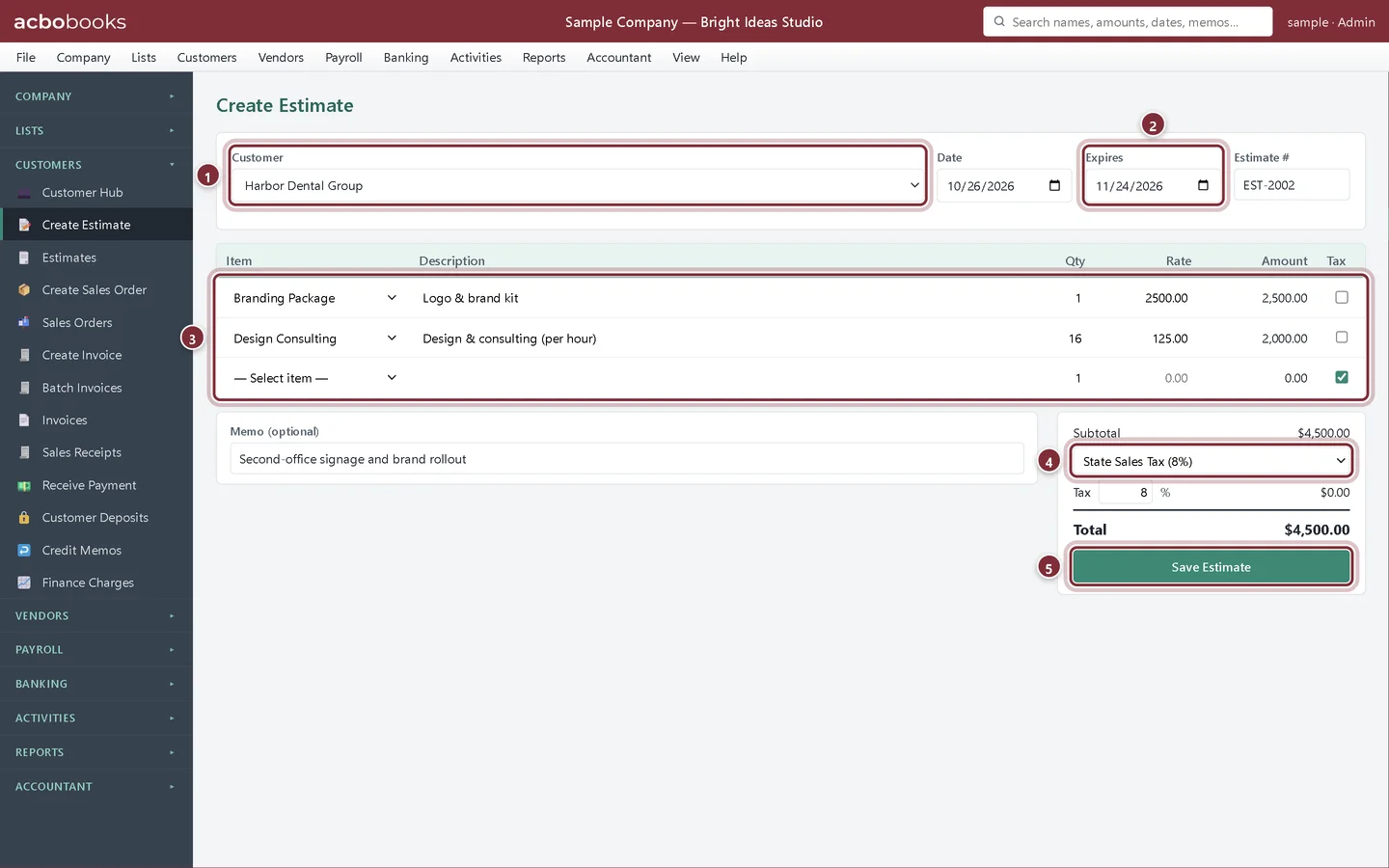
Choose Customers → Create Estimate. Pick the Customer, set the Expires date and add lines the same way as an invoice. Pick the tax rate under Subtotal, as on an invoice; it carries over to the invoice you create from the estimate. AcboBooks fills in an Estimate #; type your own if you use a different numbering scheme. Click Save Estimate.
- Customer.
- Expires: the date the quote is good until.
- The lines, from your items.
- The tax rate, here State Sales Tax (8%). These services aren't taxable, so the tax is $0.00.
- Save Estimate.
Invoice the estimate
Step 2: Open it from the Estimates list
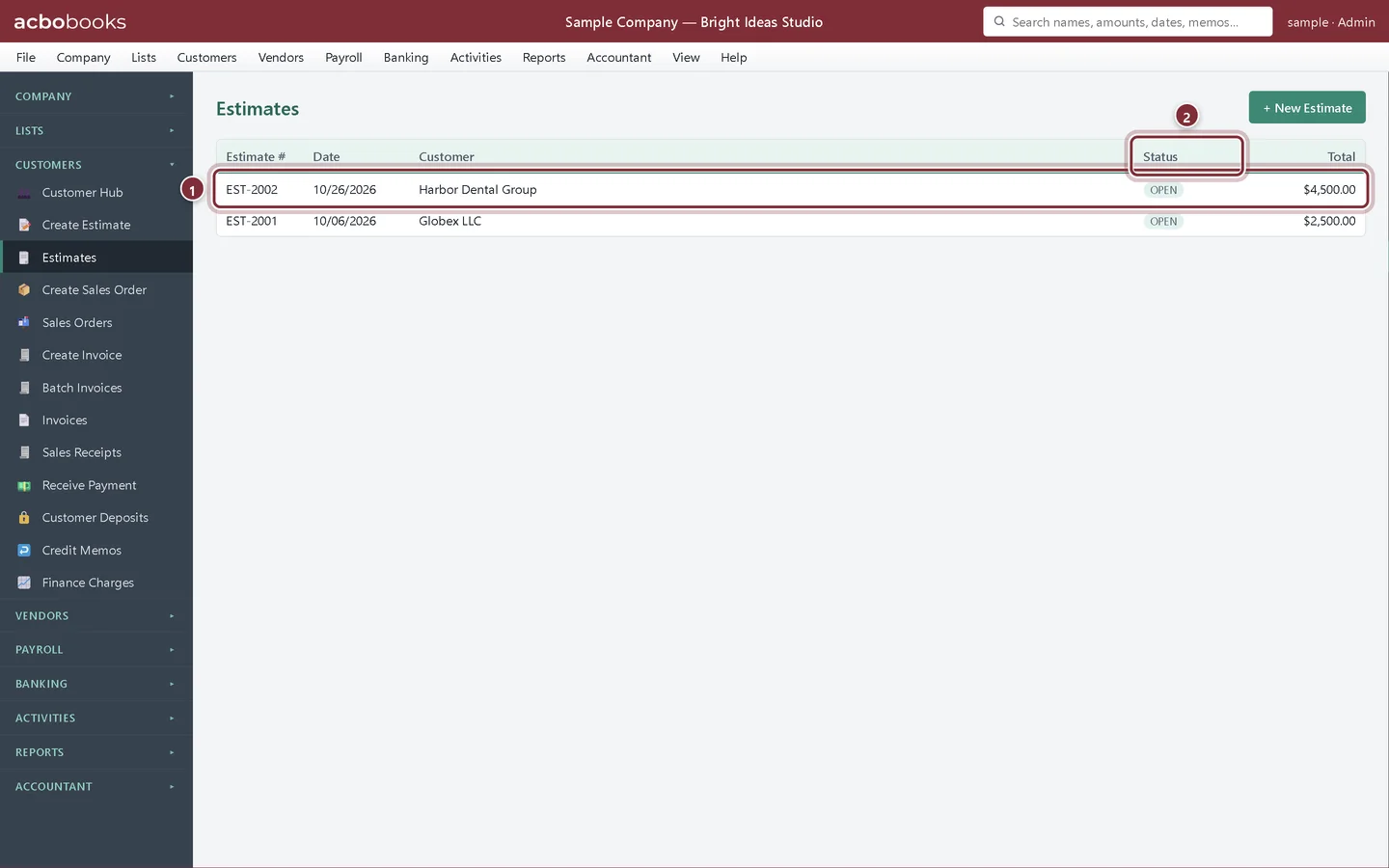
AcboBooks opens Estimates after you save. Each estimate shows a Status: OPEN until it is fully invoiced, then INVOICED. Click a row to open it.
- The new estimate.
- Status.
Step 3: Create Invoice or Progress Invoice…
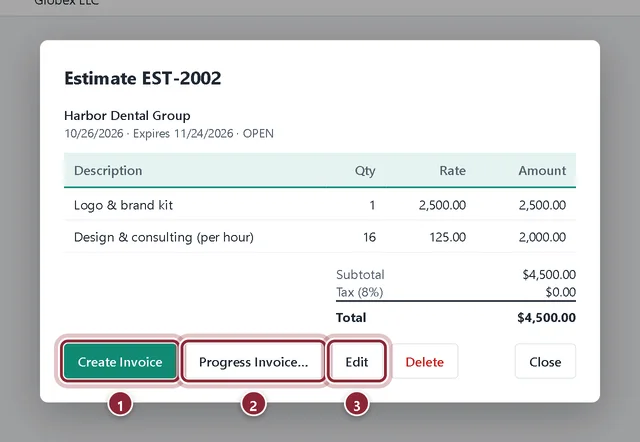
Create Invoice turns the whole estimate into an invoice after you confirm. Progress Invoice… bills part of it. Edit reopens the estimate while it is still open.
- Create Invoice: bill everything.
- Progress Invoice…: bill a share now.
- Edit.
Bill in stages
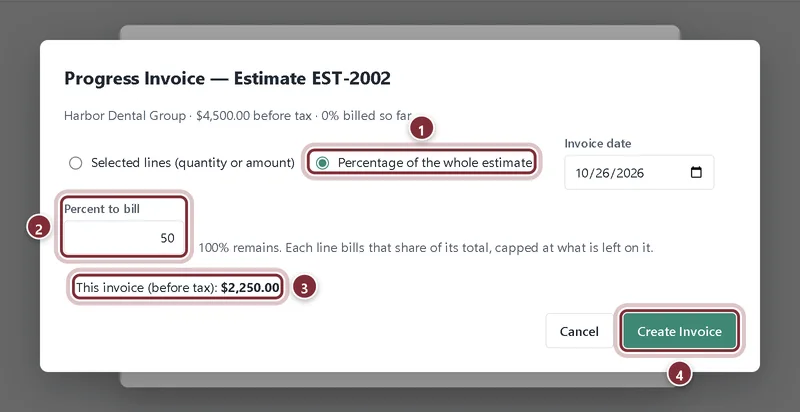
Harbor Dental Group pays half up front and half on completion, so we bill 50% now.
Step 4: Choose how much to bill
In Progress Invoice, choose Percentage of the whole estimate and type the Percent to bill, or choose Selected lines (quantity or amount) to bill particular lines. Bill everything left fills in whatever remains. Check This invoice (before tax) and click Create Invoice.
- Percentage of the whole estimate.
- Percent to bill.
- This invoice (before tax): the amount of this invoice.
- Create Invoice.
Step 5: Track what has been billed
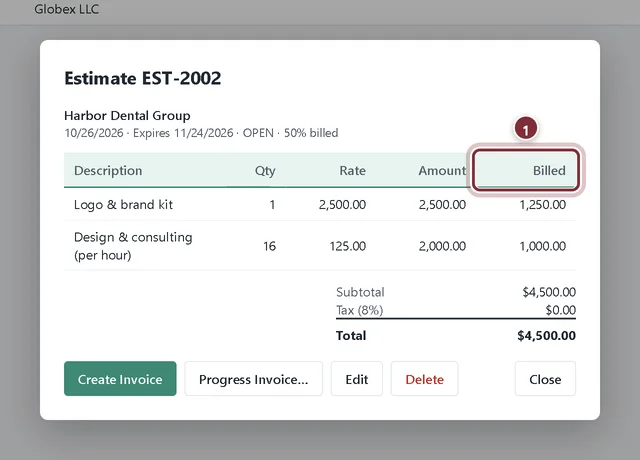
The estimate now shows 50% billed and a Billed column per line. Come back to Progress Invoice… for the next stage. When everything is billed the status changes to INVOICED.
- Billed: how much of each line has been invoiced so far.
Recap
- Create an estimate with an expiry date.
- Invoice the whole estimate in one step.
- Bill an estimate in stages with Progress Invoice….
- See what share of each line has been billed.
Questions
Does an estimate show up in my reports?
No. Estimates post nothing to the books, so they don't appear on the Profit & Loss or A/R Aging until they become invoices.
Can I change an estimate after it is partly billed?
Edit stays available while the estimate is open. Once it is fully invoiced, change the invoices instead.
What about retainage on construction jobs?
Holdbacks are handled under Accountant → Retainage (Construction), which works alongside your invoices.
Related
Screenshots from AcboBooks 0.2.2 with the built-in sample company. Updated October 25, 2026. Your screens may differ slightly with another version or window size.