
In this lesson you will
- Enter a sales order
- Invoice part of an order and leave the rest backordered
- Close an order you won't fill
- Find open orders
Before you start
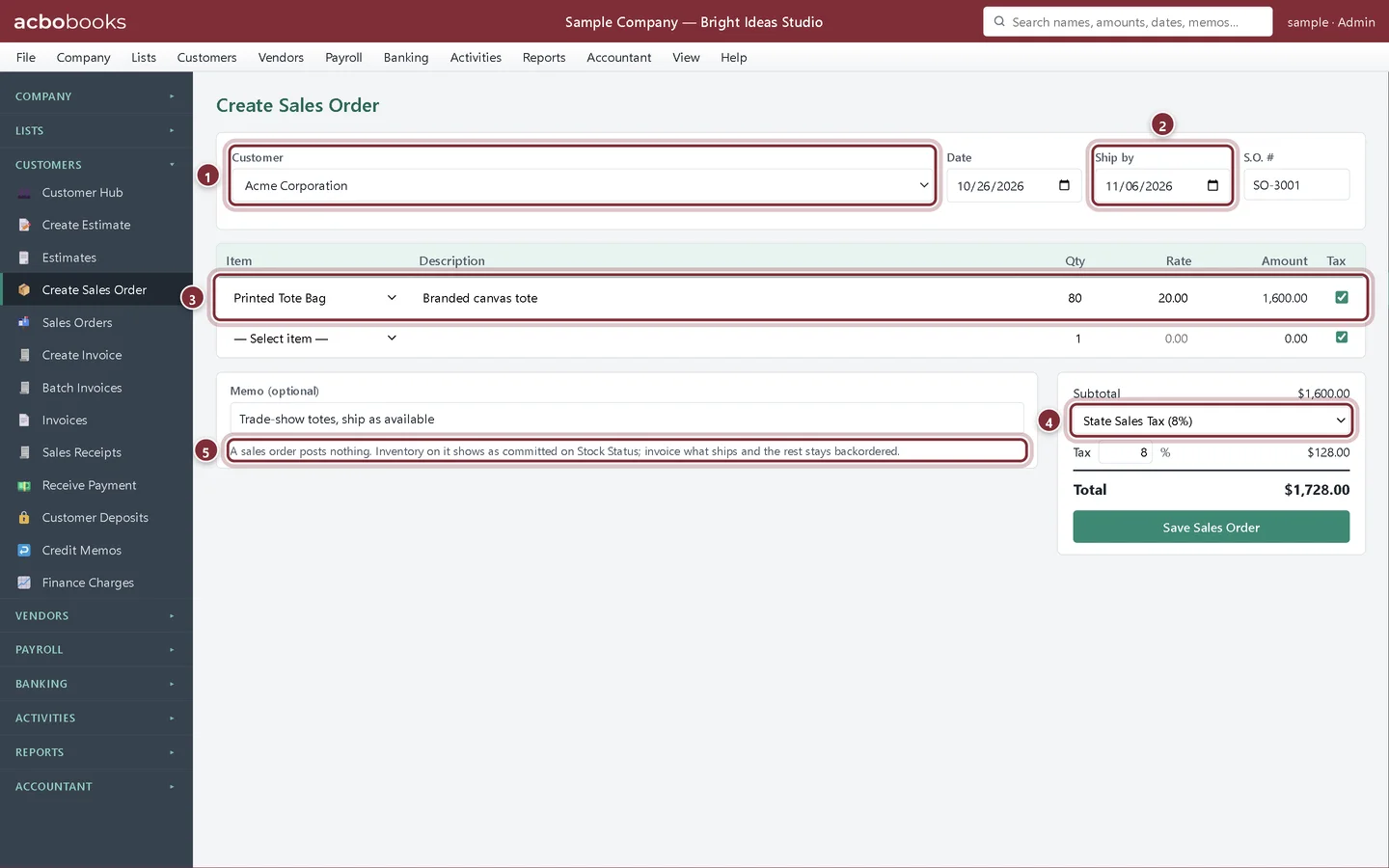
Take the order
Step 1: Fill in Create Sales Order
Choose Customers → Create Sales Order. Pick the Customer, the Ship by date, the lines ordered and the tax rate under Subtotal, then click Save Sales Order. A sales order posts nothing to your books; stock on it shows as committed on the Stock Status report.
- Customer.
- Ship by.
- What was ordered.
- The tax rate. It carries over to each invoice you create from the order.
- The reminder that a sales order posts nothing.
Invoice what ships
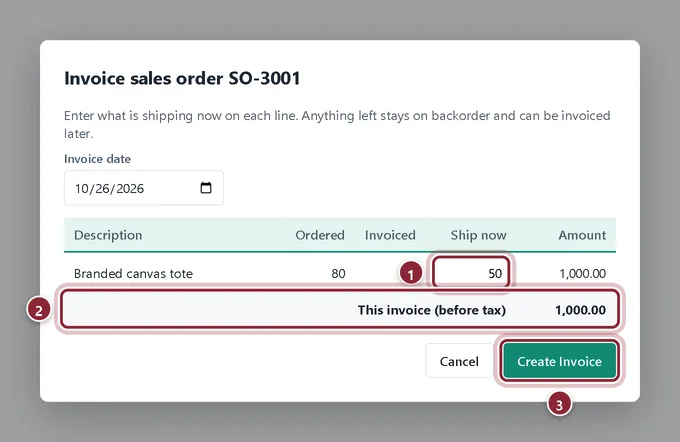
Only 50 of the 80 tote bags are ready, so we invoice 50 now.
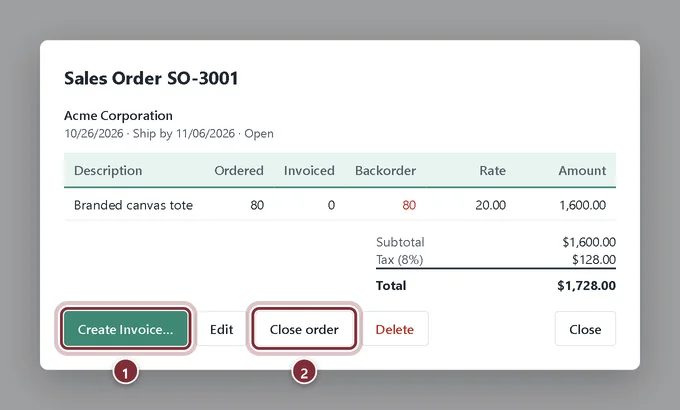
Step 2: Open the order
AcboBooks opens Sales Orders after you save. Click the order. Create Invoice… bills what is shipping; Close order cancels whatever is still backordered.
- Create Invoice….
- Close order.
Step 3: Enter what ships now
In Invoice sales order, type the quantity shipping on each line in Ship now, check This invoice (before tax) and click Create Invoice. The invoice gets the order's tax rate, and AcboBooks tells you how many units stay backordered.
- Ship now.
- This invoice (before tax).
- Create Invoice.
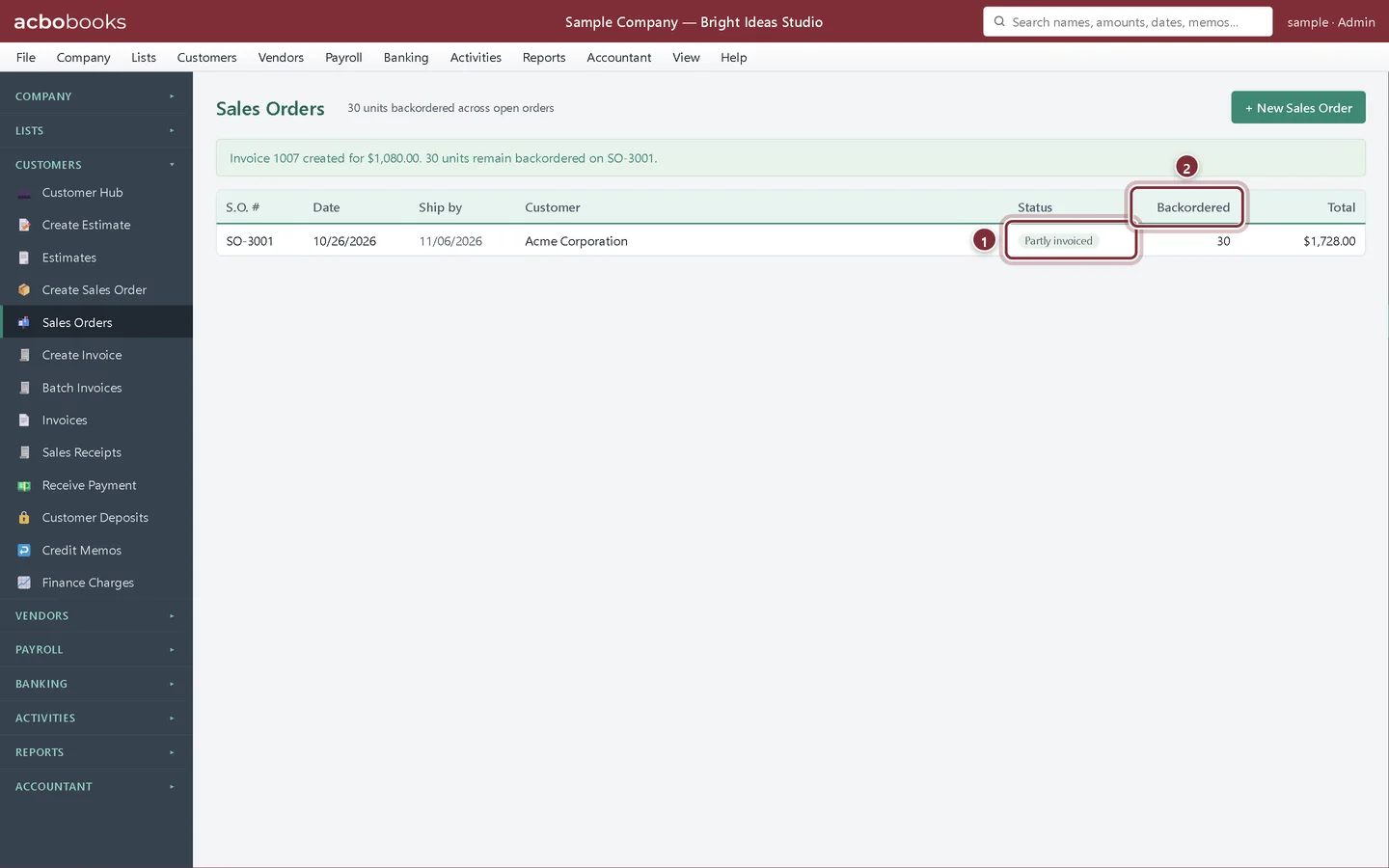
Step 4: Track the backorder
The Sales Orders list shows each order's Status (here Partly invoiced) and how many units are Backordered. Invoice the rest from the same order when it ships. Reports → Open Sales Orders lists every order still waiting.
- Status.
- Backordered: units still to invoice.
Recap
- Record an order before you ship or bill it.
- Invoice part of an order.
- See what is backordered and close an order you won't fill.
Questions
Do I need sales orders?
Only if you take orders that ship later or in parts. If you ship and bill at once, go straight to an invoice.
Does a sales order reserve stock?
It doesn't move stock or post anything, but the Stock Status report shows ordered units as committed so you can see what is spoken for.
Screenshots from AcboBooks 0.2.2 with the built-in sample company. Updated October 25, 2026. Your screens may differ slightly with another version or window size.