
AcboBooks Academy · 5 lessons · about 33 min
Inventory
AcboBooks keeps a running count and value of every inventory part you stock. Buying stock adds to the quantity and to the Inventory Asset account at what you paid; selling it moves the cost to Cost of Goods Sold at the item's average cost; counts and write-offs bring the books in line with the shelf. This track follows one product, a printed coffee mug the Bright Ideas Studio sample company starts selling, from setting it up through buying, selling, counting and reporting. AcboBooks values stock at average cost and works the same way in the US and Canadian editions.

Lessons
Lesson 1 · 7 min · Beginner
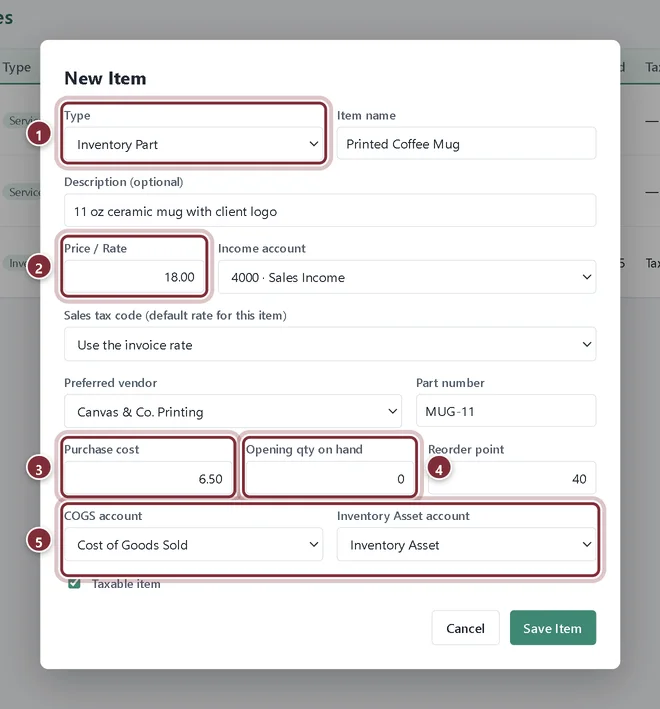
Set up inventory items
Add an inventory part in AcboBooks with its price, purchase cost, opening quantity, reorder point and the COGS and Inventory Asset accounts.
Lesson 2 · 7 min · Beginner
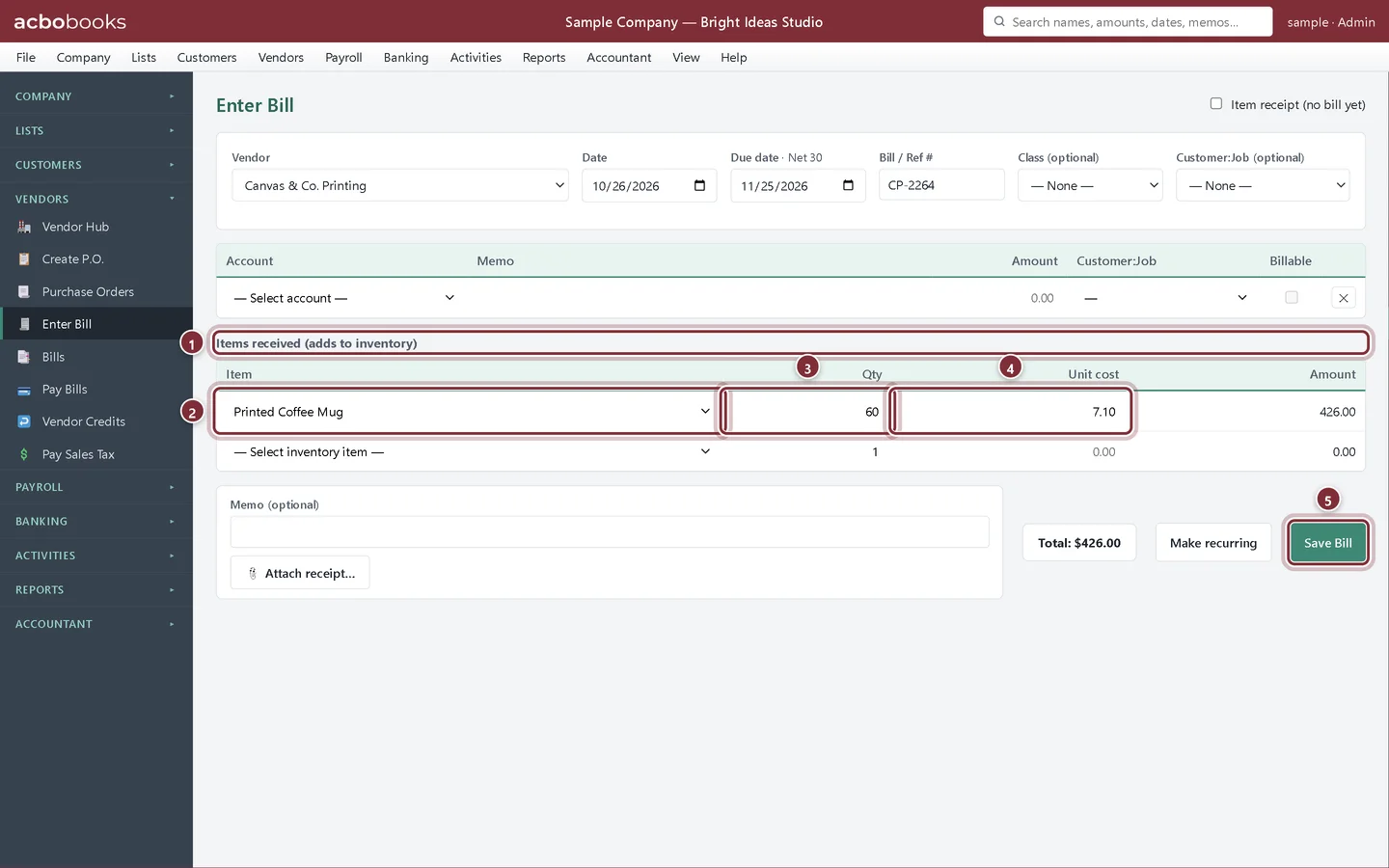
Buy inventory and update average cost
Record stock purchases in AcboBooks on a bill or purchase order and see the quantity on hand and average cost update in Inventory Valuation.
Lesson 3 · 6 min · Beginner
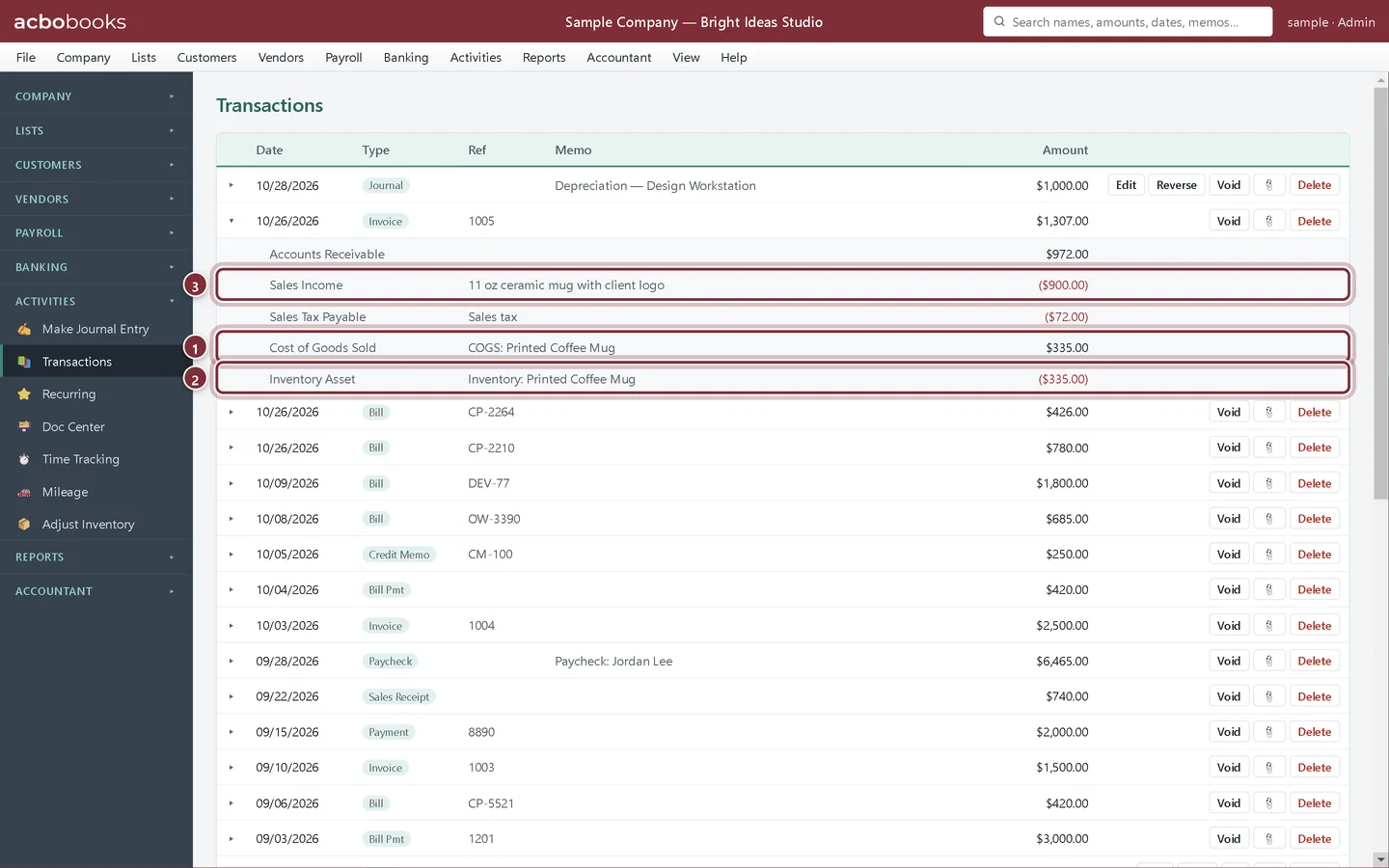
Sell inventory and cost of goods sold
Sell an inventory part on an invoice in AcboBooks and see the cost of goods sold and Inventory Asset entries it posts at average cost.
Lesson 4 · 7 min · Intermediate
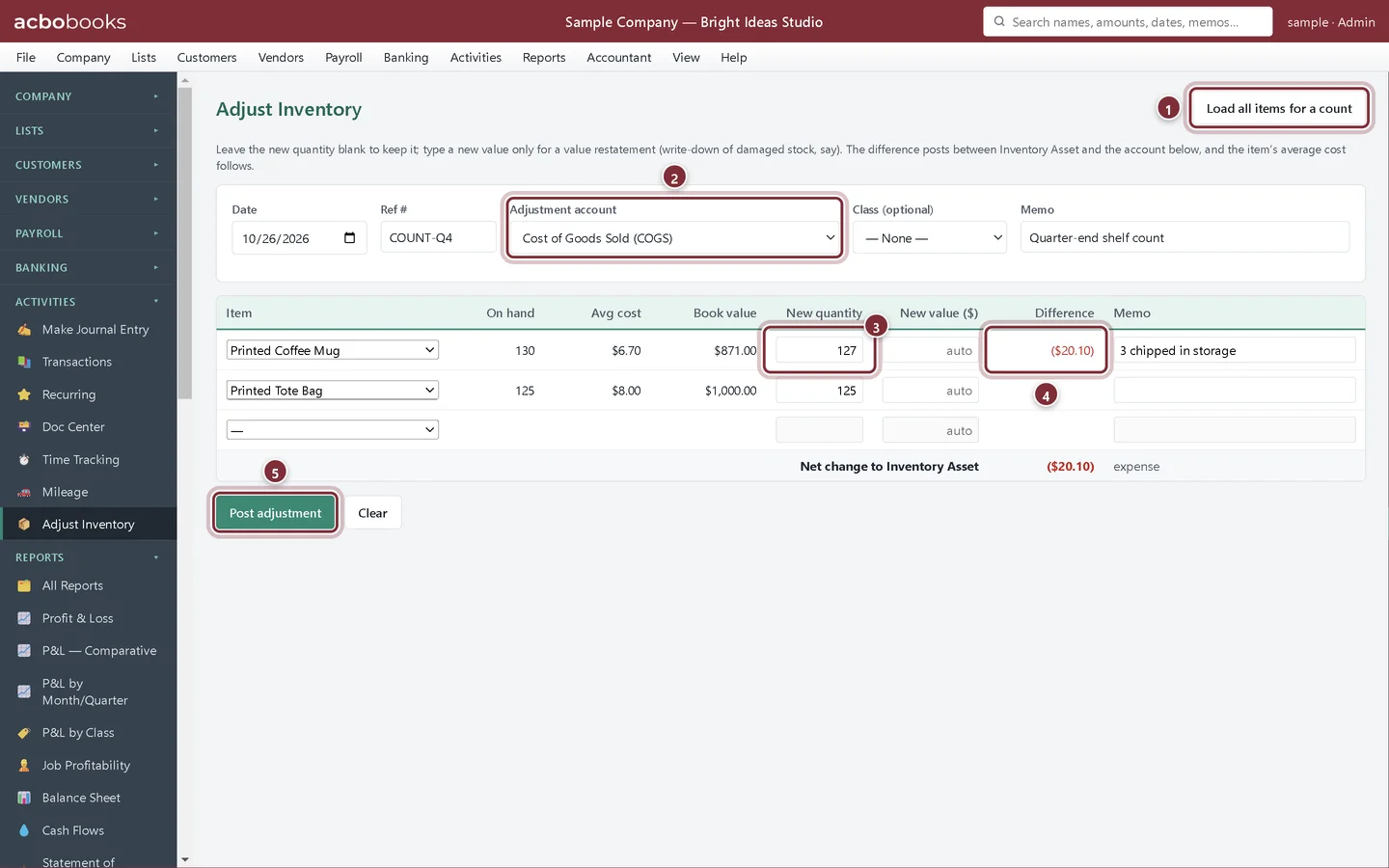
Count and adjust inventory
Print the Physical Inventory Worksheet, count your stock and post the differences in AcboBooks with Adjust Inventory, for shrinkage, damage or write-downs.
Lesson 5 · 6 min · Beginner
Reorder points and inventory reports
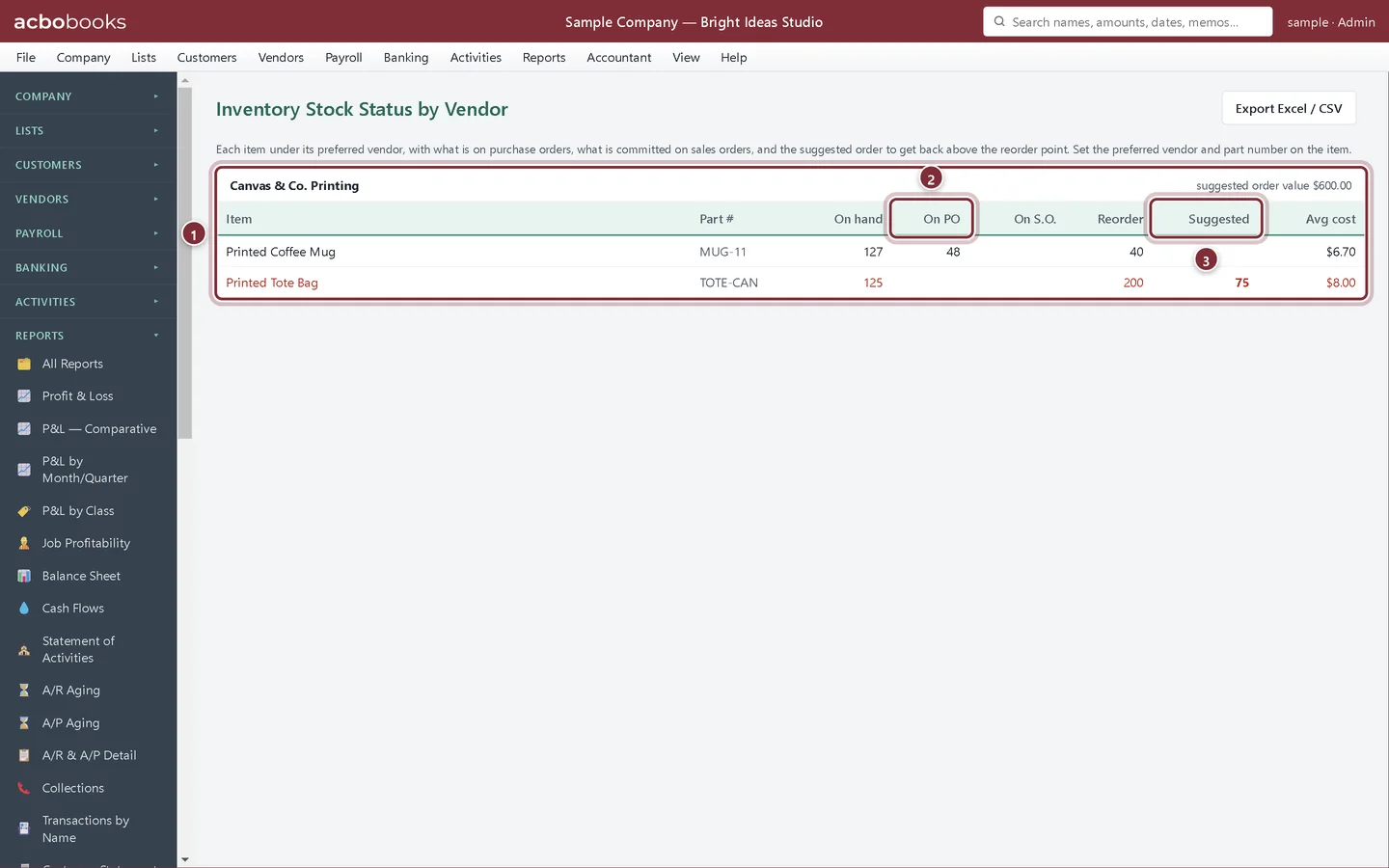
Set reorder points in AcboBooks and use Stock Status, Stock Status by Vendor and Inventory Valuation to see what to reorder and what your stock is worth.
All Academy tracks · Help centre · Bookkeeping how-to guides
Get started
Try every lesson in the sample company.
AcboBooks comes with a sample company to practise on. Free for 15 days, then bought once.
No card. No account. Nothing to cancel.