
In this lesson you will
- Add stock to a bill with the items received section
- See the quantity and value in Inventory Valuation
- Understand how a new price changes the average cost
- Choose between a bill, an item receipt and a purchase order
Before you start
The first delivery
Step 1: Enter the bill with the items received
The first 120 mugs arrive with the vendor's bill. Open Vendors → Enter Bill, choose the vendor and the bill number, and go to Items received (adds to inventory). Pick the item: Unit cost fills in from the item's purchase cost. Type the Qty and click Save Bill. You don't need an expense line for stock; the item line posts to Inventory Asset.
Step 2: Check Reports → Inventory Valuation
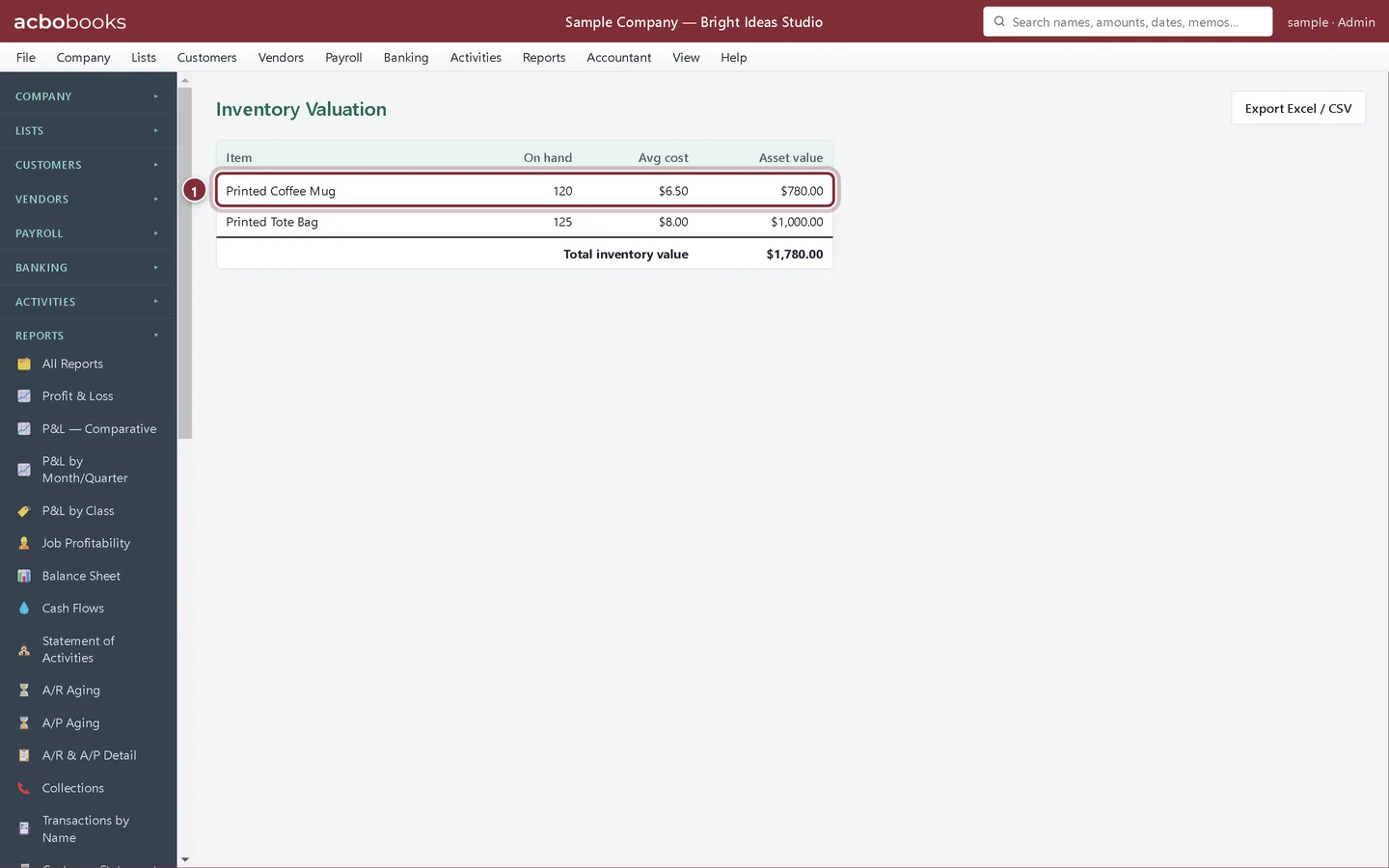
Inventory Valuation lists each inventory part with its quantity On hand, Avg cost and Asset value (quantity times average cost). After the first bill the mugs show 120 on hand at $6.50, worth $780.00.
- The mugs after the first delivery: 120 at $6.50.
A second delivery at a new price
Step 3: Change the unit cost on the bill
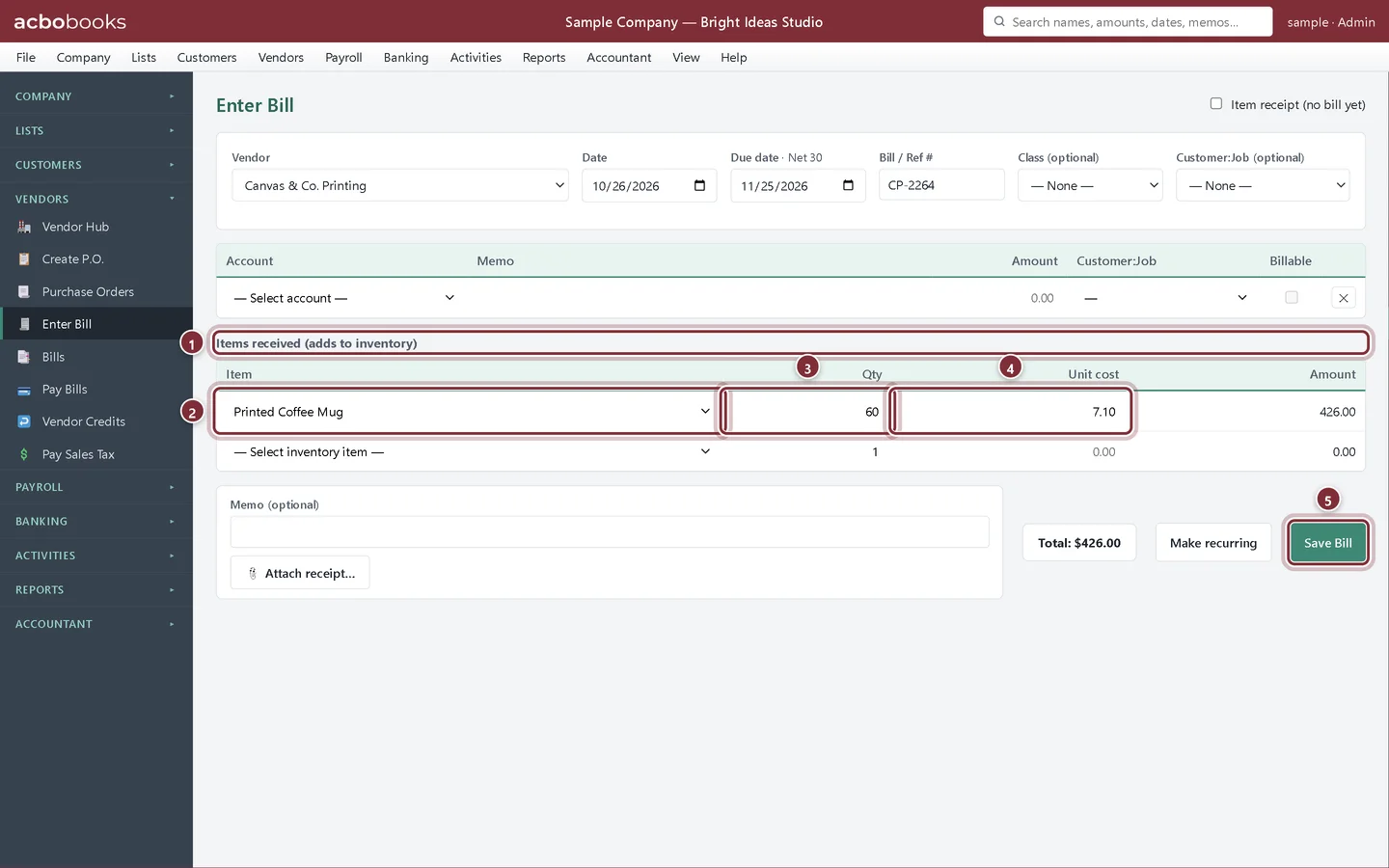
The next 60 mugs cost $7.10 each because the vendor raised its price. On the bill, type the new price over the suggested Unit cost. Always use the price on the vendor's invoice, so your stock value matches what you actually paid.
- Items received (adds to inventory): stock lines on a bill.
- Item: the inventory part.
- Qty: how many arrived.
- Unit cost: the price on this invoice, here $7.10.
- Save Bill adds the stock and the amount owed.
Step 4: See the new average
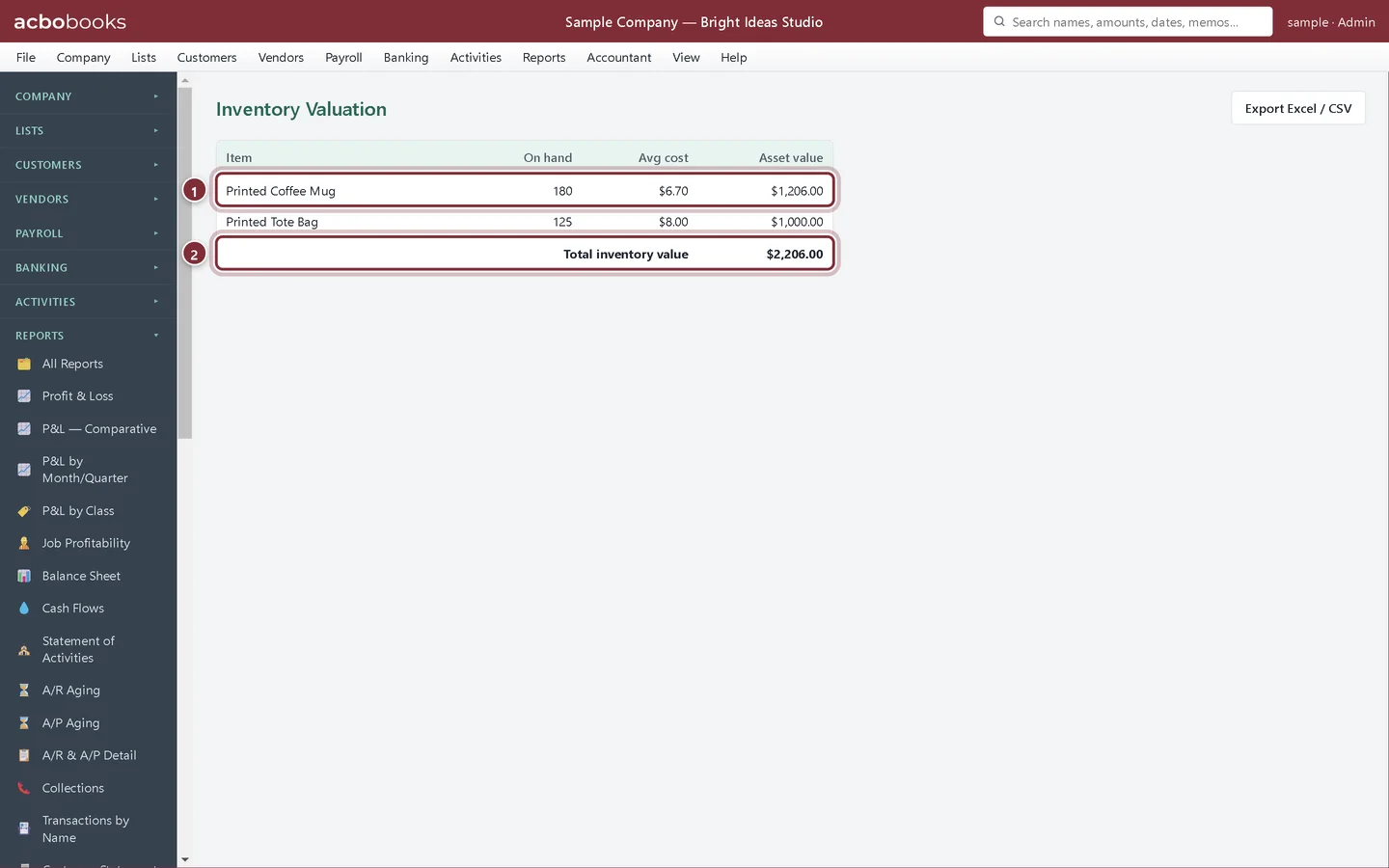
Inventory Valuation now shows 180 mugs. Their value is $780.00 + $426.00 = $1,206.00, and the average cost is $1,206.00 ÷ 180 = $6.70. Every mug you sell from now on is costed at $6.70 until the next purchase moves the average again.
- The mugs after both deliveries: 180 on hand at an average of $6.70, worth $1,206.00.
- Total inventory value: the balance your Inventory Asset account should show.
Other ways stock comes in
Step 5: Item receipts and purchase orders
If the goods come before the bill, tick Item receipt (no bill yet) on Enter Bill, or receive them against a purchase order: the stock is added and valued straight away, and the receipt becomes a bill when the invoice arrives. If you order ahead, a purchase order also shows the quantity On order in Stock Status. The steps are in Purchase orders and receiving items.
Recap
- Add stock with the Items received section of a bill.
- Use the vendor's invoice price as the unit cost.
- Read quantity, average cost and value in Inventory Valuation.
- Use item receipts and purchase orders when goods and bills arrive apart.
Questions
Should freight go into the cost of the stock?
If you want landed cost, spread the freight over the units by adding it to the unit cost on the item line. Or post freight as an expense line on the bill if your accountant prefers.
What if I typed the wrong unit cost?
Open the bill from Vendors → Bills, click Edit, correct the unit cost and click Update Bill. The average cost is worked out again from the corrected figure.
Does AcboBooks use FIFO?
No, it uses average cost. FIFO costs each sale at the oldest purchase price instead. See Glossary: FIFO.
Screenshots from AcboBooks 0.2.2 with the built-in sample company. Updated October 25, 2026. Your screens may differ slightly with another version or window size.