
AcboBooks Academy · 10 lessons · about 70 min
Purchases and vendors
This track covers the money going out of the business: setting up the vendors you buy from, entering their bills (including the ones that come every month), paying them on time (and taking the early-payment discount when it is offered), writing and printing checks, ordering stock with purchase orders, and handling credits, refunds and card purchases. The last lesson shows how AcboBooks tracks 1099 contractors through the year. Every screenshot comes from the Bright Ideas Studio sample company, where we add a print supplier called Canvas & Co. Printing and follow it from the first bill to its full history. Where the Canadian edition differs (cheques, GST/HST on bills, T4A and T5018 slips), a note says so.

Lessons
Lesson 1 · 7 min · Beginner
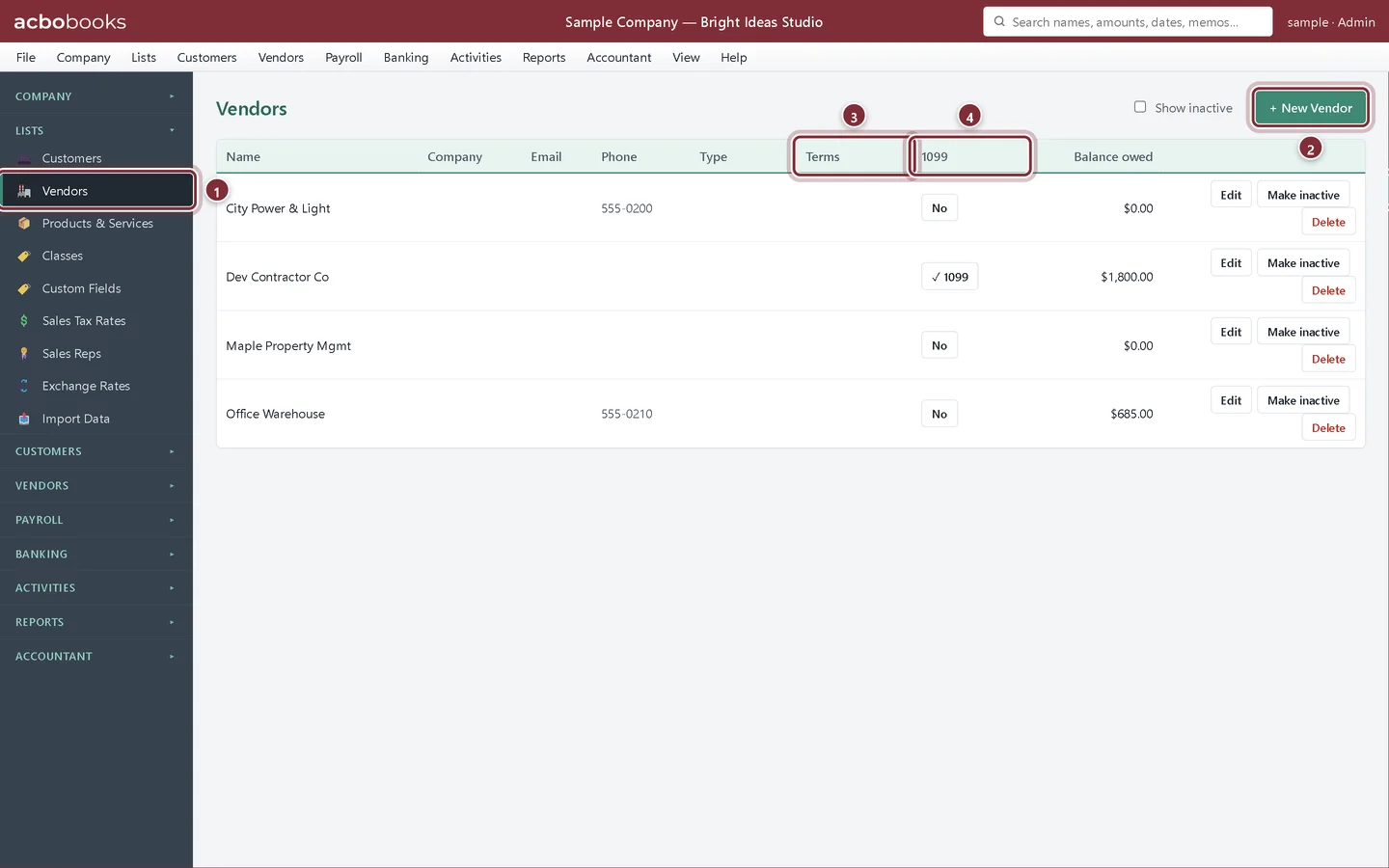
Add vendors and payment terms
Add vendors in AcboBooks with payment terms, an opening balance and 1099 details, and see each vendor's bills and payments in the Vendor Hub.
Lesson 2 · 8 min · Beginner
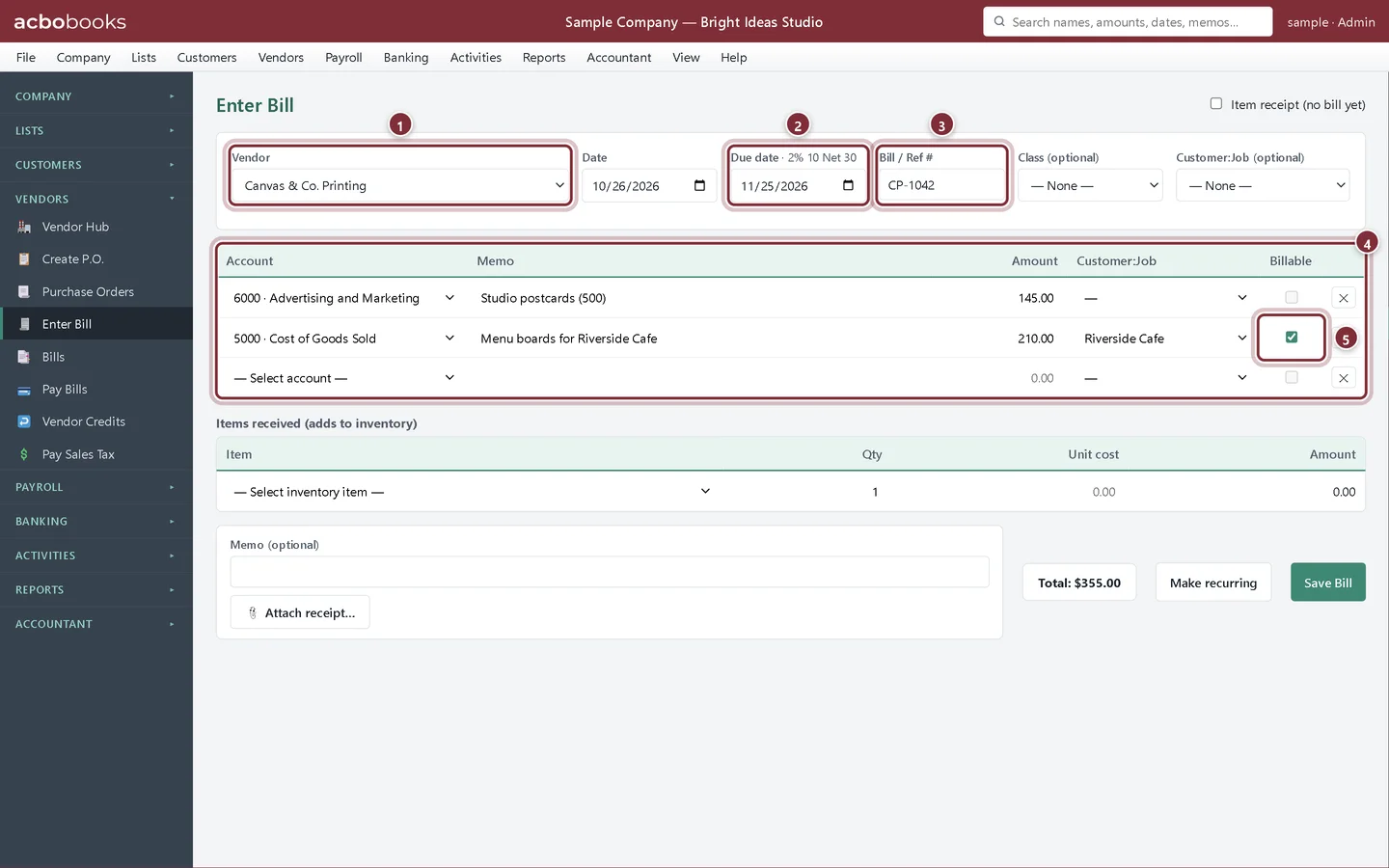
Enter a bill
Enter a vendor bill in AcboBooks: due dates from terms, expense lines, billable costs for customers, stock received and the receipt attached.
Lesson 3 · 8 min · Beginner
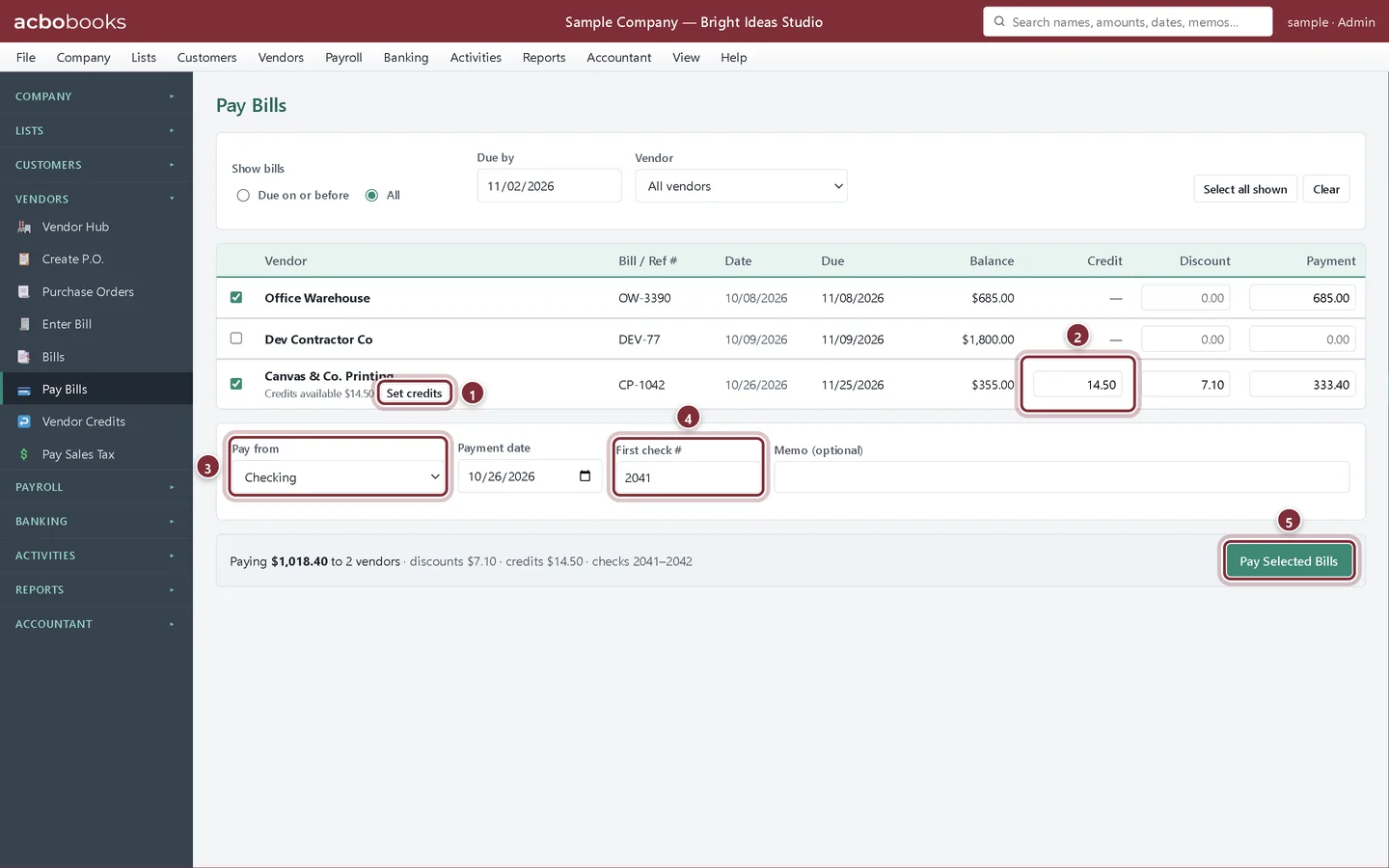
Pay bills, take discounts and use credits
Pay one bill or many in AcboBooks: pick what is due, take early-payment discounts, apply vendor credits and number the checks in one step.
Lesson 4 · 6 min · Beginner
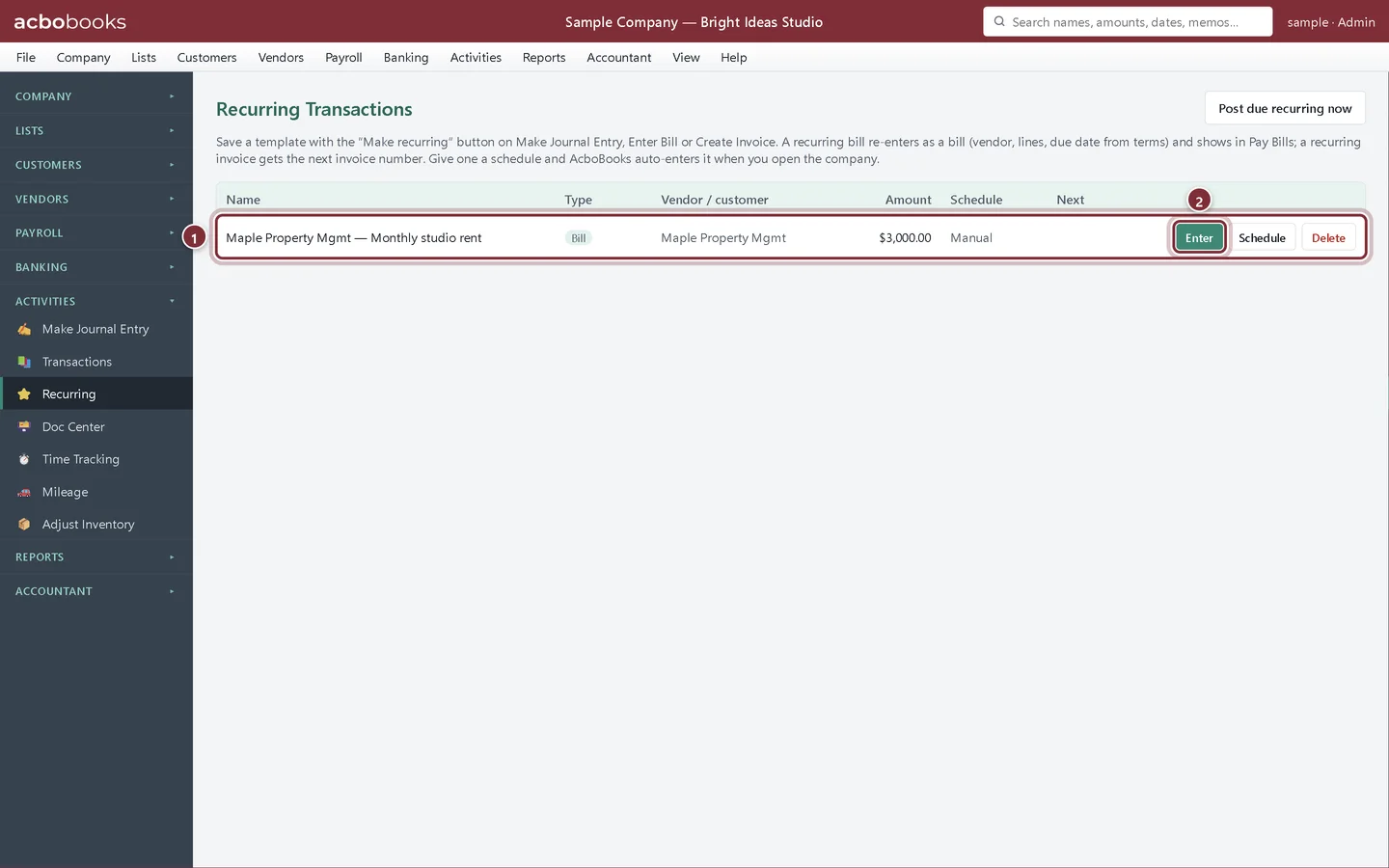
Set up recurring bills
Save a bill you get every month, such as rent, as a recurring template in AcboBooks, then enter it from Activities → Recurring so it waits in Pay Bills.
Lesson 5 · 6 min · Beginner
Write and print checks
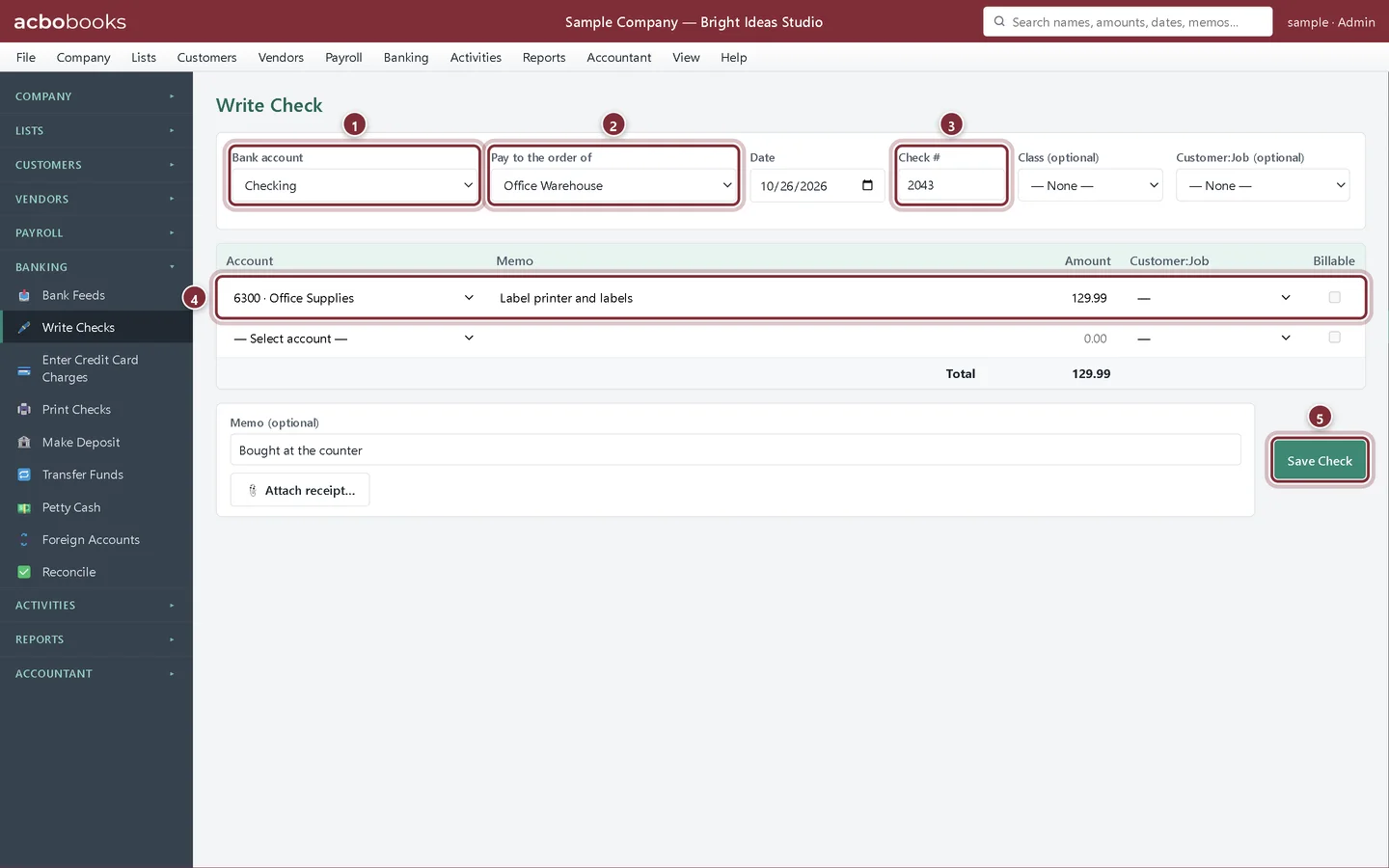
Write a check for an expense in AcboBooks without entering a bill, then print one check or a batch to PDF from Print Checks.
Lesson 6 · 10 min · Intermediate
Purchase orders and receiving items
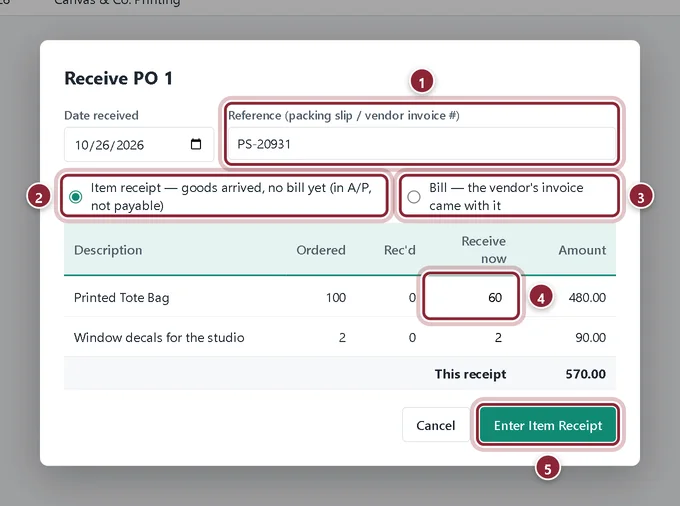
Create a purchase order in AcboBooks, receive part or all of it as an item receipt or a bill, and turn the receipt into a bill when the invoice comes.
Lesson 7 · 6 min · Intermediate
Enter the bill for goods you already received
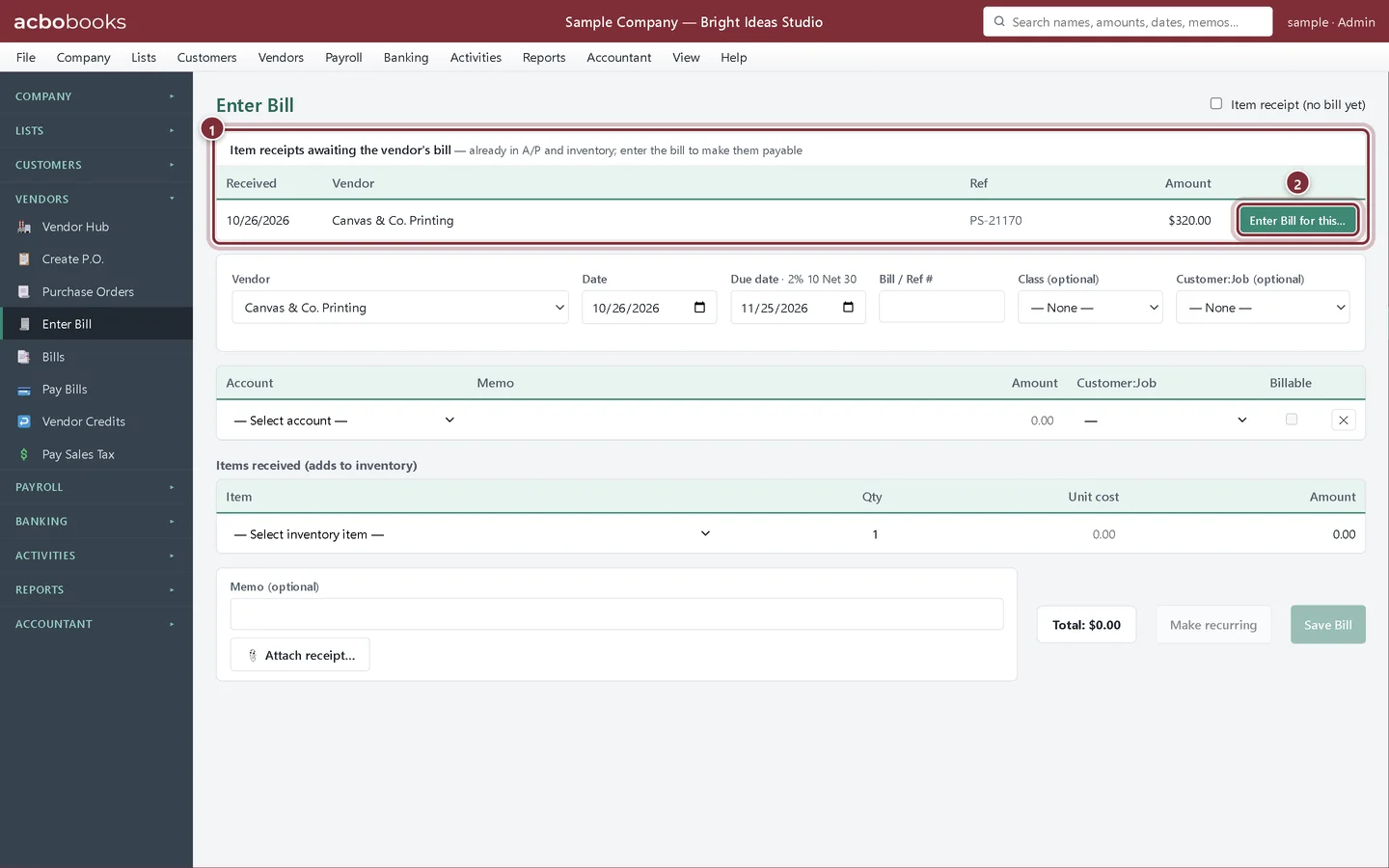
Record stock that arrives before the vendor's invoice as an item receipt in AcboBooks, then turn it into a payable bill with Enter Bill for this….
Lesson 8 · 7 min · Beginner
Vendor credits and refunds
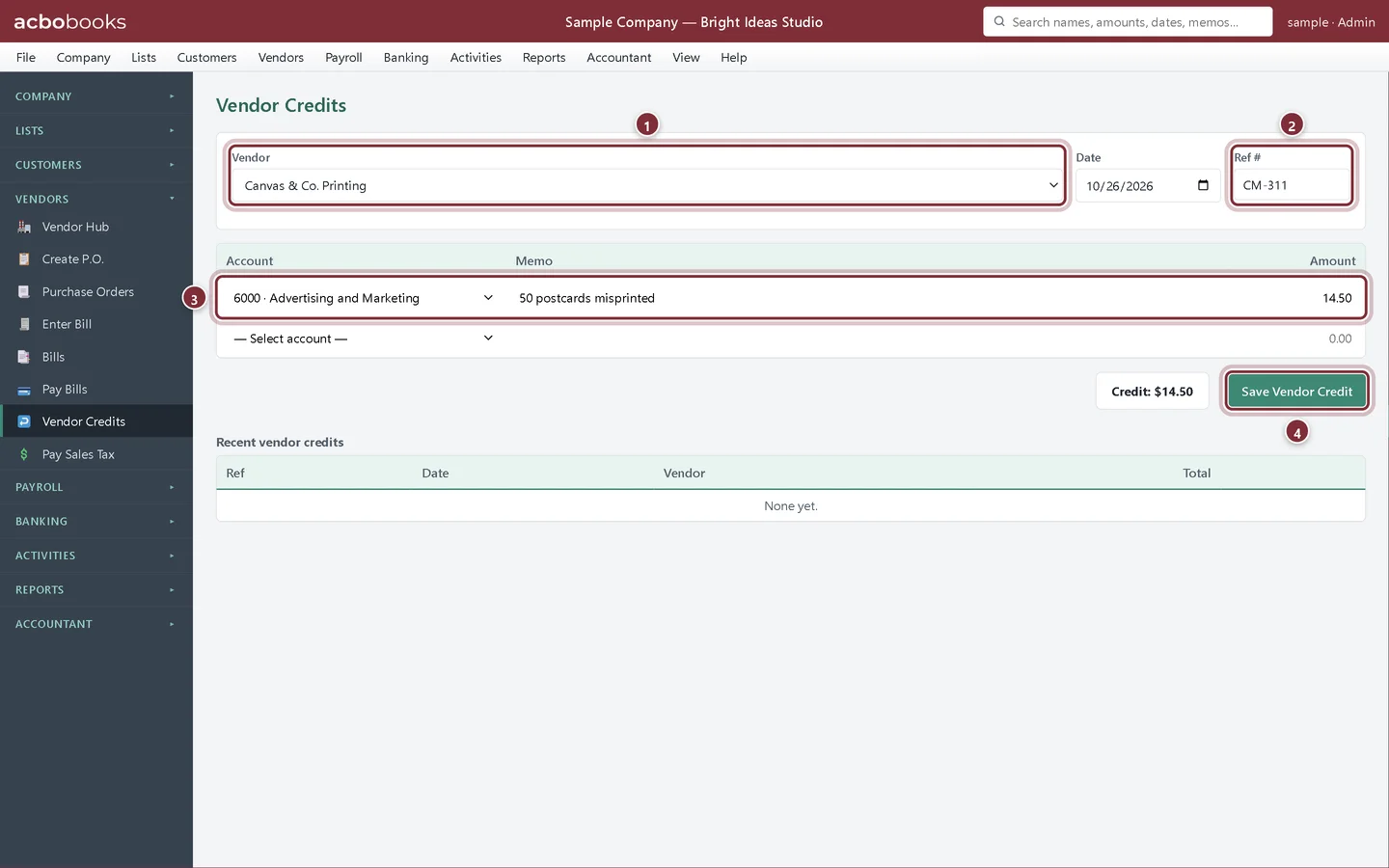
Record a vendor credit in AcboBooks, apply it to the vendor's next bill, and record a refund that comes back as a deposit or to your card.
Lesson 9 · 6 min · Beginner
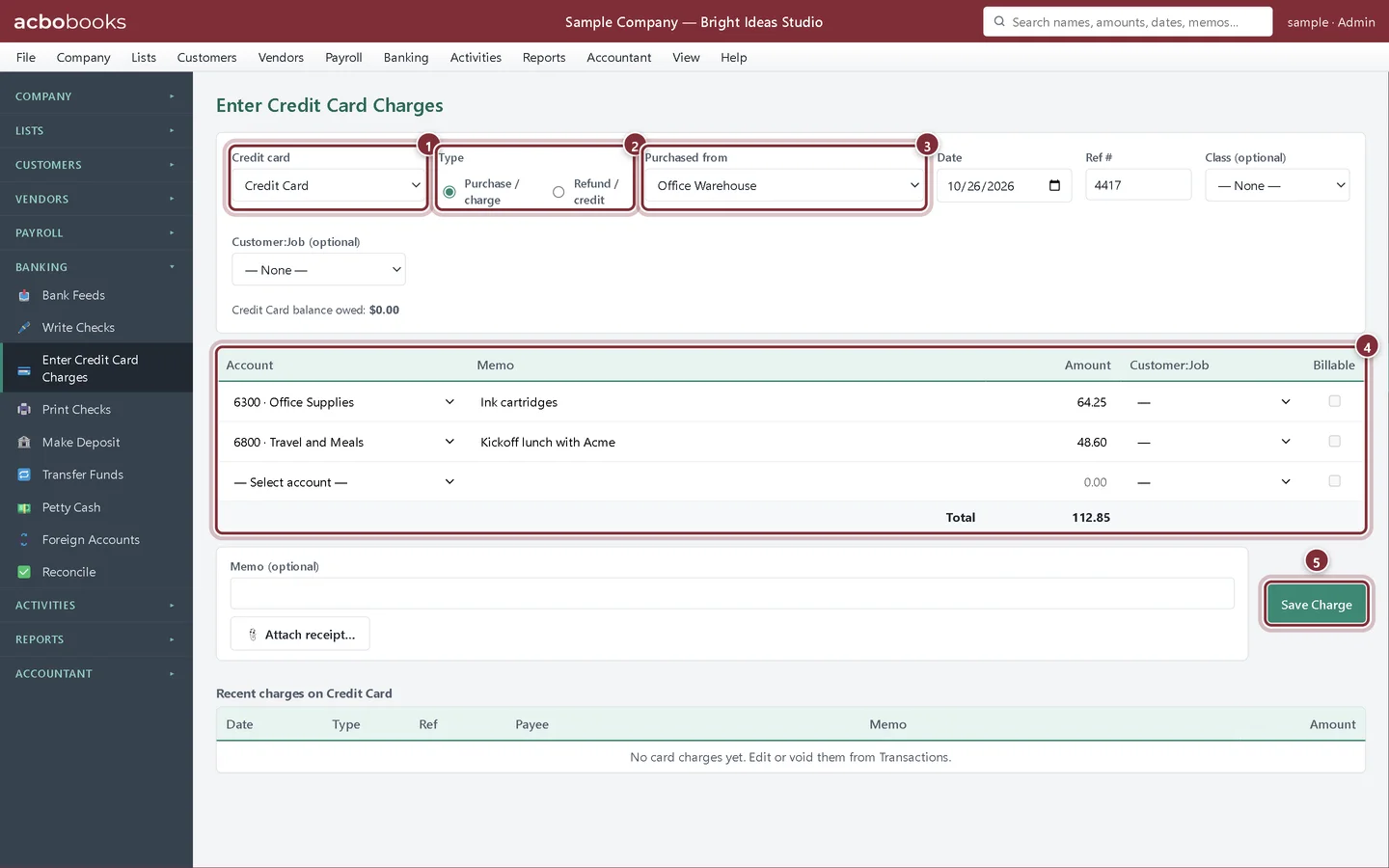
Enter credit card charges
Record business credit card purchases and refunds in AcboBooks, see what you owe on the card, and record the payment to the card company.
Lesson 10 · 6 min · Beginner
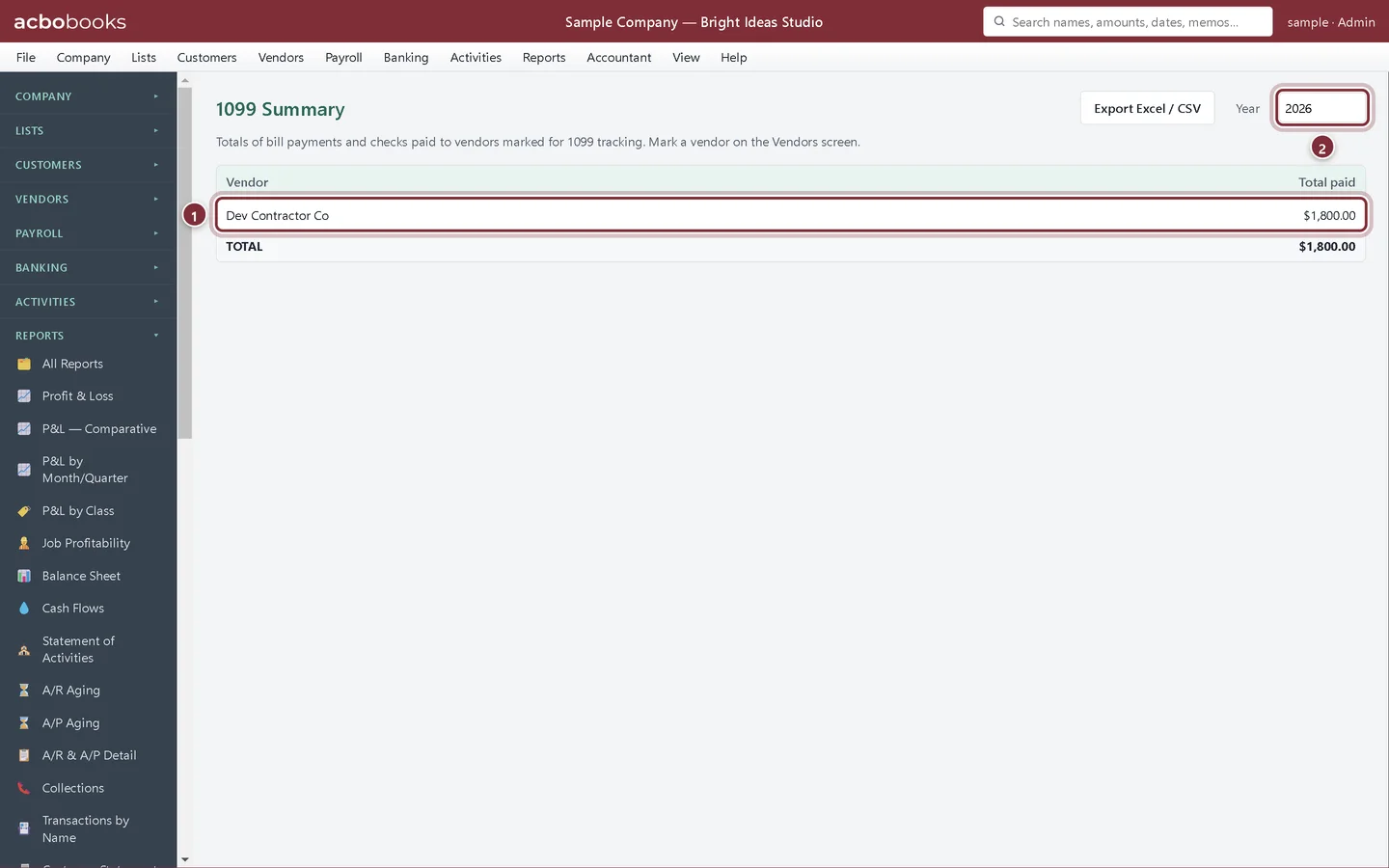
Track 1099 contractors
Mark contractors for 1099 tracking in AcboBooks, store their tax ID, and watch their year-to-date payments in the 1099 Summary and 1099-NEC Wizard.
All Academy tracks · Help centre · Bookkeeping how-to guides
Get started
Try every lesson in the sample company.
AcboBooks comes with a sample company to practise on. Free for 15 days, then bought once.
No card. No account. Nothing to cancel.