
In this lesson you will
- Mark a vendor for 1099 tracking
- Store the contractor's tax ID and address
- See year-to-date payments in the 1099 Summary
- Check who needs a 1099-NEC in the wizard
Before you start
Set up the contractor
Step 1: Switch on 1099 tracking
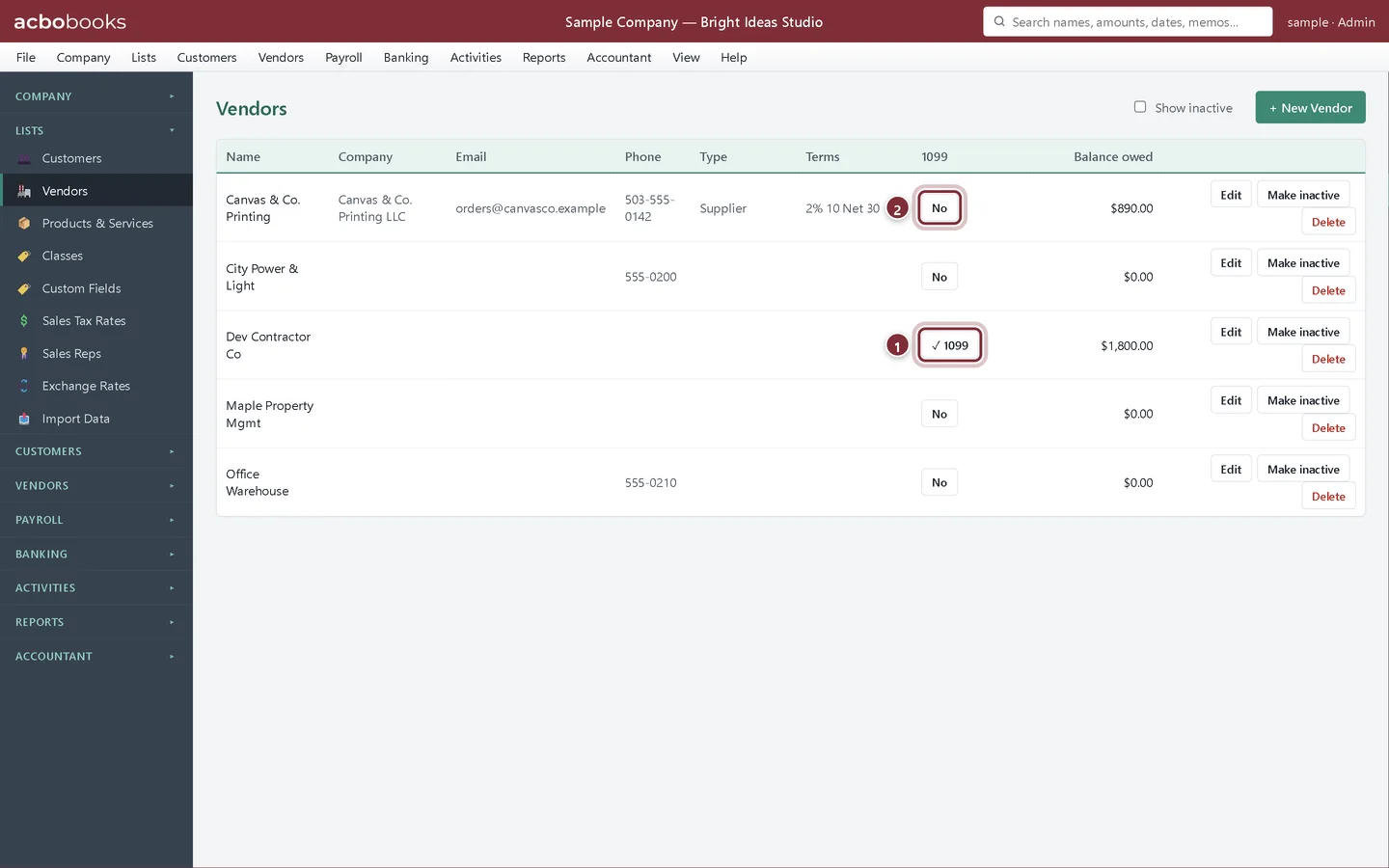
In Lists → Vendors, each vendor has a button in the 1099 column. Click No to switch tracking on; it changes to ✓ 1099. Click it again to switch it off. Do this when you first add a contractor, but turning it on later in the year still counts their earlier payments.
- ✓ 1099: Dev Contractor Co is tracked.
- No: click to start tracking this vendor.
Step 2: Add the tax ID and address
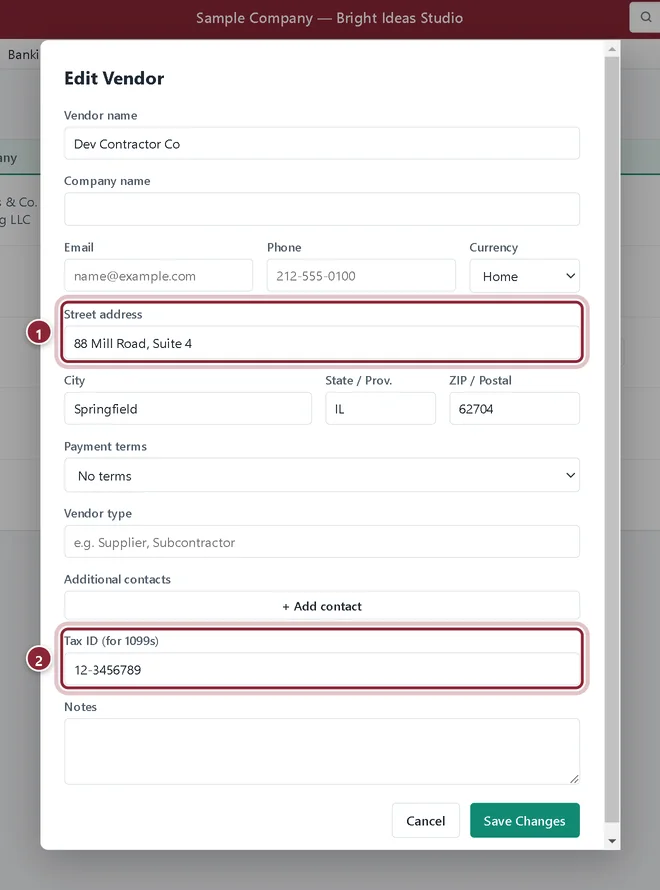
Click Edit on the contractor and fill in Street address, City, State and ZIP, and the Tax ID (for 1099s) from their W-9. The 1099-NEC uses both. Click Save Changes.
- Street address: printed on the 1099-NEC.
- Tax ID (for 1099s): the contractor's EIN or SSN.
Watch the totals during the year
Step 3: Pay them as usual
Pay contractor bills in Pay Bills or with Write Checks as you would any vendor. Every payment to a tracked vendor counts toward their total for the year it was paid.
Step 4: Reports → 1099 Summary
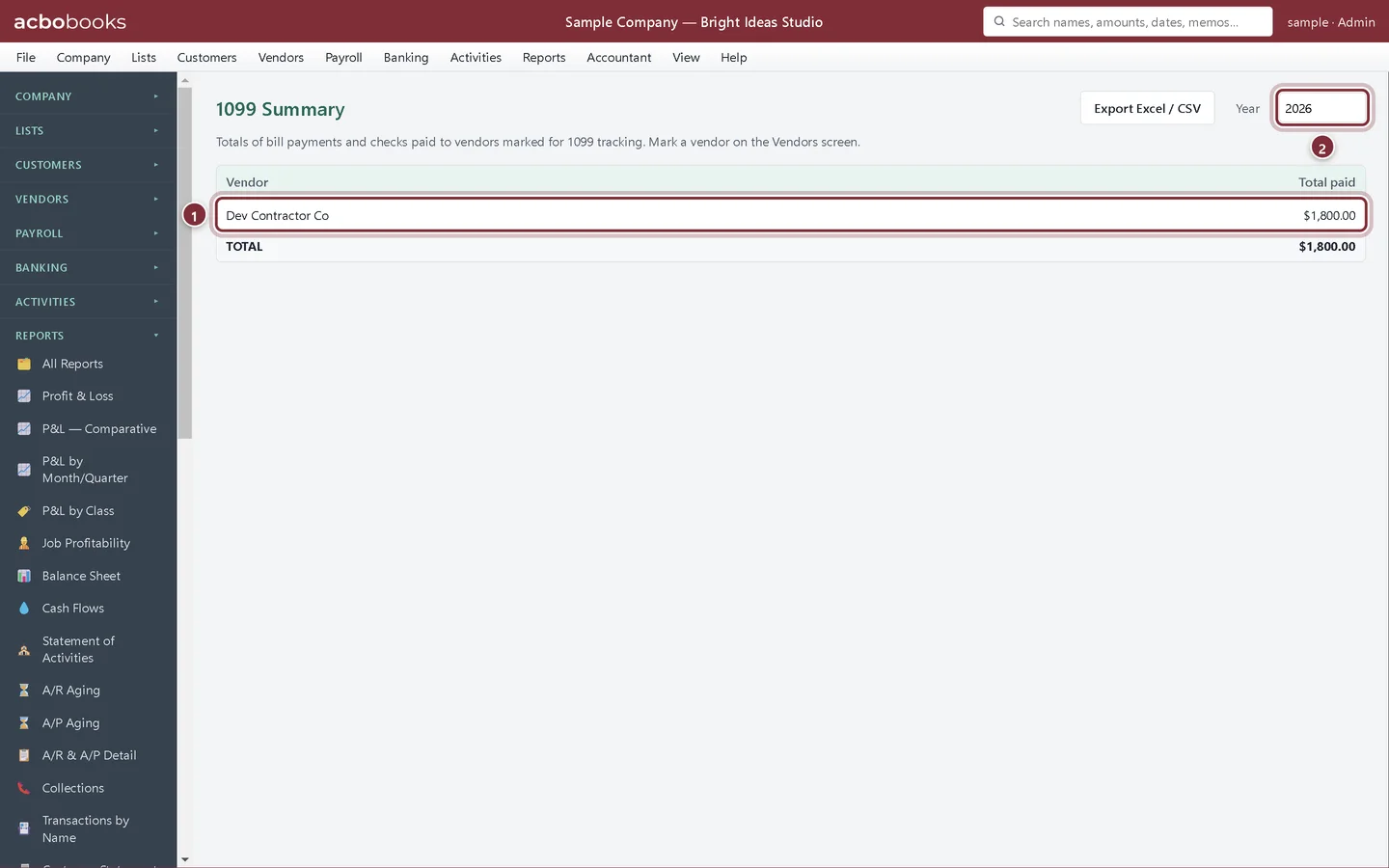
The 1099 Summary adds up the bill payments and checks paid to each tracked vendor in a Year. Use Export Excel / CSV to send it to your accountant.
- Each tracked vendor and what you paid them this year.
- Year: the calendar year to total.
At year end
Step 5: Accountant → 1099 Forms
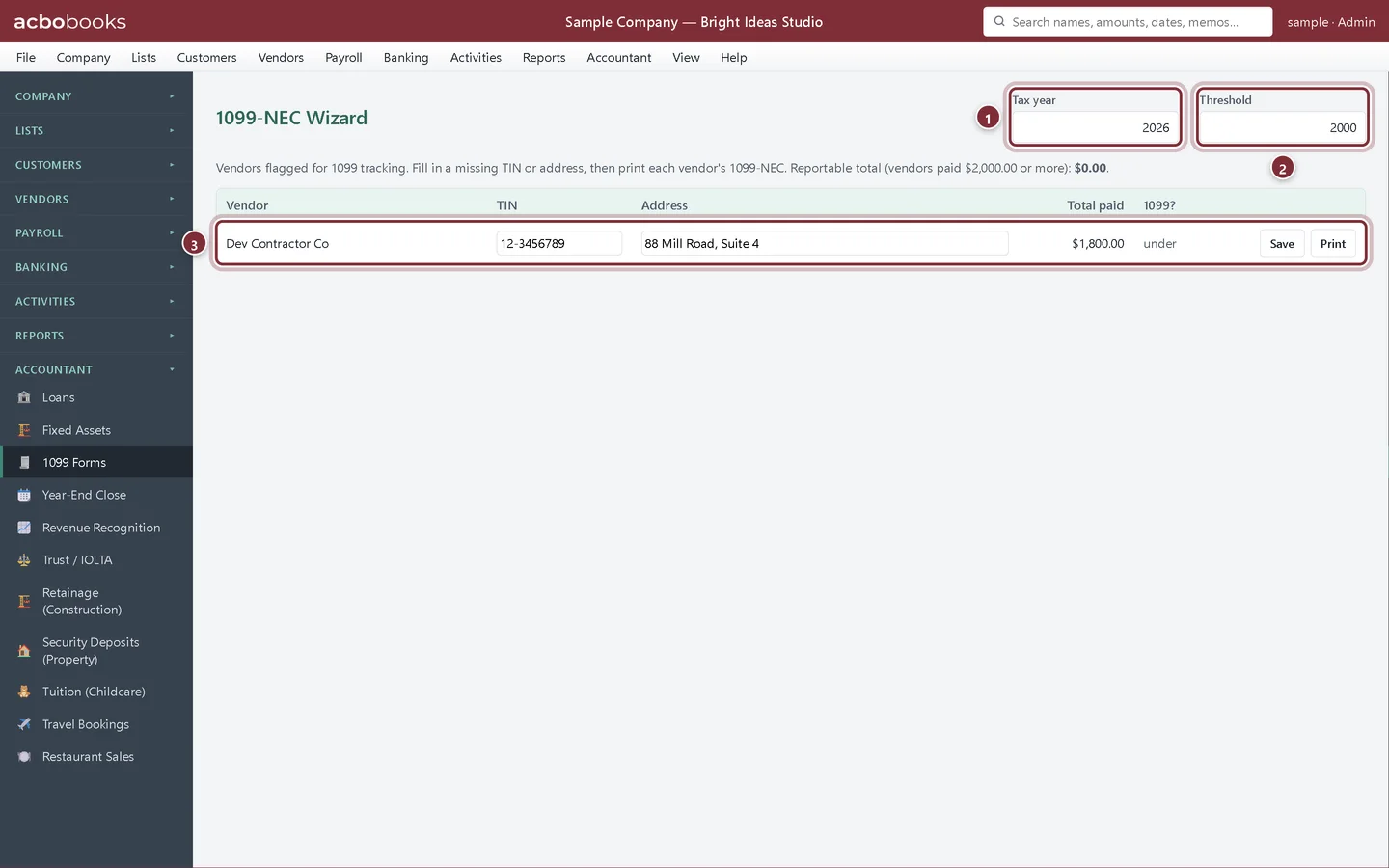
The 1099-NEC Wizard lists every tracked vendor paid in the Tax year, with their TIN, address and Total paid. Fill in a missing TIN or address on the row and click Save. The 1099? column shows who is over the Threshold; Print makes that vendor's 1099-NEC Copy B, the copy you give the contractor. Copy A for the IRS is filed through IRIS or on the official red-ink form.
- Tax year: the year you are filing for.
- Threshold: $600 for payments through 2025 and $2,000 from 2026, filled in for the year you choose.
- Dev Contractor Co was paid $1,800, under the 2026 threshold, so no 1099-NEC is needed.
In the Canadian edition
Step 6: T4A and T5018 slips
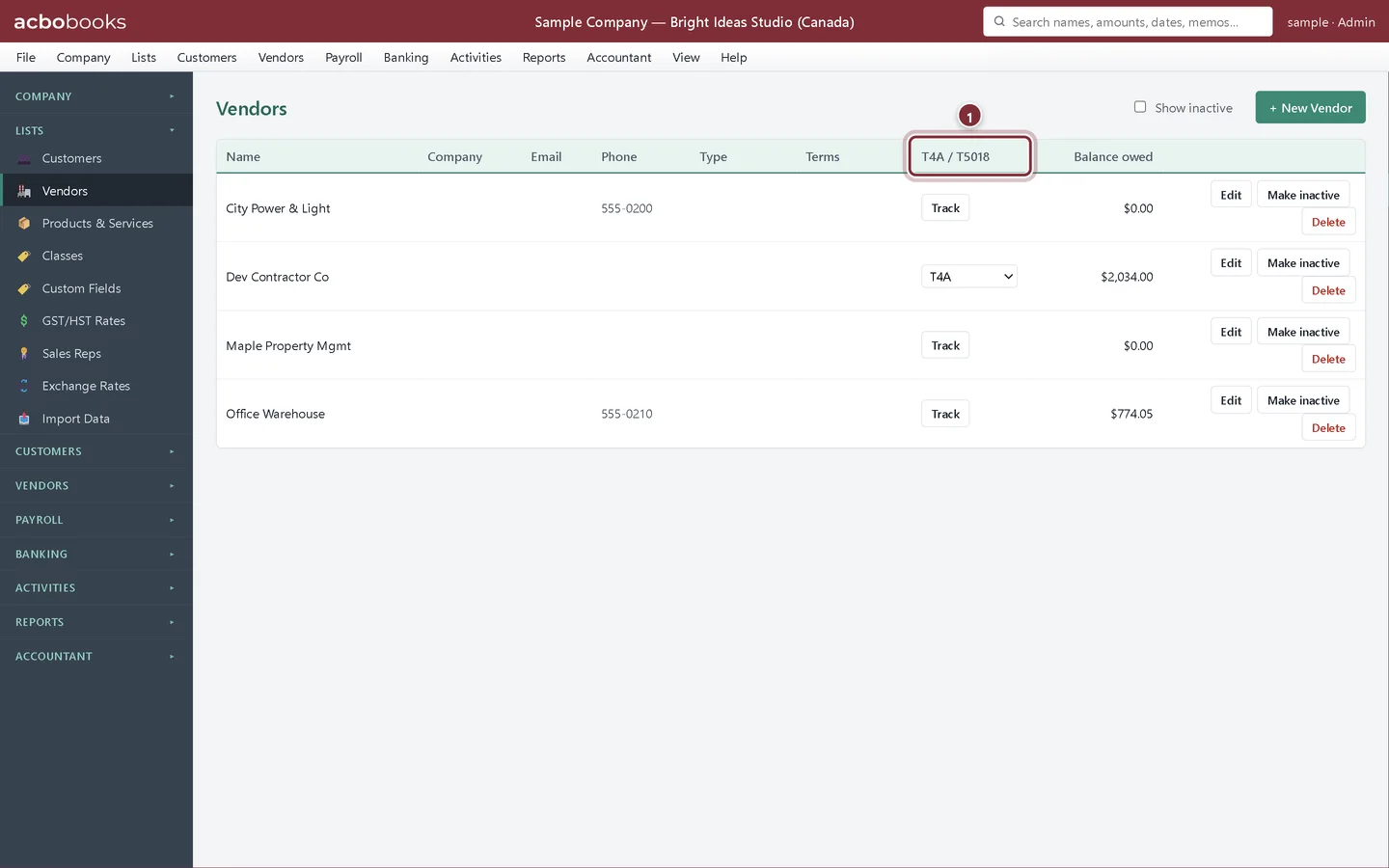
Canadian company files track contractors for a T4A or a T5018 slip instead. The column reads T4A / T5018: click Track, then choose the slip from the drop-down. The tax ID field is Business Number / SIN (for T4A / T5018 slips), the report is Reports → Contractor Slips Summary, and the slips are under Accountant → T4A / T5018 Slips, with a $500 threshold.
- T4A / T5018: Track a contractor, then pick the slip.
Recap
- Mark contractors for 1099 tracking on the Vendors list.
- Store their tax ID and address from the W-9.
- Check year-to-date payments in the 1099 Summary.
- See who is over the threshold in the 1099-NEC Wizard.
Questions
I forgot to mark a contractor until December. Is that a problem?
No. The 1099 totals are worked out from the payments themselves, so switching tracking on counts every payment in the year.
Do card payments to contractors count?
The 1099 Summary counts bill payments and checks. Payments made by credit card are reported by the card company on Form 1099-K, so they are left out of the 1099-NEC.
Why does the wizard open on last year?
1099s are filed in January for the year just ended, so the wizard starts on the previous year. Change Tax year to see another.
Screenshots from AcboBooks 0.2.2 with the built-in sample company. Updated October 25, 2026. Your screens may differ slightly with another version or window size.