
AcboBooks Academy · 10 lessons · about 83 min
Banking
Your bank and card accounts are where the books meet the real world. This track sets up the accounts, brings in your bank's transactions from a downloaded file, reconciles every month to the statement, and covers the entries that sit around banking: transfers, credit card payments, journal entries (including reversing and recurring ones), loans and the petty cash box. Each lesson uses the sample company, Bright Ideas Studio, so you can follow along click for click.

Lessons
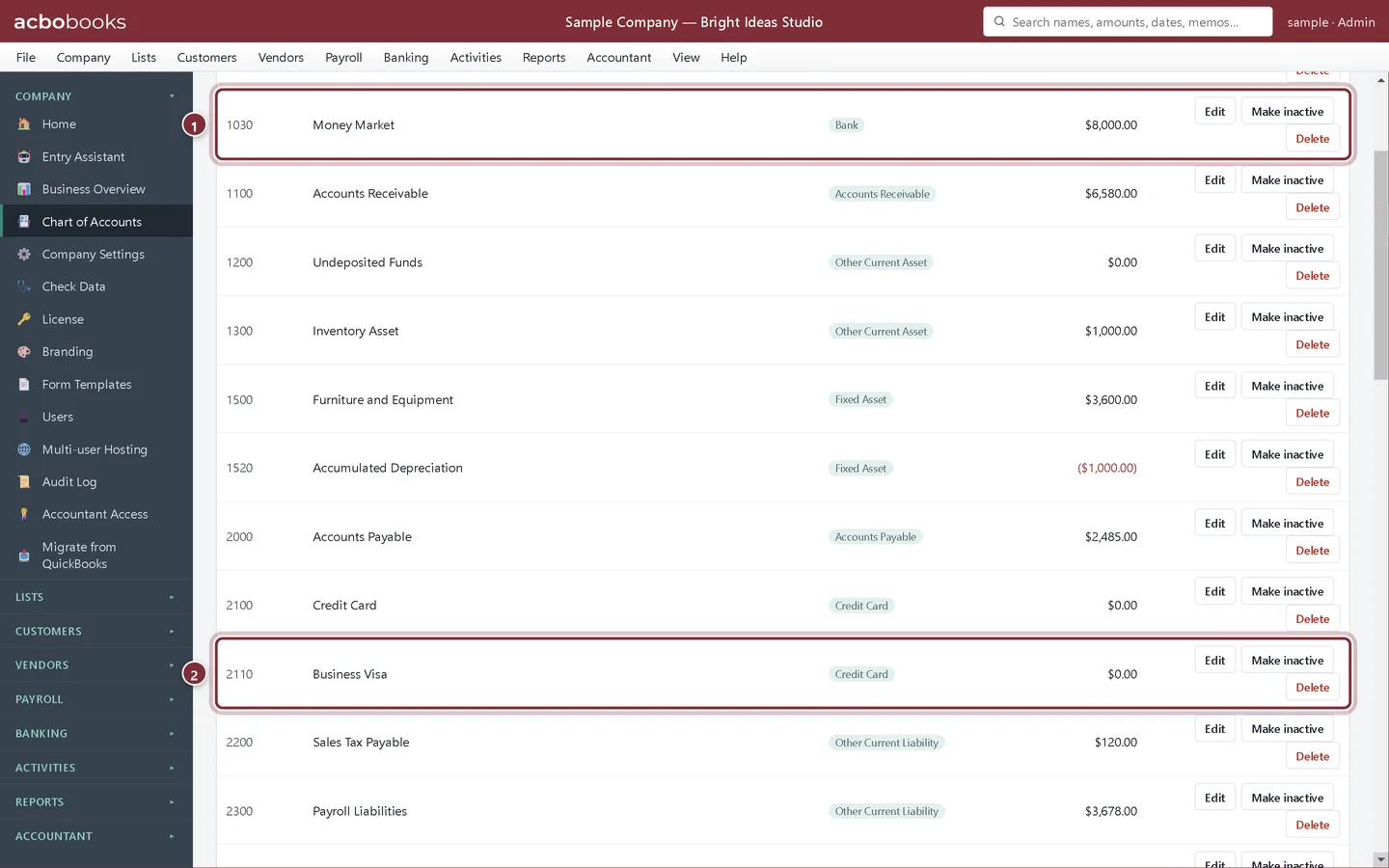
Lesson 1 · 6 min · Beginner
Set up bank and credit card accounts
Add a bank account and a business credit card to the Chart of Accounts in AcboBooks, with the right type, number and opening balance.
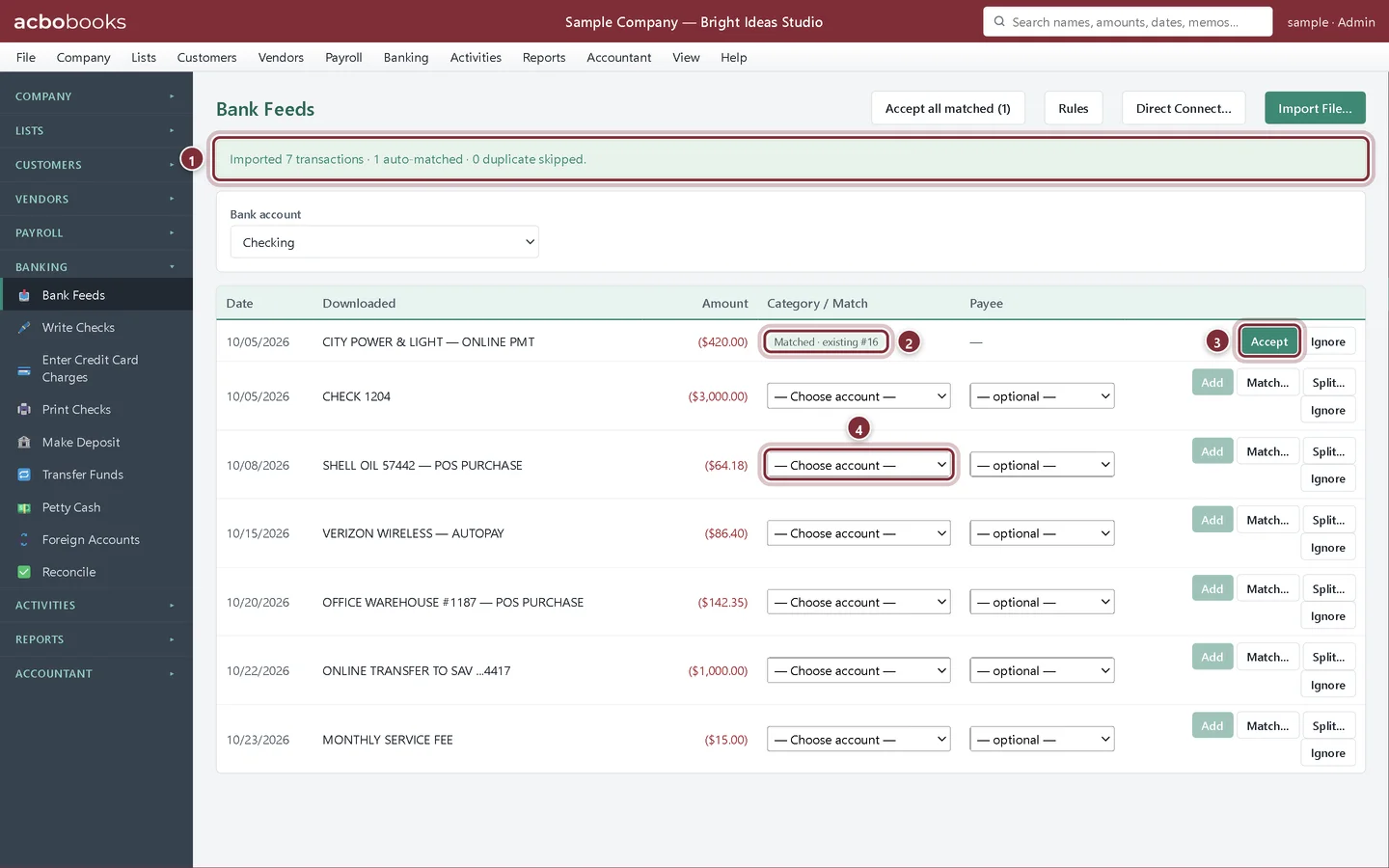
Lesson 2 · 10 min · Beginner
Import bank transactions with Bank Feeds
Download a statement file from your bank, import it in Bank Feeds, accept the matches and add the new lines to the right accounts.
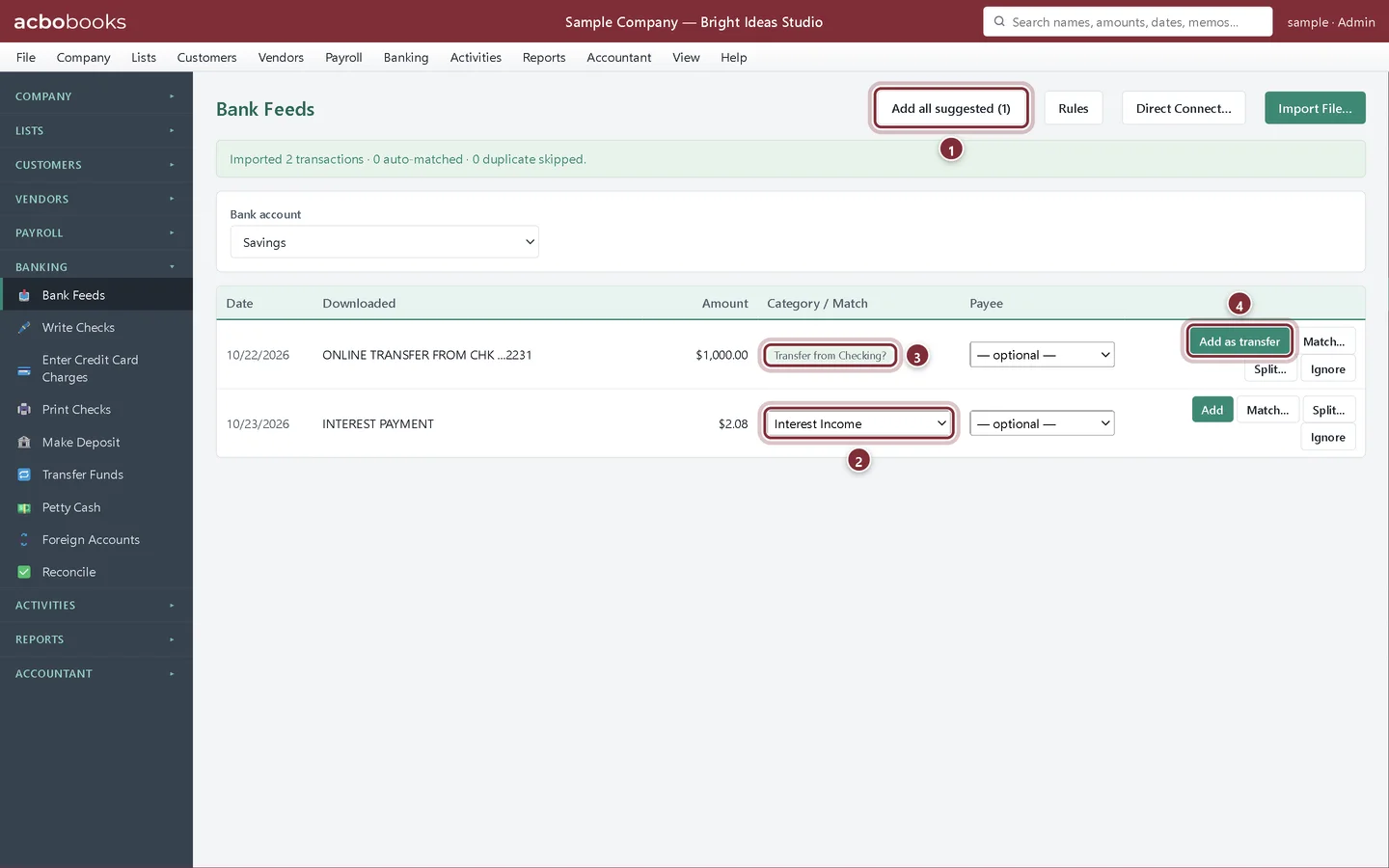
Lesson 3 · 10 min · Intermediate
Bank rules, CSV files, splits and transfers
Save time in Bank Feeds: rules that fill in the account, CSV column mapping, one bank line split across accounts, and transfers between your own accounts.
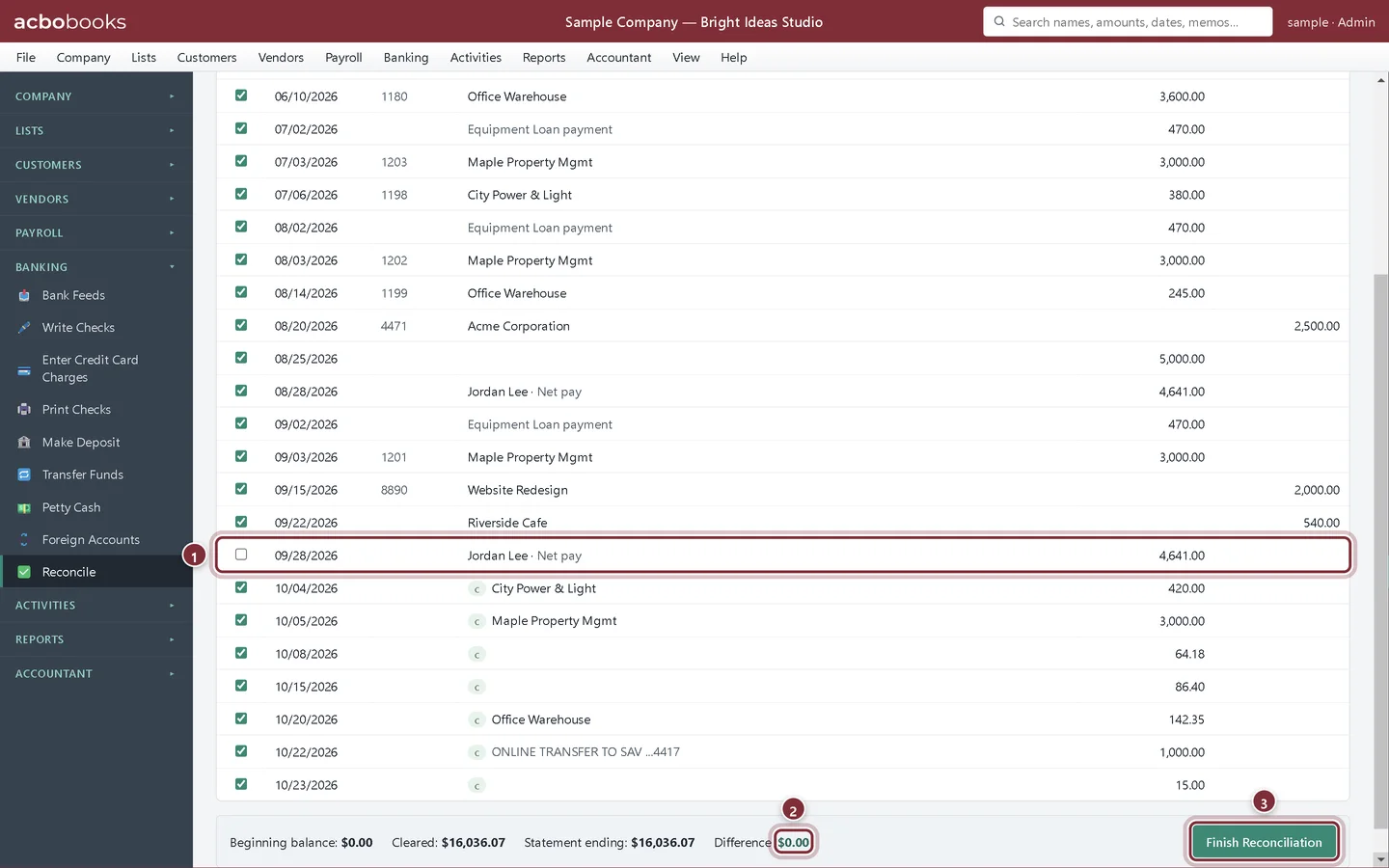
Lesson 4 · 12 min · Beginner
Reconcile a bank account
Reconcile your bank account to the monthly statement in AcboBooks, find the difference when it won't balance, and print the reconciliation report.
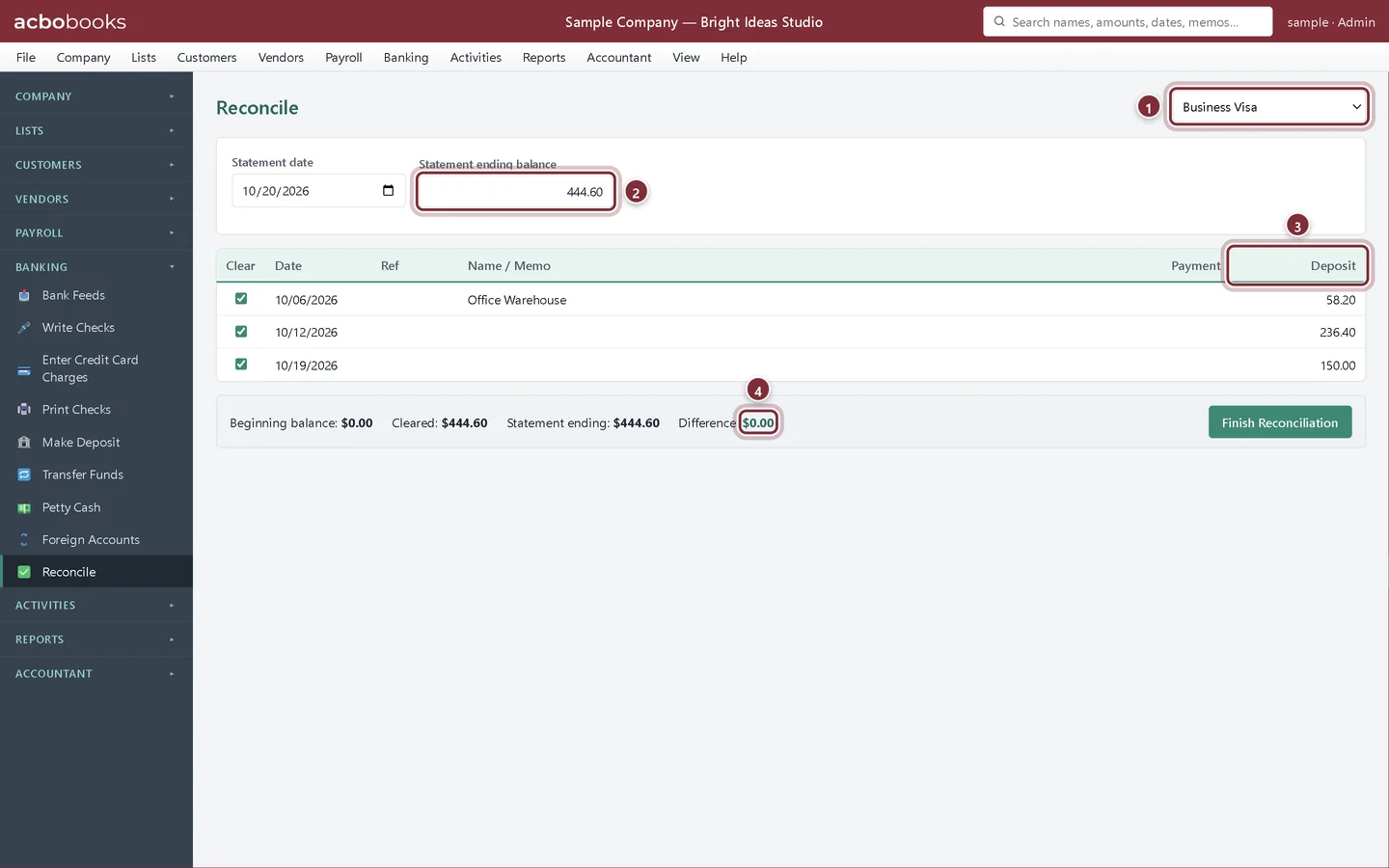
Lesson 5 · 10 min · Beginner
Reconcile and pay a credit card
Enter business credit card charges, reconcile the card to its monthly statement and record the payment from your bank account in AcboBooks.
Lesson 6 · 5 min · Beginner
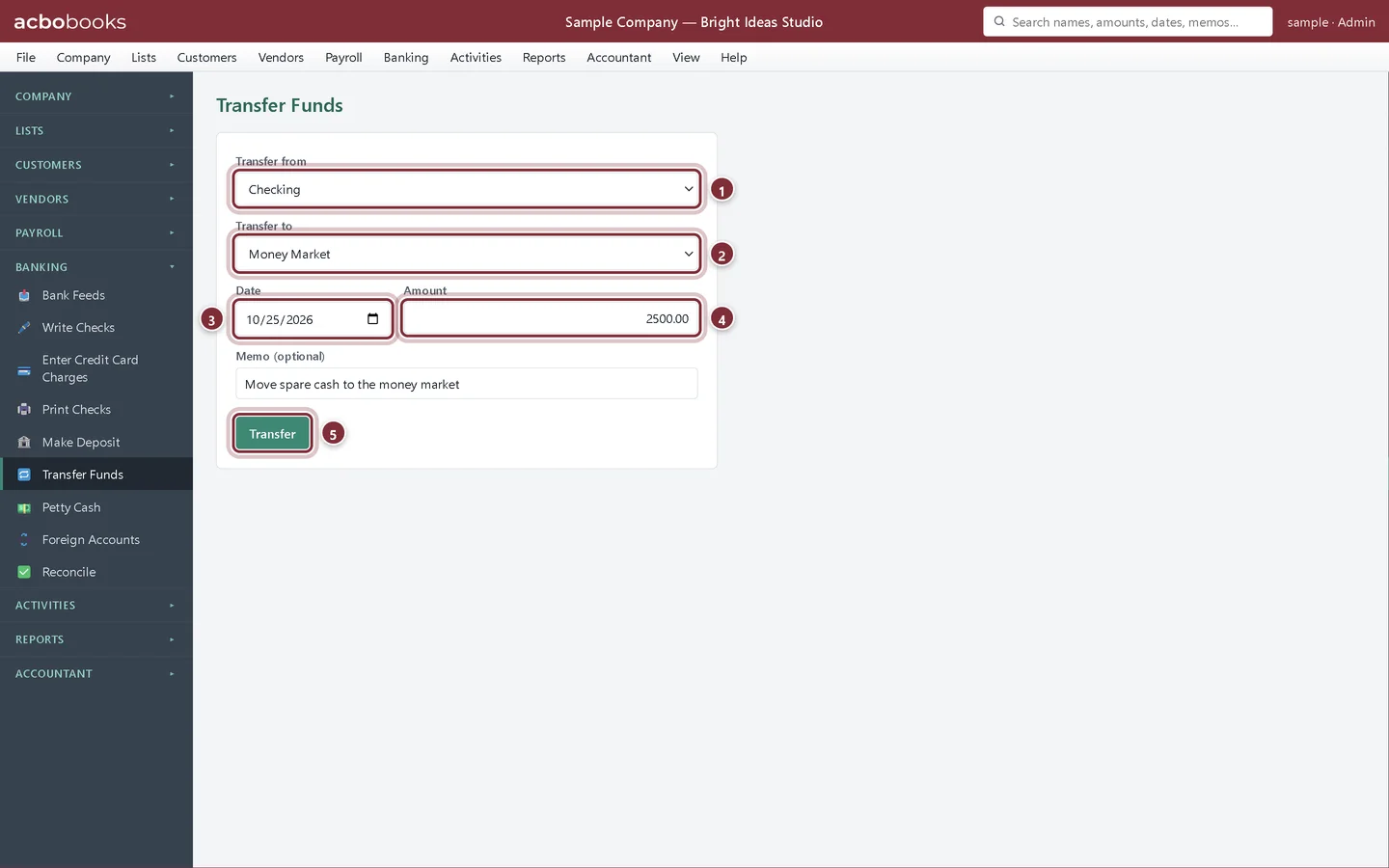
Transfer money between accounts
Record a transfer between your own bank, savings and credit card accounts in AcboBooks with Transfer Funds, so nothing shows up as income or expense.
Lesson 7 · 8 min · Intermediate
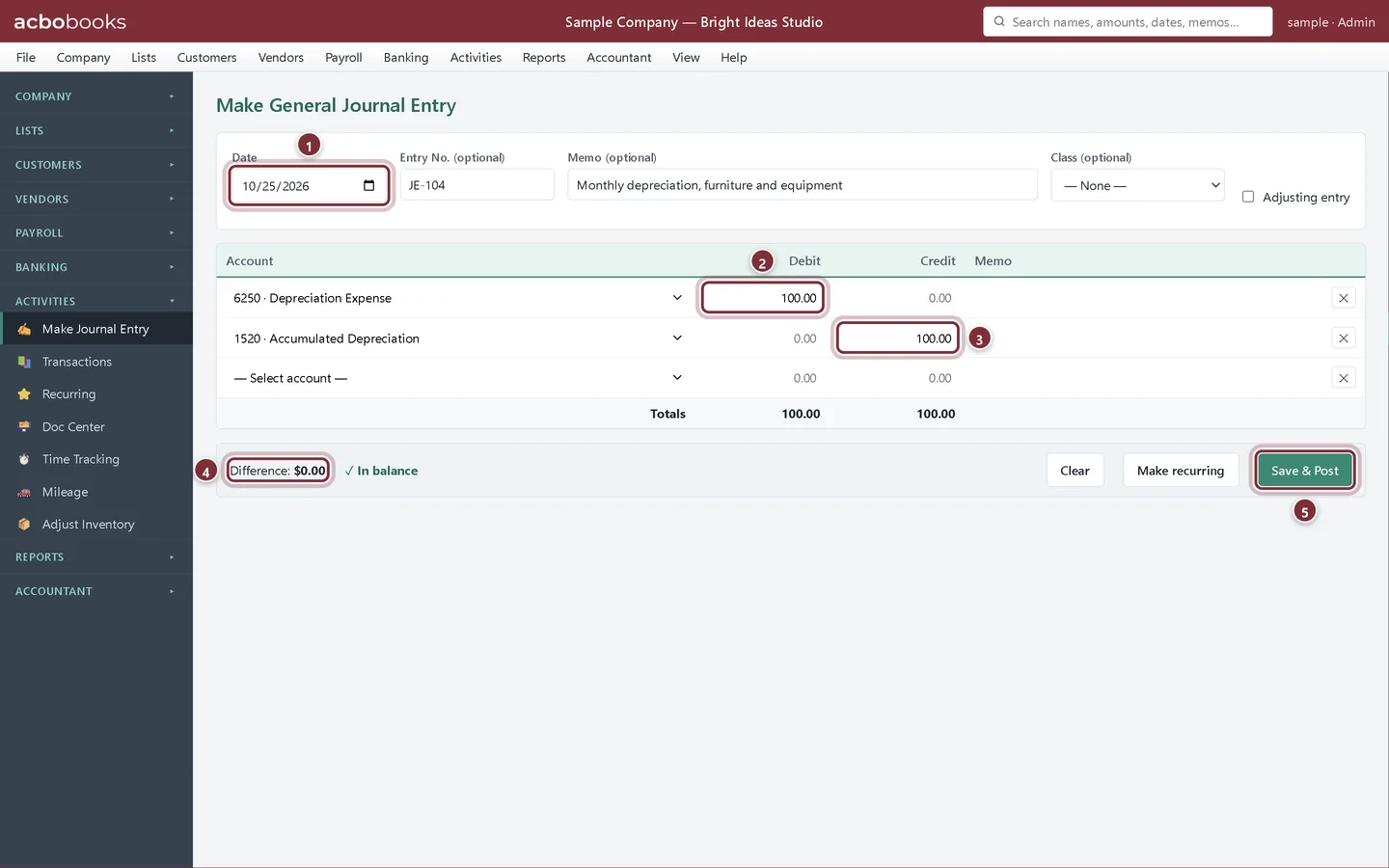
Make a journal entry
Post a general journal entry in AcboBooks: pick the accounts, enter debits and credits that balance, and mark adjusting entries for your accountant.
Lesson 8 · 7 min · Intermediate
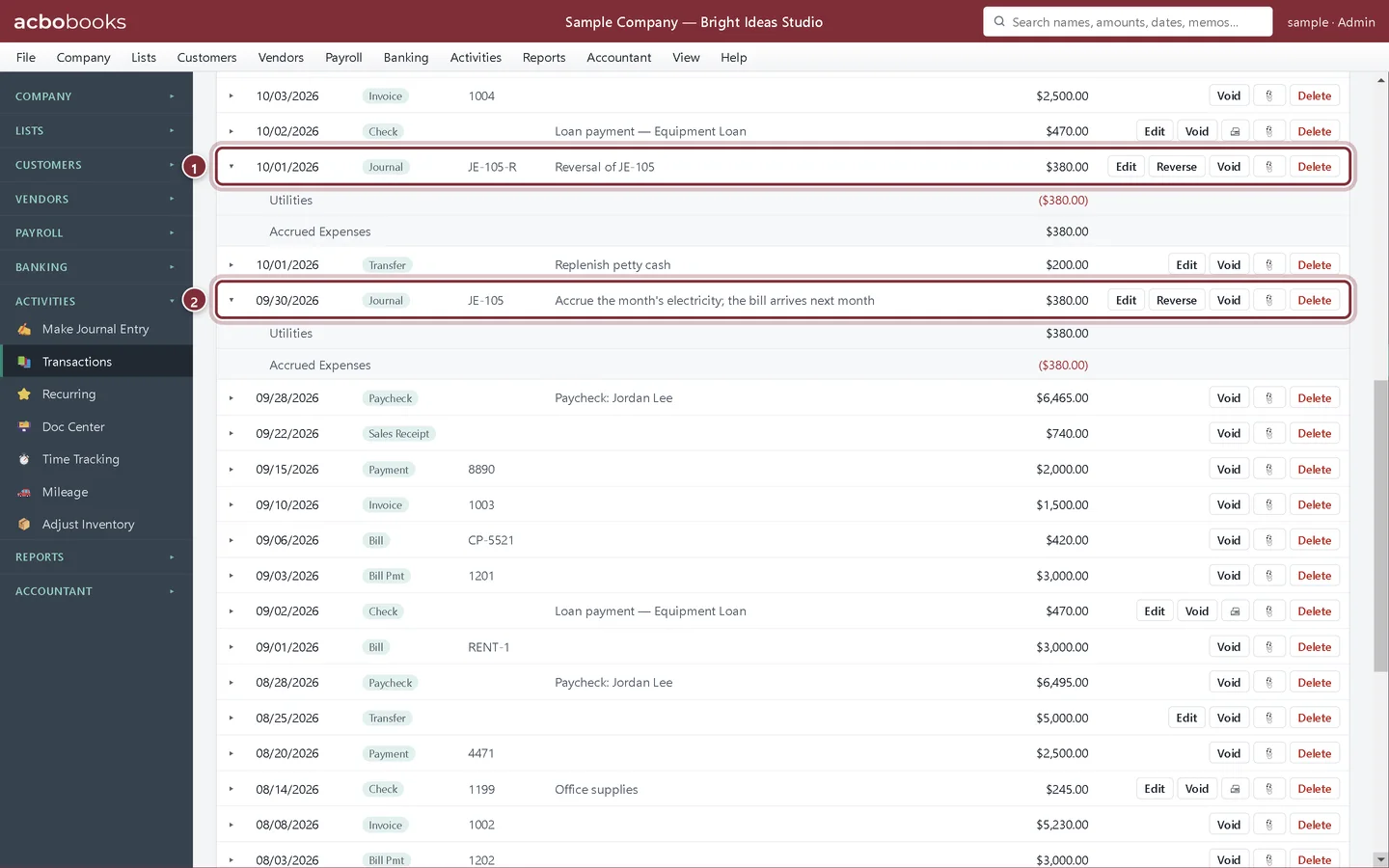
Reversing and recurring journal entries
Accrue an expense at month end with a journal entry in AcboBooks, then post its reversing entry on the first of the next month in one click.
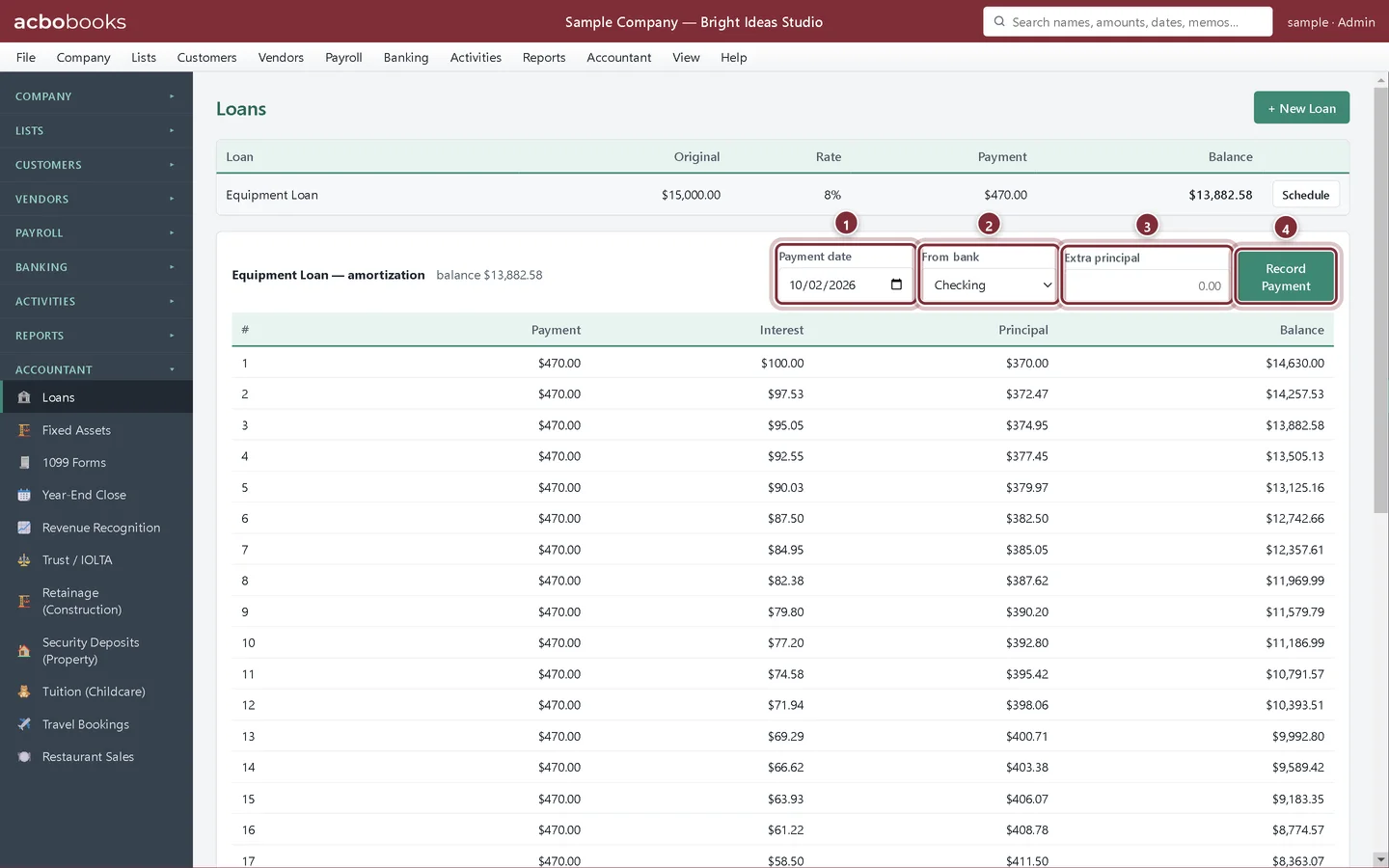
Lesson 9 · 9 min · Intermediate
Track a loan with Loans
Use Loans in AcboBooks to see the amortization schedule, record each payment split into interest and principal, and add a loan you already owe.
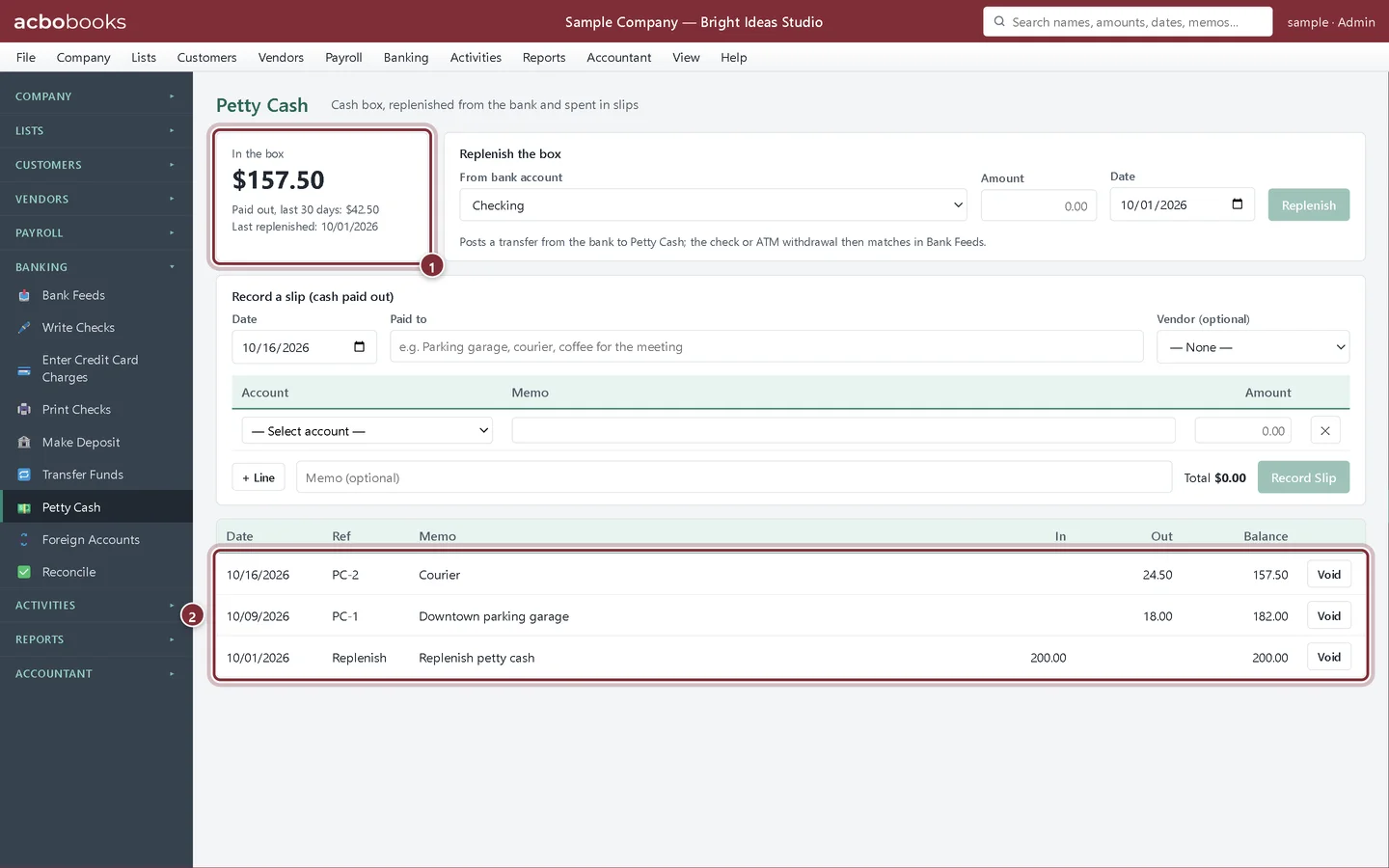
Lesson 10 · 6 min · Beginner
Keep a petty cash box
Track a petty cash box in AcboBooks: replenish it from the bank, record each slip of cash paid out, and see what should be in the box.
All Academy tracks · Help centre · Bookkeeping how-to guides
Get started
Try every lesson in the sample company.
AcboBooks comes with a sample company to practise on. Free for 15 days, then bought once.
No card. No account. Nothing to cancel.