
In this lesson you will
- Record a transfer between two of your accounts
- Know when to use a transfer instead of a check or deposit
Before you start
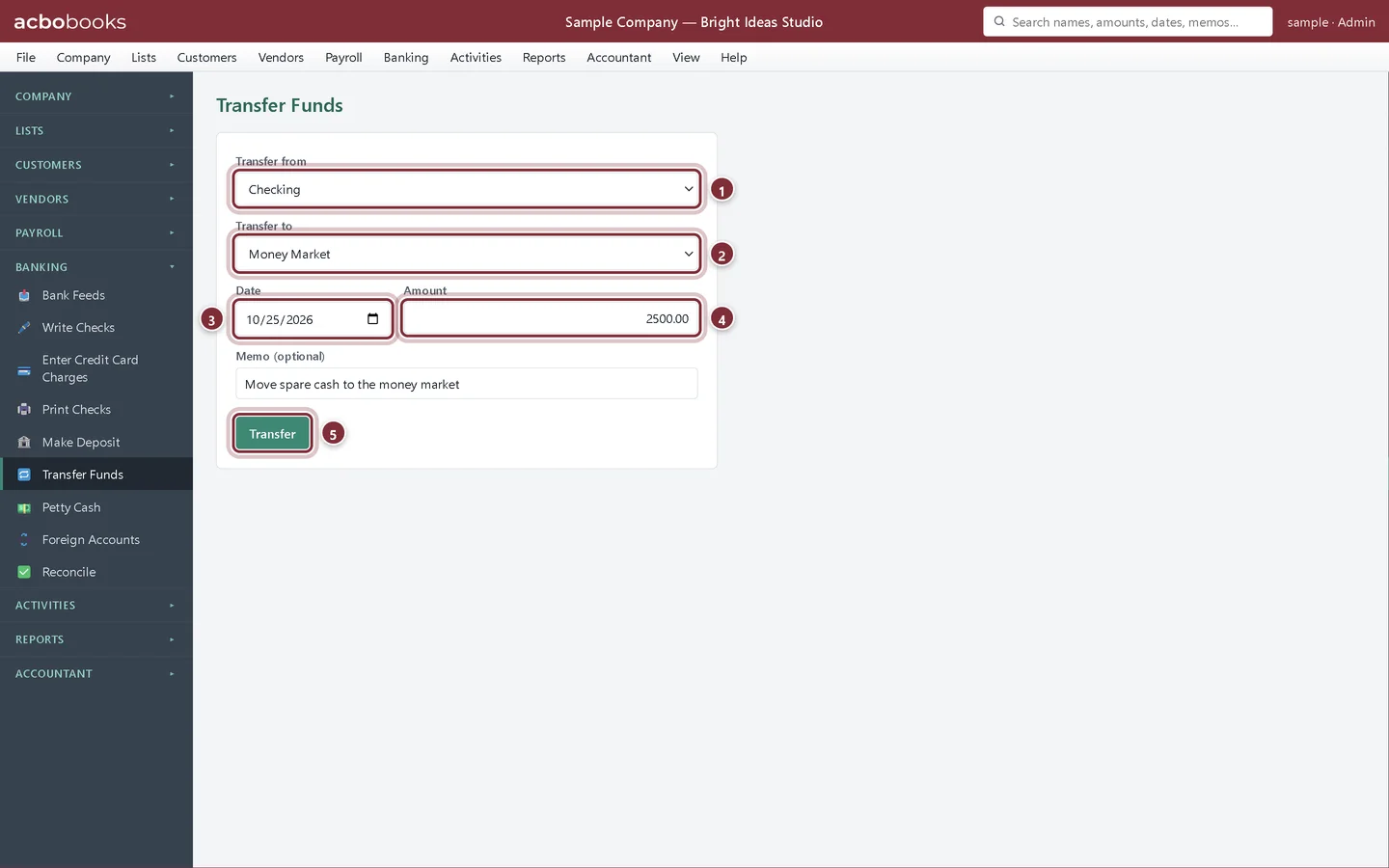
Make the transfer
Step 1: Open Banking → Transfer Funds
Choose where the money comes from and where it goes, the date it moved and the amount. Add a memo if it helps you remember why. Click Transfer; a green banner confirms it.
- Transfer from: the account the money leaves.
- Transfer to: the account it goes into.
- Date: the day the bank moved it.
- Amount.
- Transfer posts it.
Good to know
Step 2: Transfers in Bank Feeds
If you import both accounts' statements, Bank Feeds spots the two halves of a transfer and offers Add as transfer, so you don't need to enter it here as well. If you enter it here first, the bank lines match it and you click Accept.
Step 3: Change or delete a transfer
Find it in Activities → Transactions and open it to edit, void or delete it.
Recap
- You can record a transfer between two of your accounts.
- You know that a transfer is not income or an expense.
Questions
Can I transfer to a credit card?
Yes. That is how a card payment is recorded; see Reconcile and pay a credit card.
What about money the owner puts in or takes out?
That isn't a transfer between business accounts. Record it as a deposit from, or a check to, an equity account such as Owner's Equity or Owner's Draw.
Screenshots from AcboBooks 0.2.2 with the built-in sample company. Updated October 25, 2026. Your screens may differ slightly with another version or window size.