
In this lesson you will
- Add a bank account with the balance from your last statement
- Add a business credit card account
- Know which account type to choose and why it matters
Before you start
Open the Chart of Accounts
Step 1: Go to Company → Chart of Accounts
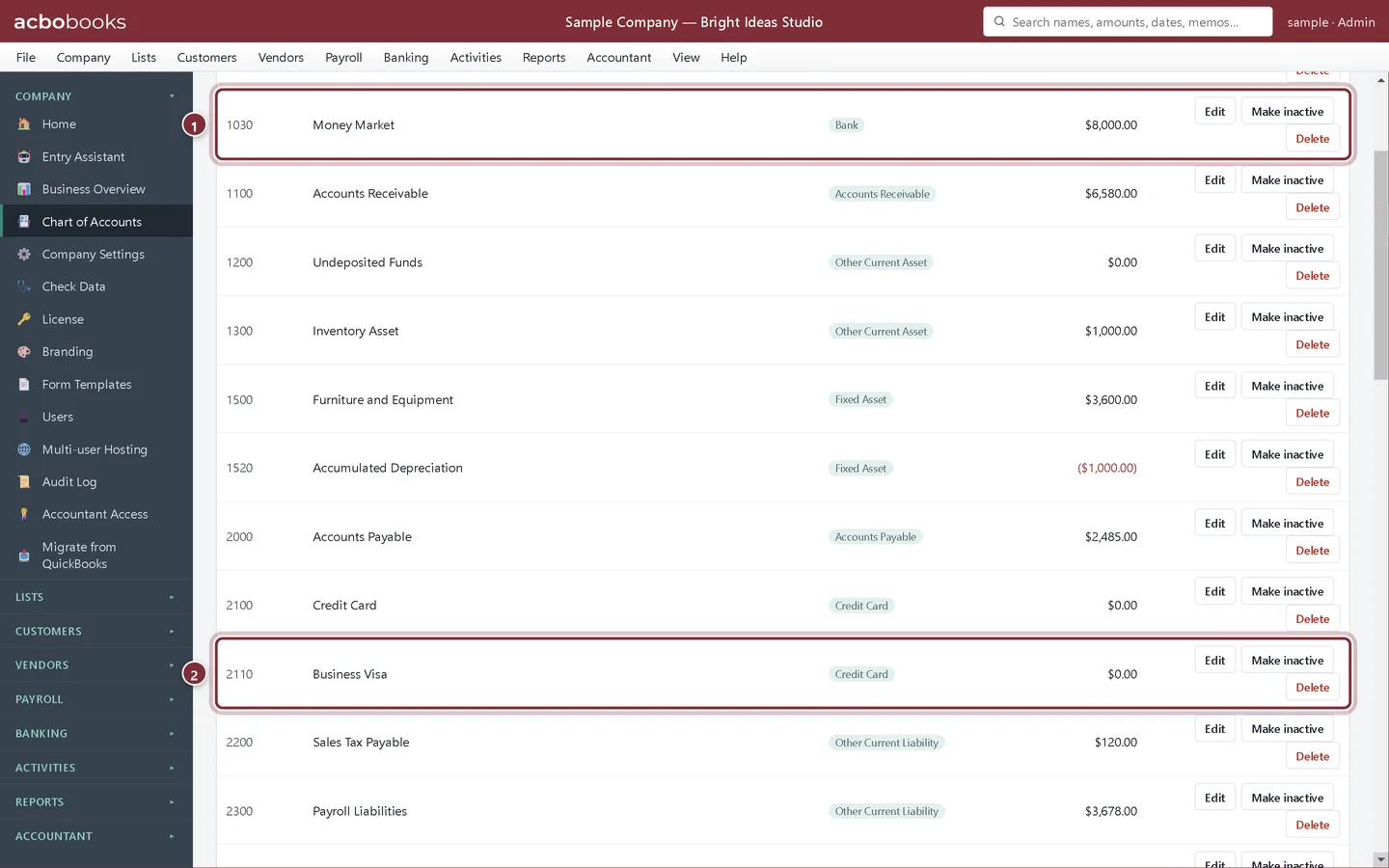
The Chart of Accounts lists every account in the books with its type and balance. The sample company already has a Checking and a Savings account and one credit card account.
- + New Account opens the form for a new account.
- The Type column. Checking and Savings are Bank accounts.
- A Credit Card account holds what you owe on a card.
Add a bank account
Step 2: Fill in the new account
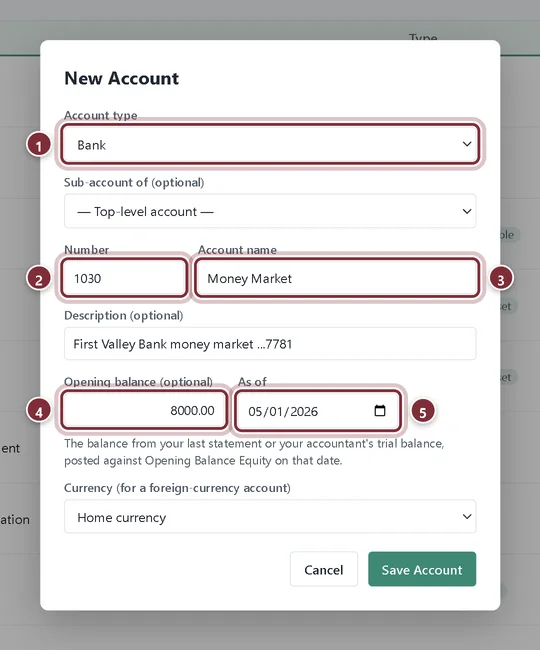
Click + New Account. Choose the type first, then give the account a number and a name you will recognize, such as the bank and the last digits of the account. Bright Ideas Studio is adding a money market account it already had when it started its books.
- Account type: choose Bank for checking, savings and money market accounts.
- Number is optional but keeps the list in order. Bank accounts usually start with 1, and each number can belong to one account only.
- Account name is what you will see in every list.
- Opening balance (optional): the balance on your last statement before you started using AcboBooks.
- As of: the date of that balance, usually the statement date.
Step 3: Save it
Click Save Account. The account appears in the Chart of Accounts and in every bank list in the app, so you can now import its transactions, write checks from it and reconcile it.
Add a credit card account
Step 4: Choose the Credit Card type
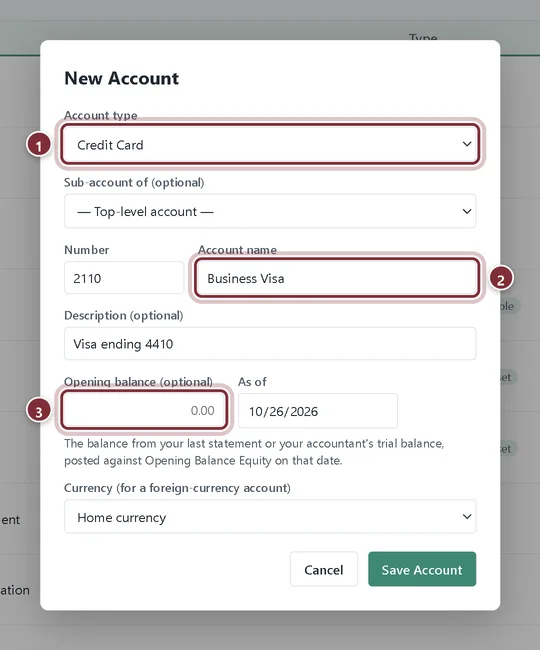
Click + New Account again and choose Credit Card. A credit card account is a liability: its balance is what you owe the card company. For a new card, leave the opening balance empty.
- Account type: Credit Card.
- Account name: the card's name, here Business Visa.
- Opening balance (optional): if the card already had a balance when you started your books, enter what you owed on that date.
Step 5: Check the list
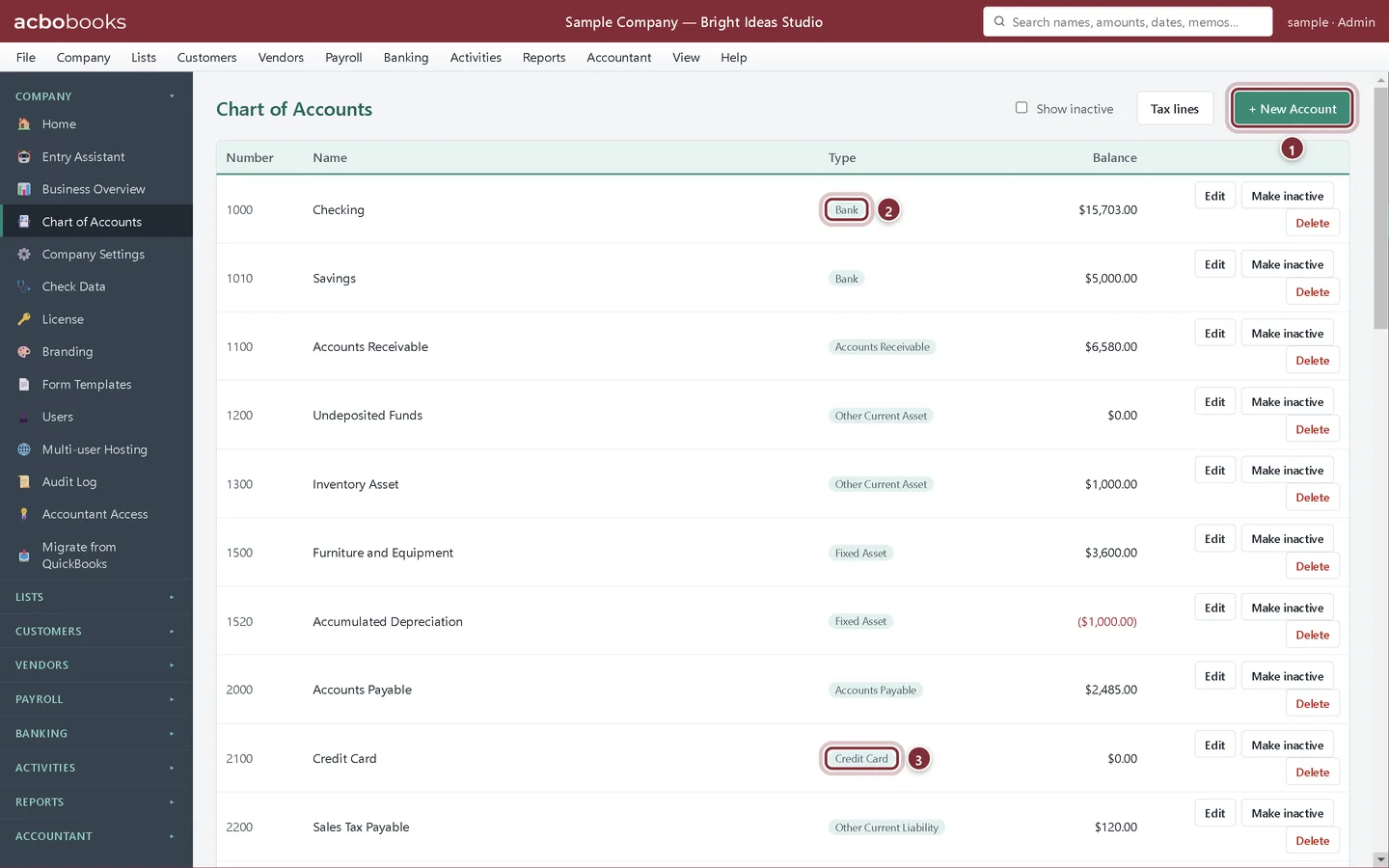
Click Save Account. Both new accounts are now in the Chart of Accounts with their type and balance.
- The new Money Market bank account with its opening balance.
- The new Business Visa credit card account.
Recap
- You can add a bank account with an opening balance from your last statement.
- You can add a business credit card account.
- You know that the account type decides where the account shows up in the app.
Questions
Should I add my personal accounts?
No. Keep only business accounts in the company file. If you pay a business cost from a personal card, record it as money the owner put in, or ask your accountant how they want it handled.
What if I get the opening balance wrong?
Use Edit in the Chart of Accounts to fix the name or number. For the amount, delete the opening balance entry in Activities → Transactions and post the right amount with a journal entry against Opening Balance Equity, or ask your accountant to do it.
Can I track a foreign-currency bank account?
Yes. The New Account form has a Currency field for a foreign-currency account. Leave it on Home currency for ordinary accounts.
Related
Screenshots from AcboBooks 0.2.2 with the built-in sample company. Updated October 25, 2026. Your screens may differ slightly with another version or window size.