
In this lesson you will
- Post a month-end accrual as a journal entry
- Post its reversing entry from Activities → Transactions
- Check that the reversal swaps every debit and credit
- Save a journal entry you repeat as a recurring template
Before you start
Post the accrual
The studio's electricity bill for September arrives in October. To show September's real cost, the bookkeeper accrues $380.00 on September 30.
Step 1: Make the month-end journal entry
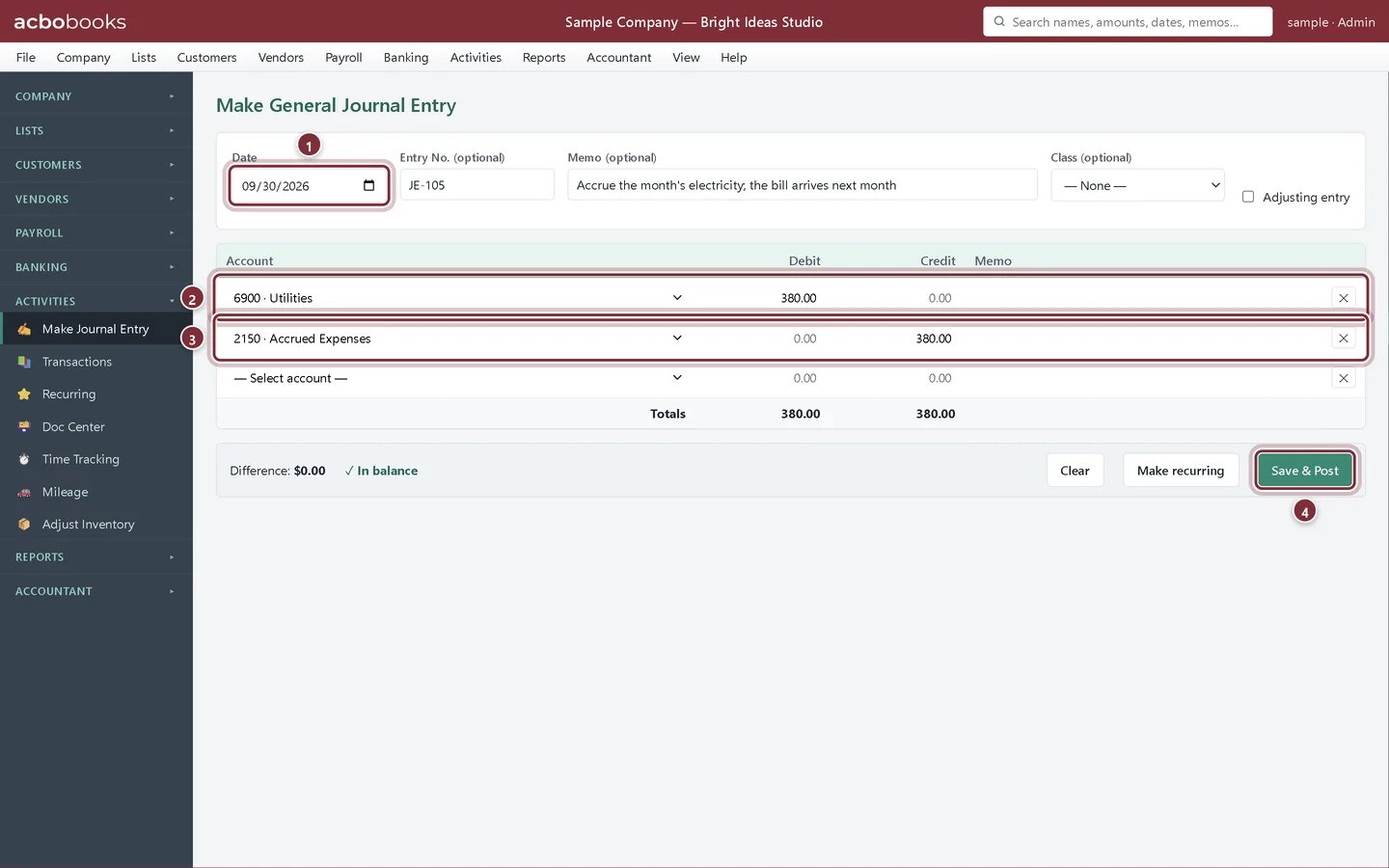
Open Activities → Make Journal Entry. Date it the last day of the month, give it an entry number and a memo that says what it is. Debit the expense and credit a liability account for costs you owe but haven't been billed for. Click Save & Post.
- Date: the last day of the month the cost belongs to.
- Debit the expense, here Utilities, 380.00.
- Credit a liability, here Accrued Expenses, 380.00.
- Save & Post.
Reverse it
Step 2: Find the entry in Activities → Transactions
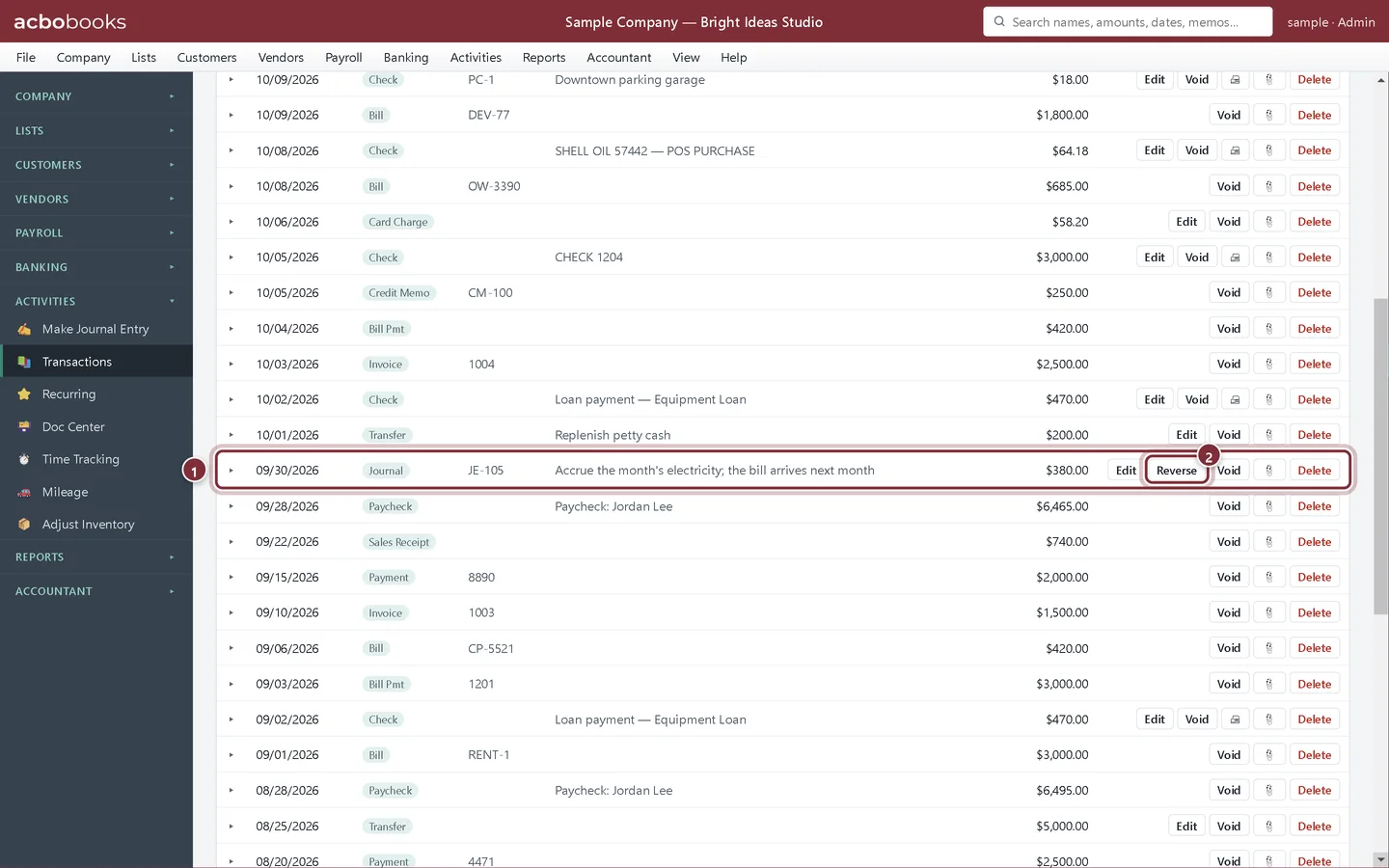
Journal entries in the Transactions list have a Reverse button next to Edit and Void. Only general journal entries can be reversed this way.
- The accrual, JE-105.
- Reverse posts the reversing entry.
Step 3: Choose the reversal date
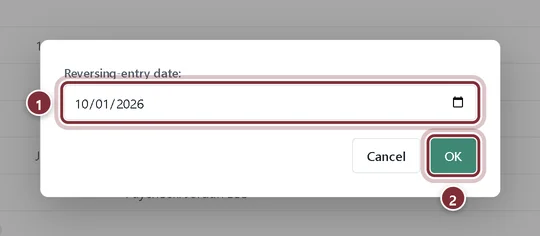
AcboBooks suggests the first day of the next month. Keep it, or pick another date, and click OK.
- Reversing-entry date: the first of the next month is filled in.
- OK posts the reversal.
Step 4: Check the two entries
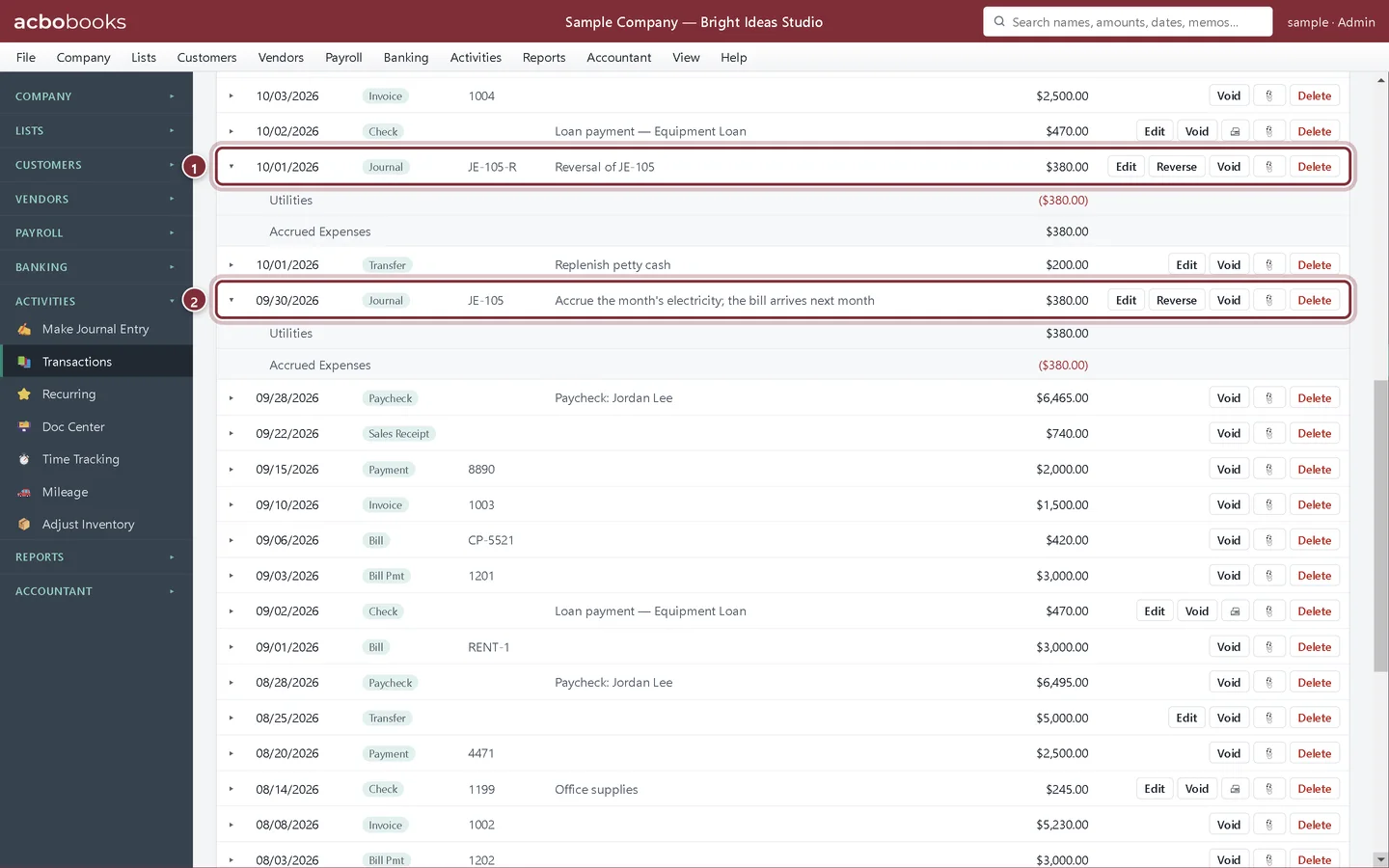
The reversal is a new journal entry numbered like the original with -R on the end, here JE-105-R, with the memo Reversal of JE-105. Click a row to see its lines: every debit of the original is a credit in the reversal, and every credit a debit. When the October bill for $380.00 is entered, the reversal cancels it out, so October shows no electricity cost for September.
- JE-105-R, dated October 1: Utilities credited, Accrued Expenses debited.
- The original accrual, dated September 30.
Entries you repeat
Step 5: Make recurring
For an entry you post every month with the same accounts and amounts, such as monthly depreciation, fill in Make Journal Entry once and click Make recurring instead of Save & Post. Name it, then enter or schedule it from Activities → Recurring, the same way as recurring invoices and recurring bills.
Recap
- You can accrue a cost at month end with a journal entry.
- You can post its reversing entry from Activities → Transactions.
- You can check that the reversal swaps every debit and credit.
- You can save a repeating journal entry as a recurring template.
Questions
Why reverse an accrual instead of editing the bill?
The accrual puts the cost in the right month; the bill is entered normally when it comes. The reversal on the first of the month takes the accrual back out, so the cost isn't counted in both months. See how to reverse a journal entry.
Can I reverse an invoice or a bill this way?
No. Reverse is only on general journal entries. Void an invoice or a bill instead.
Can the reversal go into a closed period?
Only if an admin unlocks the closed period with the closing-date password first, as for any other entry dated on or before the closing date.
Related
Screenshots from AcboBooks 0.2.2 with the built-in sample company. Updated October 25, 2026. Your screens may differ slightly with another version or window size.