
In this lesson you will
- Read a loan's balance and amortization schedule
- Record a loan payment split into interest and principal
- Add a loan you already owe
Before you start
Open the loan
Step 1: Go to Accountant → Loans
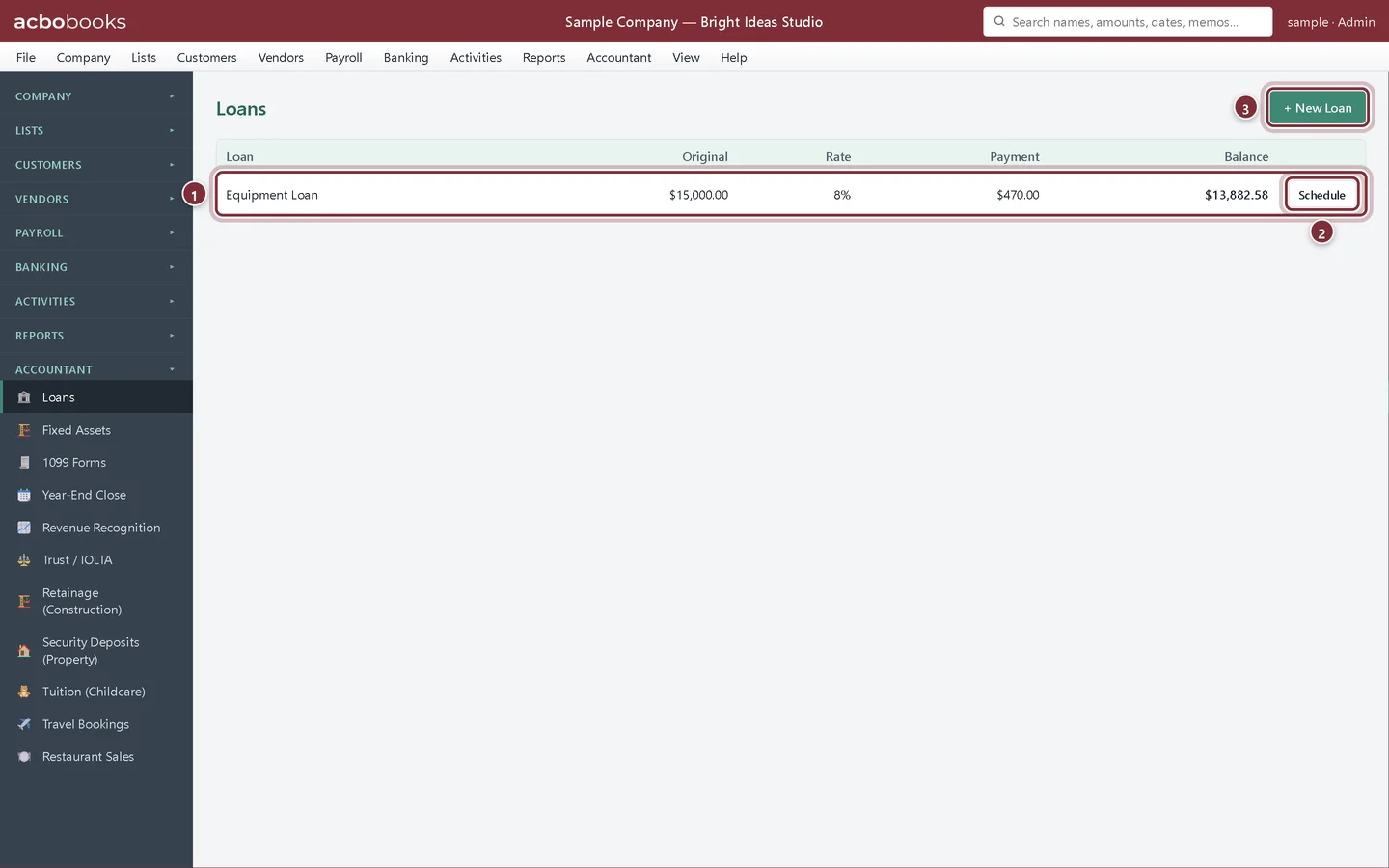
Each loan shows its original amount, rate, monthly payment and current balance. The balance is the balance of the loan's liability account, so it always agrees with the Balance Sheet.
- The loan and its terms.
- Schedule opens the amortization schedule.
- + New Loan adds a loan.
Record a payment
Step 2: Fill in the payment
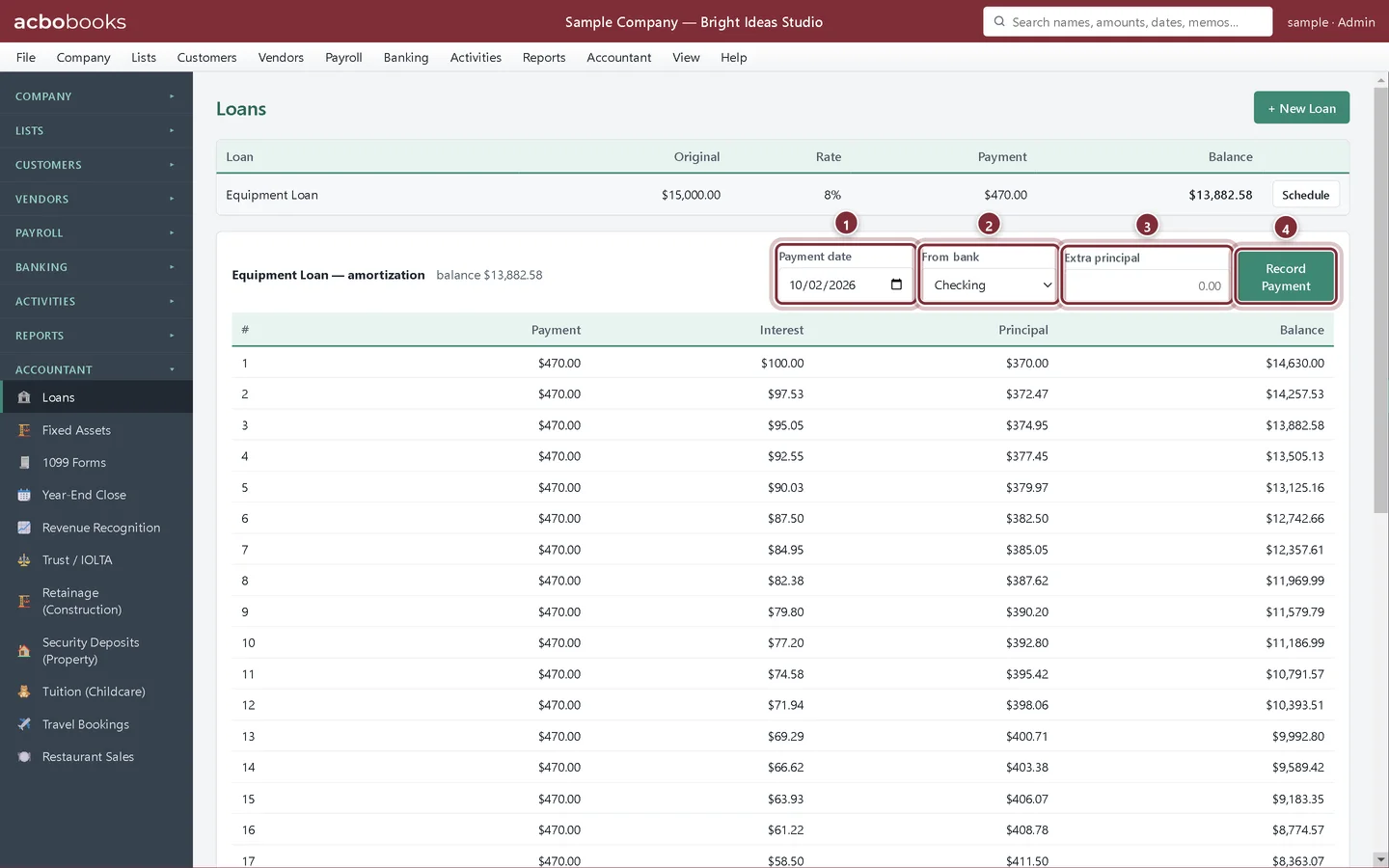
Click Schedule. Above the schedule, enter the payment date and the bank account the payment came out of. To pay down extra principal, enter it under Extra principal. Click Record Payment.
- Payment date.
- From bank: the account the payment came from.
- Extra principal (optional).
- Record Payment posts it.
Step 3: Check the new balance
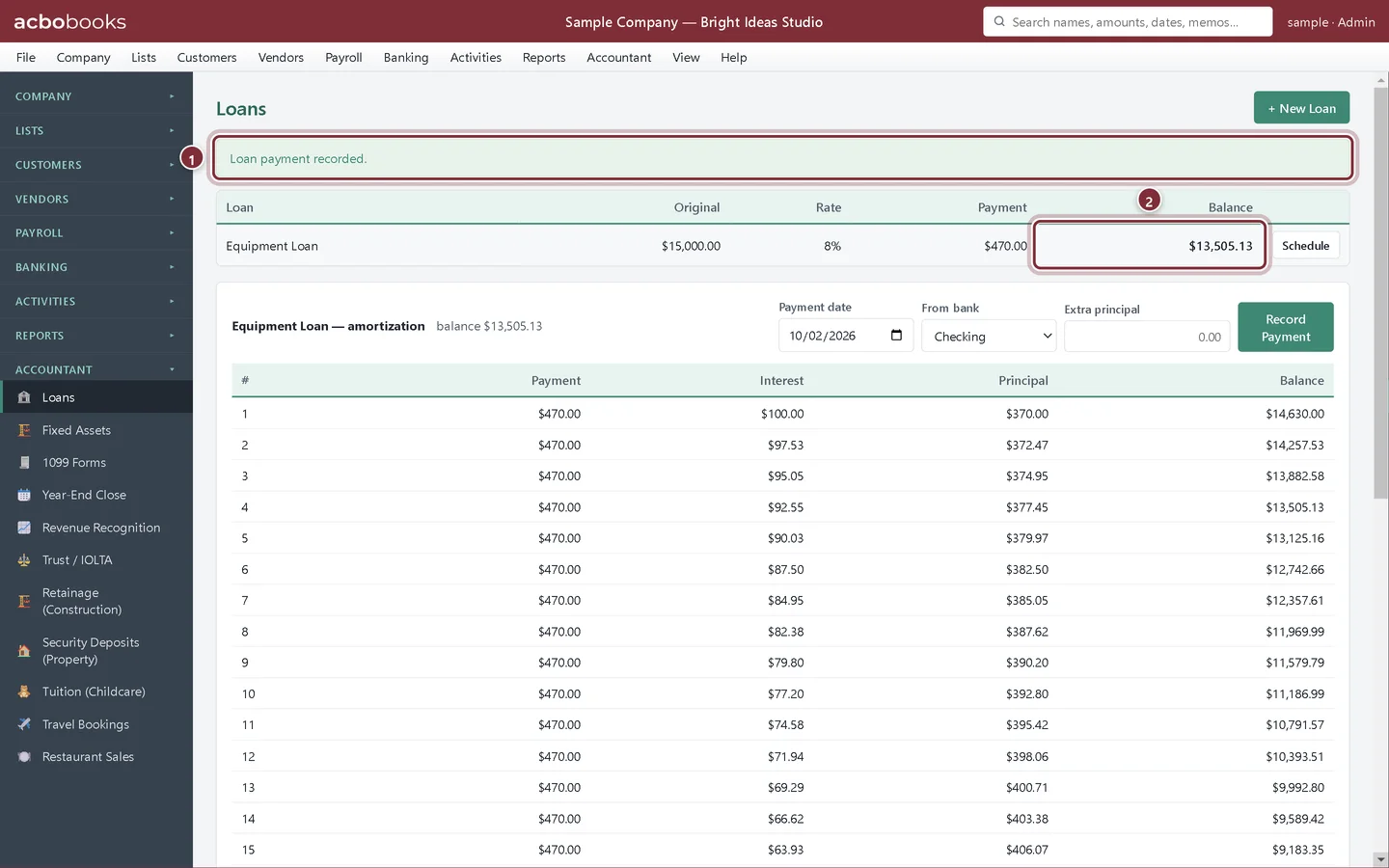
AcboBooks works out the interest on the current balance and posts one payment from the bank: the interest to Interest Expense and the rest to the loan account. The balance drops by the principal part.
- Loan payment recorded.
- The new balance.
Add a loan you already owe
Step 4: Give the loan its own account first
In the Chart of Accounts, add a Long Term Liability account for the loan (Bright Ideas Studio calls it Van Loan). If you owed money on it when you started your books, enter that balance as the opening balance. For a brand-new loan, leave it empty and record the loan money arriving in your bank with a journal entry: debit the bank account, credit the loan account.
Step 5: Enter the loan's terms
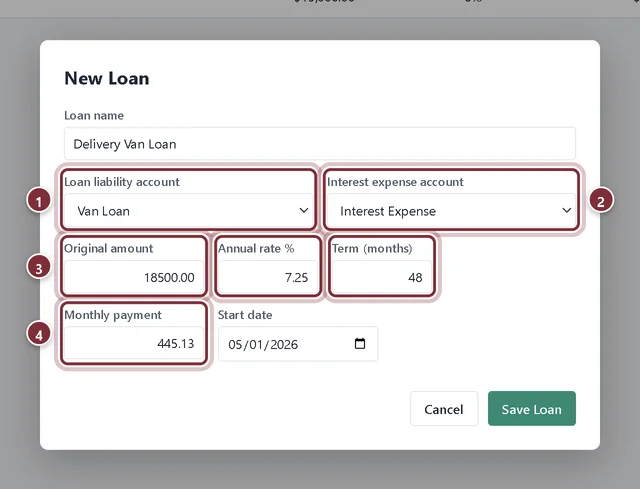
In Loans, click + New Loan and enter the name, the accounts and the terms from your loan agreement. Click Save Loan.
- Loan liability account: the account you just made.
- Interest expense account: usually Interest Expense.
- Original amount, Annual rate % and Term (months) from the agreement.
- Monthly payment: the payment the lender charges.
Recap
- You can read a loan's balance and amortization schedule.
- You can record a loan payment split into interest and principal.
- You can add a loan with its own liability account.
Questions
Why give each loan its own account?
The loan's balance in Loans is the balance of its liability account. If two loans share one account, each would show the combined balance.
The lender's interest differs from AcboBooks by a few cents.
Lenders count days differently. Use the lender's statement as the final word: post a small journal entry between Interest Expense and the loan account to match it.
Where do car or equipment purchases with a loan go?
The asset goes in a Fixed Asset account and the loan in its own liability account. Accountant → Fixed Assets can link an asset to a loan.
Screenshots from AcboBooks 0.2.2 with the built-in sample company. Updated October 25, 2026. Your screens may differ slightly with another version or window size.