
In this lesson you will
- Enter a credit card charge to the right expense account
- Reconcile the card to its statement
- Record the card payment from your bank account
Before you start
Enter the charges
Step 1: Open Banking → Enter Credit Card Charges
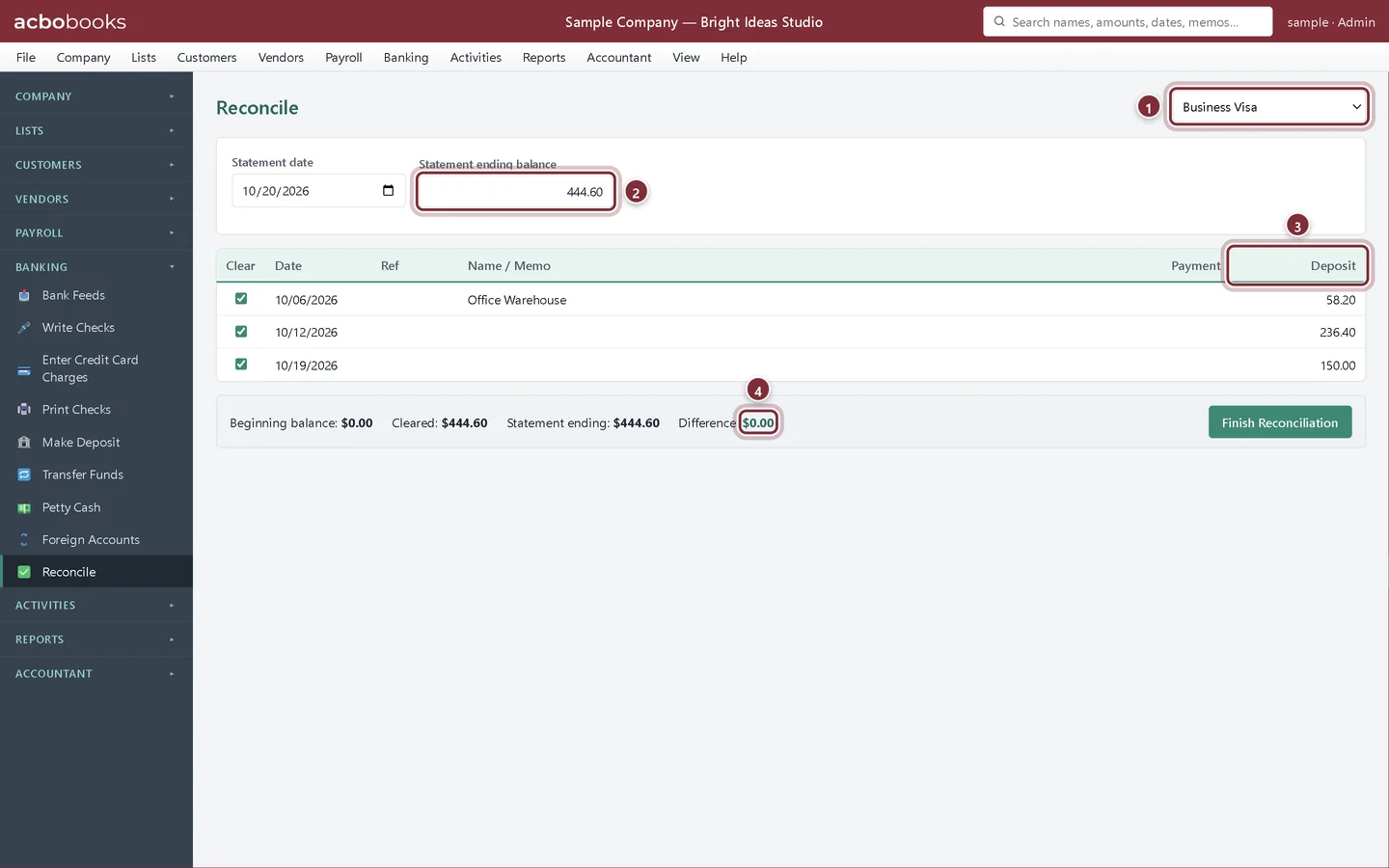
Choose the card, the vendor if you want one on the record, and the date. On the line, choose the expense account and enter the amount. Click Save Charge, then enter the next one. Bright Ideas Studio enters three charges for the month: label printer tape, a client lunch and online ads.
- Credit card: the card account, here Business Visa.
- Purchased from: the vendor (optional).
- The account the purchase belongs to.
- The amount of the charge.
- Save Charge posts it to the card.
Reconcile the card
Step 2: Match the card statement
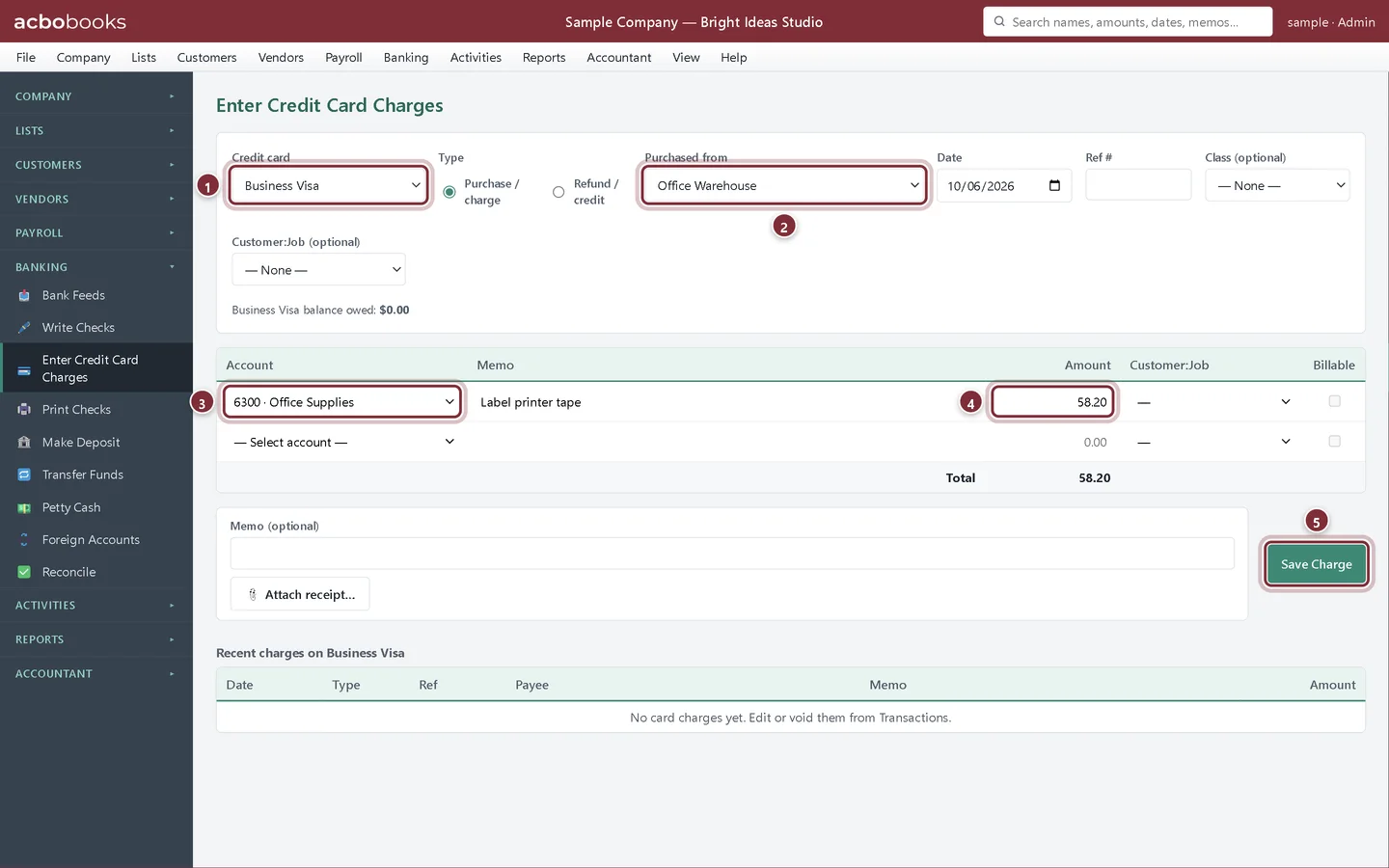
Open Banking → Reconcile and choose the card. Enter the statement date and the statement balance (the new balance you owe), then tick each charge, credit and payment that appears on the statement. Finish when the difference is $0.00.
- Choose the card account.
- Statement ending balance: the new balance on the card statement.
- On a card, charges appear in the Deposit column because they increase what you owe. Payments to the card appear under Payment.
- Difference: $0.00 means you can finish.
Pay the card
Step 3: Record the payment with Transfer Funds
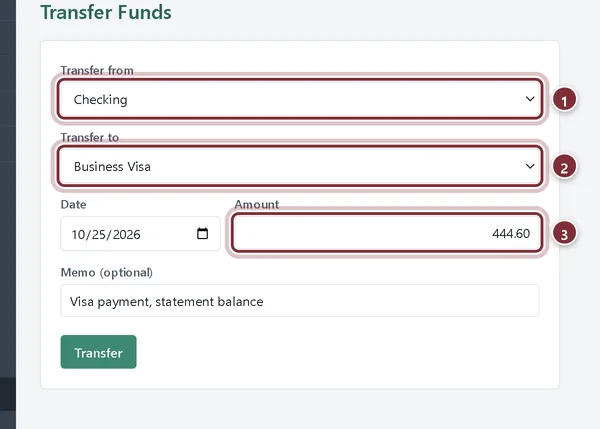
When you pay the card from the bank, open Banking → Transfer Funds, transfer from the bank account to the card account and enter the amount you paid. This lowers both the bank balance and what you owe on the card; it is not an expense, because the expenses were recorded with each charge.
- Transfer from: the bank account you paid from.
- Transfer to: the credit card account.
- The amount you paid.
Recap
- You can enter credit card charges as they happen.
- You can reconcile the card to its monthly statement.
- You can record the card payment as a transfer from the bank.
Questions
I only pay part of the balance. Is that a problem?
No. Transfer the amount you actually paid. The rest stays as the card balance and carries into next month's reconciliation.
Can I import the card statement instead of typing the charges?
Bank Feeds works with Bank accounts only, so card charges are entered with Enter Credit Card Charges.
What about interest and fees on the card?
Enter them as a charge to Interest Expense or Bank Service Charges before you reconcile.
Related
Screenshots from AcboBooks 0.2.2 with the built-in sample company. Updated October 25, 2026. Your screens may differ slightly with another version or window size.