
How-to · Banking and cash
How to reconcile a credit card statement
Reconcile a credit card like a bank account, but in reverse: start from the balance you owed last statement, tick every charge, credit and payment that appears on this statement, and enter the new balance owed. When the difference is zero, the card account in your books agrees with the card company.

How-to guides / Reconcile a credit card
The accounting behind it
A business credit card is a liability. Charges increase what you owe, payments and refunds reduce it. The statement balance is the amount owed on the closing date.
Reconciling catches charges you never entered, duplicates, fraud and payments recorded to the wrong account. It is the same idea as a bank reconciliation.
Interest and annual fees appear only on the statement, so you enter them as you reconcile.
| Account | Debit | Credit |
|---|---|---|
| Interest Expense | Interest | |
| Credit Card (liability) | Interest |
Worked example: a $2,180.45 statement
Last month's statement closed at $1,940.00 owed. You paid $1,940.00. This month there are $2,140.45 of charges, a $25.00 refund and $65.00 of interest, closing at $2,180.45 owed.
Opening $1,940.00, less payment $1,940.00, plus charges $2,140.45, less refund $25.00, plus interest $65.00 equals $2,180.45. Once the interest is entered and every line ticked, the difference is zero.
Common mistakes
- Entering the statement balance as a negative number. On a card it is the amount owed.
- Recording the card payment as an expense instead of a transfer from the bank.
- Ticking a charge that isn't on this statement because the amount looks the same.
- Leaving personal charges in the business card account instead of recording them as owner draws.
In AcboBooks
- Open Reconcile. Go to Banking → Reconcile and choose the credit card account (Reconcile lists bank and credit card accounts).
- Enter the statement. Type the Statement date and the Statement ending balance, the amount owed, as a positive number.
- Tick the lines. Tick Clear on each charge, credit and payment that is on the statement. Lines already cleared through the bank feed are ticked for you.
- Add what's missing. Missing charges or interest go in through Banking → Enter Credit Card Charges; a payment you forgot goes in through Banking → Transfer Funds from the bank to the card.
- Finish. When Difference shows $0.00, click Finish Reconciliation. Use Report in the history list for a Reconciliation Detail you can save as a PDF.
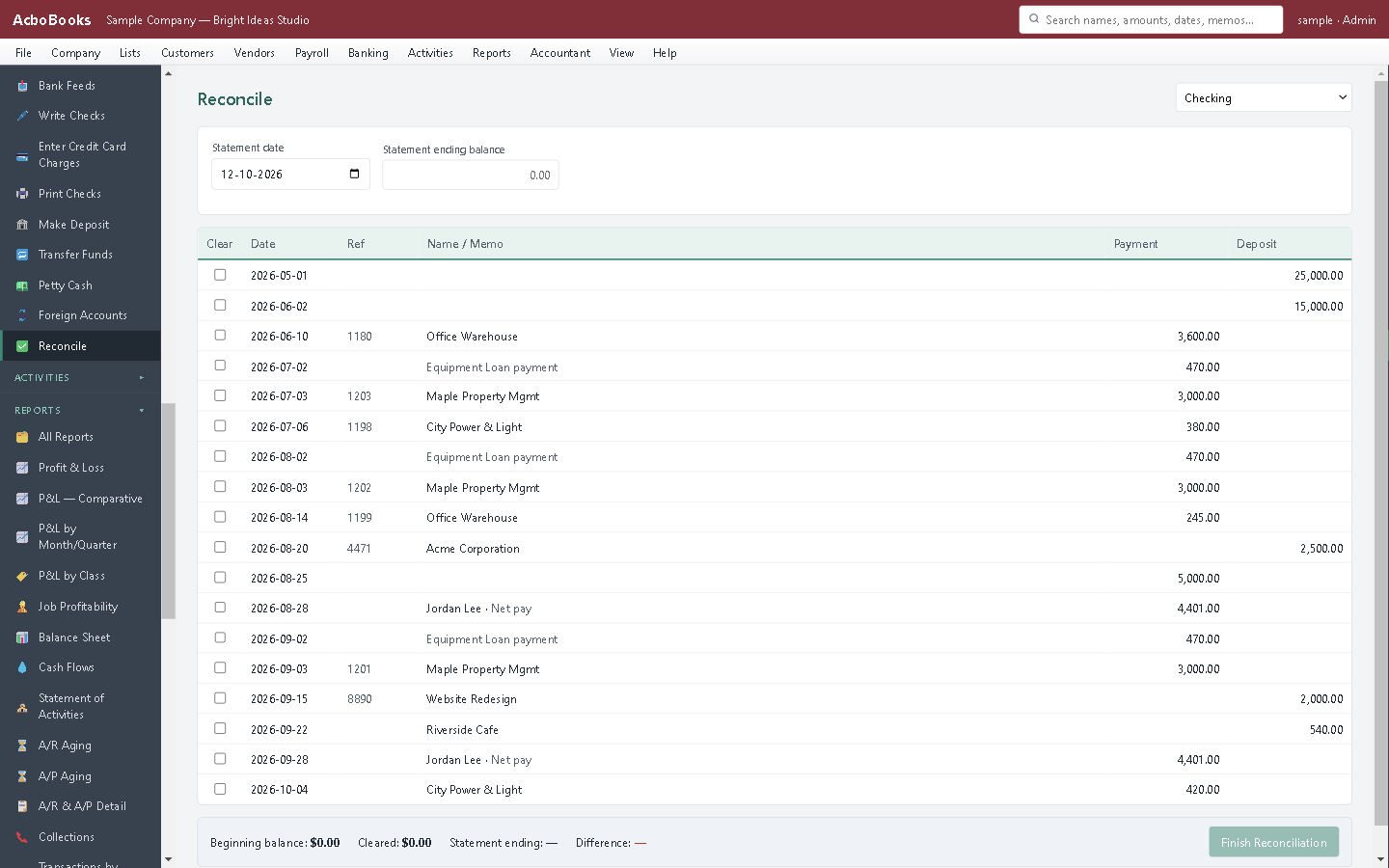
Menu names are from AcboBooks 0.2.1. Not using it yet? Try it free for 15 days, with the sample company to practise on.
Questions
What ending balance do I enter for a credit card?
The new balance owed on the statement, entered as a positive number.
How do I record the card payment?
As a transfer from the bank account to the card account, not as an expense. The expenses were recorded charge by charge.
It won't balance. What should I check?
Look for a charge entered twice, a refund entered as a charge, a payment recorded to the wrong card, and interest or fees not yet entered. Compare the count of lines as well as the totals.
Related how-to guides
- How to record a bank fee
- How to record a transfer between bank accounts
- How to fix a duplicate payment
Terms used here
- How to record credit card payments and fees
- How to reconcile a bank account
- Free bank reconciliation template
- Bank reconciliation in AcboBooks
Updated October 25, 2026. General bookkeeping information, not tax, legal or accounting advice. Rules differ by state and province and change over time; check with the IRS, the CRA or your accountant for your own situation.
Get started
Entries like this, done in the right screen.
AcboBooks is desktop accounting for US and Canadian small businesses, bought once and kept on your own PC.
No card. No account. Nothing to cancel.