
Bank reconciliation software
Bank reconciliation software: from statement file to zero difference
Reconciling proves your books match the bank. In AcboBooks you import the statement file, match the lines to what is already in the books, then tick what cleared until the difference reaches zero. The reconciliation is saved with a report you can file.
It works for bank and credit card accounts, in the US and Canada, as part of AcboBooks for $399.99 once.
No card, no account. Windows 10 and 11. United States and Canada.

What it means
In practice
Import first, then reconcile
Bring in an OFX, QFX or CSV file from your bank. Each line is matched to an existing entry, suggested as a transfer between two of your accounts, or added with a category. Rules fill in the regular ones for you.
The difference tells you when you are done
Enter the statement date and ending balance. The beginning balance comes from the last reconciliation. Tick cleared deposits and cheques until the difference is $0.00, then finish. Lines already matched through the import come in ticked.
A record you can show
Every finished reconciliation is listed with its date and ending balance, with a report of cleared and uncleared items you can save as PDF. If a past one was wrong, undo it and its items become uncleared again.
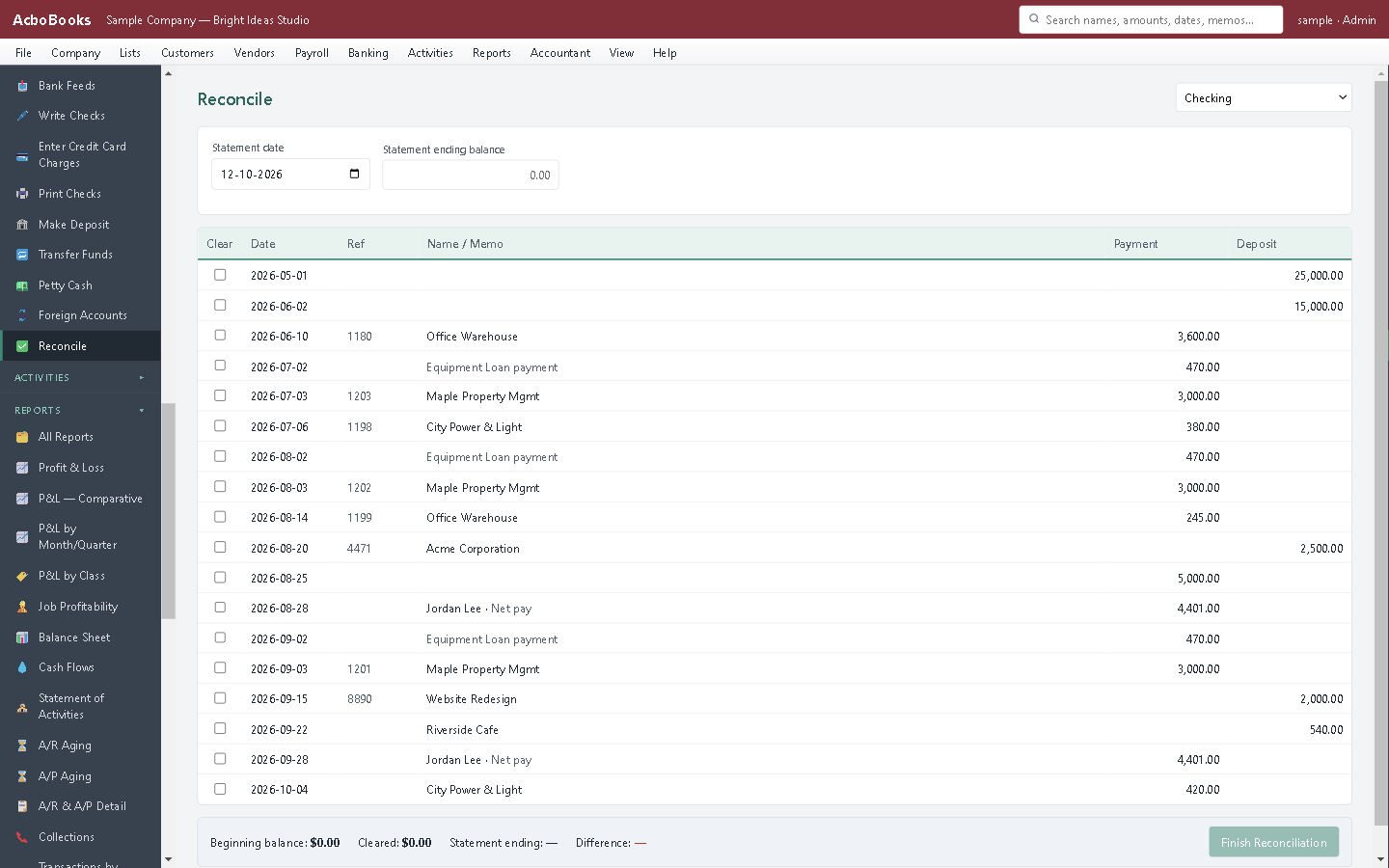
Tick what cleared until the difference is zero.
Month-end reconciliation in minutes, not an afternoon of ticking
Most lines are matched before you open the reconciliation, because the import already paired them with your invoices, bills and cheques. What is left is the outstanding cheque or the deposit in transit.
The report lists them by name, so next month you know exactly what should clear. The Missing Checks report shows gaps and duplicates in your cheque numbers.
What is in the licence
The whole job, in one price
Statement import
Rules
Reconcile
After
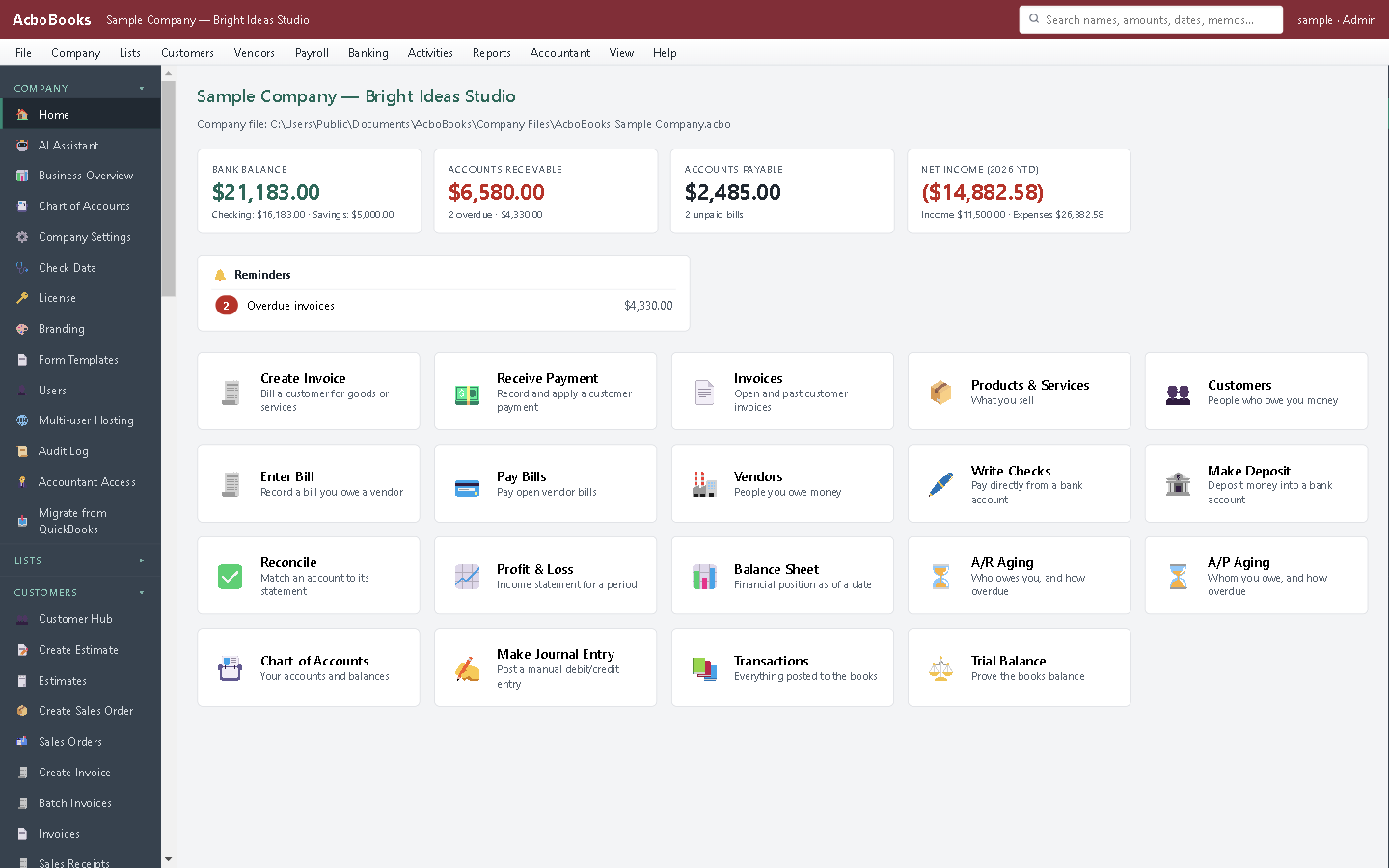
Bank balances on the home screen, from your own books.
What it does not do
· No automatic bank feed for most banks: you download the statement file from your bank's website. AcboBooks also downloads directly from banks that offer OFX Direct Connect.
· No automatic service-charge or interest entry on the reconcile screen; enter those as a cheque or deposit first.
· Windows 10 and 11 for now (a Mac version is coming soon); no phone app.
· One company per file; open as many files as you have businesses.
Questions people ask
Before you download
Which banks does it work with?
Any bank that lets you download transactions as OFX, QFX (the Quicken format) or CSV, which covers most US and Canadian banks and card issuers. For CSV you map the date, description and amount columns once.
What if the difference will not reach zero?
Look for a missing entry (often a bank fee or interest), a transaction entered twice, or an amount typed wrong. Our guide to reconciling a bank account walks through the usual causes.
Can I reconcile a credit card?
Yes. Credit card accounts reconcile the same way as bank accounts, against the card statement's closing balance.
Can I change a reconciliation after finishing?
Undo it from the history list. Its items become uncleared and you reconcile that statement again. Set a closing date to protect periods your accountant has already reviewed.
Coming from something else?
How it compares to what you use now
Get started
Reconcile last month in the trial.
Download a statement file from your bank and import it.
No card. No account. Nothing to cancel.