
Zoho Books alternative
A Zoho Books alternative: simpler, owned, and bought once
Zoho Books is a capable cloud suite with a lot of settings and a plan ladder that counts users and invoices. This page is for the business that wants fewer moving parts, a program on its own computer, and one price.
AcboBooks is a Windows desktop program bought once. No document limits, unlimited user logins, payroll with W-2 and T4 included, inventory and jobs, and a company file that is yours, encrypted with your password.
No card, no account. Windows 10 and 11. Zoho Books prices and features checked October 2026.
Zoho Books pricing, October 2026
Free
1 user; revenue under $50,000 a year; 1,000 invoices a year
$0
Standard
3 users; 5,000 invoices a year
$20 a month, or $15 billed yearly
Professional
5 users; 10,000 invoices a year
$50 a month, or $40 billed yearly
Premium
10 users; 25,000 invoices a year
$70 a month, or $60 billed yearly
Extra user
$2.50 billed yearly
$3 a month each
AcboBooks Pro
$399.99 once
Why people leave
What Zoho Books users tell us, and what changes
The plan ladder counts everything
Users, invoices a year, bills a year, workflows: each has a cap and a tier above it. AcboBooks has no caps; unlimited logins and documents in the one licence.
Inventory and projects start two tiers up
Stock tracking and projects need Professional at $50 a month. AcboBooks includes inventory, jobs, classes and progress invoicing.
Payroll is another product
Zoho Payroll is separate, where it is available. AcboBooks includes payroll with federal and state tables, W-2 and 1099, direct deposit files, and CPP, EI, T4 and T4A for Canada.
A suite is a lot to configure
Zoho Books is one app in a large family, with settings to match. AcboBooks is one program with one job, laid out like the desktop accounting people already know.
Your records are on their servers
Leaving means exporting by their rules and timetable. The AcboBooks company file is on your drive from the first day, and a backup is a copy.
Side by side
AcboBooks and Zoho Books, row by row
Zoho Books answers are from its own published plans and documentation, checked October 2026.
| AcboBooks Pro | Zoho Books | |
|---|---|---|
| Your data | ||
| Where your books live | A file on your computer | Zoho's servers |
| Works without internet | Yes, fully | No |
| Account or sign-up required | None | Zoho account |
| Take your data with you | It is a file, encrypted with your password | Exports and backups on request |
| Doing the books | ||
| Enforced double-entry | Yes, enforced | Yes |
| Closing date and audit trail | Closing date, password, audit trail | Transaction locking, audit trail |
| Bank feeds | OFX/QFX and statement import | Live connections (bank permitting) |
| Payroll | Included: W-2, 1099, T4, direct deposit | Separate product |
| Multi-currency | Included, dated rates | Standard and above |
| Inventory, jobs and classes | Included: inventory, jobs, classes | Professional and above |
| Invoice and user limits | None | By plan: 1,000 to 100,000 invoices a year; users by plan |
| Working together | ||
| Multi-user | Office network, record locking, 2 computers per licence | 3 to 15 users by plan, $3 each beyond |
| Accountant access | Free: copy the file or add a user | One accountant seat included |
| Runs on | Windows 10 and 11 | Any browser; phone apps |
| Cost | ||
| How you pay | Once, $399.99 | Monthly or yearly, by plan |
| Price can rise next year | No, you own it | Yes |
| Updates and support | 12 months included, then optional renewal | Included while subscribed |
Three years
What the same three years cost
Inventory, projects and purchase orders start on Professional, so a product business is there at $50 a month. Payroll is a separate Zoho product. The free plan ends when revenue passes $50,000 a year.
| Zoho Books (Professional, billed monthly) | AcboBooks Pro | |
|---|---|---|
| Year 1 | $600.00 | $399.99 |
| Year 2 | $600.00 | $0.00 (updates renewal optional) |
| Year 3 | $600.00 | $0.00 (updates renewal optional) |
| Total | $1,800.00 | $399.99 |
At Zoho Books's list price as of October 2026, before any add-ons, and assuming no price rise. AcboBooks includes 12 months of updates and support; renewing updates after that is optional and the software keeps working either way.
Being fair
Who should stay with Zoho Books
Stay with Zoho Books if you already run Zoho CRM, Inventory or Projects and want them wired together, if your team posts from many locations or phones, or if you are on a Mac. AcboBooks is a single Windows program for an office that keeps its own books.
What AcboBooks does not do
· No phone app and no Mac version; it is a Windows desktop program.
· No live bank connection; it imports the OFX, QFX or CSV statement your bank provides.
· Card payments go through a Stripe payment link on the invoice, not a built-in processor.
Moving your books
From Zoho Books to AcboBooks
Zoho Books exports every module as a spreadsheet. AcboBooks rebuilds the chart of accounts, contacts and items from those and starts the new books at a date you choose.
In Zoho Books, export the chart of accounts, customers, vendors and items, and run a trial balance as of your start date.
In AcboBooks: File → Import for each list; account types, contact details and tax rates map automatically.
Enter opening balances from the trial balance and recreate open invoices and unpaid bills.
Import bank statements (OFX, QFX or CSV) for the history you want to keep, then compare the trial balance in both.
Inventory quantities on hand come in as opening stock at your start date; check the count before you post it.
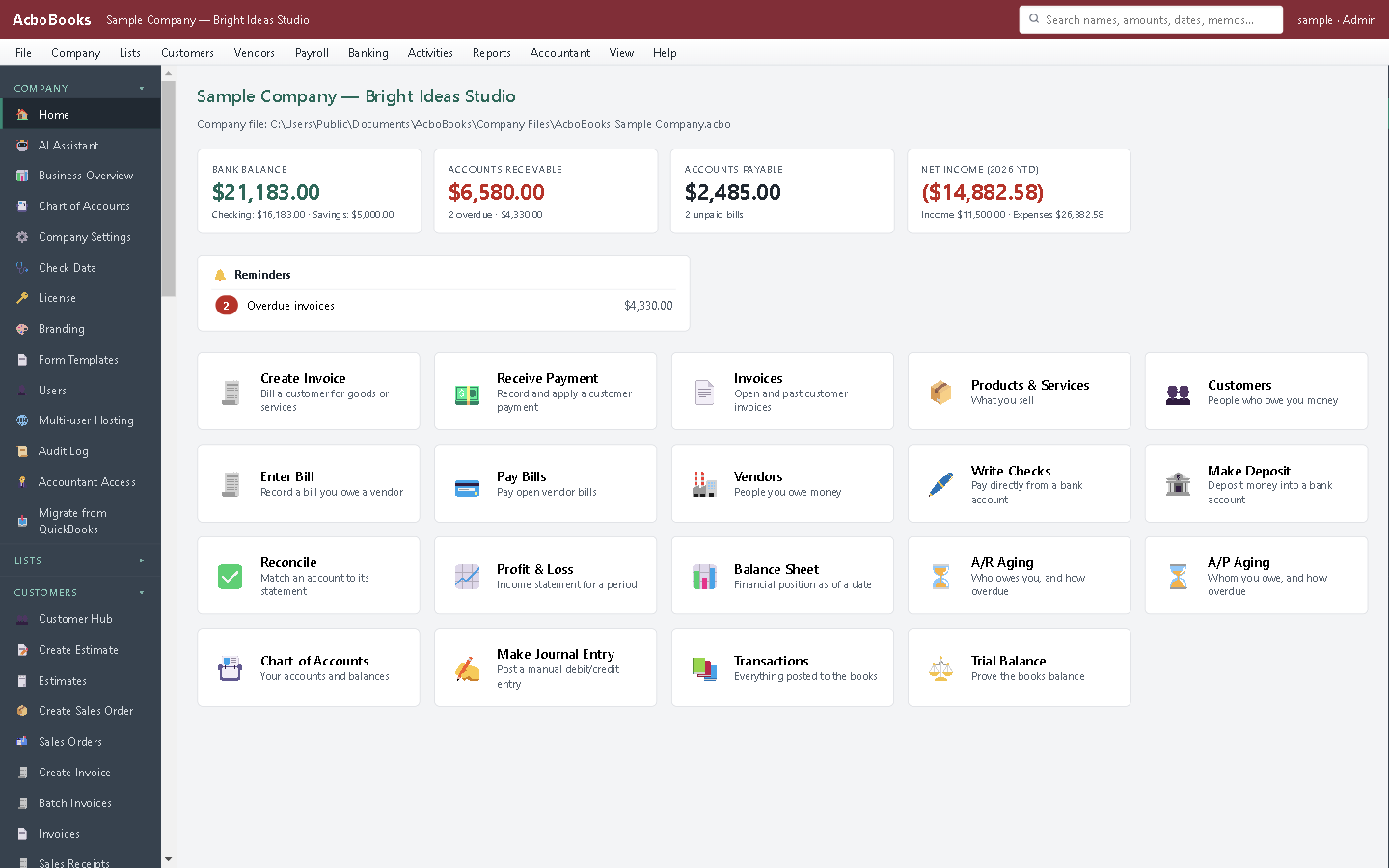
One program, one job, laid out the desktop way.

Invoices without a yearly cap.
Questions people ask
Leaving Zoho Books: the practical questions
How much does Zoho Books cost over three years?
At the October 2026 US prices, Professional billed monthly is $50 a month, or $1,800 over three years, before extra users at $3 a month or payroll. AcboBooks Pro is $399.99 once, with optional update renewals after the first year.
Is Zoho Books free for my business?
The free plan is for one user and ends when revenue passes $50,000 a year. AcboBooks has no revenue test; the price is the same for every business.
Does AcboBooks connect to a CRM?
No. It keeps customer records, estimates and sales orders inside the books, and exports to Excel and CSV. It is not part of a suite.
Does it work in Canada?
Yes, in the same licence: GST/HST with input tax credits, PST and QST, and Canadian payroll with T4 and T4A.
Is there a free trial?
Yes. The trial runs for 15 days with every feature, no card and no account. If you buy, nothing is re-entered; the file you were working in simply stops counting down.
What does the licence cover?
$399.99 buys AcboBooks Pro for one business on two computers, for as long as you like, with 12 months of updates and email support. After that the software keeps working; renewing updates is optional.
Is my data safe on my own computer?
Each company file is encrypted inside the database with your password (AES-256), so a copied or stolen file cannot be read. Back it up like any file; the app can do that automatically each time it closes.
Can my accountant get in?
Yes, without paying for a seat. Give them a backup copy, or add them as a user on your network, or use the accountant invite from inside the app. Their adjusting entries import back without double-posting.
Other comparisons
Leaving something else?
Get started
Try it against your real Zoho Books books.
Download the 15-day trial, bring your lists across, and run one month-end in both. Then decide.
No card. No account. Nothing to cancel.
Zoho and Zoho Books are trademarks of Zoho Corporation. AcboBooks is not affiliated with, endorsed by, or sponsored by Zoho. Prices and features are quoted from Zoho Books' US pricing page as of the date shown and may have changed.