
GnuCash alternative
A GnuCash alternative with the same philosophy and a finished product
If you run a business on GnuCash you chose it for the right reasons: real double-entry, a file on your own computer, no subscription, no account. This page respects that. It is for the moment the business needs what GnuCash does not have: payroll, customer-facing invoices and statements, inventory, more than one person in the books, and someone to email when something goes wrong.
AcboBooks is built on the same ideas, as a finished Windows product with a one-time price: the company file stays on your PC, now encrypted with your password, and the whole job is in the licence.
No card, no account. Windows 10 and 11. GnuCash prices and features checked October 2026.
GnuCash pricing, October 2026
GnuCash
Windows, macOS and Linux; version 5.x
Free, open source
Support
no vendor support
Community mailing lists and wiki
AcboBooks Pro
$399.99 once
Why people leave
What GnuCash users tell us, and what changes
There is no payroll
Wages, withholding, remittances and year-end slips are done elsewhere and journaled in. AcboBooks includes payroll with federal and state tables, W-2 and 1099, direct deposit files, and CPP, EI, T4 and T4A for Canada.
Invoicing is an afterthought
GnuCash's business features produce basic invoices and no sales orders, estimates, statements, progress billing or templates. AcboBooks has the full sales cycle with branded templates, batch invoices and PDF email.
One person at a time
A GnuCash file is opened by one person. AcboBooks hosts the file on one computer and others on the office network connect, with record locking and user roles.
Reconciling is manual work
Statement import exists, but matching and categorising are largely by hand. AcboBooks imports OFX, QFX and CSV, matches, learns categories, detects transfers and produces a reconciliation report.
Nobody to email
The mailing list is helpful and slow. AcboBooks includes email support for twelve months, answered by people who know the books.
Side by side
AcboBooks and GnuCash, row by row
GnuCash answers are from its own published plans and documentation, checked October 2026.
| AcboBooks Pro | GnuCash | |
|---|---|---|
| Your data | ||
| Where your books live | A file on your computer | A file on your computer |
| Works without internet | Yes, fully | Yes |
| Account or sign-up required | None | None |
| Take your data with you | It is a file, encrypted with your password | XML or SQLite file; readable by anyone |
| File encryption | AES-256 inside the database, your password | None built in |
| Doing the books | ||
| Enforced double-entry | Yes, enforced | Yes |
| Closing date and audit trail | Closing date, password, audit trail | Read-only threshold; no audit trail |
| Bank feeds | OFX/QFX and statement import | OFX import; manual matching |
| Payroll | Included: W-2, 1099, T4, direct deposit | None |
| Multi-currency | Included, dated rates | Yes |
| Inventory, jobs and classes | Included: inventory, jobs, classes | Jobs; no inventory |
| Invoices, estimates, statements | Full sales cycle, templates, PDF email | Basic invoices |
| Working together | ||
| Multi-user | Office network, record locking, 2 computers per licence | Single user |
| Accountant access | Free: copy the file or add a user | Send the file |
| Runs on | Windows 10 and 11 | Windows, macOS, Linux |
| Cost | ||
| How you pay | Once, $399.99 | Free |
| Price can rise next year | No, you own it | No |
| Updates and support | 12 months included, then optional renewal | Community |
Three years
What three years really cost
GnuCash costs nothing, so the three-year table is not about money. The cost is the bookkeeper's time on payroll, invoicing and year-end, and a second person's inability to work in the file at the same time.
AcboBooks Pro is $399.99 once, with 12 months of updates and support included and optional renewals after that. Against free software the question is not the licence; it is whether the hours spent on payroll, invoicing and year-end, and the things a second person cannot do, are worth more than $399.99 to the business.
Being fair
Who should stay with GnuCash
Stay with GnuCash if it is for personal finances or a one-person business with no payroll and few invoices, if you need macOS or Linux, or if you want the source code. It is excellent software and it costs nothing. AcboBooks is for the business side of that line: staff, customers, stock, two people in the books, and support.
What AcboBooks does not do
· No phone app and no Mac version; it is a Windows desktop program.
· No live bank connection; it imports the OFX, QFX or CSV statement your bank provides.
· Card payments go through a Stripe payment link on the invoice, not a built-in processor.
Moving your books
From GnuCash to AcboBooks
GnuCash exports accounts and transactions as CSV. AcboBooks imports the chart of accounts and your names, and you choose a start date for the new books rather than carrying every historical split.
In GnuCash, export the account tree and a trial balance as of your start date; export customers and vendors from the business lists.
In AcboBooks: create the company and import the chart of accounts; account types map from GnuCash's.
Enter opening balances from the trial balance and recreate any open invoices and bills.
Import bank statements (OFX, QFX or CSV) for the history you want searchable; AcboBooks matches and categorises them.
Keep GnuCash installed for prior years; it reads its own files for ever, which is the whole point of the model you chose.
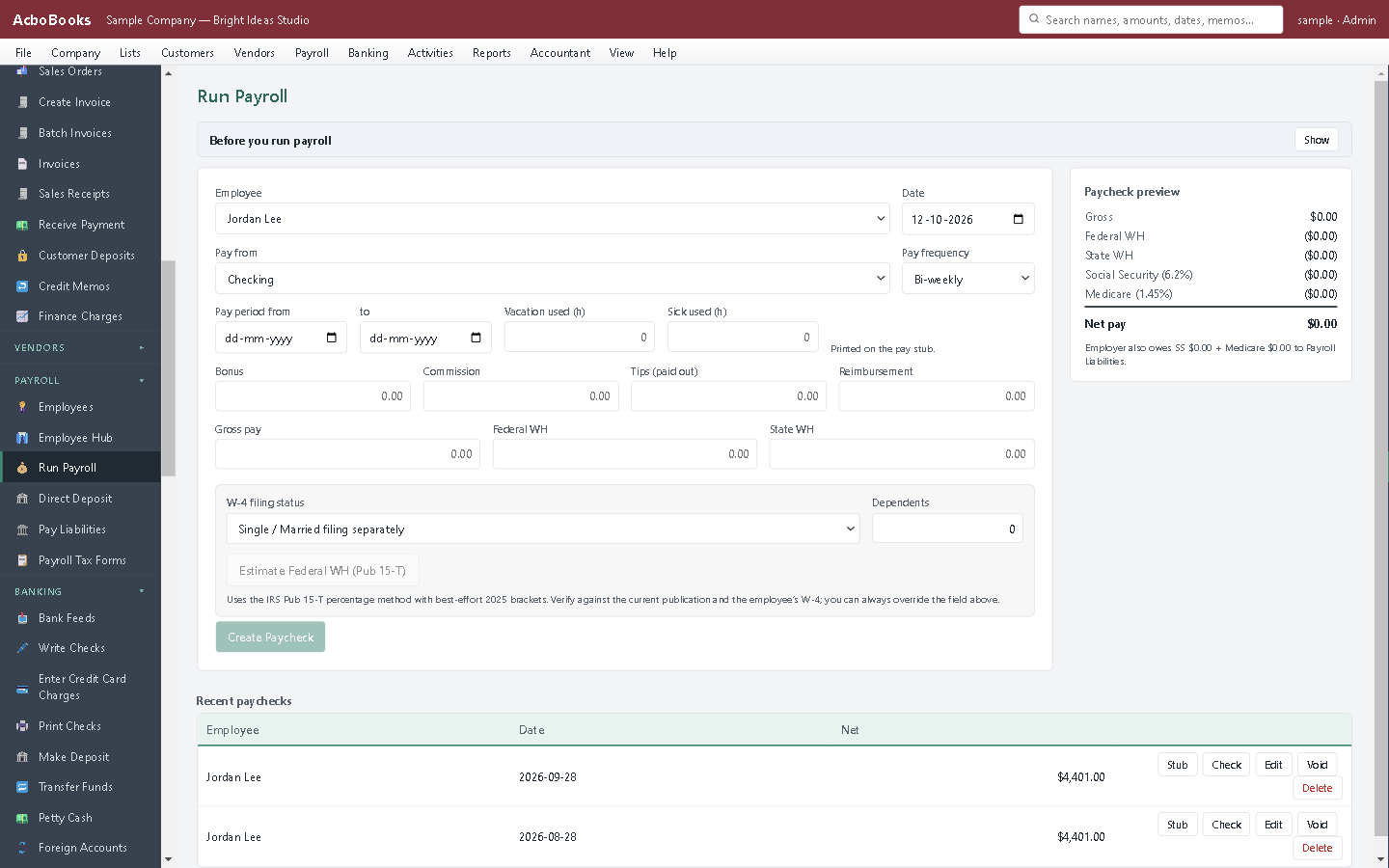
Payroll, the thing GnuCash leaves to a spreadsheet.
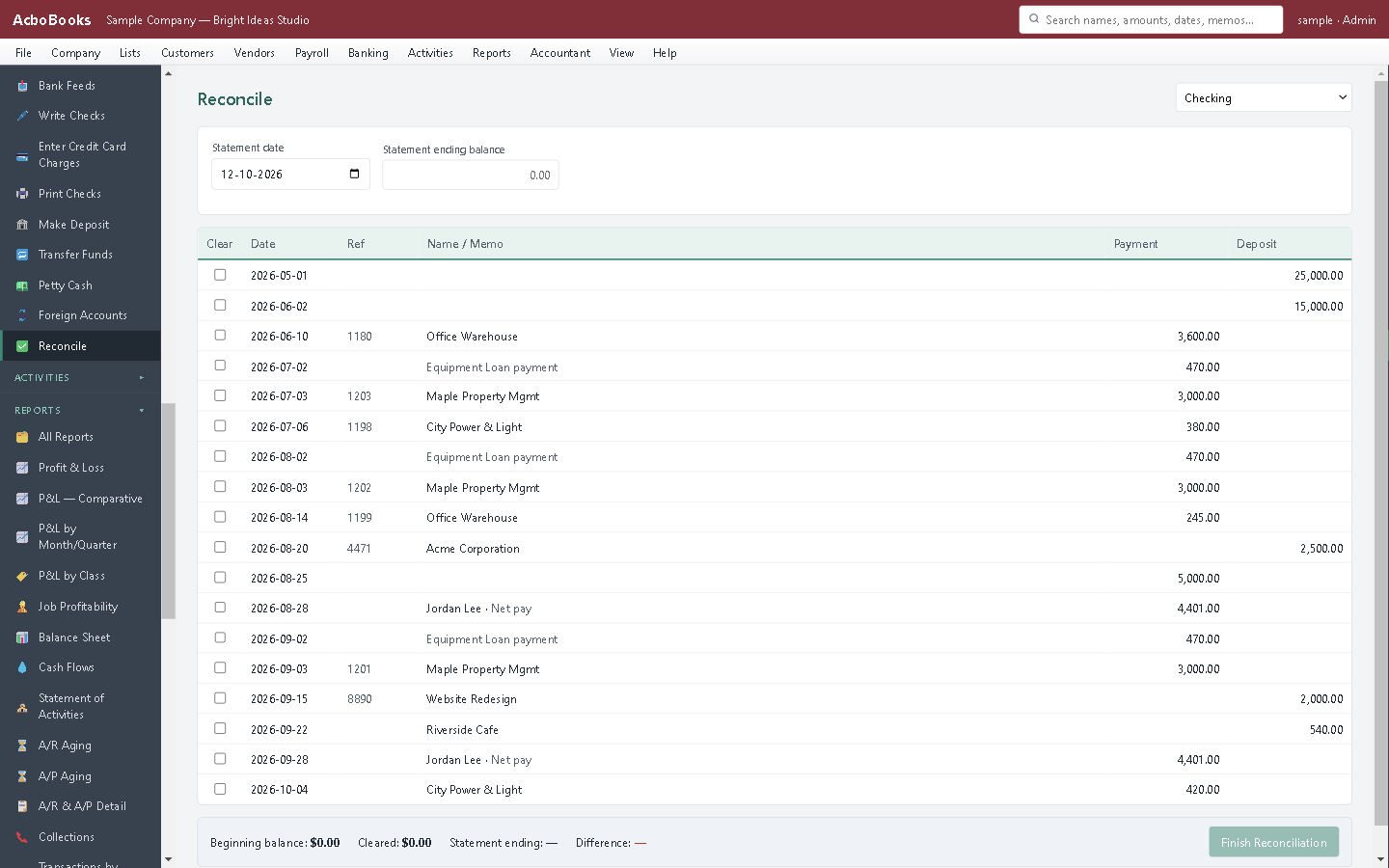
Statement import with matching and a reconciliation report.
Questions people ask
Leaving GnuCash: the practical questions
Why pay when GnuCash is free?
For payroll, a real sales cycle, inventory, multi-user, encryption, reconciliation that does the matching, and support. If none of those matter to you, GnuCash is the right tool and this page says so.
Is my data as portable as in GnuCash?
The company file is yours and opens on any licensed computer with your password. Every list and report exports to Excel and CSV. It is encrypted, which GnuCash's file is not, so it cannot be read by an arbitrary tool, by design.
Is AcboBooks open source?
No. It is a commercial product with a one-time price. The file format is SQLite with SQLCipher encryption, a documented standard, and exports are open formats.
Does it run on Linux or macOS?
No. Windows 10 and 11 only.
Is there a free trial?
Yes. The trial runs for 15 days with every feature, no card and no account. If you buy, nothing is re-entered; the file you were working in simply stops counting down.
What does the licence cover?
$399.99 buys AcboBooks Pro for one business on two computers, for as long as you like, with 12 months of updates and email support. After that the software keeps working; renewing updates is optional.
Is my data safe on my own computer?
Each company file is encrypted inside the database with your password (AES-256), so a copied or stolen file cannot be read. Back it up like any file; the app can do that automatically each time it closes.
Can my accountant get in?
Yes, without paying for a seat. Give them a backup copy, or add them as a user on your network, or use the accountant invite from inside the app. Their adjusting entries import back without double-posting.
Other comparisons
Leaving something else?
Get started
Try it against your real GnuCash books.
Download the 15-day trial, bring your lists across, and run one month-end in both. Then decide.
No card. No account. Nothing to cancel.
GnuCash is free software from the GnuCash project, licensed under the GNU GPL. AcboBooks is not affiliated with or endorsed by the project. Statements about GnuCash reflect its documentation as of the date shown.