
In this lesson you will
- Read the A/R Aging report
- Open a customer's statement from the report
- Save, email or batch-print statements
- Write off an invoice you won't collect
Before you start
Who owes you, and for how long
Step 1: Open the A/R Aging report
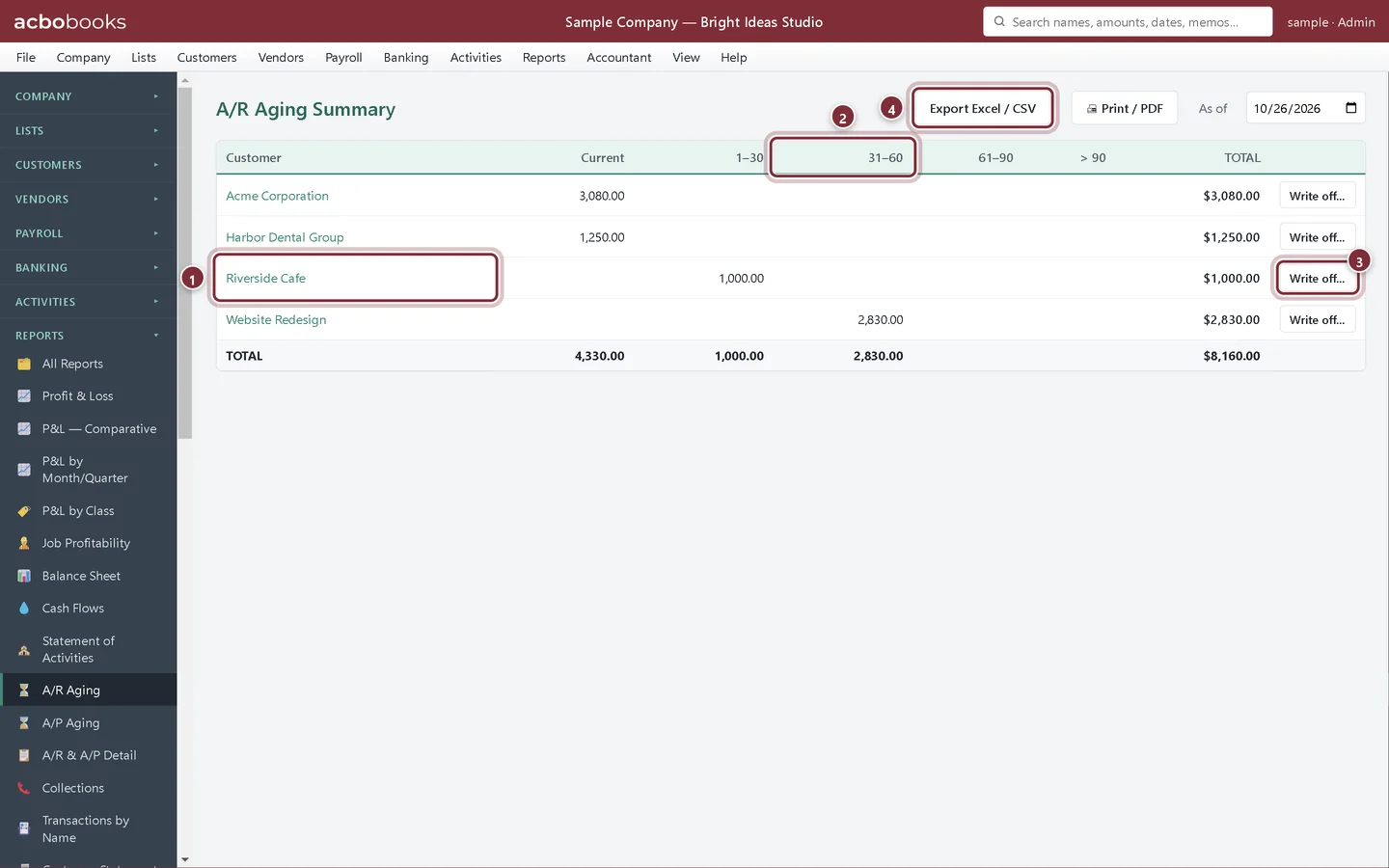
Choose Reports → A/R Aging. Each customer's balance is split by age: Current, 1–30, 31–60, 61–90 and over 90 days past due. Change As of to see the picture on another date.
- Click a customer's name to open their statement.
- The age columns: the further right, the more overdue.
- Write off…: write an uncollectible invoice off to bad debt.
- Export Excel / CSV, or Print / PDF next to it.
Send a statement
Step 2: The customer statement
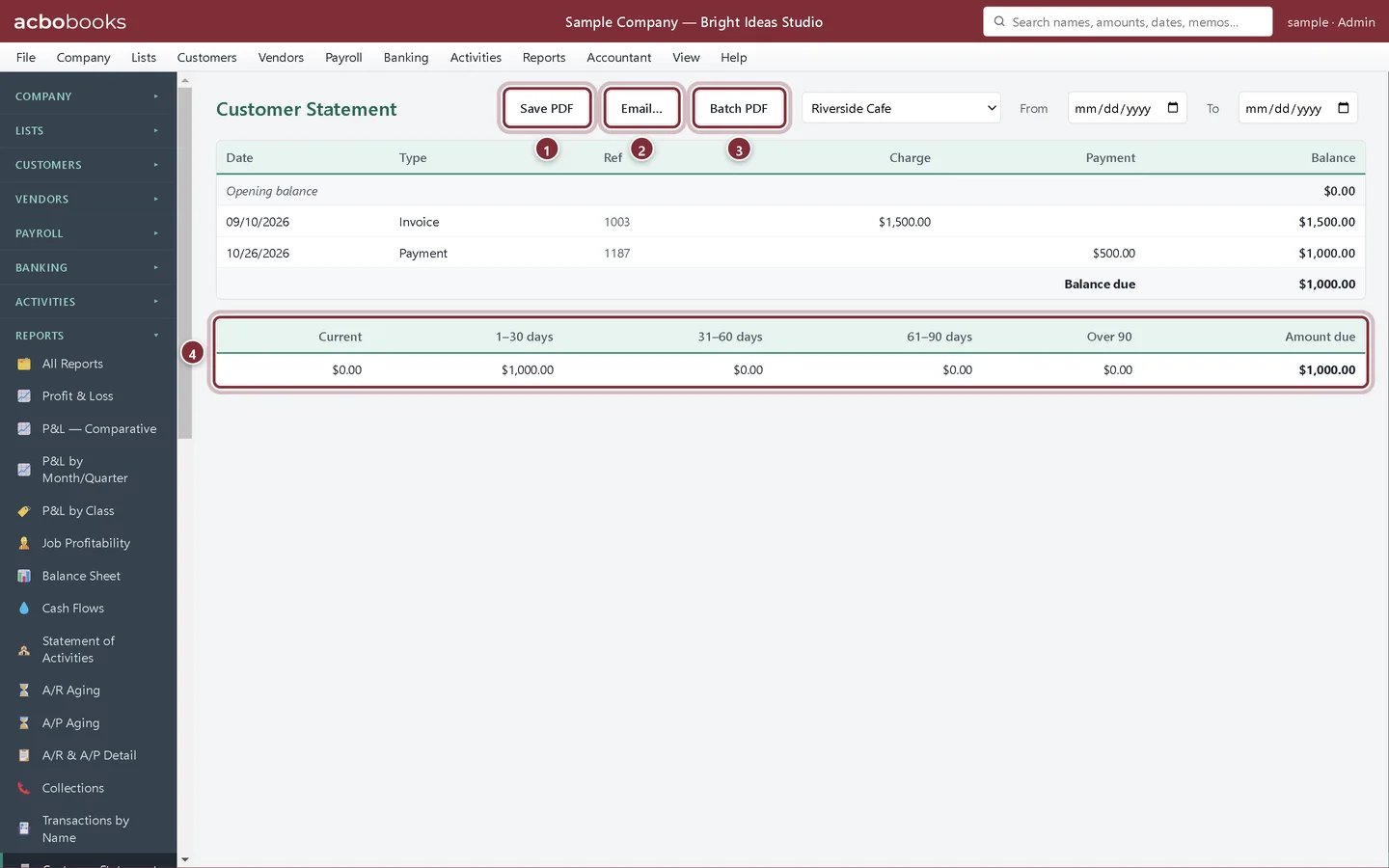
Clicking a name opens Customer Statement for that customer (also under Reports → Customer Statement). It lists invoices, payments and credits with a running balance, the balance due and how much of it is in each age bucket. Pick From and To dates to limit it.
- Save PDF: a printable statement.
- Email…: an email draft to the customer with the balance and activity; attach the PDF if you like.
- Batch PDF: one PDF with a page for every customer who has a balance.
- The amount due by age.
Recap
- Read who owes you and how overdue it is.
- Open a statement straight from the aging report.
- Save, email or batch-print statements.
- Know when and how to write off a bad debt.
Questions
How often should I send statements?
Many businesses send them monthly to every customer with a balance. Batch PDF does all of them in one file.
Can I see every invoice behind the totals?
Reports → A/R & A/P Detail lists the open invoices one by one.
Related
Screenshots from AcboBooks 0.2.2 with the built-in sample company. Updated October 25, 2026. Your screens may differ slightly with another version or window size.