
Invoicing software
Invoicing software that keeps the books while you bill
Estimates, sales orders, invoices, statements and receipts in one place. Invoices carry your logo and colours, and print or save as PDF. Every invoice posts to receivables, every payment clears it, and you always know who owes what.
Part of AcboBooks, the full accounting program, bought once for $399.99.
No card, no account. Windows 10 and 11. United States and Canada.

What it means
In practice
From quote to cash
Turn an estimate into an invoice, bill a job in stages with progress invoicing, take a deposit up front, and apply the payment when it arrives.
Get paid faster
Add a card payment link to any invoice through your own Stripe account. Send statements with ageing, and assess finance charges on overdue balances if you choose.
Invoices that look like you
Your logo, colours and layout on every document, custom fields for PO numbers or job references, and payment terms with early-payment discounts.

An invoice with items, terms and tax, ready to send.
One click from invoice to answer
Who has not paid? The A/R ageing report answers by customer and by days overdue, and every figure opens the invoices behind it.
Recurring work is a memorised invoice that creates itself on schedule, and batch invoicing bills a whole group of customers at once.
What is in the licence
The whole job, in one price
Documents
Getting paid
Look and feel
Reports
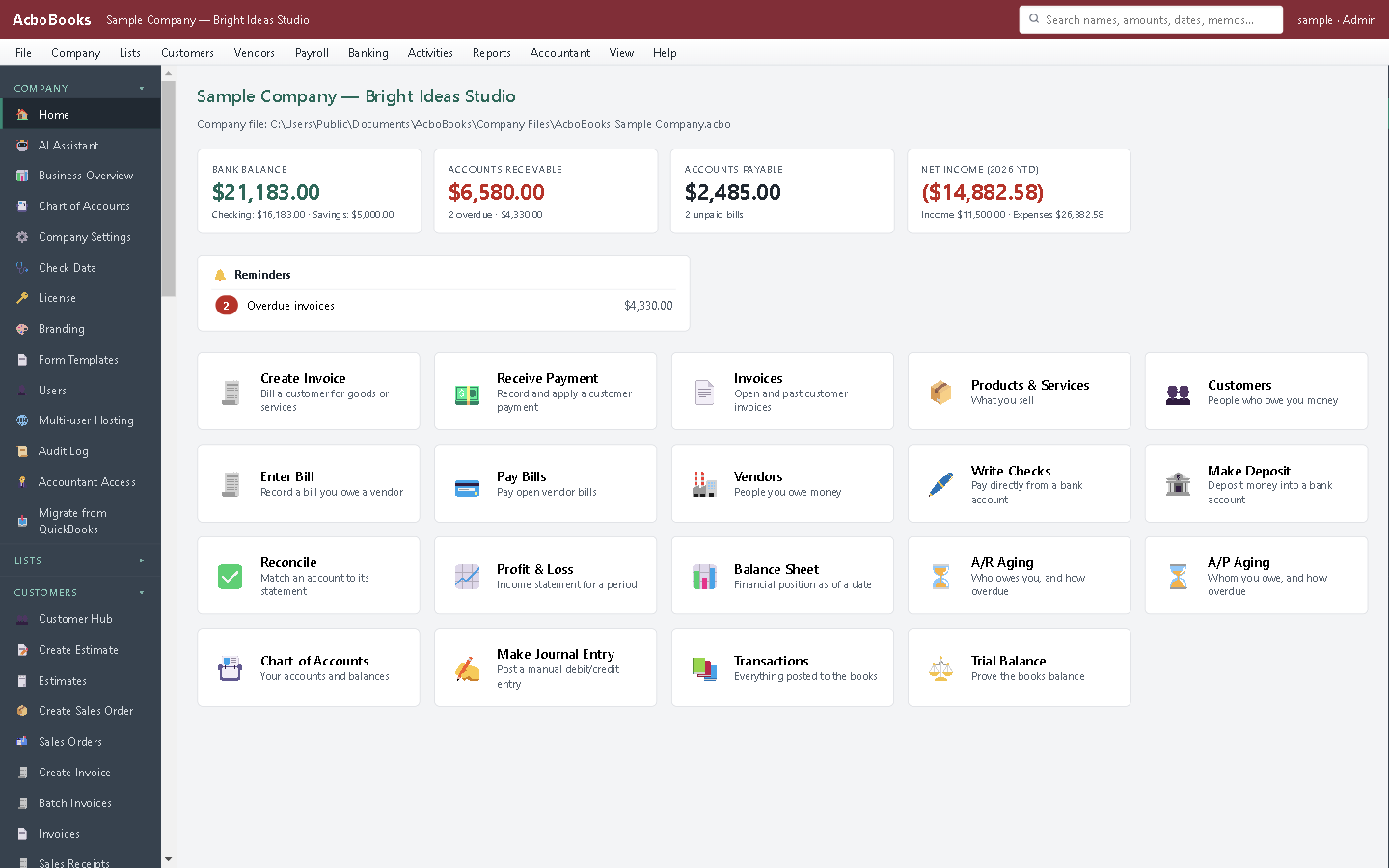
Money owed and money due, on the home screen.
What it does not do
· Invoices are emailed from your own mail program: AcboBooks saves the PDF and opens a new email, and you attach the PDF. There is no customer portal.
· Card payments go through a Stripe link, not a built-in processor.
· Windows 10 and 11 for now (a Mac version is coming soon); no phone app.
· One company per file; open as many files as you have businesses.
Questions people ask
Before you download
Can customers pay by card?
Yes, with your own Stripe account: AcboBooks adds a payment link to the invoice and marks it paid when Stripe confirms. Stripe's fees apply; AcboBooks takes nothing.
Can I invoice in another currency?
Yes. Customers can be set to a foreign currency, with dated exchange rates and realised gains and losses posted when they pay.
Does it handle sales tax on invoices?
Yes: US sales tax rates and groups, and Canadian GST/HST, PST and QST, with liability reports for filing.
Can I change an invoice after saving it?
Yes, in place, unless it falls in a closed period. Every change is in the audit trail.
Coming from something else?
How it compares to what you use now
Get started
Send the first invoice this afternoon.
Add your logo, create a customer and an invoice in the trial.
No card. No account. Nothing to cancel.