
Wholesale and distribution
Accounting software for wholesalers and distributors: orders, stock and terms
Take orders as sales orders, ship what is in stock and track the backorders, buy from suppliers with purchase orders received in part or in full, and give each trade customer their own price level, terms and credit limit.
For small wholesalers and distributors in the US and Canada, $399.99 once, with inventory at average cost in the same file as the books.
No card, no account. Windows 10 and 11. United States and Canada.
What it means
In practice
Orders to invoices
A sales order holds what the customer asked for. Invoice what you ship; the rest stays open, and the Open Sales Orders report shows every backorder by customer.
Prices and credit per customer
Set a price level per customer as a percentage up or down from list. Set a credit limit, and AcboBooks warns you before an invoice takes them over it.
Reorder by supplier
Stock Status by Vendor lists the items at or below their reorder point, grouped by the supplier you buy them from, ready to turn into purchase orders.

Invoice what shipped; the rest stays on order.
Know what is coming in, what is going out, and who owes you
A purchase order goes to the supplier. Half arrives; you receive that half, the stock goes up at cost, and the PO stays open for the rest. Customer orders ship from what is on hand.
Invoices go out on net 30 with an early-payment discount if you offer one. The A/R aging and the collections report show who is late, and statements go to every customer at month-end.
What is in the licence
The whole job, in one price
Selling
Buying
Stock
Getting paid
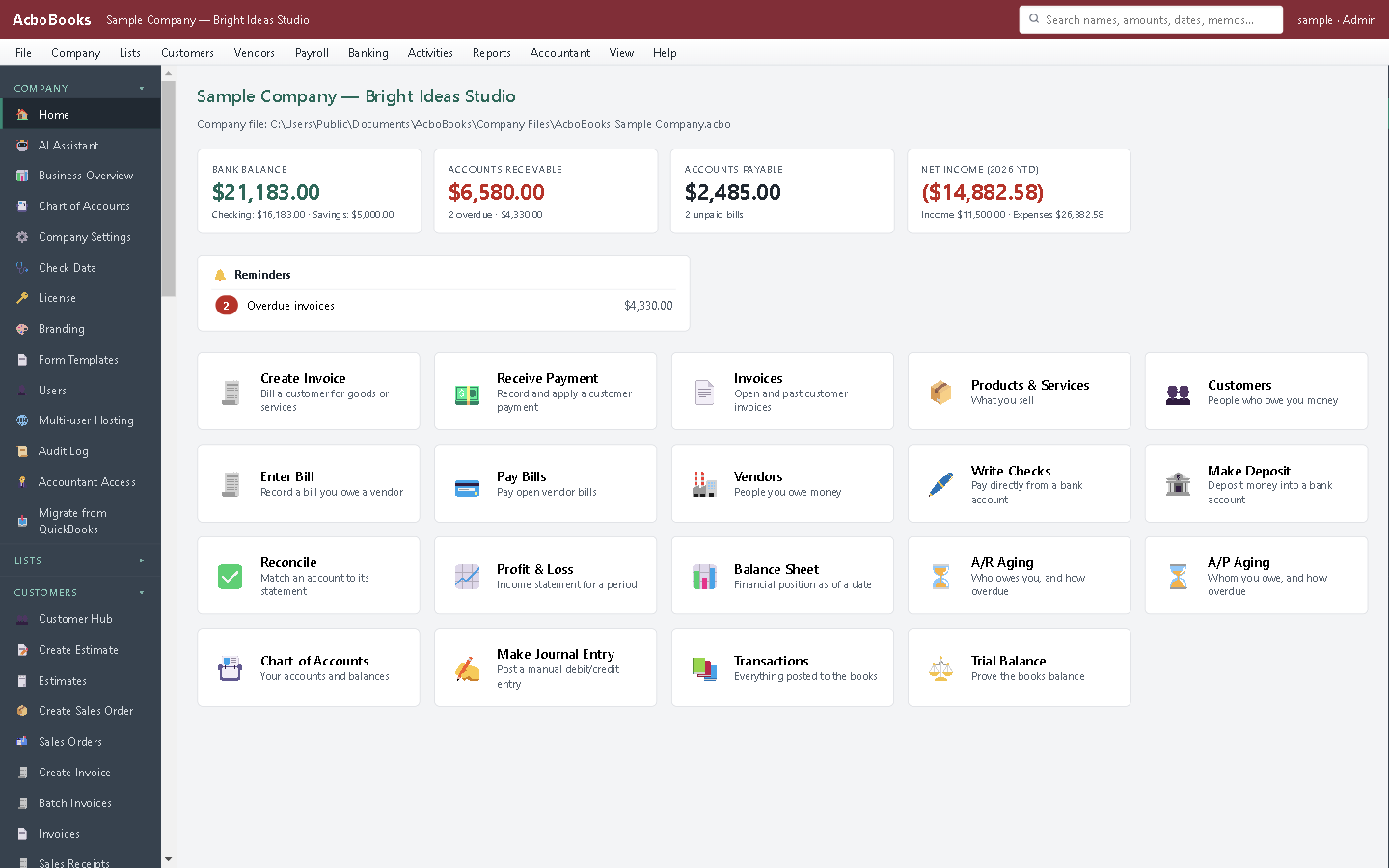
Orders, stock alerts and money owed on one screen.
What it does not do
· One stock location: no multiple warehouses, bins, lots or serial numbers, and no barcode scanning.
· No EDI and no connection to shipping carriers.
· Windows 10 and 11 for now (a Mac version is coming soon); no phone app.
· It imports your bank's statement file rather than connecting live to the bank.
Questions people ask
Before you download
Can I give different customers different prices?
Yes. Each customer can have a price level, a percentage above or below the item's list price, applied when you add items to their documents.
How are backorders tracked?
Enter the order as a sales order and invoice what you ship. The unshipped quantities stay open on the order and show on the Open Sales Orders report.
Can I receive part of a purchase order?
Yes. Receive the quantities that arrived; stock goes up at cost and the rest of the PO stays open until the balance comes in.
Which costing method does it use?
Average cost, the same as QuickBooks Desktop Pro and Premier.
Coming from something else?
How it compares to what you use now
Get started
Orders, stock and receivables, in one file.
Import your items and customers and run a sales order through to the invoice in the trial.
No card. No account. Nothing to cancel.