
In this lesson you will
- Run a Profit & Loss for any date range
- Switch between accrual and cash basis and know the difference
- Compare with last year and see the year month by month or by quarter
Before you start
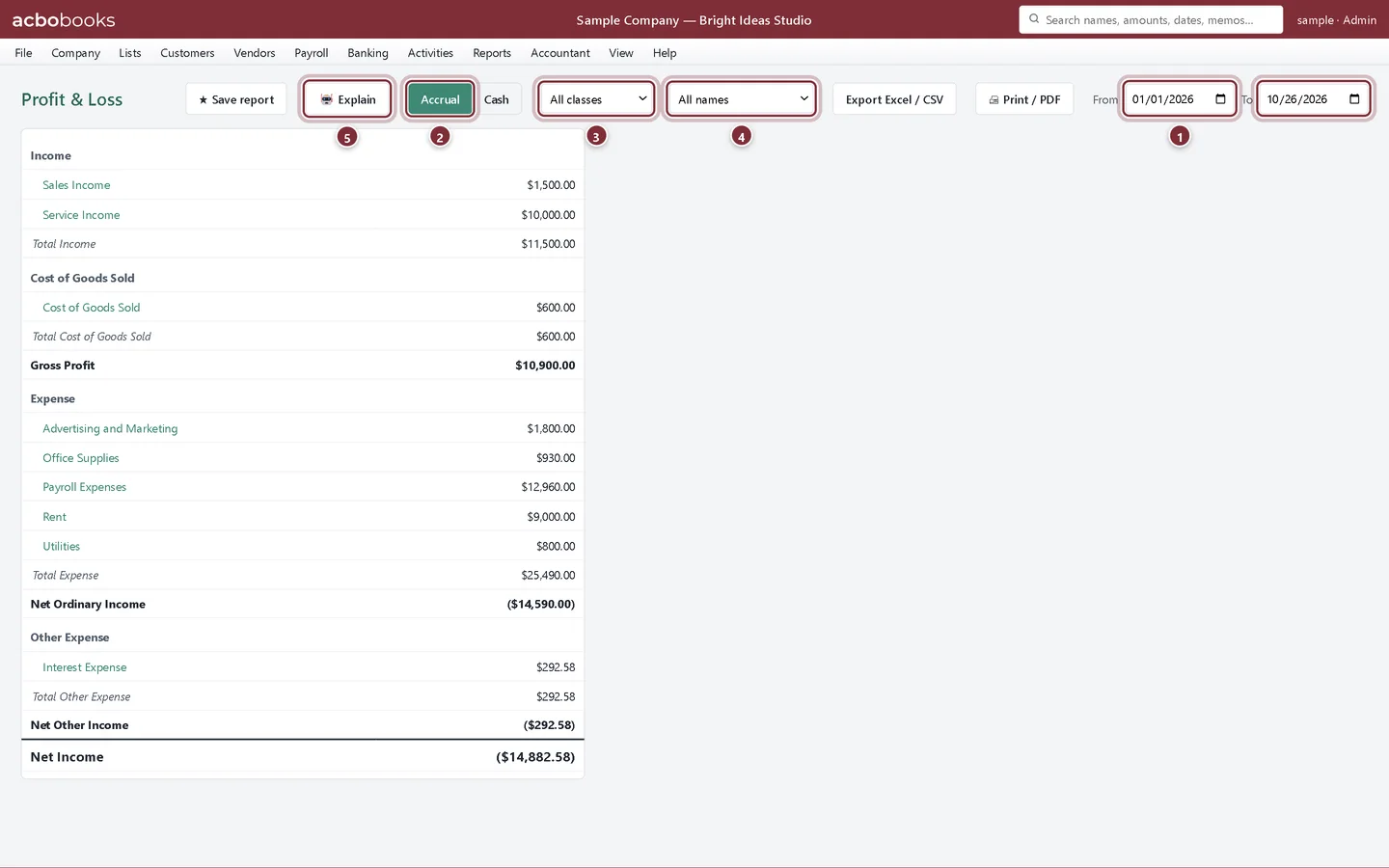
Run the report
Step 1: Open Reports → Profit & Loss
The report opens for the year to date. It lists income, then cost of goods sold and gross profit, then expenses, other income and expense, and finally net income.
- From and To: the period. Change either date and the report updates.
- Accrual or Cash basis.
- Filter by class.
- Filter by customer or vendor.
- Explain writes a short plain-English summary of the numbers.
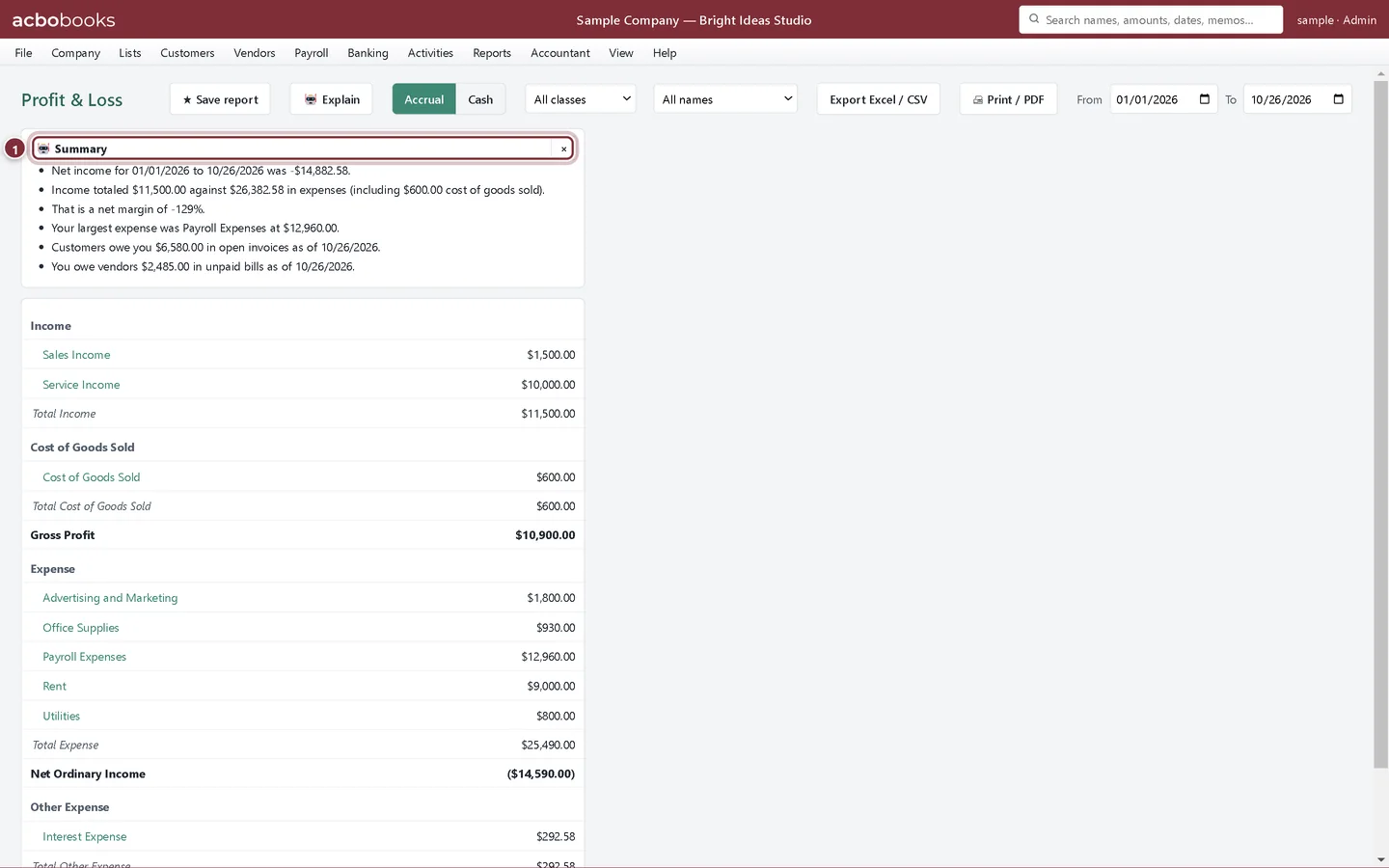
Step 2: Read the summary
Click Explain for a few sentences on net income, the margin, the largest expense and what customers and vendors owe. It is worked out from your own figures on this computer. Click × to close it.
- The summary for the dates shown.
Accrual or cash basis
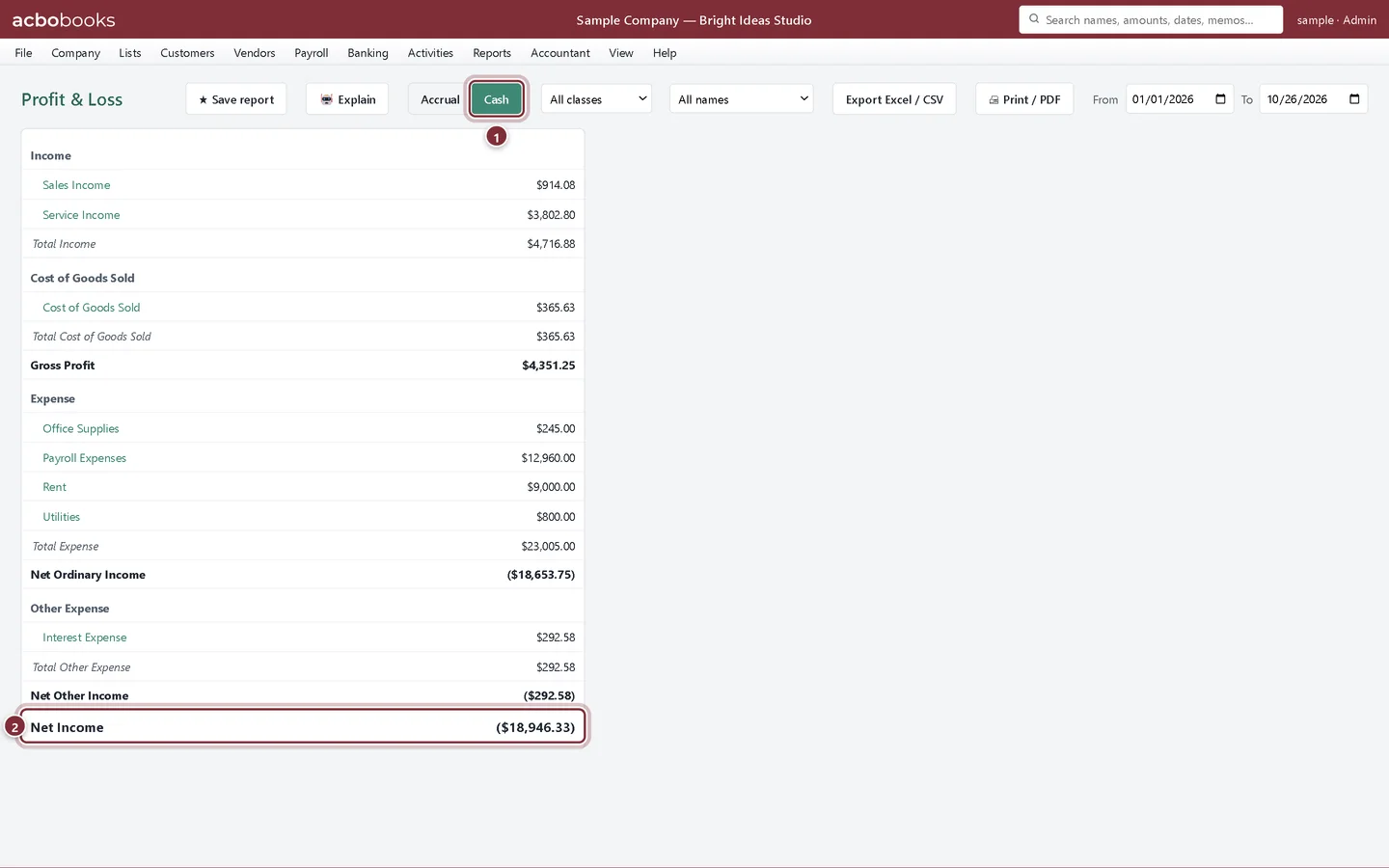
Accrual basis counts income when you invoice and expenses when you get the bill. Cash basis counts them when the money moves. Most accountants want accrual; many small businesses file taxes on cash.
Step 3: Click Cash
On cash basis, unpaid invoices and unpaid bills drop out. A partly paid invoice counts in proportion to what has been paid, on the payment date. Here net income falls because some of the year's invoices are still unpaid.
- Cash basis is on.
- Net Income on a cash basis.
Other views of the same numbers
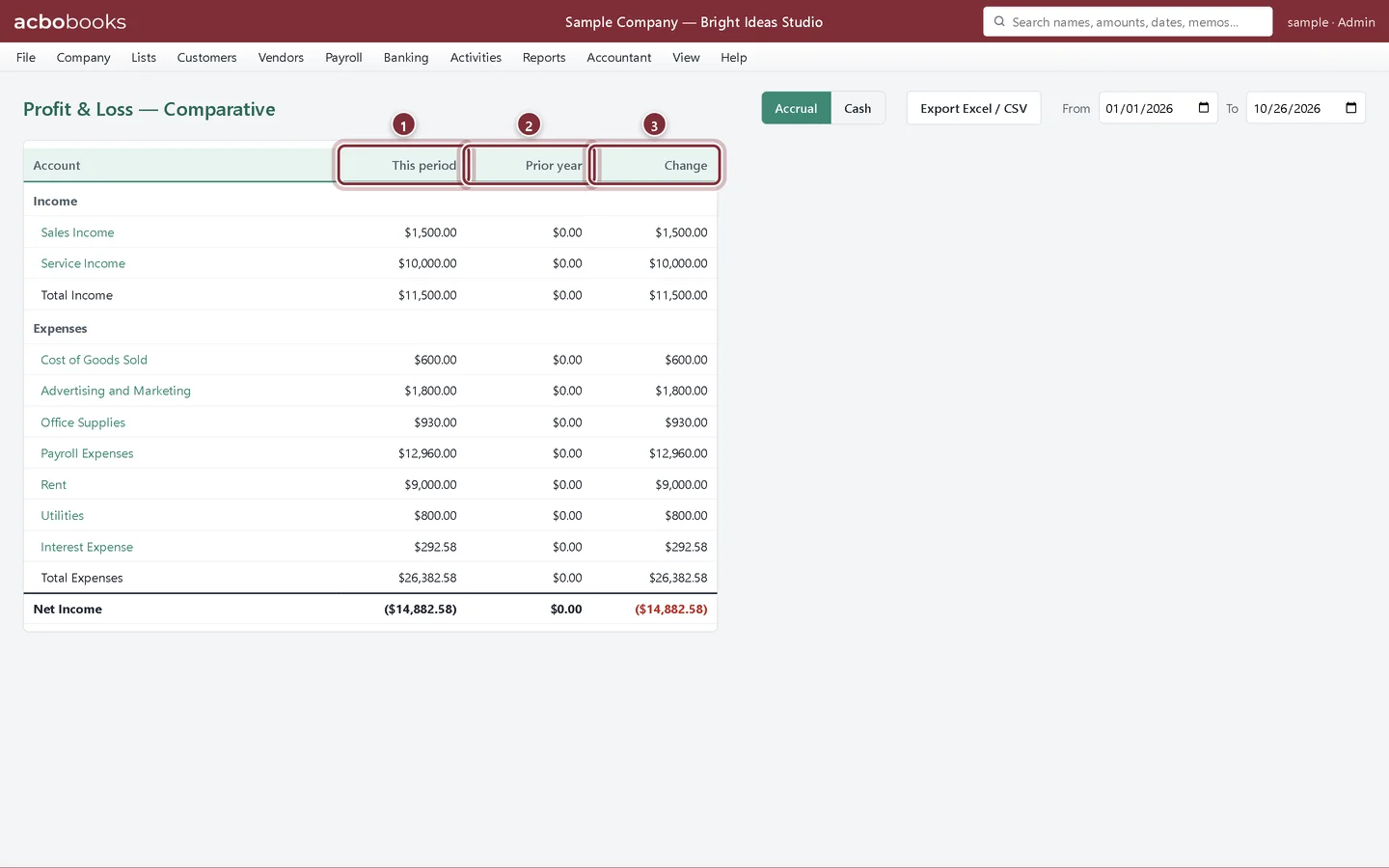
Step 4: P&L — Comparative
Reports → P&L — Comparative puts this period next to the same period last year, with the change. In a company's first year the prior-year column is zero.
- This period.
- Prior year: the same dates a year earlier.
- Change between the two.
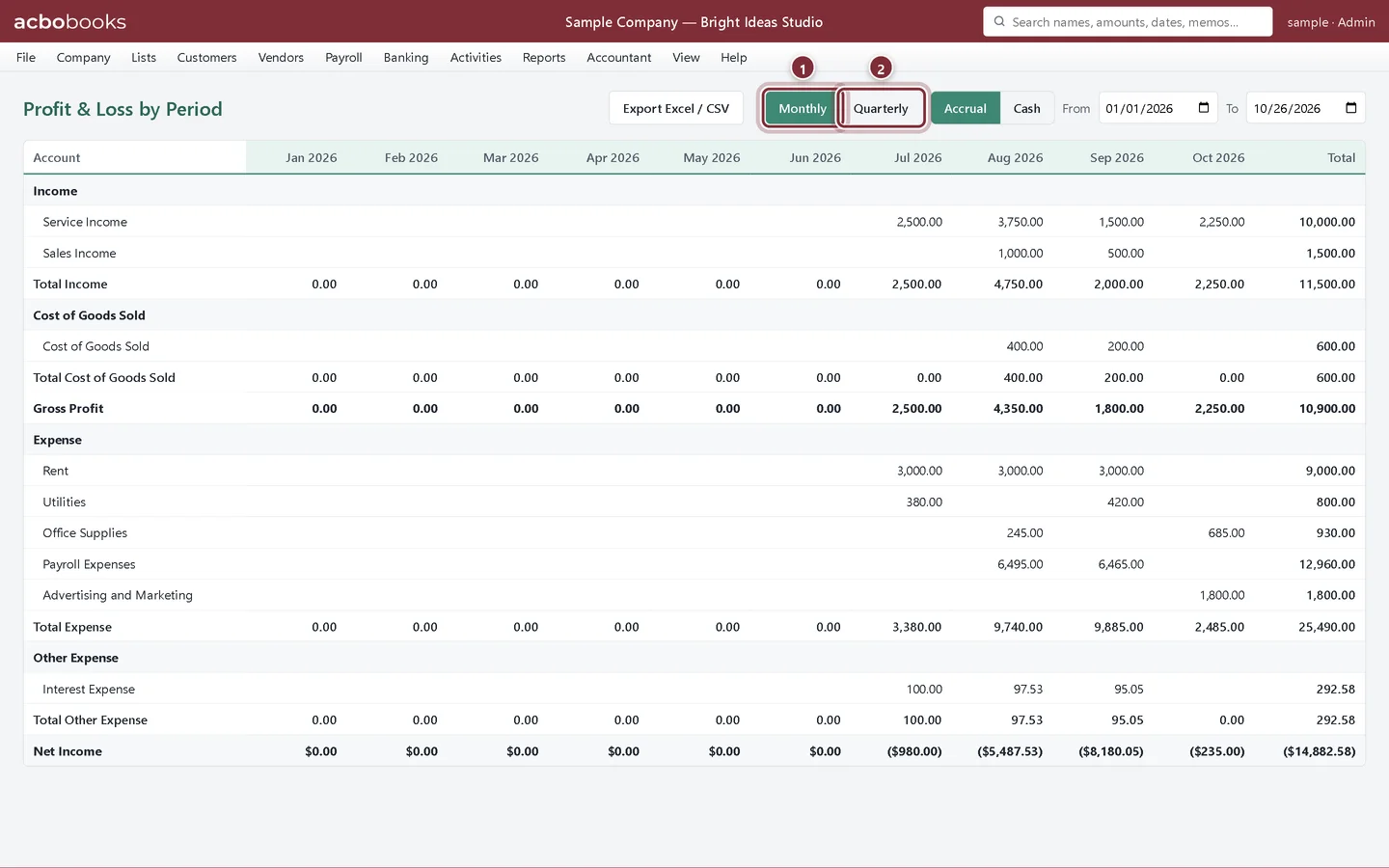
Step 5: P&L by Month/Quarter
Reports → P&L by Month/Quarter spreads the period across columns, one per month or quarter, with a total. It shows seasonality and the month a cost started.
- Monthly columns.
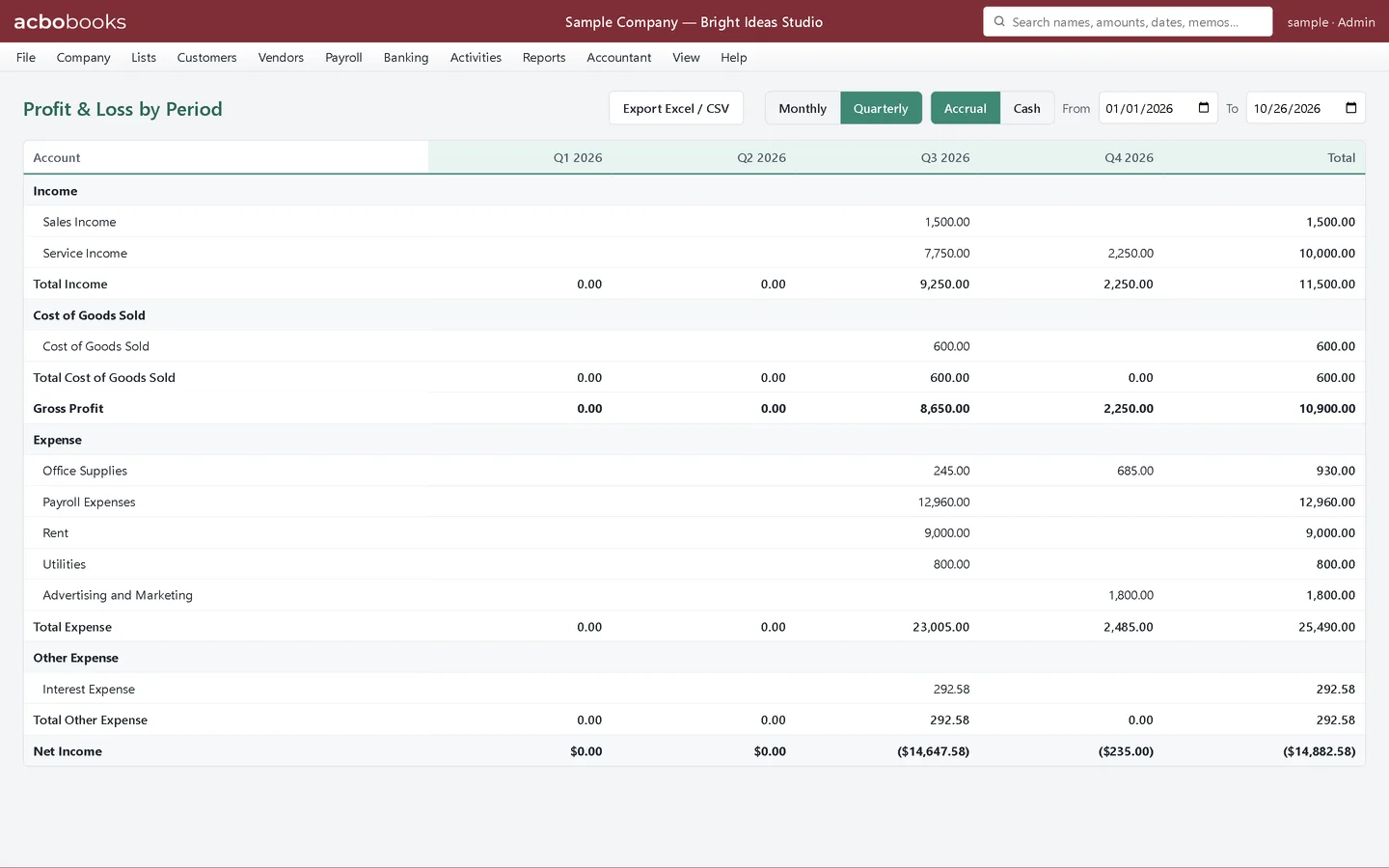
- Quarterly columns.
Step 6: By quarter
Click Quarterly for four columns and a total, useful for estimated tax payments and quarterly reviews.
Step 7: P&L by Class
If you tag transactions with classes (for example a location or a department), Reports → P&L by Class shows income, expense and net income for each class, with anything untagged under Unclassified.
Recap
- You can run a Profit & Loss for any dates.
- You know the difference between accrual and cash basis and can switch between them.
- You can compare with last year and see the year by month or quarter.
Questions
Why is my net income different from my bank balance change?
Profit isn't cash. Unpaid invoices count as income on accrual basis, loan payments reduce cash but only the interest is an expense, and buying equipment uses cash without being an expense. The cash flow statement explains the gap.
Which basis should I use for taxes?
The one your business files under. Ask your accountant; AcboBooks can show either at any time without changing your entries. To keep a cash-basis P&L one click away, save the report.
Can I see the transactions behind a number?
Yes. Click any account name in the report. See Filter, drill down and export reports.
Related
Screenshots from AcboBooks 0.2.2 with the built-in sample company. Updated October 25, 2026. Your screens may differ slightly with another version or window size.