
In this lesson you will
- Open a report from the Reports menu
- Browse the All Reports page by topic
- Search for a report by what it does
Before you start
Two ways in
Step 1: The Reports menu
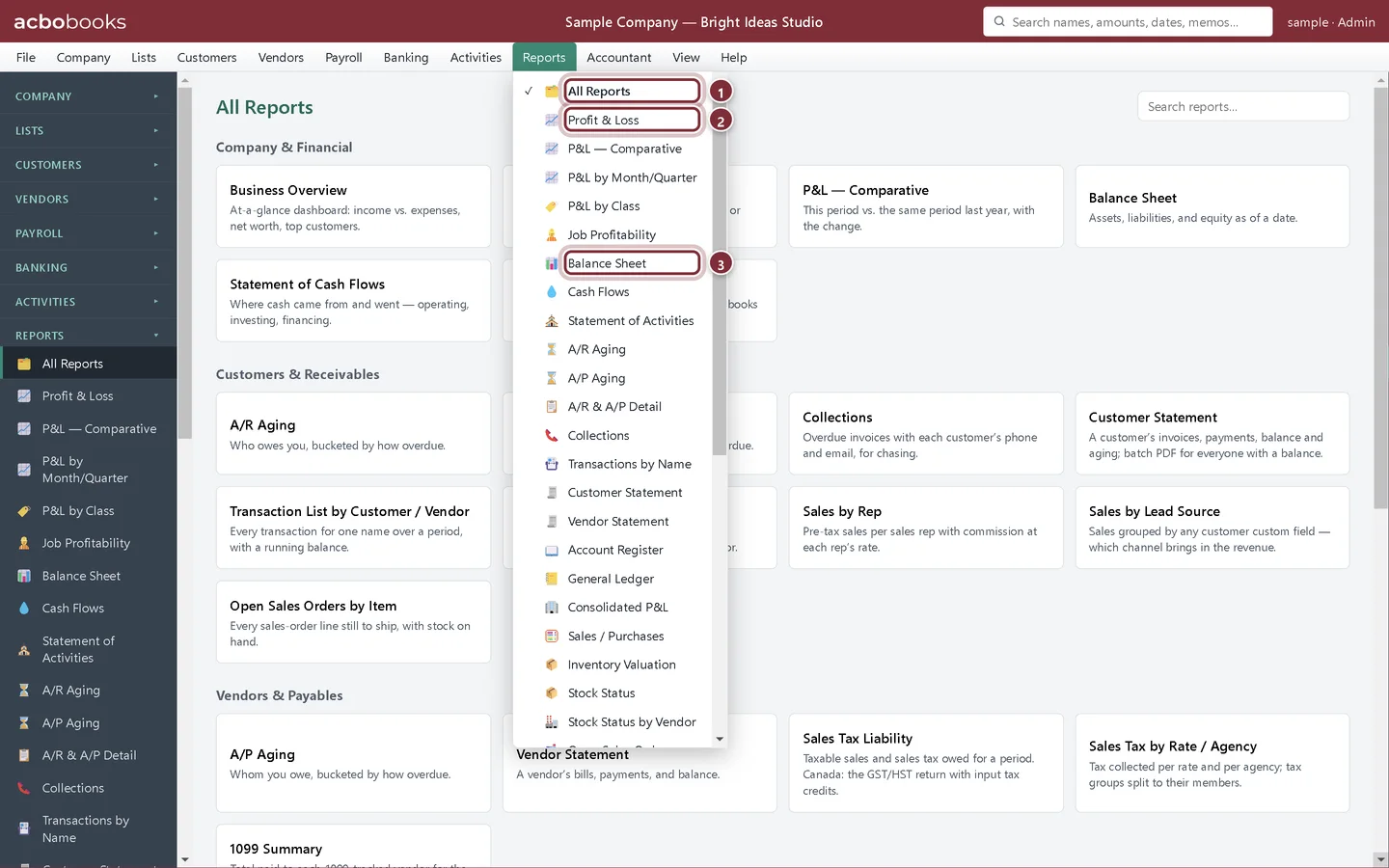
Click Reports in the menu bar. Every report is listed, starting with the ones you'll use most.
- All Reports opens the report center.
- Profit & Loss: income and expenses for a period.
- Balance Sheet: what the business owns and owes on a date.
Step 2: The All Reports page
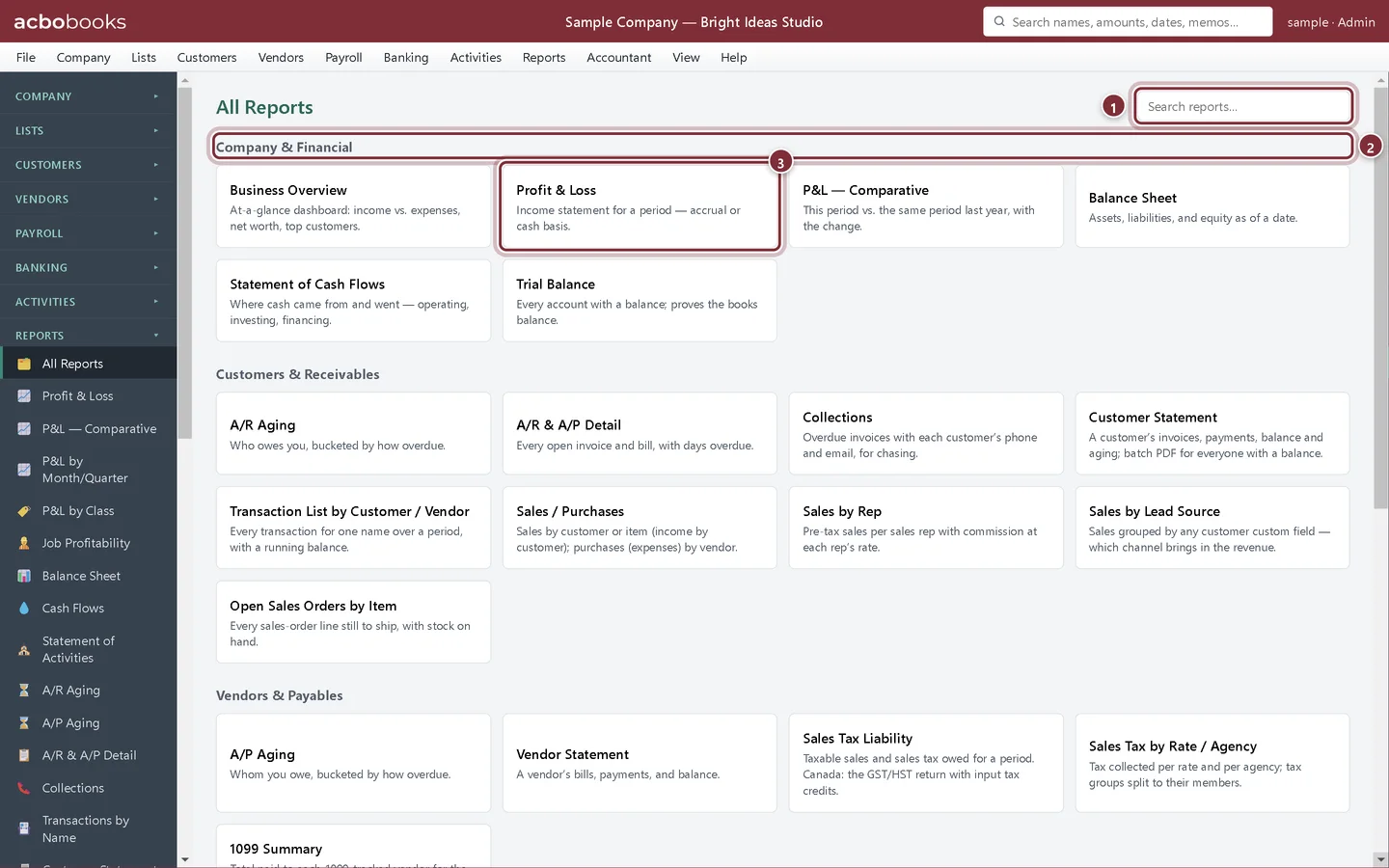
Reports → All Reports shows every report as a card with a one-line description, grouped by topic: Company & Financial, Customers & Receivables, Vendors & Payables, Banking, Inventory & Jobs, and Accountant & Planning. Click a card to open the report.
- Search reports… filters the cards as you type.
- A topic group.
- A report card. The description says what the report answers.
Search by what you need
Step 3: Type a word
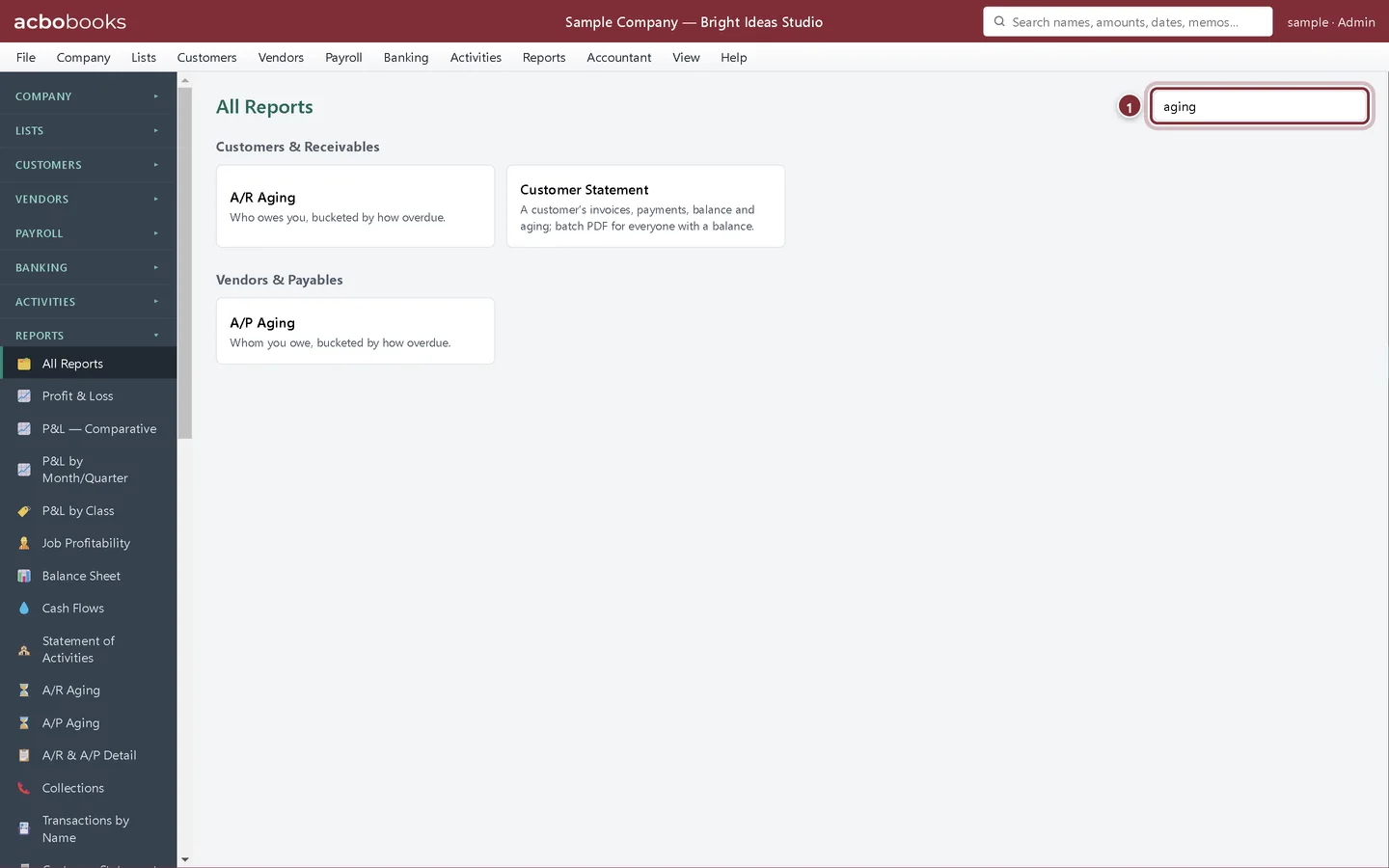
Search looks at report names and descriptions, so you can type what you want to know rather than the exact name. Typing aging shows the A/R and A/P aging reports and the customer statement.
- The search box.
Recap
- You can open any report from the Reports menu.
- You can browse All Reports by topic.
- You can search for a report by name or purpose.
Questions
Is there a report for my accountant?
Yes. The Accountant & Planning group has the General Ledger, Trial Balance, Tax Form Summary and Audit Trail. See Close the year and lock the books.
Can I find a single transaction instead of a report?
Use the search box at the top right of the window. It finds names, amounts, dates and memos anywhere in the file.
Screenshots from AcboBooks 0.2.2 with the built-in sample company. Updated October 25, 2026. Your screens may differ slightly with another version or window size.