
In this lesson you will
- Read the A/R and A/P aging buckets
- Open the open-invoice and open-bill detail
- Use the Collections report to follow up
Before you start
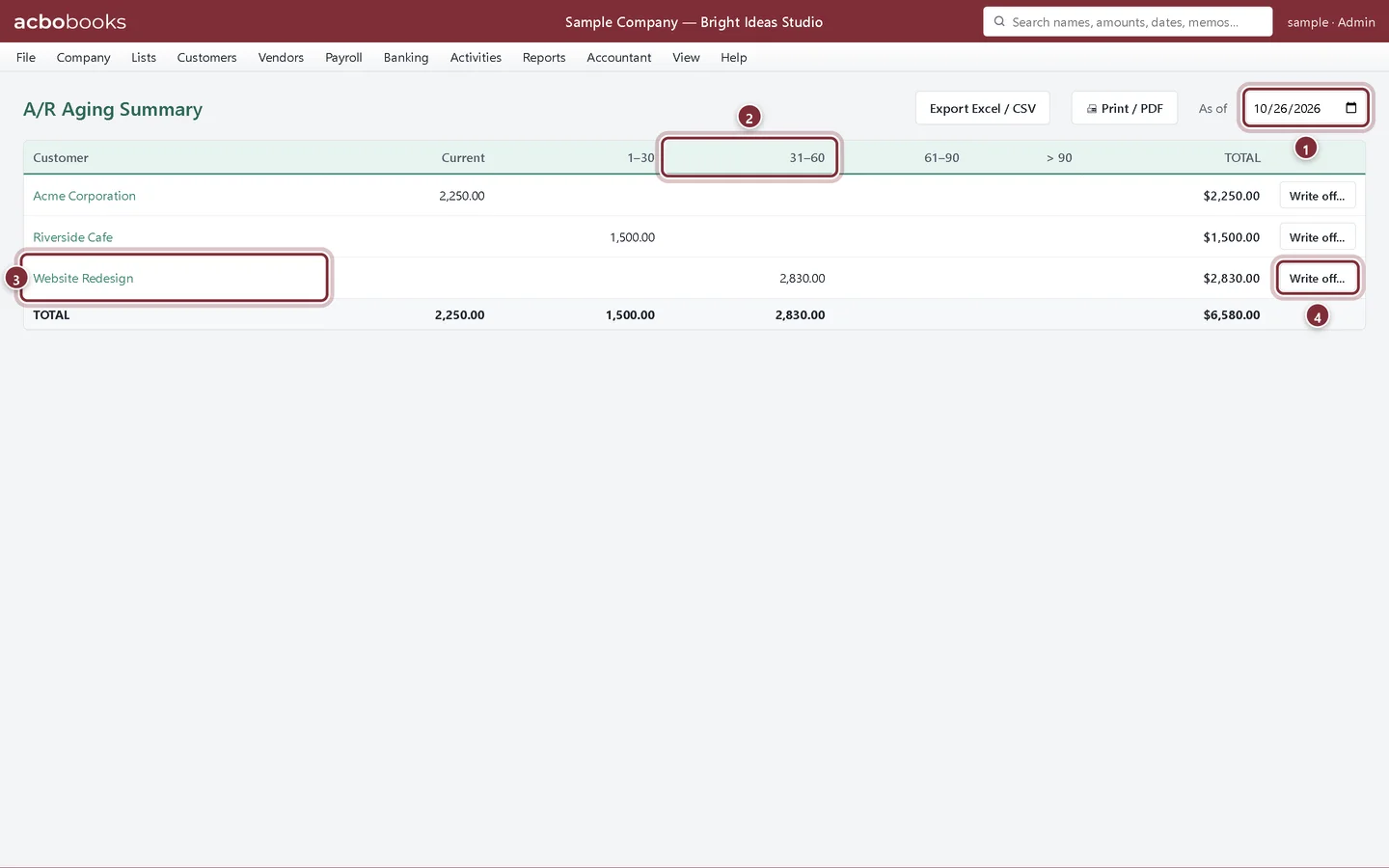
A/R Aging
Step 1: Open Reports → A/R Aging
Each customer with an open balance gets one row, split into columns by days past the due date. The totals at the bottom match Accounts Receivable on the Balance Sheet for the same date.
- As of: age the balances on this date.
- Columns by days overdue: Current, 1–30, 31–60, 61–90 and over 90.
- Click a customer to open their statement.
- Write off… books a balance you won't collect to bad debt.
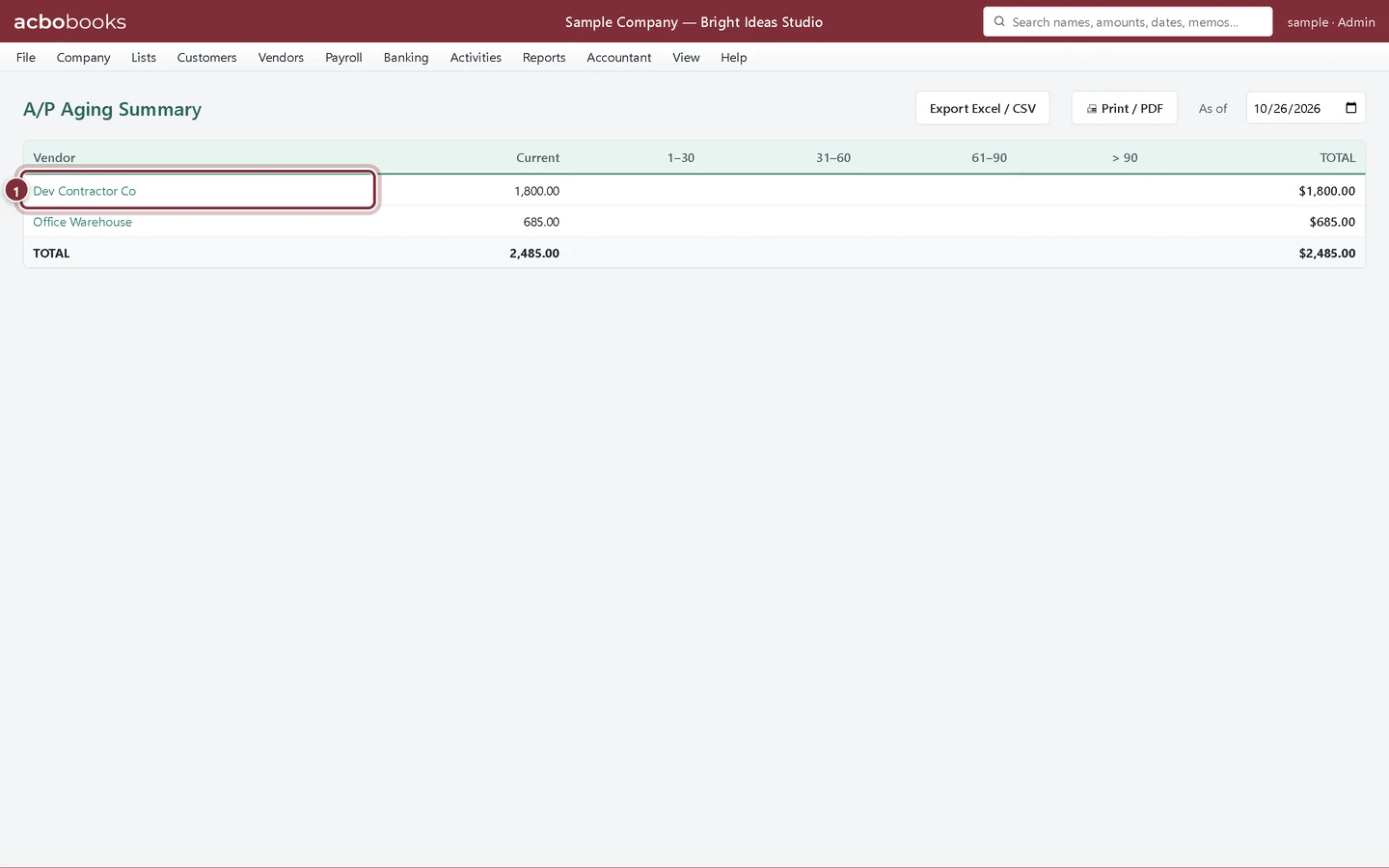
A/P Aging
Step 2: Open Reports → A/P Aging
The same layout for vendors: what you owe and how close each bill is to its due date. Click a vendor to see their statement. Pay from Vendors → Pay Bills.
- A vendor with open bills.
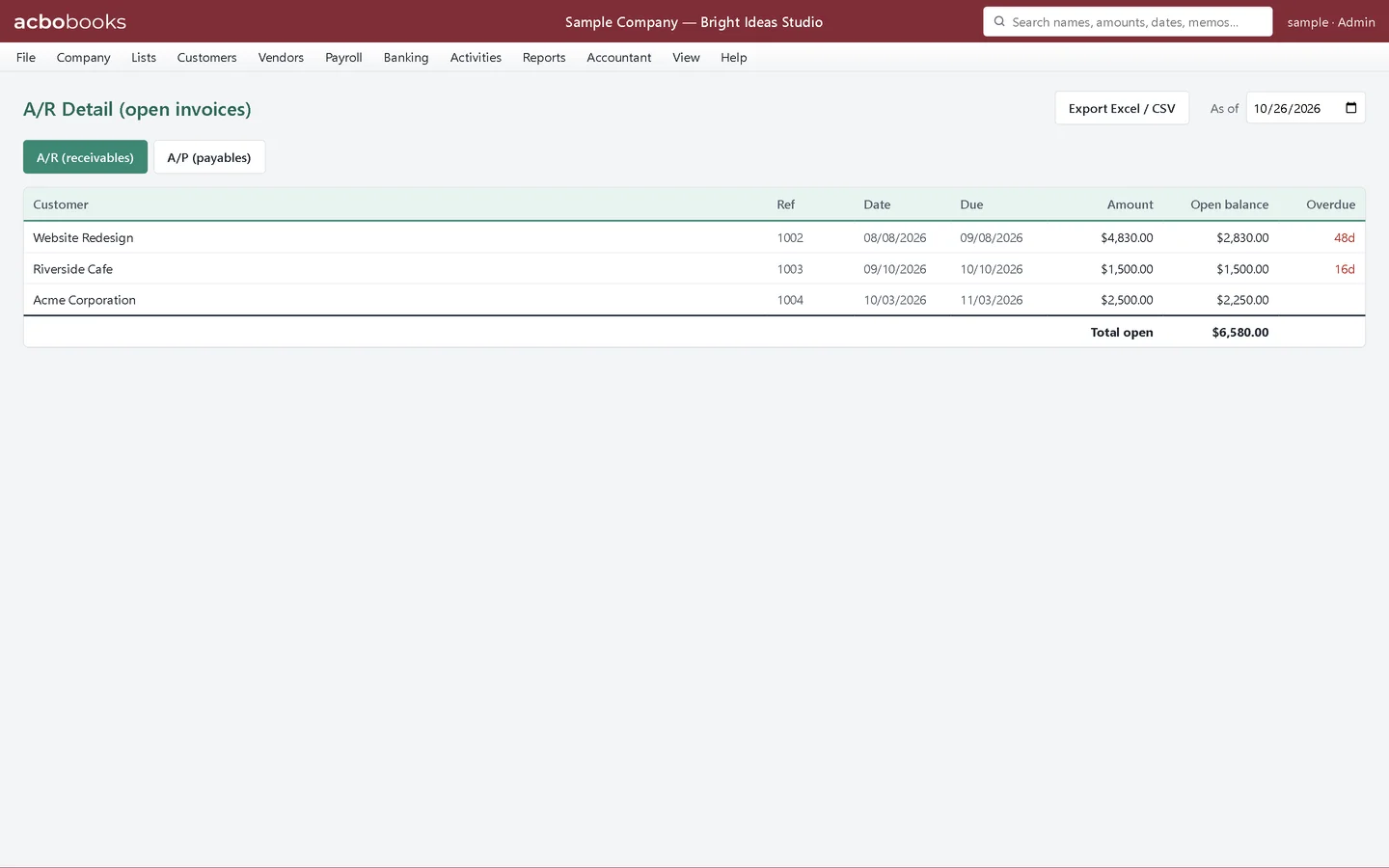
The detail behind the totals
Step 3: A/R & A/P Detail
Reports → A/R & A/P Detail lists every open invoice (or, on the A/P tab, every open bill) with its number, date, due date, amount, open balance and days overdue.
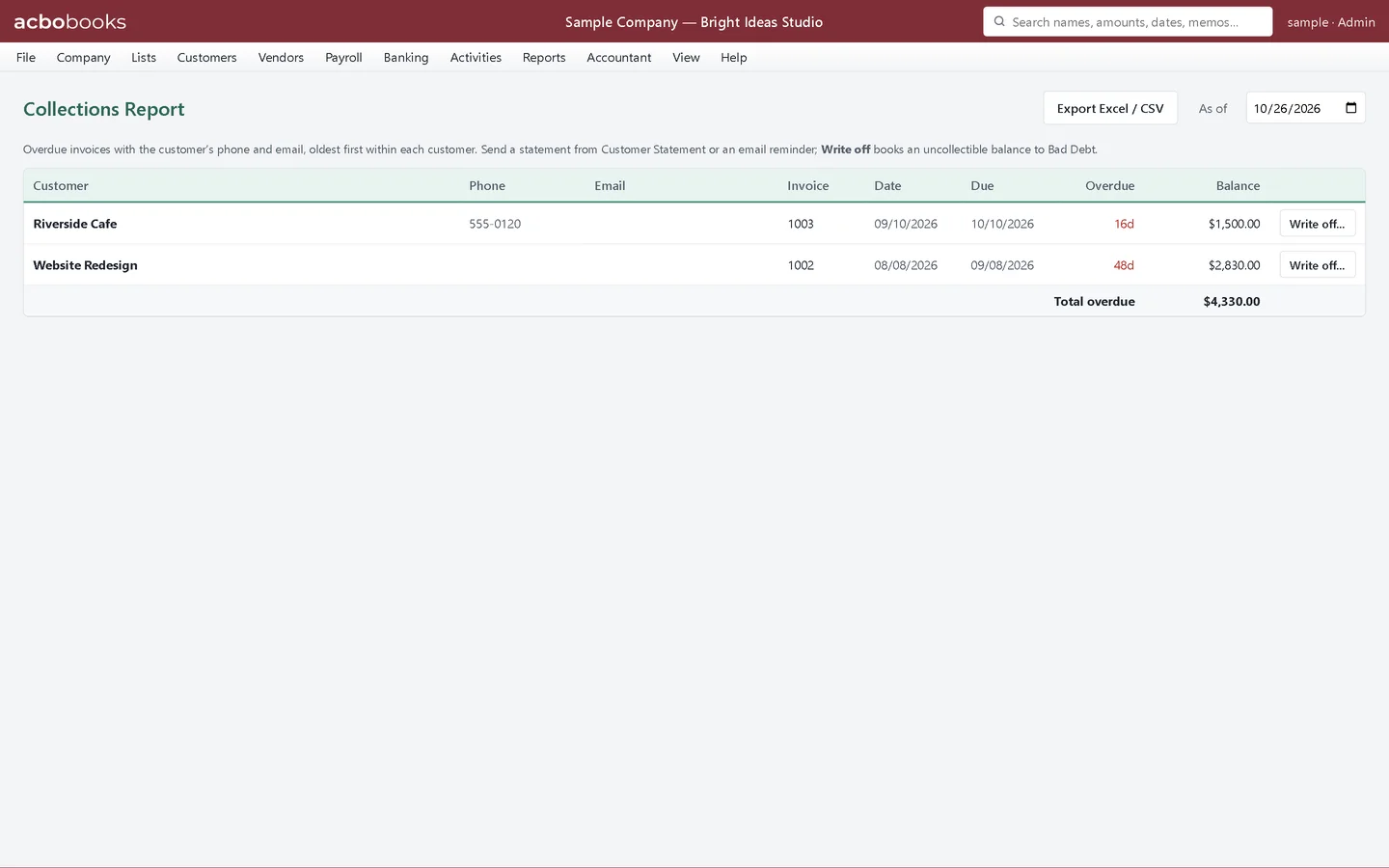
Step 4: Collections
Reports → Collections lists only overdue invoices, oldest first within each customer, with the customer's phone and email so you can call or write. Send a statement from Reports → Customer Statement.
Recap
- You can read the A/R and A/P aging buckets.
- You can list every open invoice and bill.
- You can use Collections to follow up on overdue invoices.
Questions
The A/R Aging total doesn't match the Balance Sheet.
Run both as of the same date. If they still differ, a journal entry may have been posted straight to Accounts Receivable without an invoice. Run Company → Check Data.
Can I export the aging to Excel?
Yes, with Export Excel / CSV at the top of the report.
Screenshots from AcboBooks 0.2.2 with the built-in sample company. Updated October 25, 2026. Your screens may differ slightly with another version or window size.