
In this lesson you will
- Open Business Overview
- Read the four headline figures
- Use the charts to spot trends
Before you start
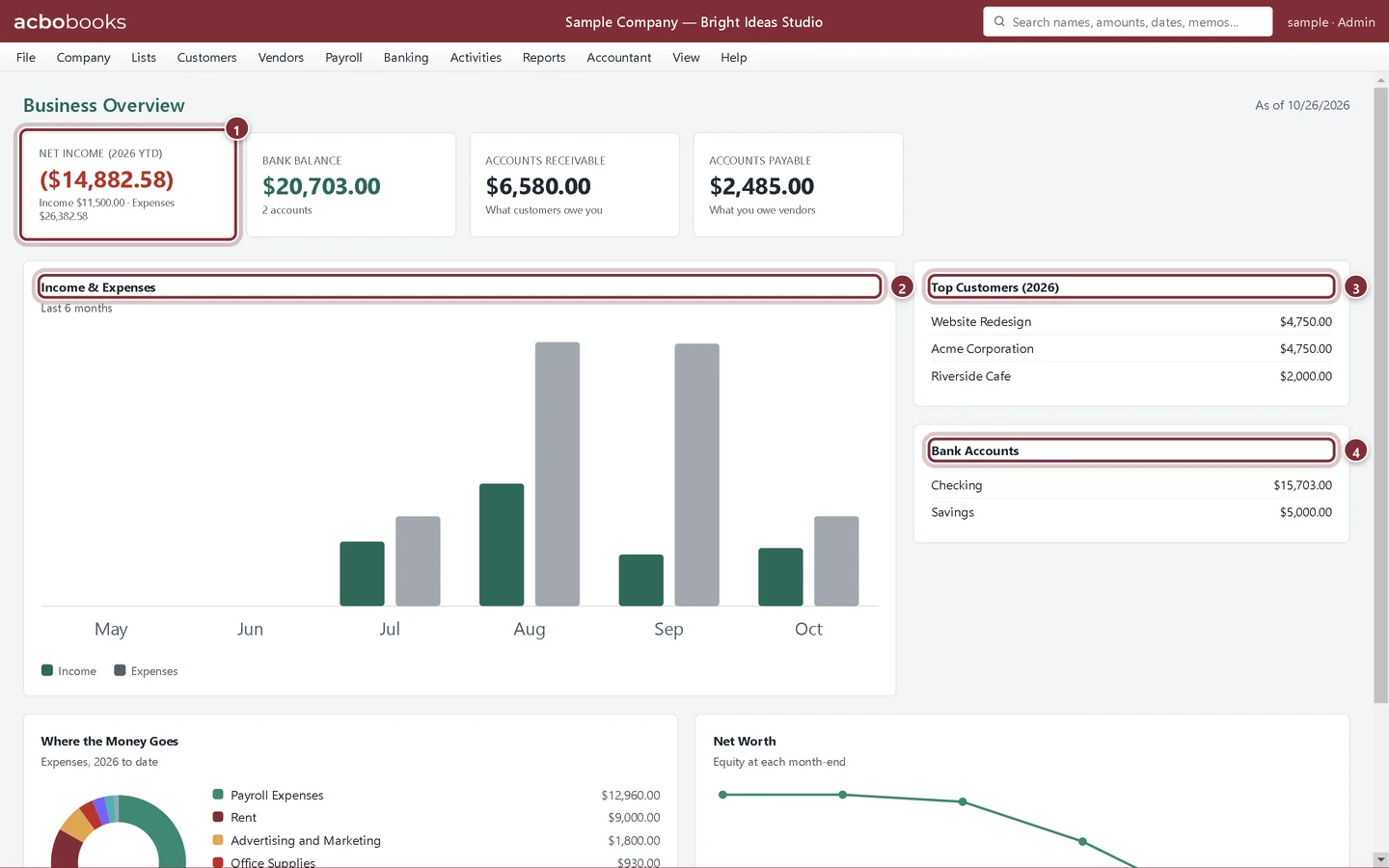
At a glance
Step 1: Open Company → Business Overview
It is also under File → Business Overview and on the All Reports page. The figures are as of today and update as you work.
- Net income for the year to date, with income and expenses underneath.
- Income & Expenses for the last six months, side by side.
- Top Customers by sales this year.
- Bank Accounts with their balances.
Step 2: Scroll for more
Below, Where the Money Goes breaks this year's expenses down by account, and Net Worth shows equity at each month-end. A falling net worth line means the business has been losing money or the owner has been drawing more than it earns.
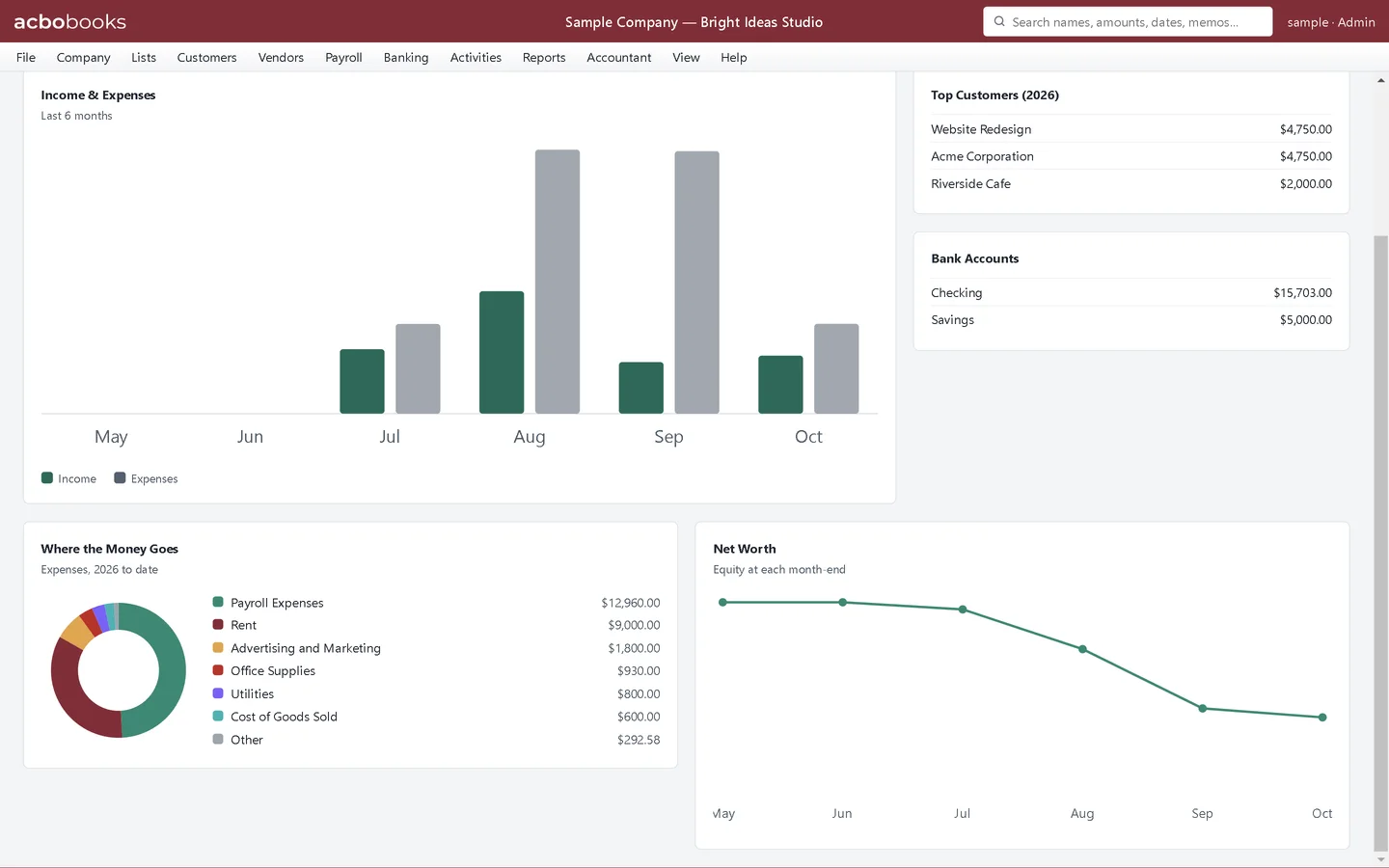
Recap
- You can open Business Overview from the Company or File menu.
- You can read net income, bank, receivables and payables at a glance.
- You can use the charts to spot trends.
Questions
Can I change the dates on Business Overview?
No, it always shows today. For other dates, run the Profit & Loss or Balance Sheet.
Why do the numbers differ from my Profit & Loss?
Business Overview shows the year to date. Run the Profit & Loss from the first day of your fiscal year to today and the net income matches.
Screenshots from AcboBooks 0.2.2 with the built-in sample company. Updated October 25, 2026. Your screens may differ slightly with another version or window size.