
In this lesson you will
- Enter an annual budget for income and expense accounts
- Read the variance in Budget vs. Actual
- Plan one account month by month
Before you start
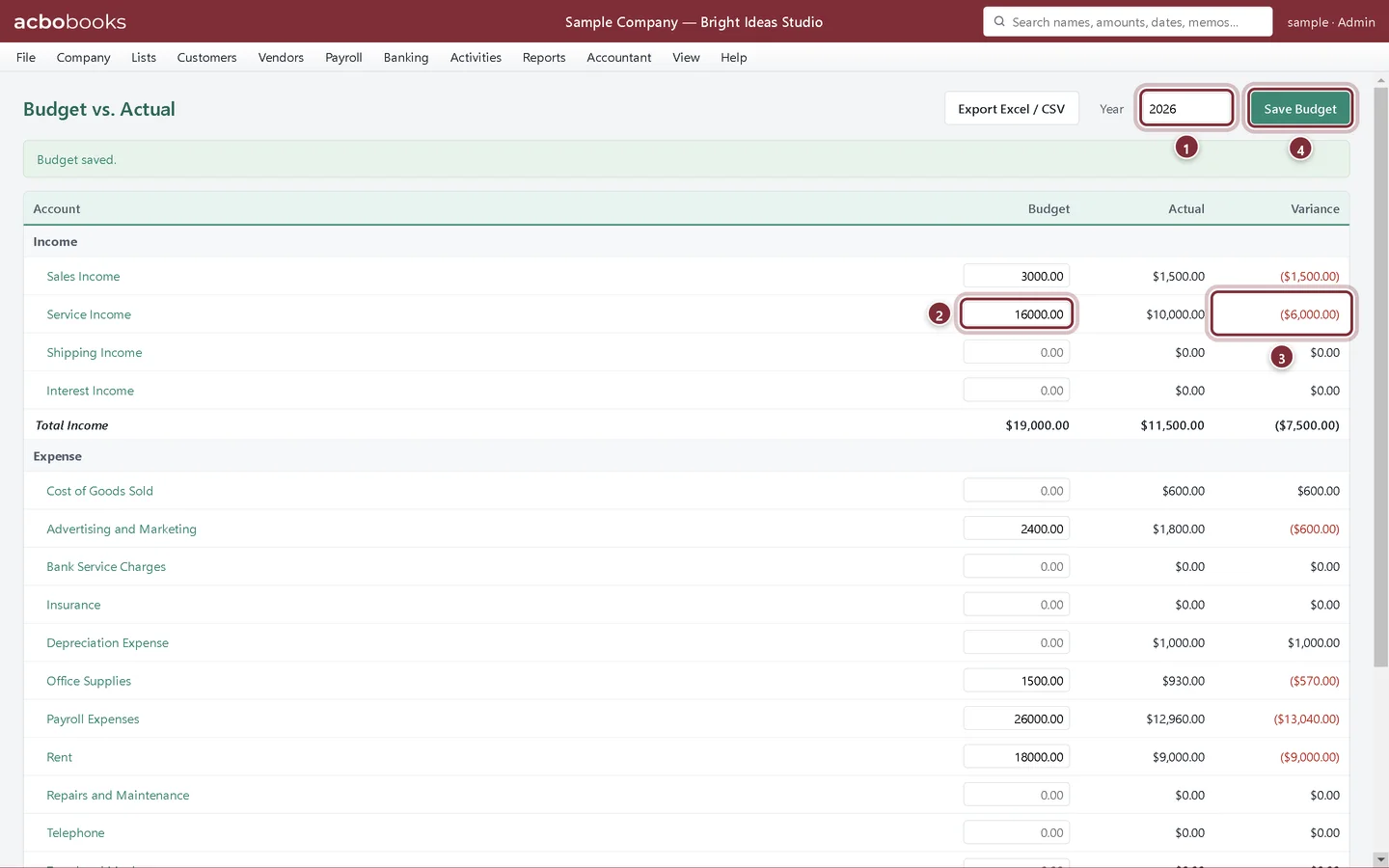
An annual budget
Step 1: Open Reports → Budget vs. Actual
Every income and expense account has a Budget box for the year. Type the amount you plan to earn or spend in the year, then click Save Budget. The Actual column fills in from your books as the year goes on.
- Year: the calendar year, January to December.
- The budget for the year, typed in.
- Variance: actual minus budget.
- Save Budget saves every row at once.
Month by month
Step 2: Open Reports → Monthly Budget
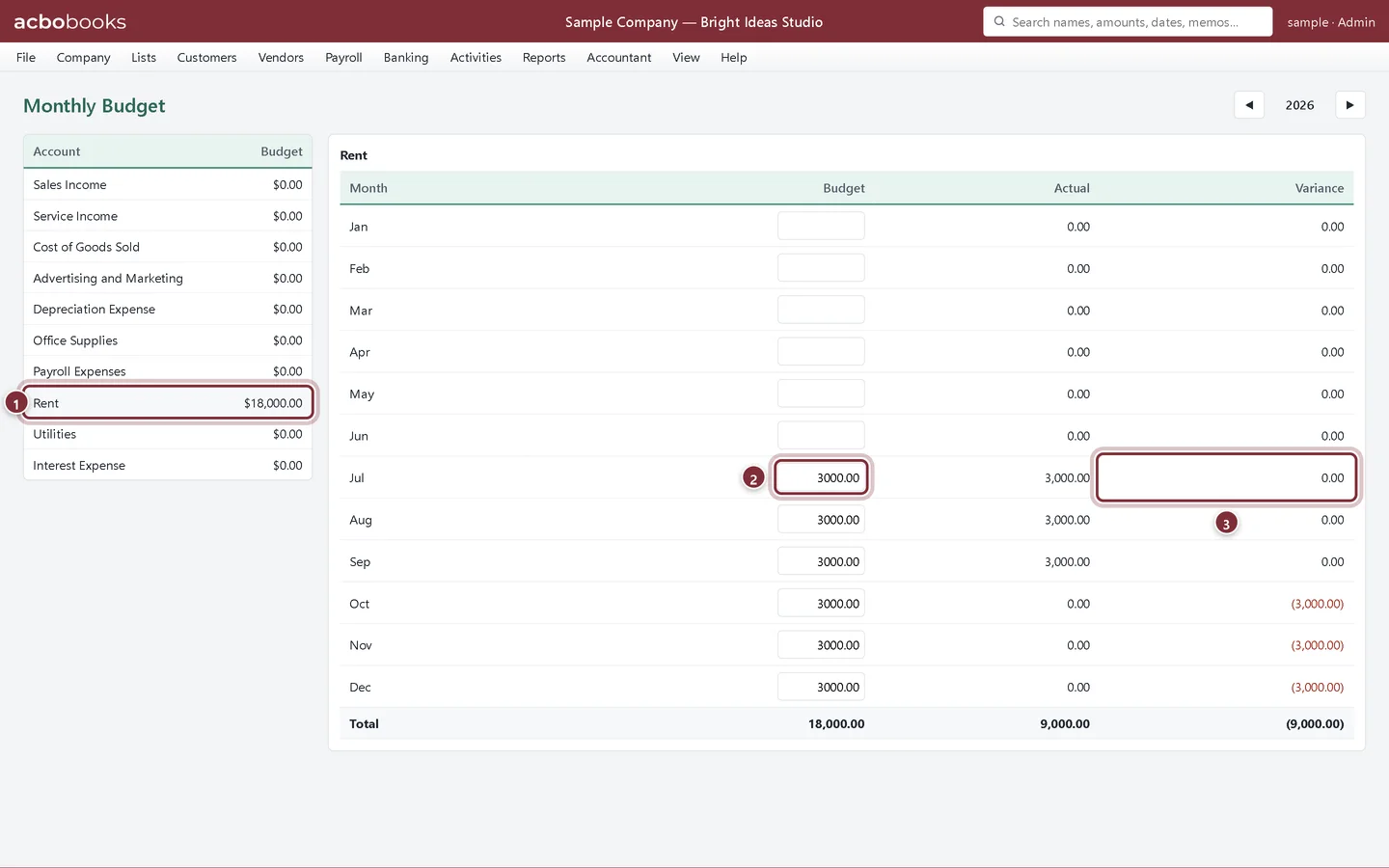
Pick an account on the left, then type a budget for each month. Each box saves as soon as you leave it. Actual and variance show for every month, and ◀ ▶ move between years.
- The account you're planning.
- A month's budget.
- That month's variance.
Recap
- You can enter an annual budget and save it.
- You can read the variance in Budget vs. Actual.
- You can plan an account month by month.
Questions
Can I copy last year's actuals as this year's budget?
Run last year's Profit & Loss, then type the figures you want into this year's budget. Export both to Excel if you want to work the numbers there first.
Can I budget by class or customer?
Budgets are per account and year. For a class view of actual results, use Reports → P&L by Class.
Screenshots from AcboBooks 0.2.2 with the built-in sample company. Updated October 25, 2026. Your screens may differ slightly with another version or window size.