
In this lesson you will
- Prepare the reports your accountant needs
- Post the year-end closing entry
- Set a closing date and a closing-date password
- Know how a closed period can still be changed, and how that is recorded
Before you start
Before you close
Reconcile every bank and credit card account through the last day of the year. Enter any missing bills and invoices, and run payroll's year-end forms. Run Books Checkup and clear what it finds. Then gather the reports.
Step 1: Check the Trial Balance
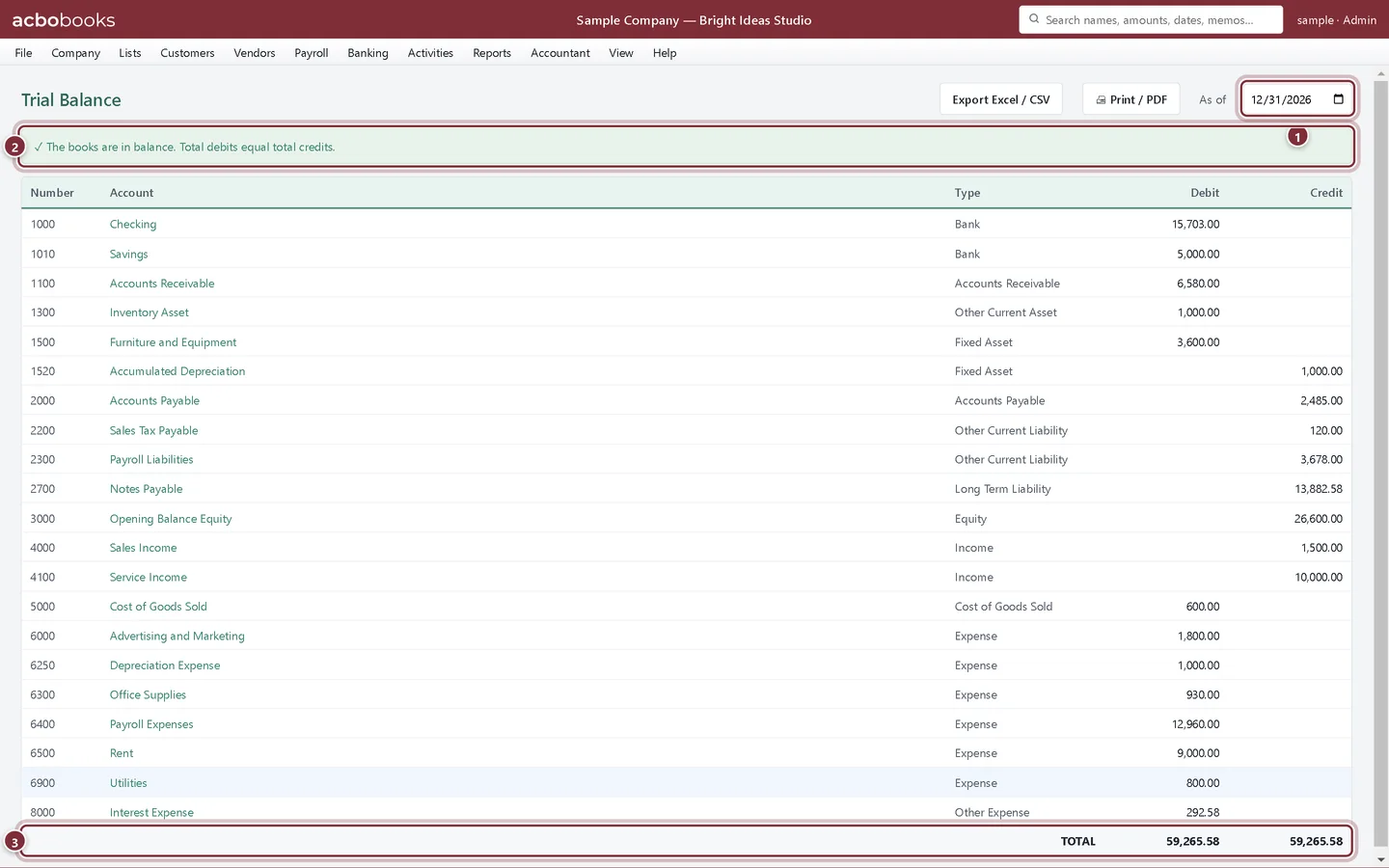
Reports → Trial Balance lists every account with its debit or credit balance as of a date. Run it as of the last day of the year. It is the first report most accountants ask for.
- As of: the last day of the fiscal year.
- The balance check.
- Total debits equal total credits.
Step 2: Run the tax summary
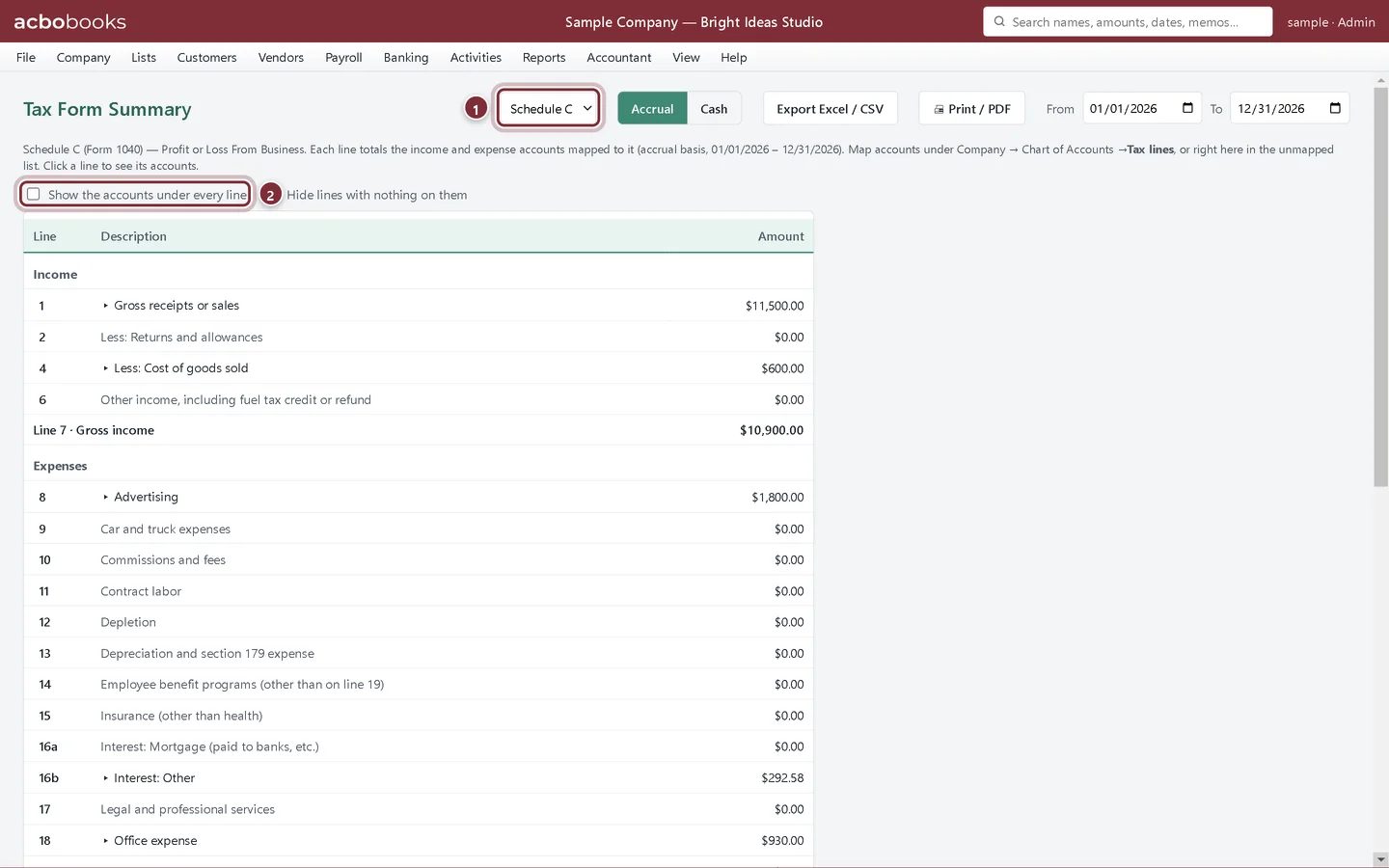
Reports → Tax Form Summary totals income and expenses by tax-form line for Schedule C or Schedule F, from the tax lines on your accounts (Company → Chart of Accounts → Tax lines). Accounts without a tax line are listed so you can map them.
- Choose the form.
- Show the accounts under every line lists the accounts behind each figure.
Step 3: What to give your accountant
Usually the Trial Balance, the Profit & Loss and Balance Sheet for the year, the General Ledger, each account's reconciliation report and the Tax Form Summary, exported to Excel or saved as PDF. Or give them access to the file itself: the Data and security track covers Accountant Access and backups. Post the adjusting entries they send with Make Journal Entry, ticking Adjusting entry, and check them on the Adjusted Trial Balance.
Post the year-end close
Step 4: Open Accountant → Year-End Close
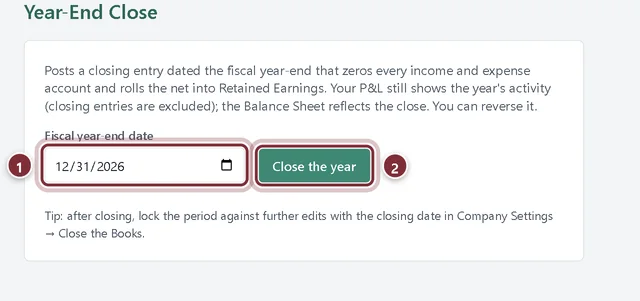
Enter the last day of the fiscal year and click Close the year. AcboBooks posts one closing entry dated that day: every income and expense account goes to zero and the year's net income moves into Retained Earnings. The Profit & Loss still shows the year's activity, and you can undo it with Reverse close.
- Fiscal year-end date.
- Close the year posts the closing entry.
Lock the year
Step 5: Set the closing date
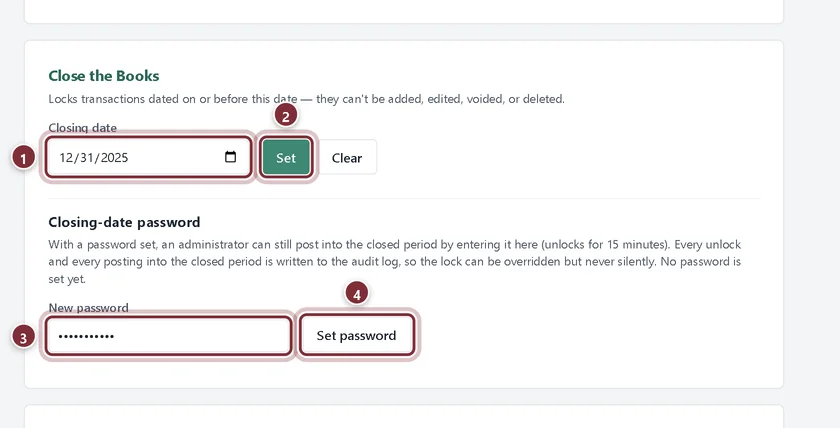
Go to Company → Company Settings and scroll to Close the Books. Enter the last day of the year as the Closing date and click Set, then confirm. From then on, transactions dated on or before that date can't be added, edited, voided or deleted.
- Closing date: the last day of the closed period.
- Set locks it. Clear removes the lock.
- New password: at least 4 characters.
- Set password saves the closing-date password.
Step 6: When a closed year has to change
With a closing-date password set, an administrator can enter it in the same place and click Unlock for 15 minutes to post a correction into the closed period. Every unlock and every change in the closed period is written to the audit log, so the lock can be overridden but never silently. Your accountant can review those changes in Reports → Audit Trail.
Recap
- You can prepare the Trial Balance, Tax Form Summary and other year-end reports for your accountant.
- You can post and reverse the year-end closing entry.
- You can lock a finished year with a closing date and password.
- You know that unlocks and closed-period changes are recorded in the audit log.
Questions
Do I have to post the closing entry?
It's optional; the closing date is what protects the year. The closing entry moves the year's profit into Retained Earnings on the Balance Sheet, which many accountants prefer to see. If your accountant handles it differently, follow their lead.
Our fiscal year doesn't end in December.
Set Fiscal year starts in Company → Company Settings, then use your own year-end date in Year-End Close and Close the Books.
I closed the year too early.
Click Reverse close in Year-End Close, and Clear the closing date in Company Settings. Post what's missing, then close again.
Related
Screenshots from AcboBooks 0.2.2 with the built-in sample company. Updated October 25, 2026. Your screens may differ slightly with another version or window size.