
AcboBooks Academy · 5 lessons · about 42 min
Moving from QuickBooks
AcboBooks can take your company straight from QuickBooks Desktop, from QuickBooks Online's Excel exports, or from simple CSV lists. These lessons explain the choices, walk through each import screen, and finish with the checks to run before you stop using QuickBooks: the trial balance, open invoices and bills, and your first bank reconciliation.

Lessons
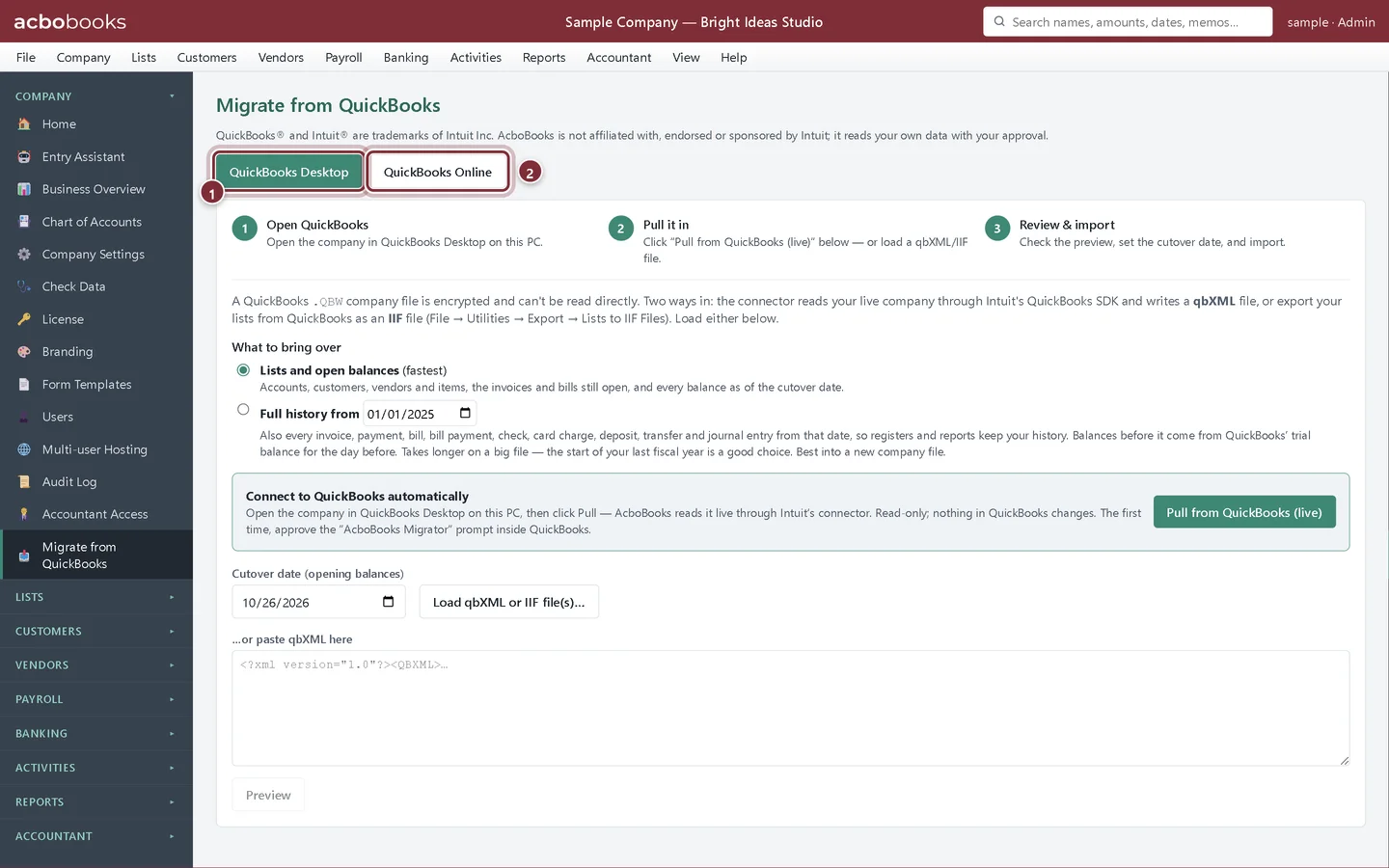
Lesson 1 · 5 min · Beginner
Choose how to move your QuickBooks data
The three ways into AcboBooks from QuickBooks: Desktop, QuickBooks Online and CSV lists, and how to choose between lists with balances and full history.
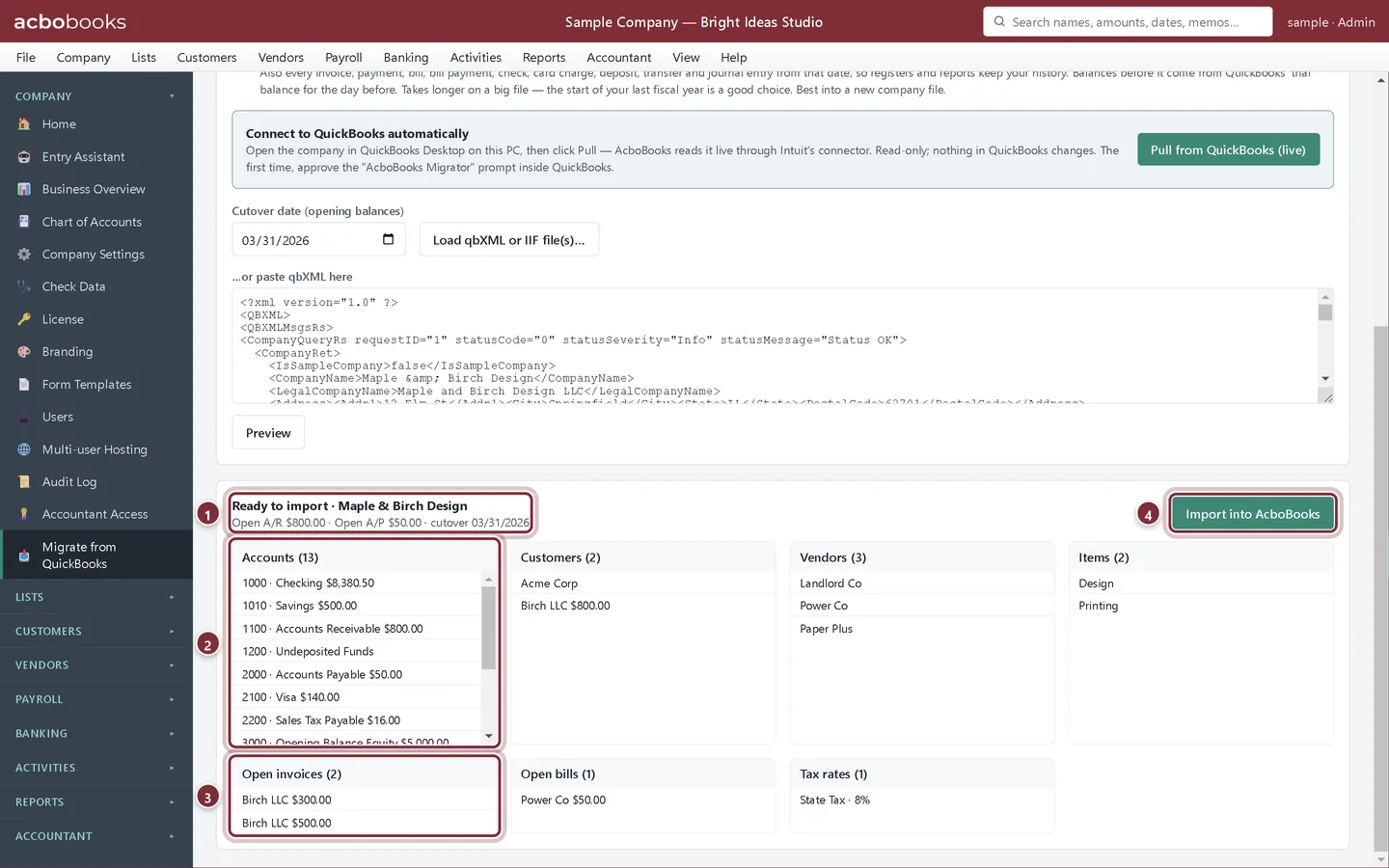
Lesson 2 · 10 min · Intermediate
Migrate from QuickBooks Desktop
Pull your company from QuickBooks Desktop into AcboBooks: what you need open, the preview, the cutover date and the import summary.
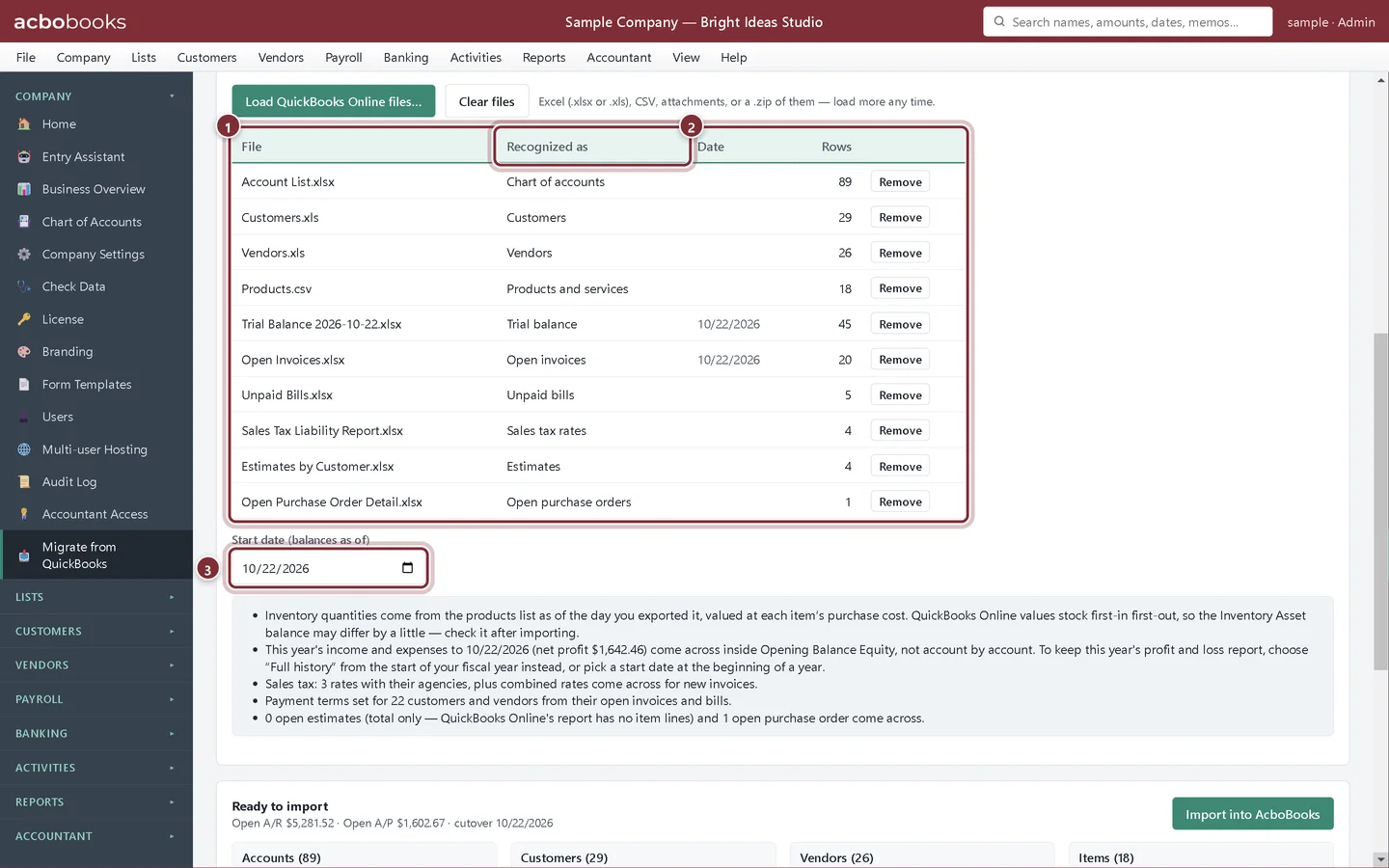
Lesson 3 · 12 min · Intermediate
Import from QuickBooks Online
Export your lists and reports from QuickBooks Online to Excel, load them into AcboBooks, check what was recognized, and import.
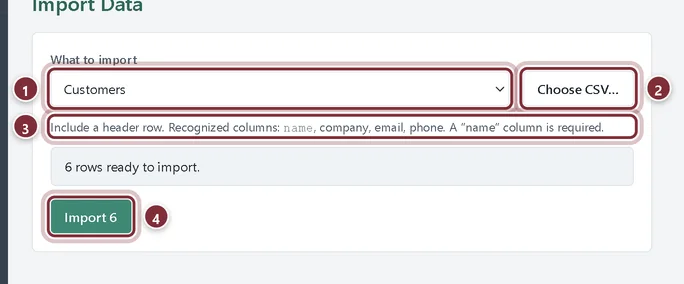
Lesson 4 · 5 min · Beginner
Import customers, vendors and services from a CSV file
Use Lists → Import Data to bring customers, vendors or service items into AcboBooks from a CSV file with a header row.
Lesson 5 · 10 min · Intermediate
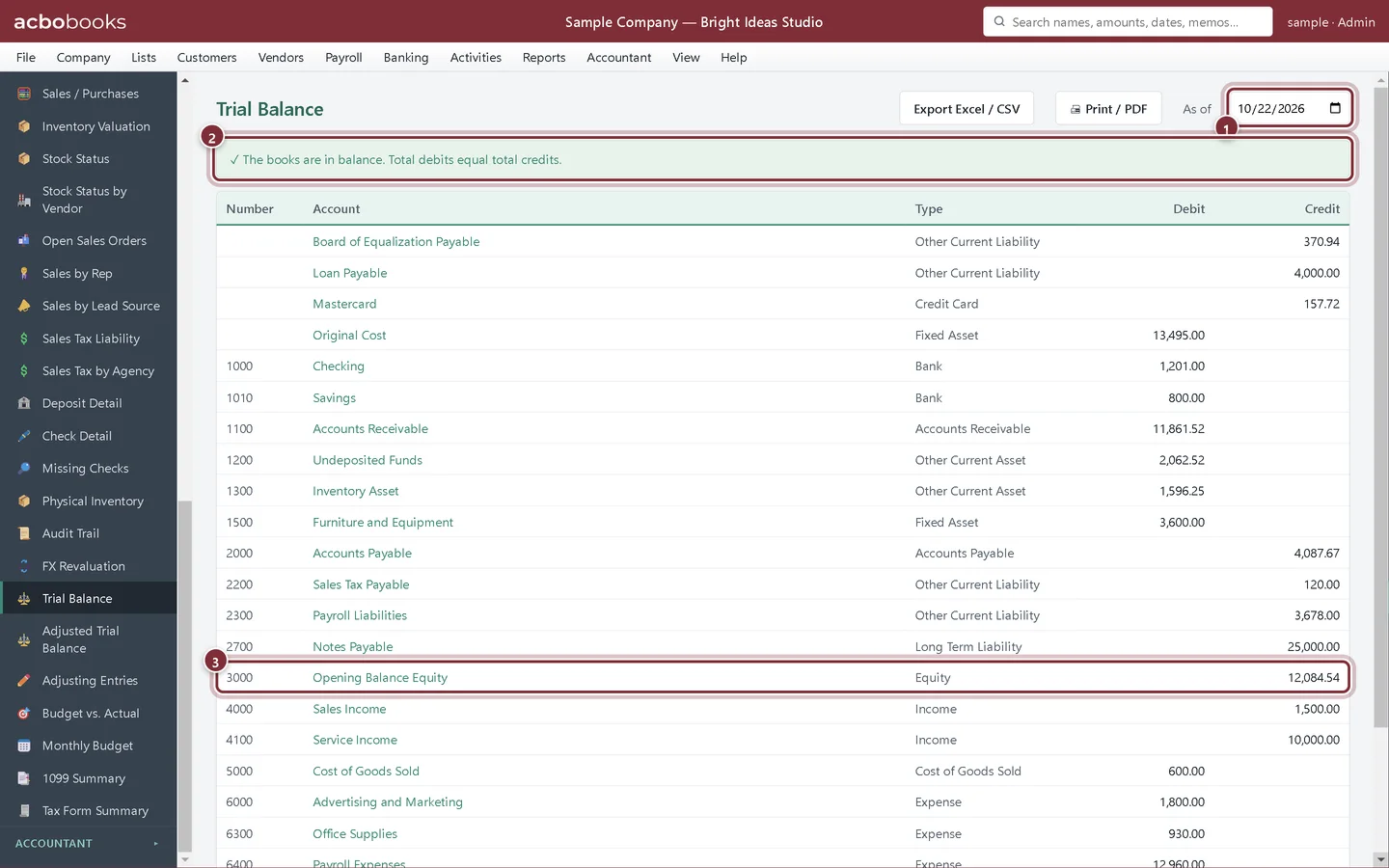
What to check after moving from QuickBooks
Compare the trial balance, open invoices and bills with QuickBooks, clear Opening Balance Equity, and do your first bank reconciliation in AcboBooks.
All Academy tracks · Help centre · Bookkeeping how-to guides
Get started
Try every lesson in the sample company.
AcboBooks comes with a sample company to practise on. Free for 15 days, then bought once.
No card. No account. Nothing to cancel.