
In this lesson you will
- Compare the trial balance with QuickBooks
- Match open invoices and bills
- Deal with Opening Balance Equity
- Do your first bank reconciliation
Before you start
- Migrate from QuickBooks Desktop
- QuickBooks' Trial Balance, A/R Aging and A/P Aging reports for your cutover date
Compare the trial balance
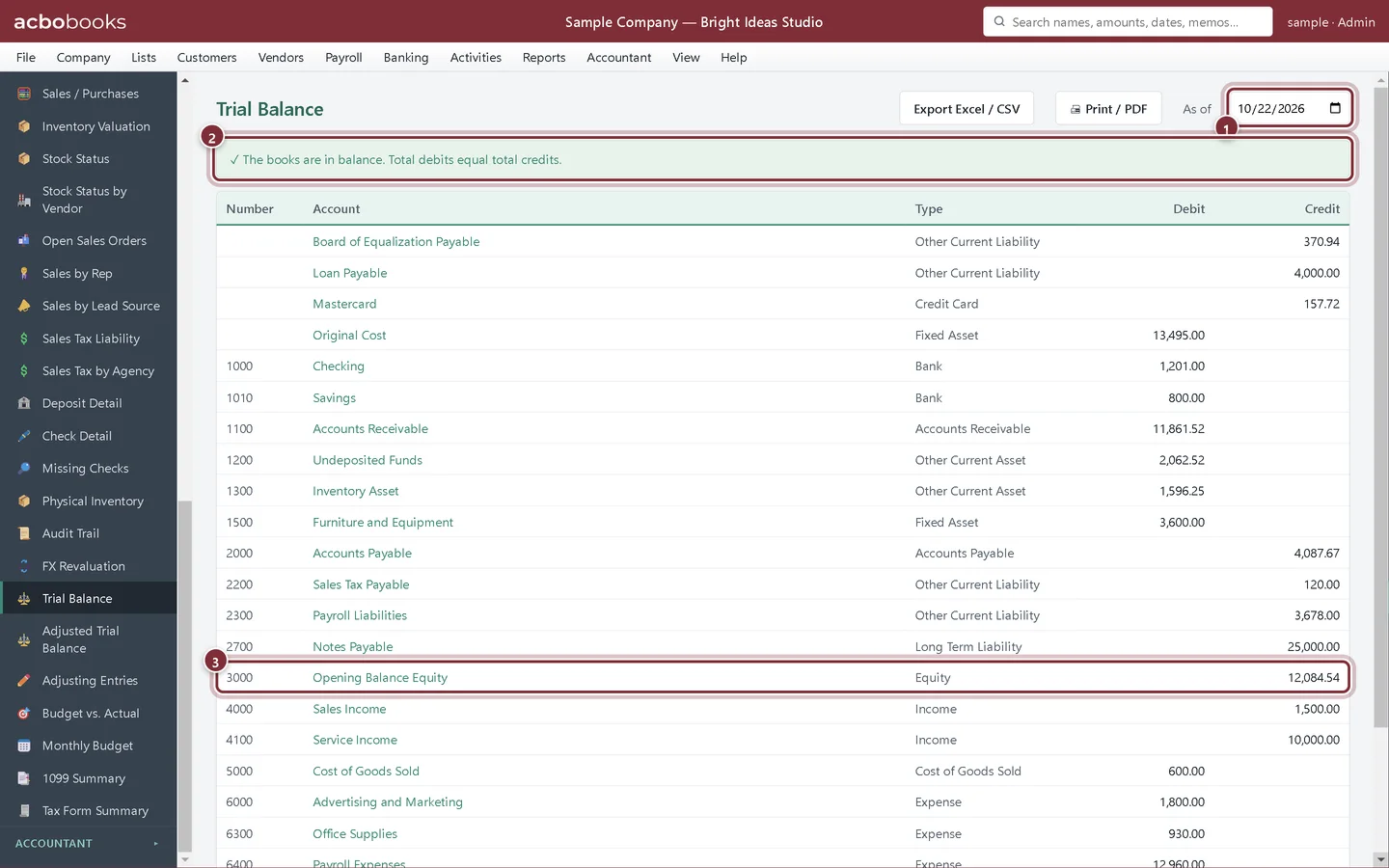
Step 1: Reports → Trial Balance as of the cutover date
Set As of to your cutover date and compare each account with QuickBooks' trial balance for the same date. Debits and credits should match account by account, not just in total.
- As of: your cutover date
- The balance check: debits equal credits
- Opening Balance Equity
Step 2: Look at Opening Balance Equity
Balances that came in without a matching account land in Opening Balance Equity. In a lists-and-balances import that includes this year's profit so far. Ask your accountant whether to move the balance into Retained Earnings or Owner's Equity with a journal entry once everything else matches.
Match what customers and vendors owe
Step 3: Reports → A/R Aging and A/P Aging
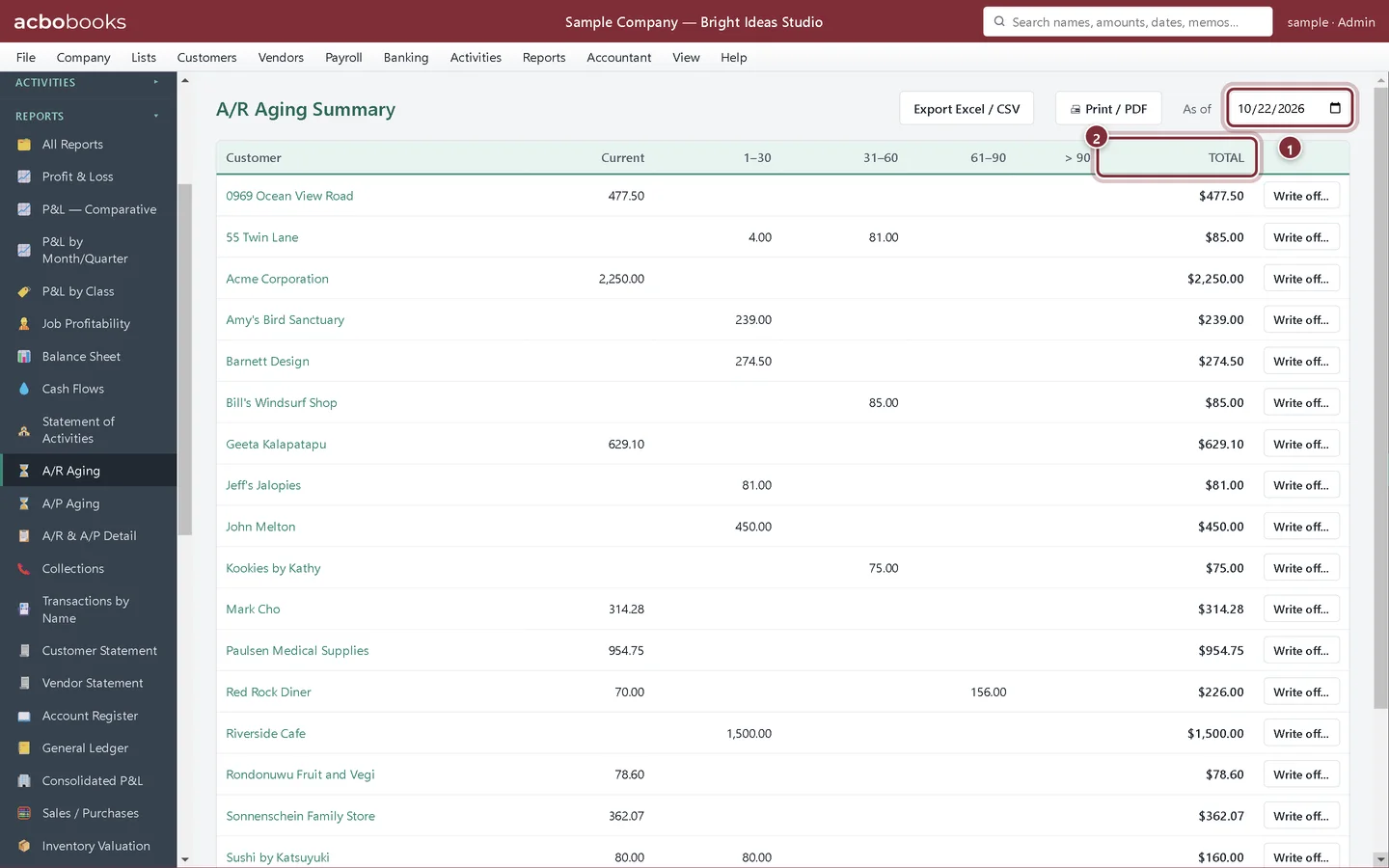
Set As of to the cutover date and compare each customer's total with QuickBooks' A/R Aging Summary, then do the same for vendors on A/P Aging. Open invoices and bills come across one by one with their numbers and due dates, so they age the same way.
- As of: the cutover date
- TOTAL per customer, to compare with QuickBooks
Reconcile the bank
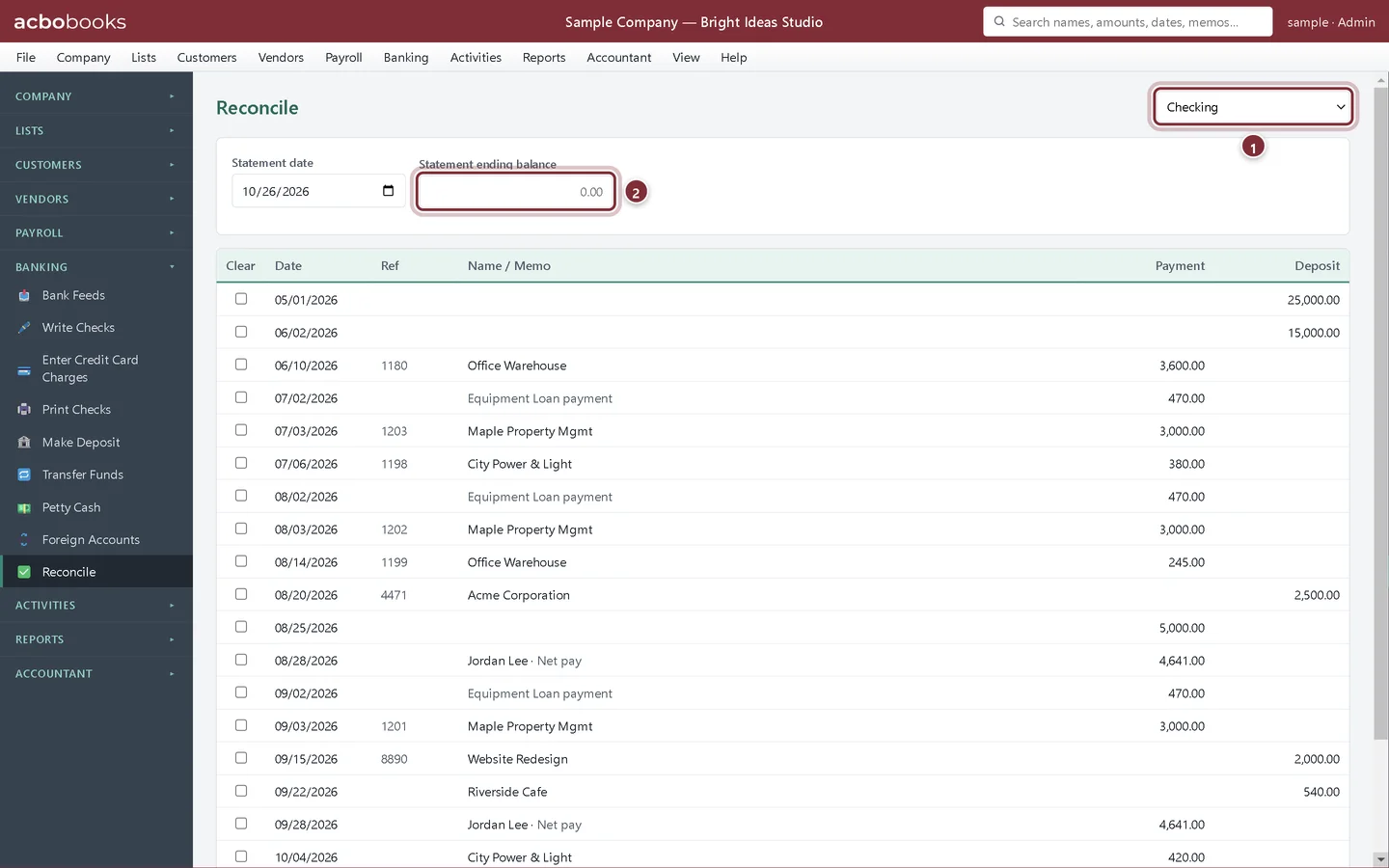
Step 4: Banking → Reconcile, starting from your next statement
Choose the bank account and do your first reconciliation in AcboBooks with the first statement after the cutover date. Compare the Beginning balance under the list with the ending balance on QuickBooks' last reconciliation report for that account. Checks and deposits that hadn't cleared at cutover must still be there to tick off.
- The account to reconcile
- Statement ending balance from your first statement after cutover
Before you switch off QuickBooks
Step 5: Keep a record
Save QuickBooks' trial balance, aging reports and last reconciliation reports for the cutover date as PDFs, attach them in AcboBooks' Doc Center, and keep a backup of the QuickBooks file. Then make your first AcboBooks backup.
Recap
- Match the trial balance account by account on the cutover date
- Match A/R and A/P aging customer by customer and vendor by vendor
- Ask your accountant about Opening Balance Equity
- Reconcile the bank from the first statement after cutover
Questions
One account is off by a small amount. What now?
Open its register from the trial balance and compare it with the same account's QuickBooks report for the cutover date. Inventory is the most common case: QuickBooks Online values stock first-in, first-out, so the Inventory Asset balance can differ slightly.
Should I keep entering in QuickBooks while I check?
No. Pick the cutover date, stop entering in QuickBooks after it, and enter new work only in AcboBooks once the checks pass.
Related
Screenshots from AcboBooks 0.2.2 with the built-in sample company. Updated October 25, 2026. Your screens may differ slightly with another version or window size.