
In this lesson you will
- Run the Balance Sheet as of any date
- Read assets, liabilities and equity
- Know what the Net Income line in equity is
Before you start
Run it
Step 1: Open Reports → Balance Sheet
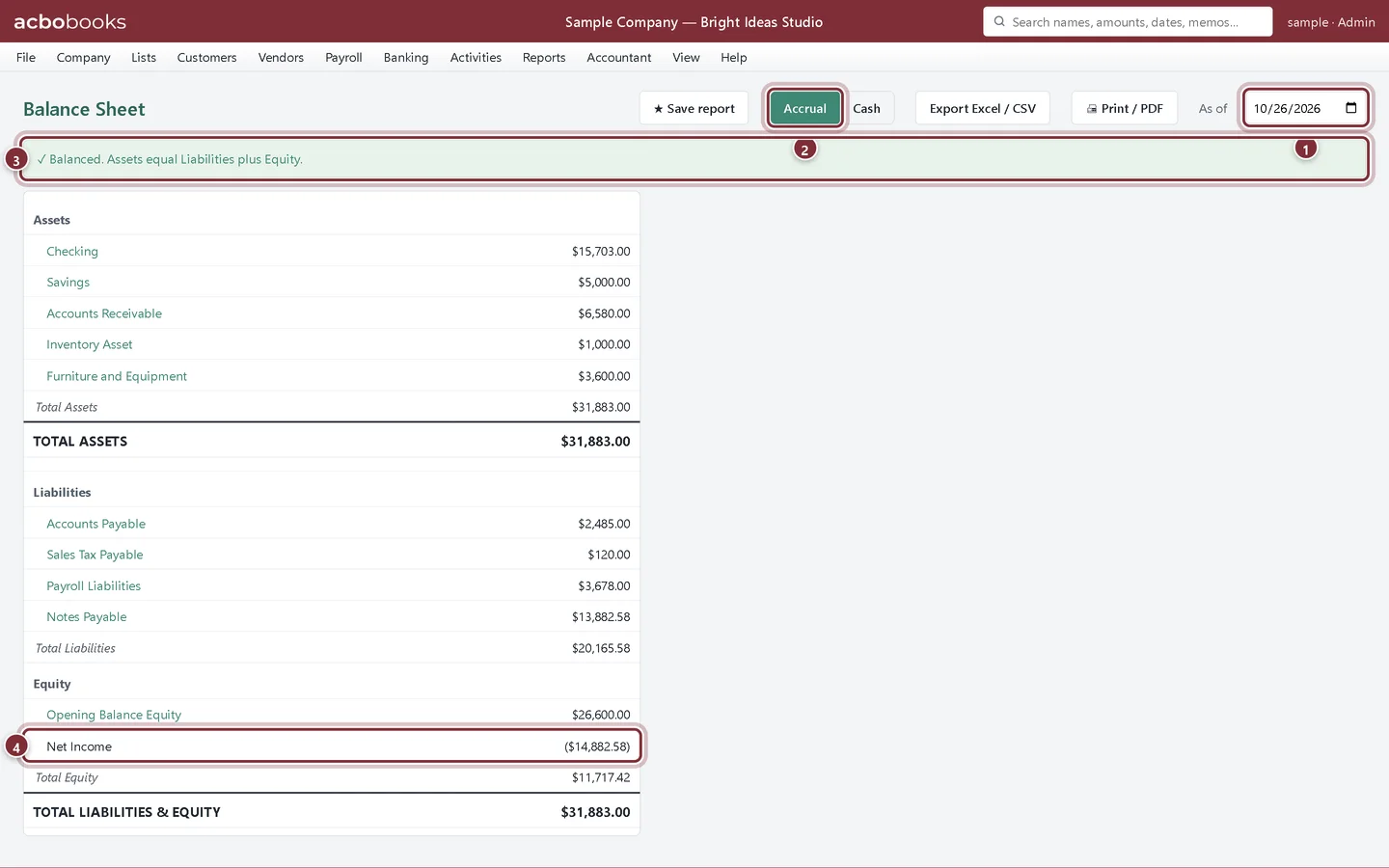
Choose the As of date, usually the end of a month or the year. Click any account to see its transactions up to that date.
- As of: the date of the snapshot.
- Accrual or Cash basis, as on the Profit & Loss.
- The balance check. If it ever says the books are out of balance, run Company → Check Data.
- Net Income: this fiscal year's profit or loss so far, part of equity until the year is closed.
What to look for
Step 2: Check it against the real world
Bank balances should match your reconciled statements. Accounts Receivable should match the A/R Aging total and Accounts Payable the A/P Aging total. Loans should match the lender's statements. A large Opening Balance Equity usually means opening balances still need to be moved to the owner's equity accounts; ask your accountant.
Recap
- You can run the Balance Sheet as of any date.
- You can read assets, liabilities and equity.
- You know the Net Income line is this year's result so far.
Questions
What is Opening Balance Equity?
The other side of every opening balance you enter. Once setup is finished, your accountant usually moves it into owner's equity with a journal entry. See opening balance equity.
Does the Balance Sheet change when I close the year?
The totals don't. The year's net income moves from the Net Income line into Retained Earnings. See Close the year and lock the books.
Screenshots from AcboBooks 0.2.2 with the built-in sample company. Updated October 25, 2026. Your screens may differ slightly with another version or window size.