
Law firms and solo lawyers
Law firm accounting software: trust accounts, retainers and billable hours
Keep client money where it belongs. AcboBooks holds client funds in a separate trust bank account with a balance per client, refuses to pay out more than a client has in trust, and shows whether the client balances add up to the trust account.
For solo lawyers and small firms in the US and Canada: trust and operating books, time and billing, and payroll in one encrypted file on your own PC, for $399.99 once.
No card, no account. Windows 10 and 11. United States and Canada.

What it means
In practice
Trust and operating kept apart
Client deposits post to a Trust Bank Account and a Client Trust Liability, tagged to the client. Your fees and overheads run through the operating account. Client money never sits in an income account.
No client pays for another
Every disbursement is checked against that client's trust balance. If it would overdraw them, AcboBooks stops it and says why.
The three-way check
The trust screen lists each client's balance and compares the total with the trust bank balance in the books. Reconcile the trust account to the bank statement as well, and all three agree.
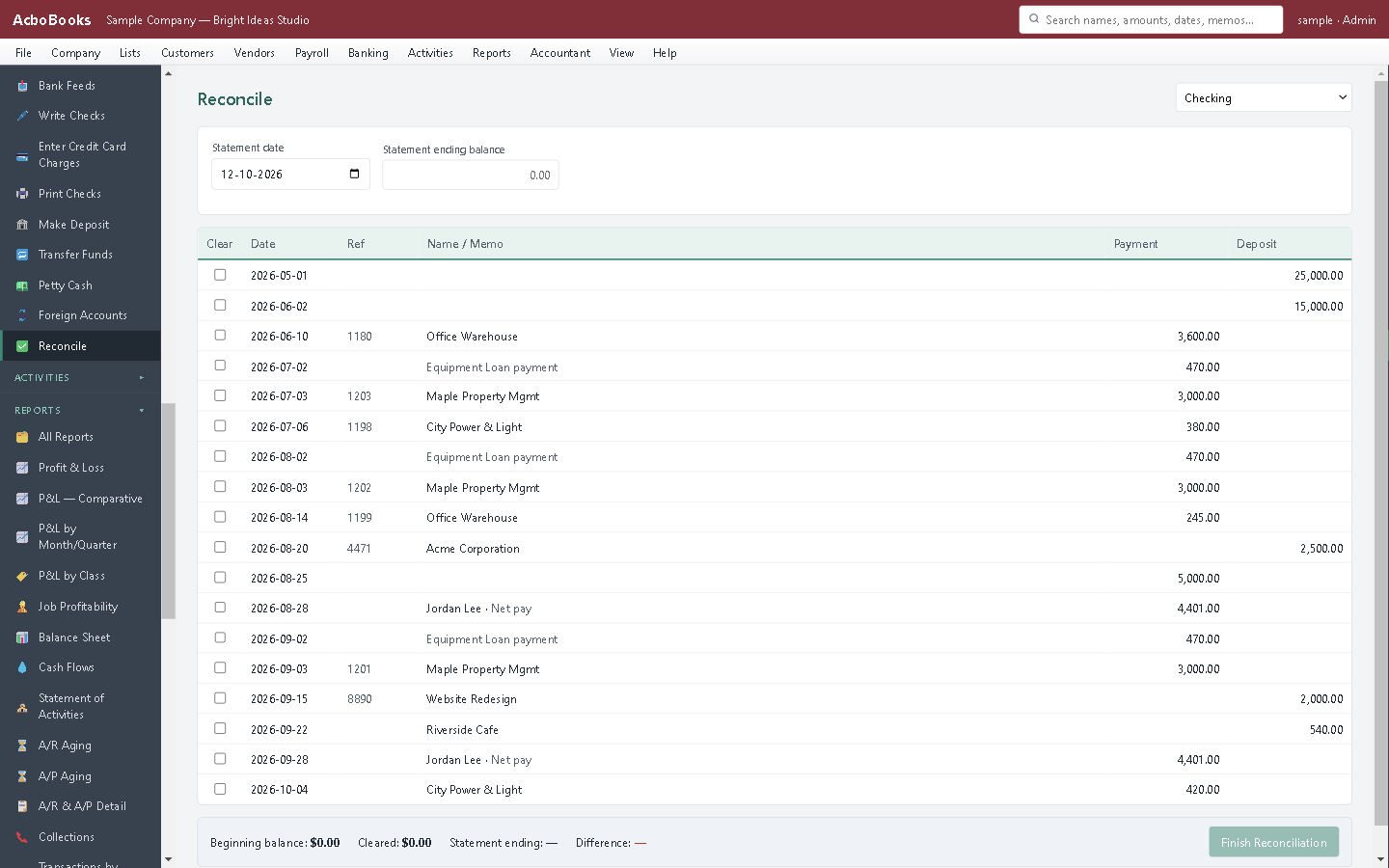
Reconcile the trust account to the bank statement.
Retainer in, costs advanced, fees earned: every step on the record
A new client pays a retainer into trust. You pay a filing fee from it on their behalf, log your hours against their matter, and invoice. Once the fee is earned, you disburse it from trust and receive it against the invoice in operating.
Costs you advance from the firm's own account go on bills or checks as billable expenses on the client's matter, so they land on the next invoice instead of being forgotten.
What is in the licence
The whole job, in one price
Trust (IOLTA)
Time and billing
Collections
The firm

Hours and advanced costs on one invoice.
What it does not do
· One pooled trust account; no separate interest-bearing trust accounts per client.
· Not practice management: no matter calendar, conflict checks, documents or client portal. No LEDES e-billing.
· Windows 10 and 11 for now (a Mac version is coming soon); no phone app.
· It imports your bank's statement file rather than connecting live to the bank.
Questions people ask
Before you download
Does it meet my bar's or law society's trust rules?
It enforces the core of them: client money in a separate trust account, a balance per client, no paying out more than a client holds, and a check that client balances equal the trust bank balance. Record-keeping rules differ by state bar and law society, so confirm the details with yours or your accountant.
How do I move earned fees out of trust?
Disburse the amount from the client's trust balance and receive it against their invoice in the operating account. The client's trust balance shows the withdrawal.
How do I bill costs I paid for a client?
Enter the bill, check or card charge with the line marked billable and the client's matter attached. It appears as an unbilled cost when you next invoice them.
Can my bookkeeper work in the file?
Yes, on the office network or with a copy of the file. Give them a standard or view-only user; the audit log records who changed what. Accountant access is free.
Is client data private?
The company file is encrypted with your password and stays on your computer. Your books are never sent to us; the app only checks its licence with us.
Coming from something else?
How it compares to what you use now
Get started
Client money, accounted for to the cent.
In the trial, deposit a test retainer to trust and try to overdraw it.
No card. No account. Nothing to cancel.