
IT services and MSPs
Accounting software for IT services and MSPs: monthly contracts, hardware and hours
Managed-service fees invoice themselves every month. Hardware you resell is tracked at cost with sales tax where it applies. Project and break-fix hours are logged by technician and client, and prepaid annual contracts move into income month by month.
For managed service providers, IT consultants and computer repair shops in the US and Canada, $399.99 once.
No card, no account. Windows 10 and 11. United States and Canada.
What it means
In practice
Contracts that invoice themselves
Each client's monthly agreement is a recurring invoice, entered automatically on schedule. Add that month's extra work before you send it.
Hardware with real margins
Firewalls, laptops and switches are inventory items. Purchase orders bring them in at cost; invoices take them out and post cost of goods, so you see the margin on resale.
Prepaid support, earned monthly
When a client pays a year up front, defer it and recognise it evenly over twelve months, so one big payment does not distort the month it arrived.

Monthly agreement, hardware and hours on one invoice.
Recurring revenue and project work in one set of books
The monthly agreements are your base; projects and after-hours callouts are where margins swing. Log technician hours against the client and service, then bill them from unbilled time.
Licences and subscriptions you buy for a client can be marked billable on the vendor bill, so they pass to that client's invoice.
What is in the licence
The whole job, in one price
Recurring
Hardware
Hours
The business
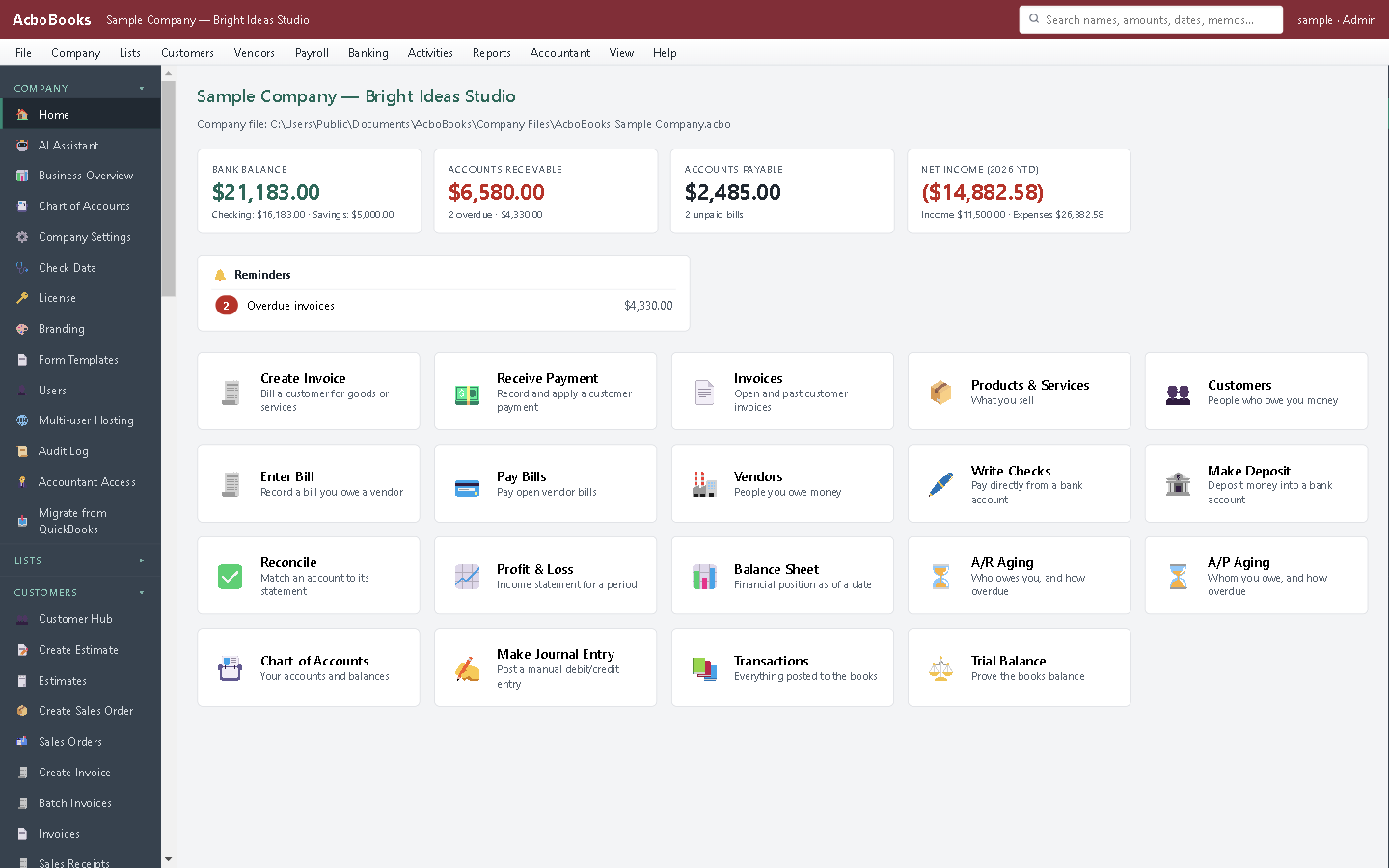
What is owed to you and what you owe, on one screen.
What it does not do
· No PSA or RMM integration: tickets and agreements are not pulled in automatically.
· No per-device or usage billing calculation; enter quantities on the invoice.
· Windows 10 and 11 for now (a Mac version is coming soon); no phone app.
· It imports your bank's statement file rather than connecting live to the bank.
Questions people ask
Before you download
Can recurring invoices be quarterly or yearly?
Automatic schedules are weekly or monthly. For quarterly or yearly billing, keep the invoice as a memorised template and enter it from the list when it is due.
Does it connect to my PSA or ticketing tool?
No. Enter invoices in AcboBooks; customers, vendors and service items can be imported from a CSV file to start.
Hardware is taxable but my labour is not. Can it handle that?
Yes. Each item has its own tax code, so hardware lines charge the rate and labour lines do not. The rules depend on your state or province.
Can two of us work in the books?
Yes, on the office network: one PC hosts the file and another connects. Two computers are included.
Coming from something else?
How it compares to what you use now
Get started
Your monthly recurring revenue, booked automatically.
Set up one client's agreement as a recurring invoice in the trial.
No card. No account. Nothing to cancel.