
Medical and dental clinics
Accounting software for private-pay medical and dental clinics
For clinics where patients pay you directly: receipts at the front desk, invoices for treatment plans paid over time, card processor fees split out of each deposit, and profit by practitioner or location.
For cash-pay medical, dental, cosmetic and specialty clinics in the US and Canada. The books stay on the clinic's PC in an encrypted file, for $399.99 once.
No card, no account. Windows 10 and 11. United States and Canada.

What it means
In practice
Patient payments, simply
Take payment at the desk with a sales receipt, or invoice a treatment plan and record payments against it over the months. Statements show what each patient still owes.
Processor fees out of deposits
When the card processor pays out net of fees, enter the deposit with the fee on its own line, so the bank matches and the fees show as an expense.
Profit by practitioner or location
Make each practitioner or location a class and the P&L by class shows each one. Separate company files per location combine in a consolidated P&L.

Treatment plan invoices, paid over time.
The business side of the practice
Your practice-management software runs the schedule and the charts. AcboBooks keeps the books: the day's payments, lab and supply bills, payroll for hygienists and front-desk staff, and the reconciliation.
Associates paid a share of what they produce can get it as commission on payroll if they are employees, or be paid as contractors with a 1099-NEC or T4A.
What is in the licence
The whole job, in one price
Patients
The practice
Costs
Staff
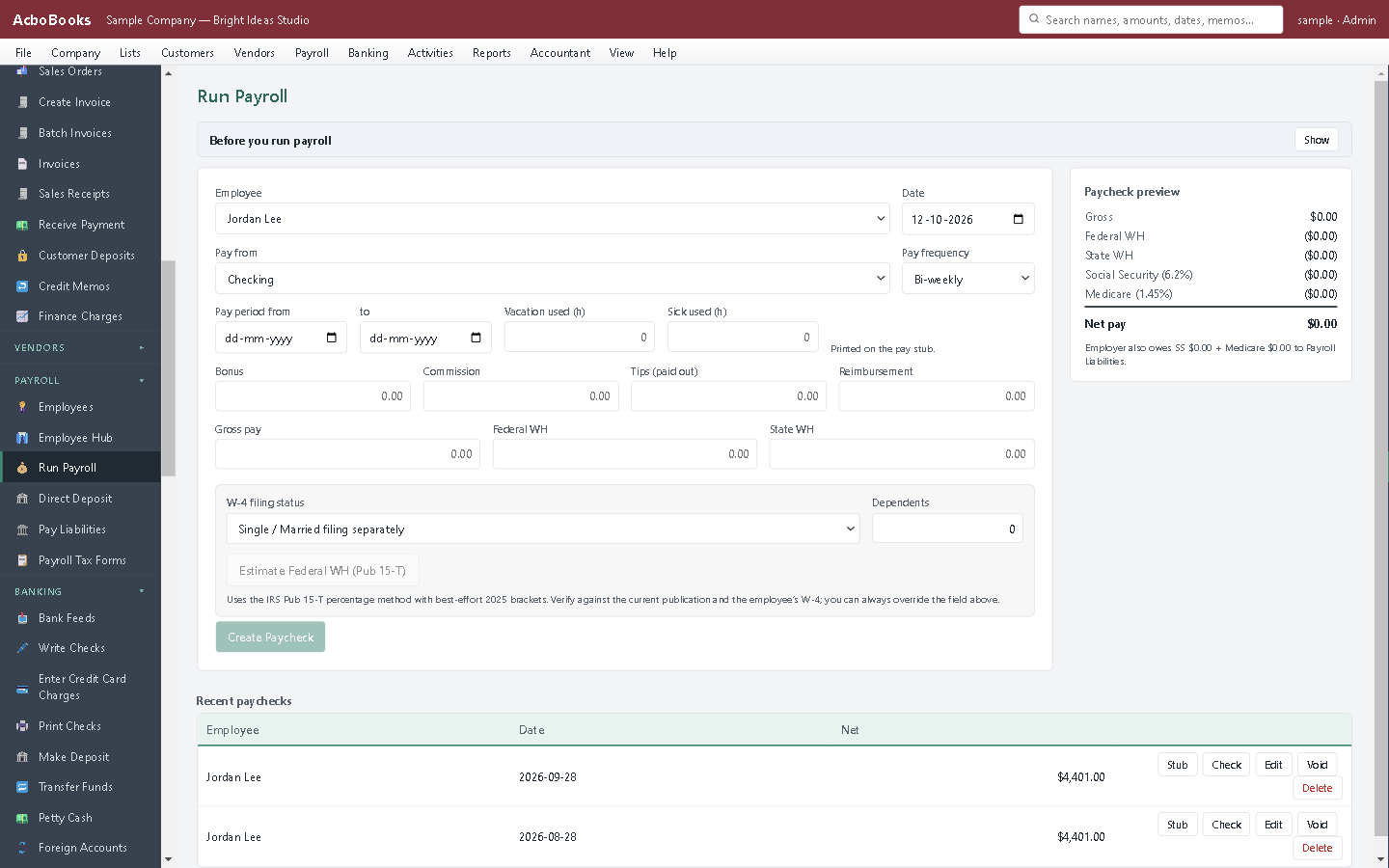
Payroll for the whole clinic team.
What it does not do
· No insurance claims, EOB posting or insurance ageing.
· No appointments, charting or patient records, and not a records system built for HIPAA or PHIPA; keep clinical details out of it.
· Windows 10 and 11 for now (a Mac version is coming soon); no phone app.
· It imports your bank's statement file rather than connecting live to the bank.
Questions people ask
Before you download
Can it bill insurance?
No. It records what patients pay you directly. If you also bill insurers, keep doing that in your practice software and enter the payments you receive.
Is patient information secure?
The company file is encrypted with your password and stays on your computer; nothing is sent to us. It is accounting software, not a medical-records system, so put only billing details in it.
Can I see each dentist's or doctor's revenue?
Tag each invoice with the practitioner's class, or set practitioners up as sales reps and run Sales by Rep.
Are our services taxable?
Many health services are exempt from sales tax and GST/HST, while some products and cosmetic services are not. Set a tax code per item; your accountant can confirm which apply.
Coming from something else?
How it compares to what you use now
Get started
The clinic's books, kept at the clinic.
Enter a day's payments in the trial and match them to the deposit.
No card. No account. Nothing to cancel.