
Bookkeeping software
Bookkeeping software with real double-entry and a ledger your accountant trusts
Bookkeeping is the daily part of accounting: recording sales, purchases, payments and bank activity so the ledger is right. AcboBooks does it with enforced double-entry, so every entry balances, and keeps a general ledger, a trial balance and an audit trail an accountant can check.
It is for owners who keep their own books and for bookkeepers who keep them for clients. A Windows desktop program, $399.99 once.
No card, no account. Windows 10 and 11. United States and Canada.

What it means
In practice
Every entry balances
Invoices, bills, cheques and deposits post both sides by themselves. A journal entry will not save until debits equal credits. Verify Data checks the whole file for problems and changes nothing.
The month closes cleanly
Import the bank statement, match, reconcile to a zero difference and save the reconciliation report. Set a closing date with its own password so filed periods stay as they were filed.
The accountant's view
General ledger, trial balance, an adjusted trial balance and an adjusting entries report. Journal entries can be flagged as accountant adjustments, and the audit trail lists who changed what and when.
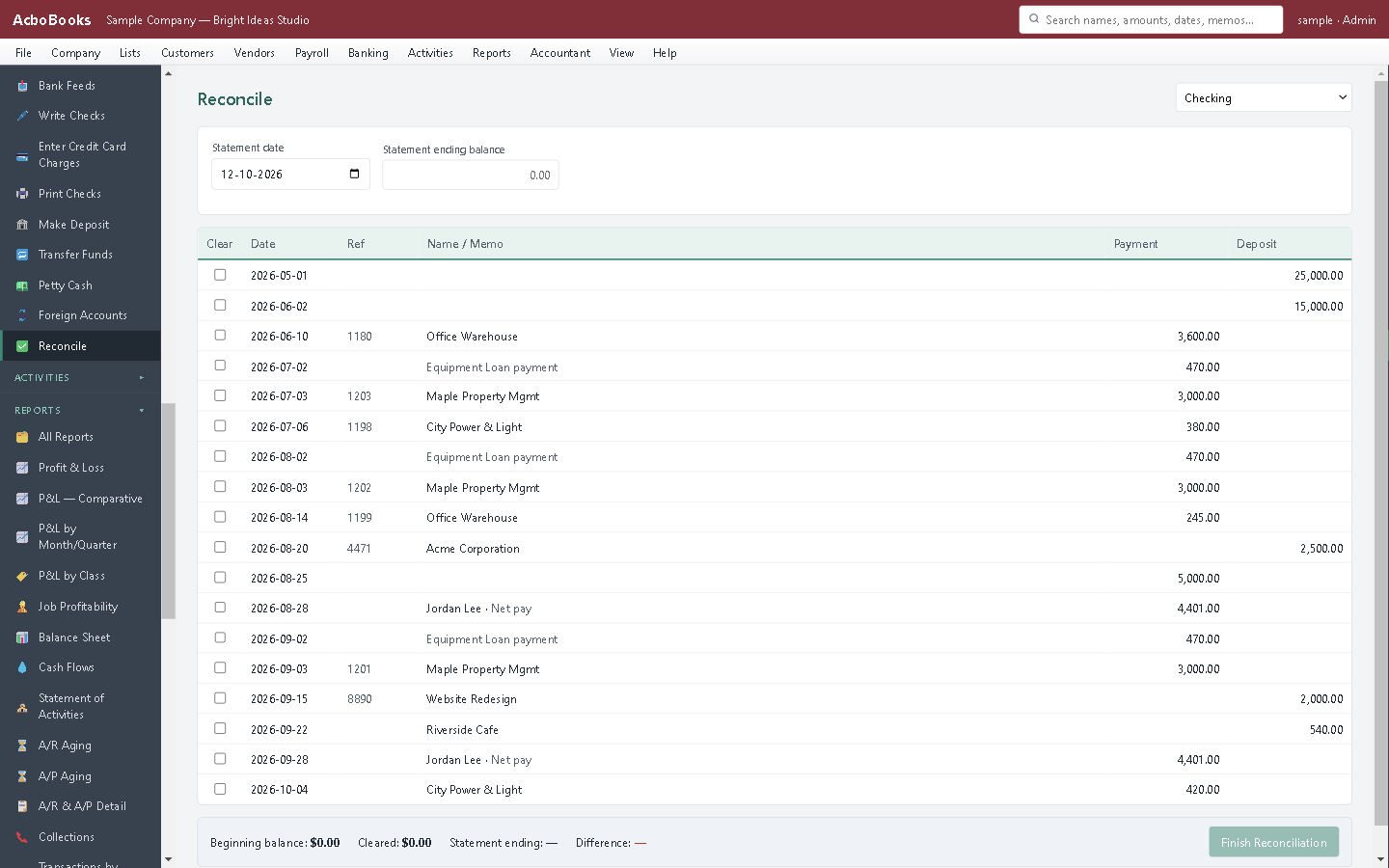
Tick what cleared until the difference is zero.
Month-end in a morning: import, match, reconcile, close
Bring in the bank and card statements, add the lines that are not in the books yet, and match the rest to invoices, bills and cheques. Then reconcile and save the report for the file.
Run the trial balance, post the few adjusting entries, and set the closing date. Next month starts from a period nobody can change by accident.
What is in the licence
The whole job, in one price
Sales and money in
Purchases and money out
Banking and books
Payroll and people
Stock and jobs
Reports and sharing

Every figure opens the register behind it.
What it does not do
· Windows 10 and 11 for now (a Mac version is coming soon); no phone app.
· No automatic bank feed for most banks: it imports the statement file your bank provides, and downloads directly from banks that offer OFX Direct Connect.
· Card payments go through a Stripe payment link rather than a built-in processor.
· One company per file; open as many files as you have businesses.
Questions people ask
Before you download
What is the difference between bookkeeping and accounting software?
In practice they are the same programs. Bookkeeping is the recording; accounting adds the reports and judgement on top. AcboBooks does both: the daily entries and the statements built from them.
Can a bookkeeper keep several clients in it?
Yes. Each client is a separate company file, and one licence opens as many files as you like on its two computers. Each file has its own password and its own users.
How does my accountant get the books?
Send an encrypted backup they open with the password, export reports to Excel or PDF, or give them an invite code that connects with read-only or standard access and an expiry. Their name appears in the audit trail.
Can I undo a reconciliation?
Yes. Past reconciliations are listed with their reports, and an undo marks those items uncleared again so you can redo it.
Does it close the year?
Yes. Year-end close posts closing entries that move the year's income and expenses into retained earnings, and it can be reversed. A closing date then protects the year.
Coming from something else?
How it compares to what you use now
Get started
Books that balance because they have to.
Import a month of statements in the trial and reconcile it.
No card. No account. Nothing to cancel.