
Accounts payable software
Accounts payable software: enter bills, pay them in a batch, never pay twice
Enter each vendor bill when it arrives, with its terms and due date, and AcboBooks keeps it in accounts payable until you pay it. On payment day, Pay Bills lists every open bill across all vendors; tick what to pay, apply credits and early-payment discounts, and one payment per vendor is posted.
Bills, cheques, vendor credits and the A/P reports are part of AcboBooks for $399.99 once.
No card, no account. Windows 10 and 11. United States and Canada.

What it means
In practice
Bills in, with nothing retyped
Enter a bill against expense accounts or items, or attach a photo of it and the receipt reader fills in the vendor, date and total. When goods arrive before the bill, record an item receipt and turn it into the bill later.
Pay day in one screen
Pay Bills shows every open bill, filtered by due date. Tick the ones to pay, apply vendor credits oldest first, take early-payment discounts the terms allow, and each vendor gets one cheque with sequential numbers.
Repeat bills enter themselves
Memorize the rent, the lease or the software bill, set it to repeat weekly or monthly, and AcboBooks enters it on schedule when you open the company. Review it, then pay it with the rest.
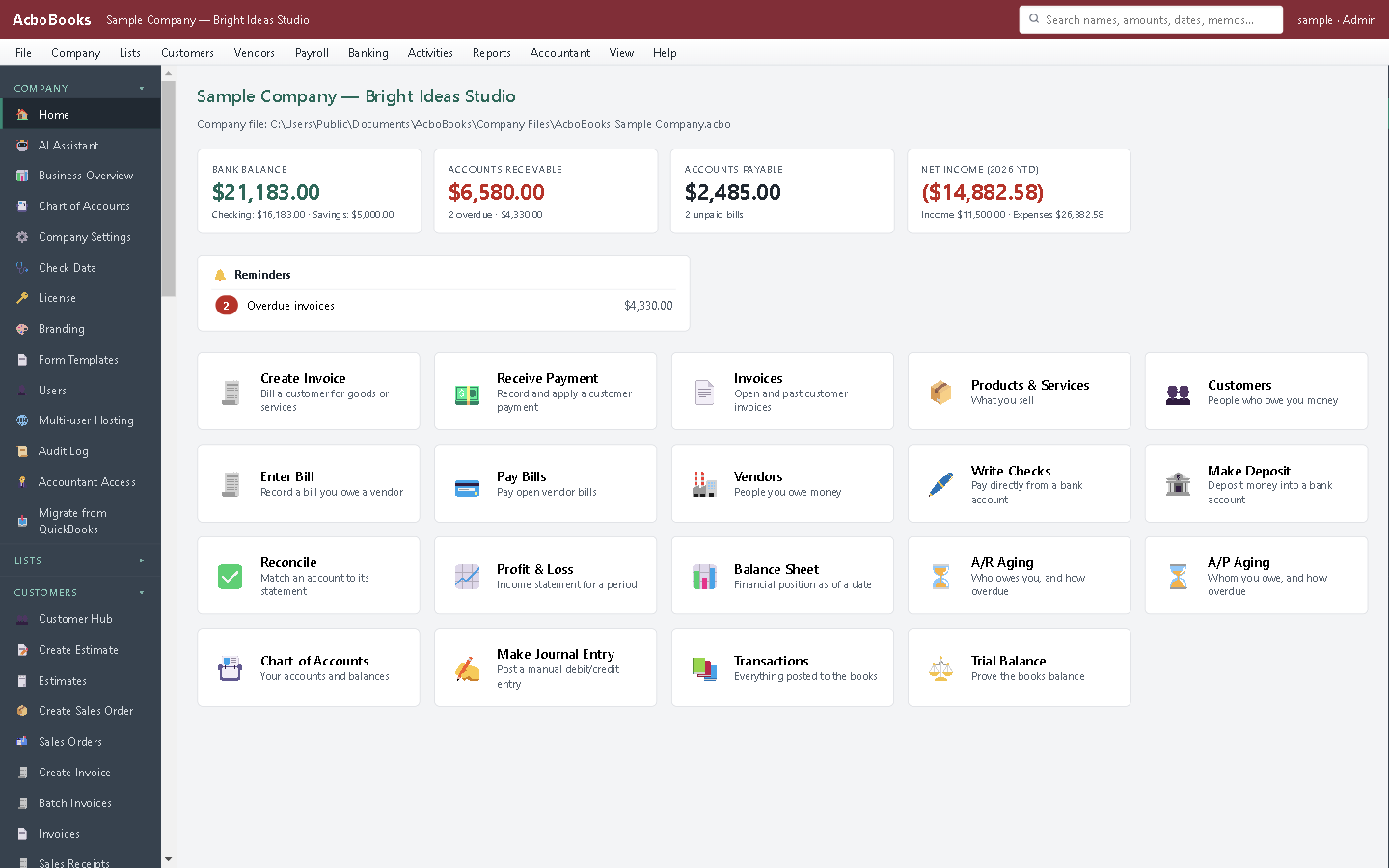
Bills due and money owed, on the home screen.
Know what is due this week, and what you can wait on
The A/P ageing report shows whom you owe, by how overdue. The detail report lists every open bill with its days overdue, and a vendor statement shows a single vendor's bills, payments and running balance.
Print the cheques one per page in a batch, or write a single cheque from the register.
What is in the licence
The whole job, in one price
Bills
Paying
Other ways out
Reports

Expenses post when the bill is entered, on the accrual basis.
What it does not do
· Payments are by cheque or recorded as paid: there is no built-in bill pay service or vendor ACH file.
· Memorized transactions repeat weekly or monthly only.
· Windows 10 and 11 for now (a Mac version is coming soon); no phone app.
· One company per file; open as many files as you have businesses.
Questions people ask
Before you download
What is the difference between entering a bill and writing a cheque?
A bill records that you owe the money now and will pay later; it sits in accounts payable until paid. A cheque records money leaving the bank today. Use bills for anything with terms, so the A/P ageing report tells the truth.
How are vendor credits used?
Enter the vendor credit when a vendor gives you one. In Pay Bills it is available against that vendor's bills and can be applied with one click, oldest bill first.
Can I pay part of a bill?
Yes. Change the amount to pay on that bill in Pay Bills. The rest stays open and keeps ageing.
Does it track 1099 or T4A vendors?
Yes. Mark a vendor as 1099 (or T4A or T5018 in Canada) and payments to them are totalled for the year-end slips.
Coming from something else?
How it compares to what you use now
Get started
Pay the right bills, on time, once.
Enter a few bills in the trial and pay them together.
No card. No account. Nothing to cancel.