
In this lesson you will
- Read the Sales Tax Liability report
- See each agency's share on Sales Tax by Agency
- Record a sales tax payment
- Record a timely-filing discount or a penalty
Before you start
See what you owe
Step 1: Open Reports → Sales Tax Liability
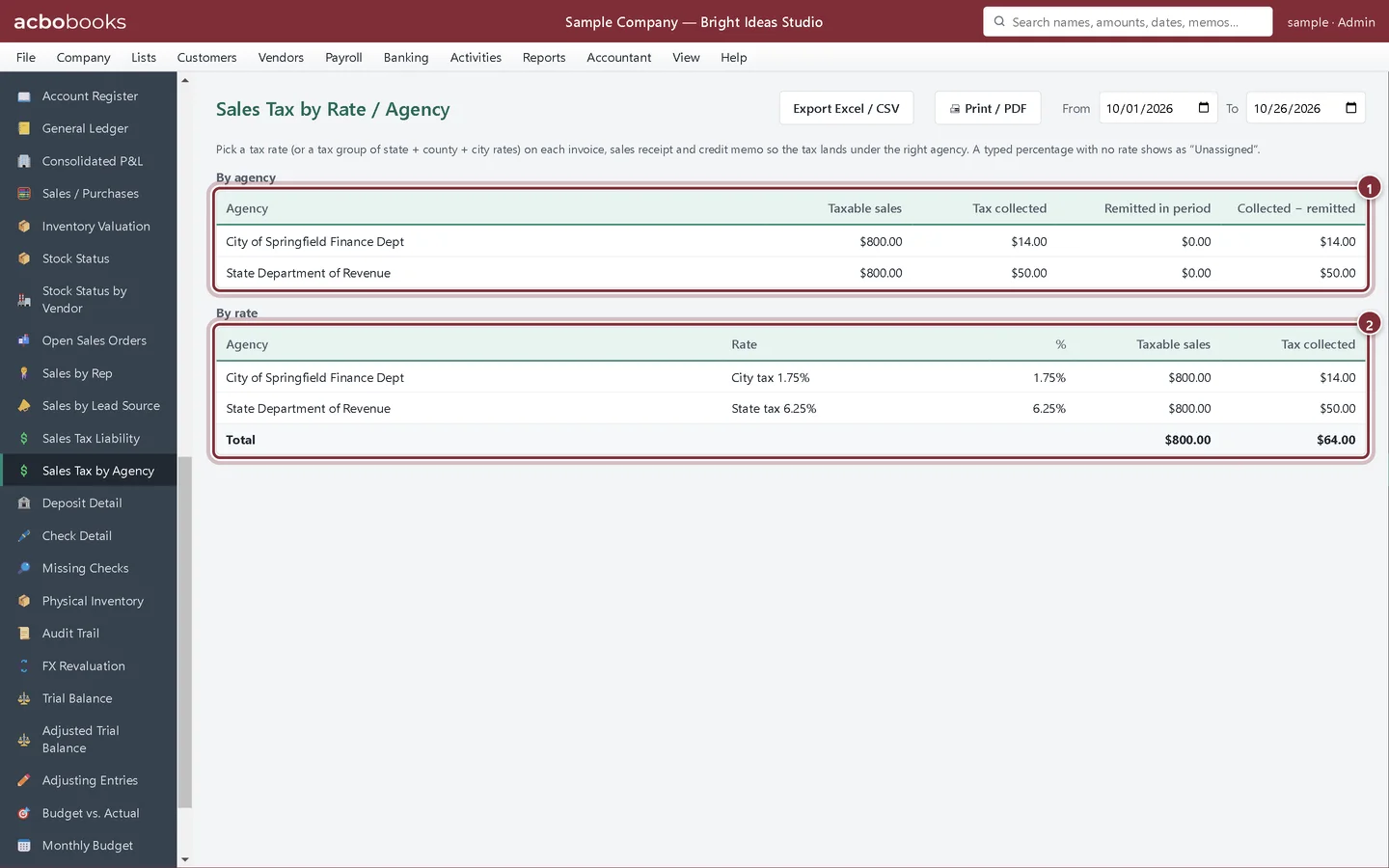
Set From and To to your filing period (it opens on January 1 to today). The report shows taxable and non-taxable sales and the tax collected in the period, and the bottom line is the whole balance owed right now. Export Excel / CSV saves it for your records.
- From and To: your filing period
- Taxable sales
- Tax collected this period
- Sales tax payable (owed now): everything not yet paid, whatever the dates
Step 2: Split it by agency
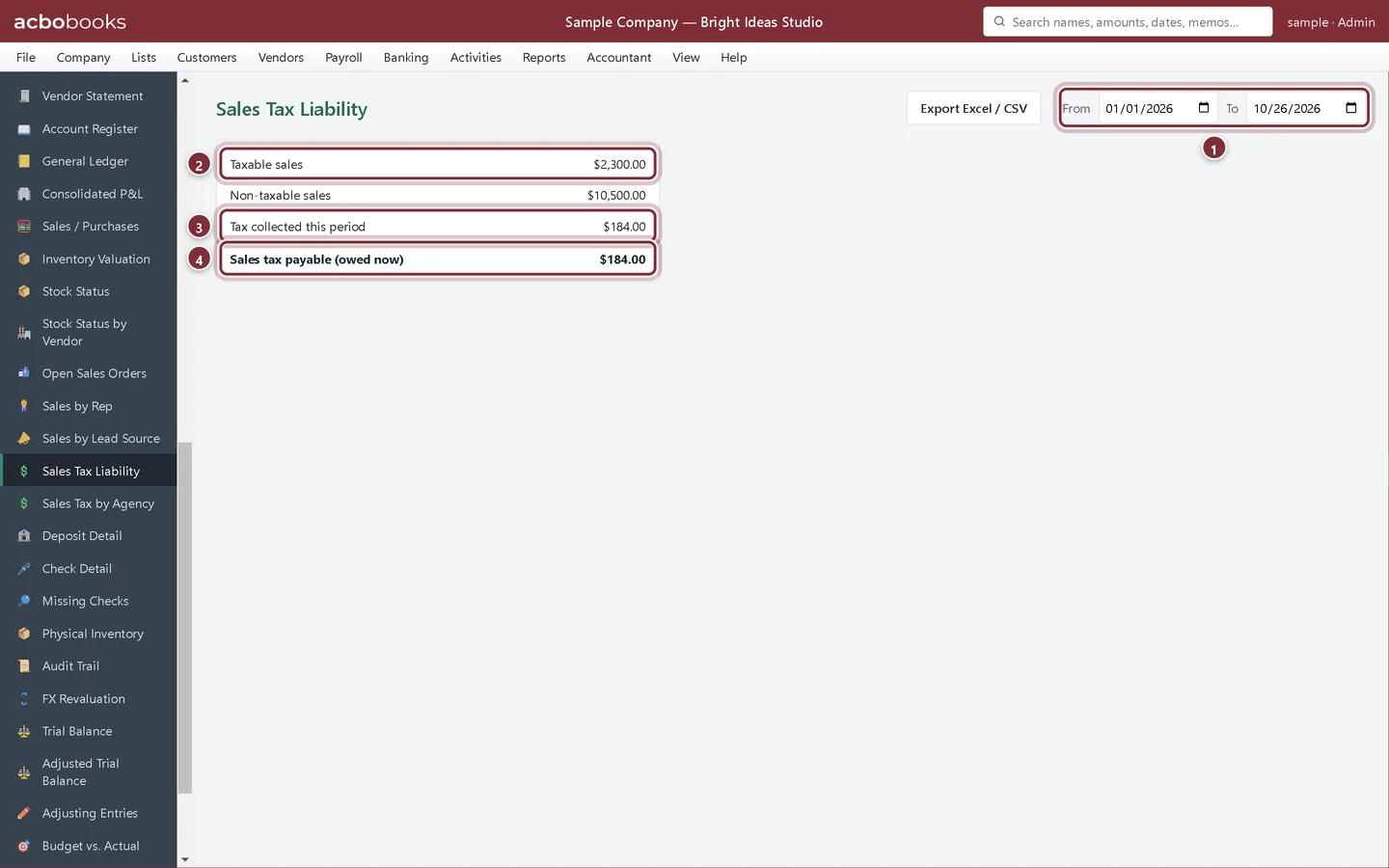
Open Reports → Sales Tax by Agency (the screen is titled Sales Tax by Rate / Agency and opens on the current quarter). By agency shows each agency's taxable sales, tax collected, what you already remitted in the period, and the difference. By rate shows each rate, with tax groups split into their member rates.
- By agency: the amount to pay each one is in Collected − remitted
- By rate: the lines many state returns ask for
Record the payment
File the return and pay on the agency's own website first. Then record the payment in AcboBooks so the liability goes down and the bank account matches your statement.
Step 3: Go to Vendors → Pay Sales Tax
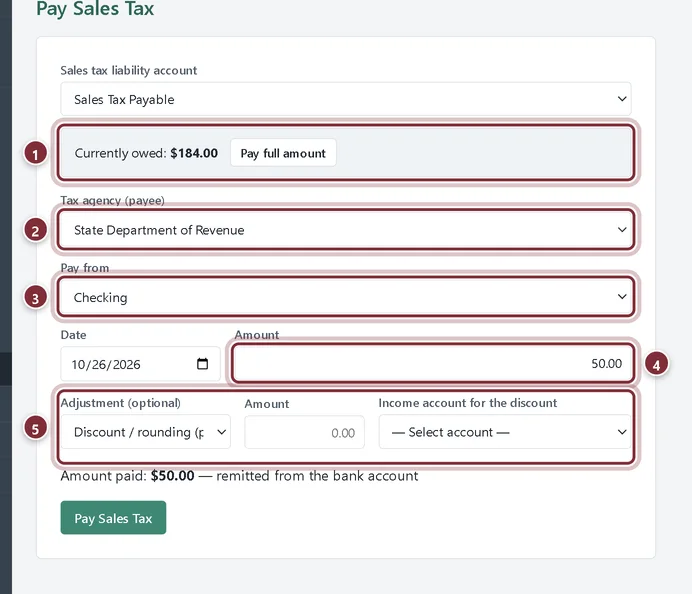
Choose the agency in Tax agency (payee), the bank account in Pay from, the date, and the Amount for that agency from the by-agency report. Pay full amount fills in the whole balance, which is right only when one agency gets all of it.
- Currently owed, with Pay full amount
- Tax agency (payee)
- Pay from: the bank account
- Amount: this agency's share
- Adjustment (optional)
Step 4: Add a discount or penalty if there is one
Some states let you keep a small discount for filing on time. Choose Discount / rounding (pay less), enter the amount and pick an income account. For a late-filing charge choose Penalty / interest (pay more) and an expense account. The line under the fields shows the amount that will leave the bank.
Step 5: Click Pay Sales Tax
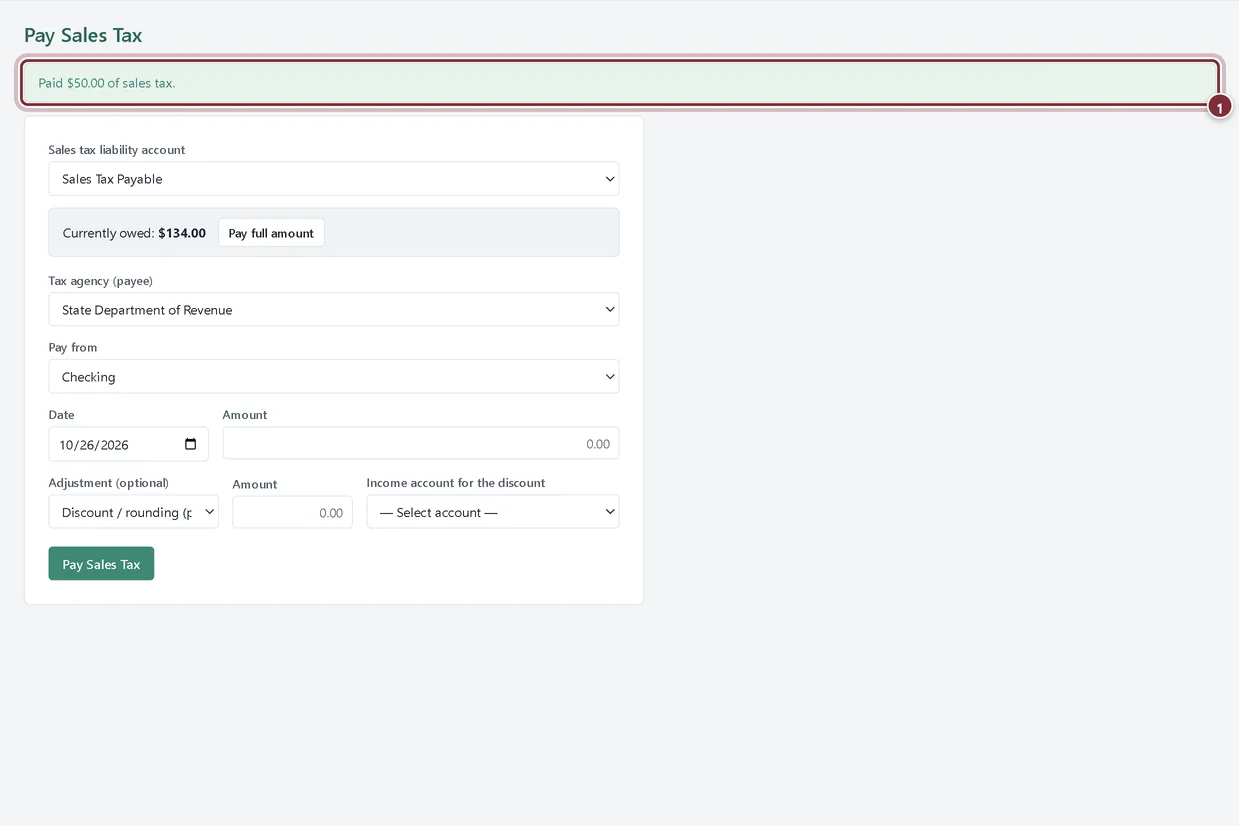
The confirmation shows the amount paid. The payment comes out of the bank account, reduces Sales Tax Payable, and appears under Remitted in period for that agency on the by-agency report. Repeat for the next agency.
- The confirmation
Recap
- Read taxable sales and tax collected for a period
- Find each agency's share on Sales Tax by Agency
- Record a payment to one agency with Pay Sales Tax
- Record a filing discount or a penalty with the payment
Questions
Why is "owed now" different from "tax collected this period"?
Owed now is the whole Sales Tax Payable balance, including tax from earlier periods you haven't paid yet. Tax collected this period covers only the dates you chose.
I collect for one agency only. Do I need the by-agency report?
Not really. Sales Tax Liability gives you the total, and Pay full amount fills it in.
Can I print the report for my files?
Sales Tax by Rate / Agency has Print / PDF and Export Excel / CSV. Sales Tax Liability has Export Excel / CSV.
Screenshots from AcboBooks 0.2.2 with the built-in sample company. Updated October 25, 2026. Your screens may differ slightly with another version or window size.