
AcboBooks Academy · 7 lessons · about 50 min
Sales tax and GST/HST
Sales tax in AcboBooks runs on one list and a few screens: you set up rates under Lists → Sales Tax Rates (Lists → GST/HST Rates in the Canadian edition), mark which products and services are taxable, pick a rate on each invoice, then use the liability reports to see what you owe and record the payment. The first four lessons follow a US business that collects a state and a city tax. The last three use the Canadian edition: GST/HST on sales, input tax credits on purchases, and the GST/HST return worksheet with its CRA line numbers.

Lessons
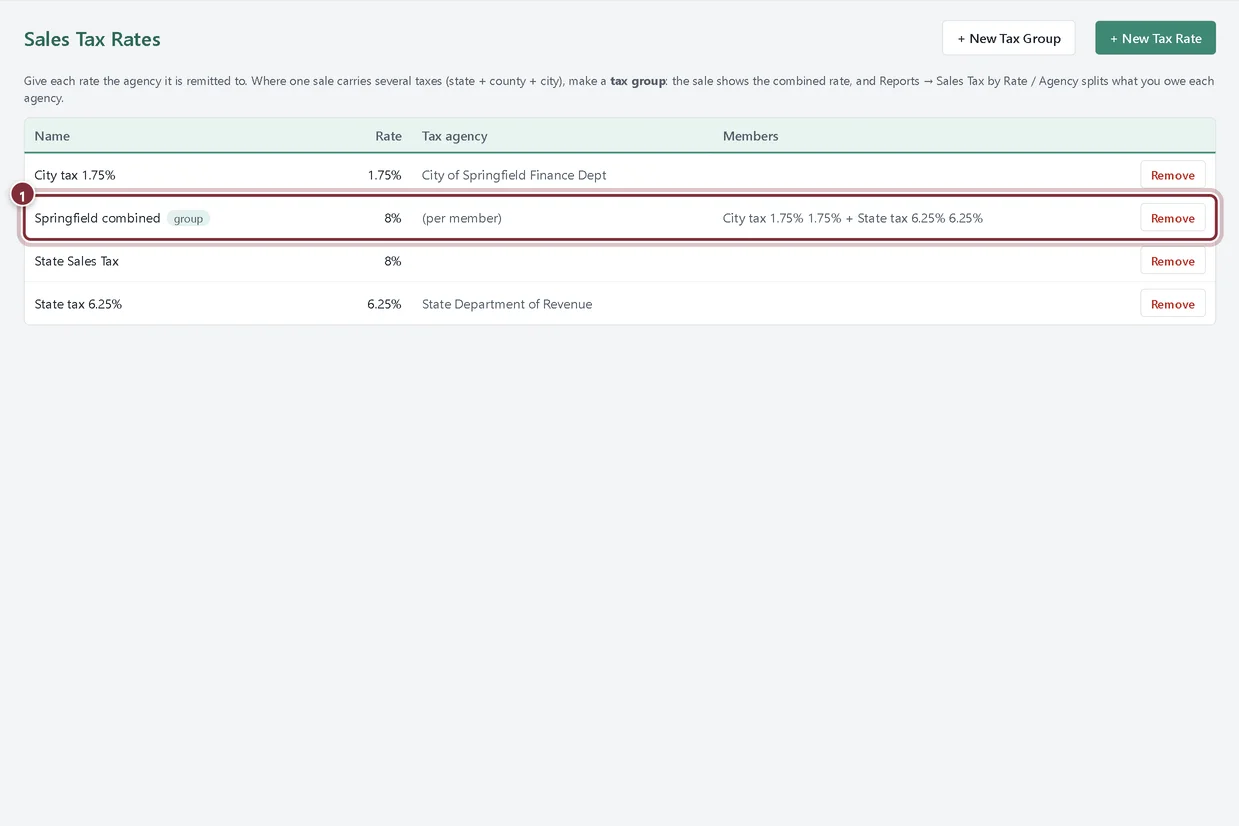
Lesson 1 · 8 min · Beginner · US edition
Set up sales tax rates, agencies and tax groups
Create the tax agency as a vendor, add a sales tax rate for each tax you collect, and combine state and city rates into one tax group.
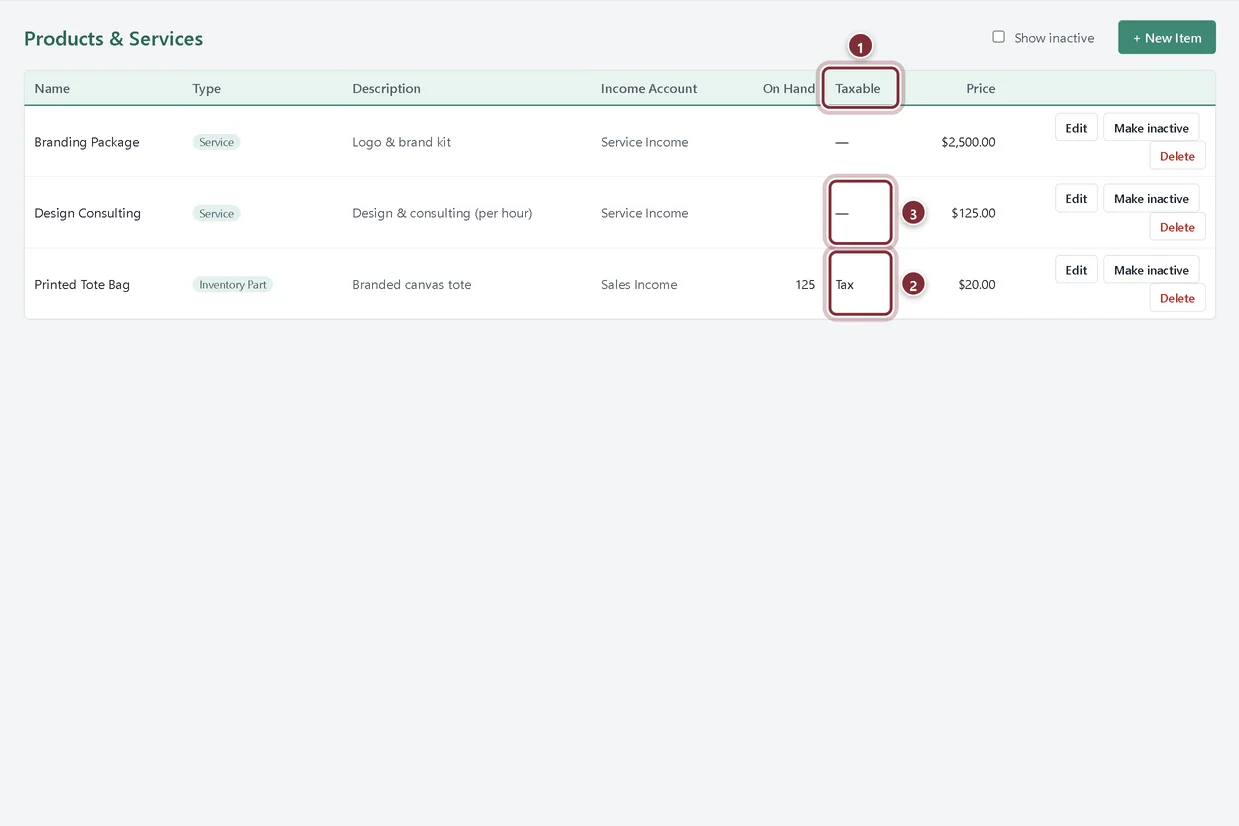
Lesson 2 · 6 min · Beginner · US edition
Taxable items, tax codes and exempt customers
Mark products and services as taxable, give an item its own sales tax code, and invoice tax-exempt customers without charging tax.
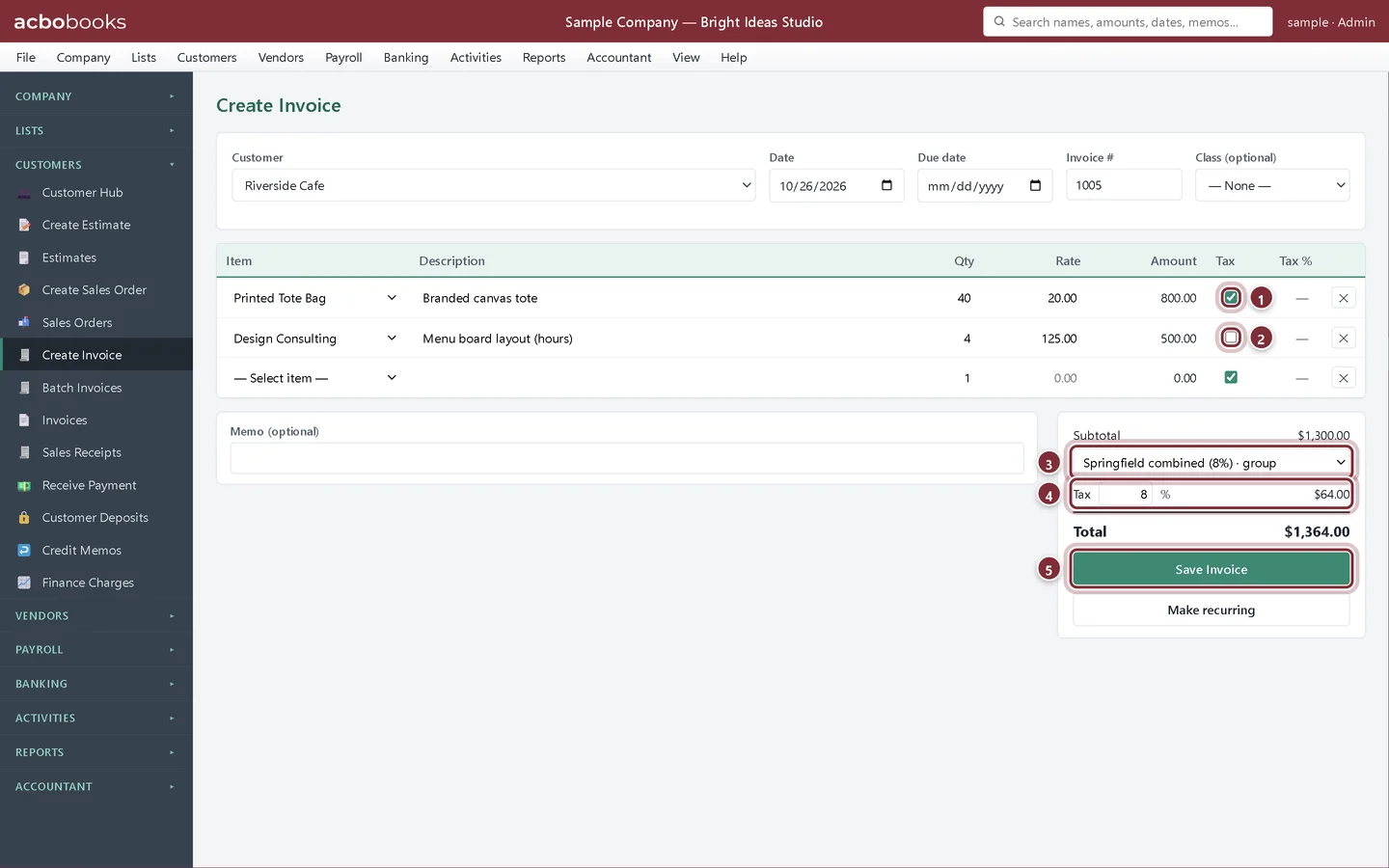
Lesson 3 · 6 min · Beginner · US edition
Charge sales tax on an invoice
Pick a sales tax rate or tax group on an invoice, control which lines are taxed, and see where the tax goes when you save.
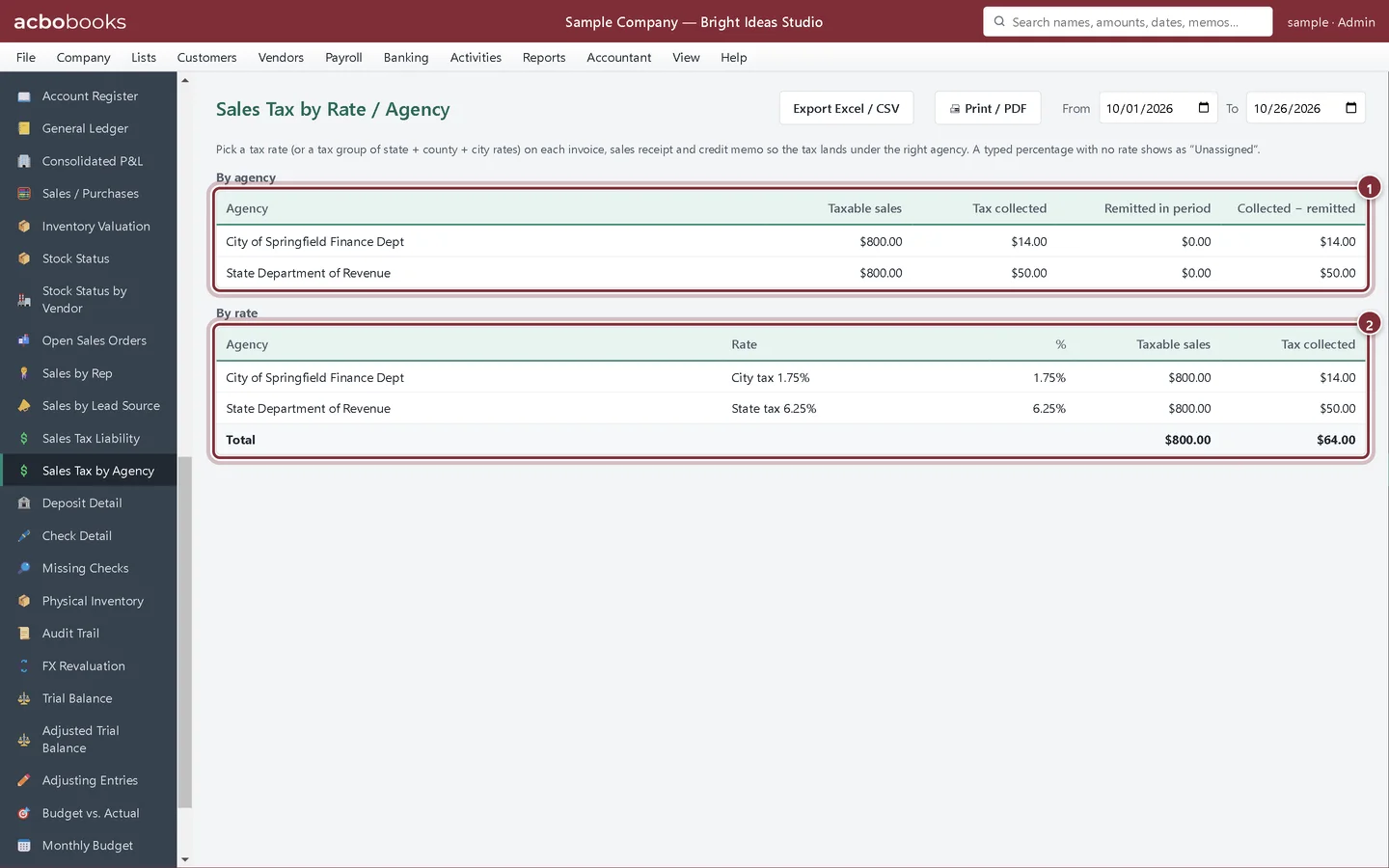
Lesson 4 · 9 min · Intermediate · US edition
Check what you owe and pay sales tax
Use the Sales Tax Liability and Sales Tax by Agency reports for your return, then record each agency's payment with Pay Sales Tax.
Lesson 5 · 7 min · Beginner · Canadian edition
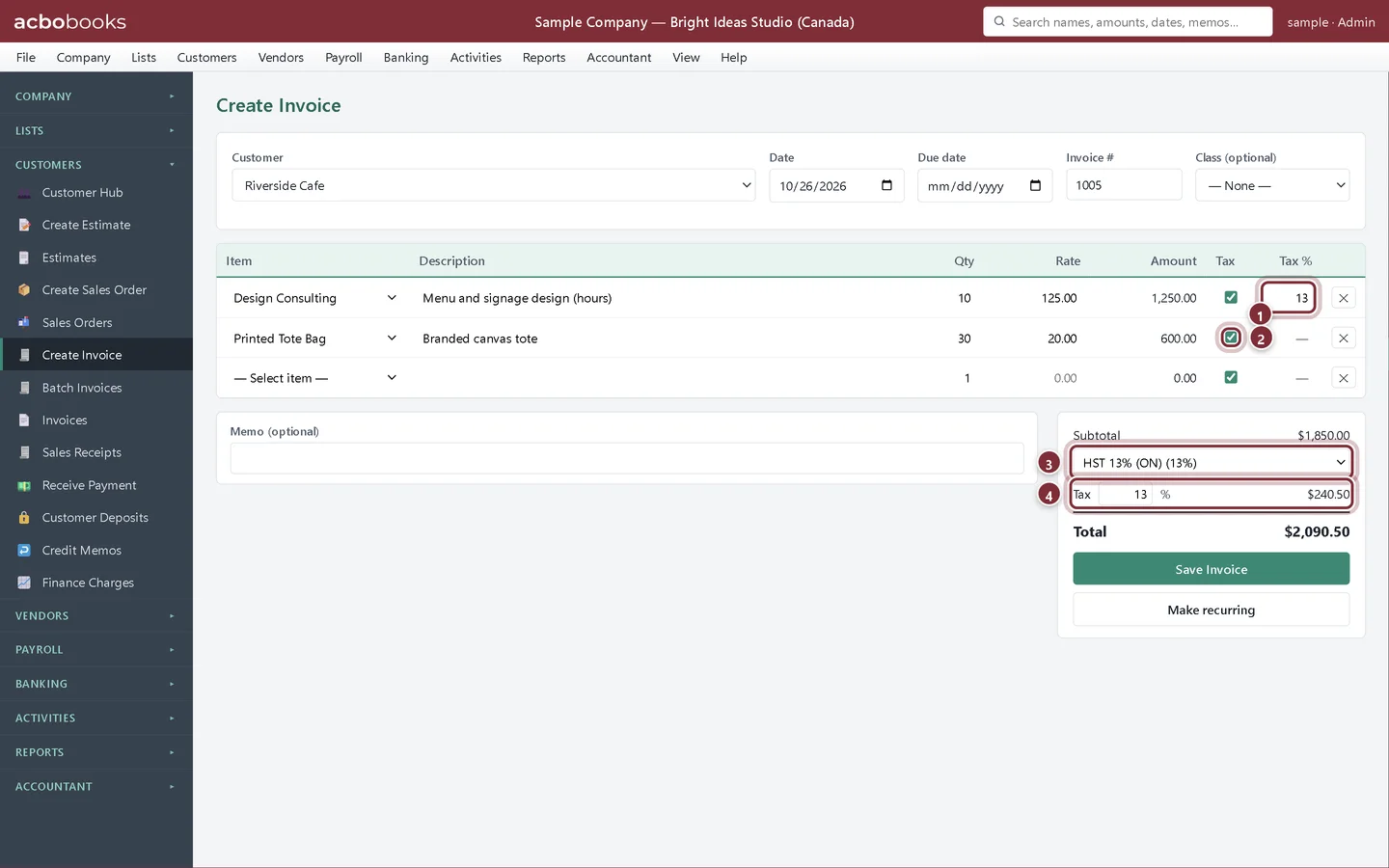
Set up and charge GST/HST
Use the GST/HST rates that come with a Canadian company file, make services taxable, and charge HST on an invoice.
Lesson 6 · 6 min · Beginner · Canadian edition
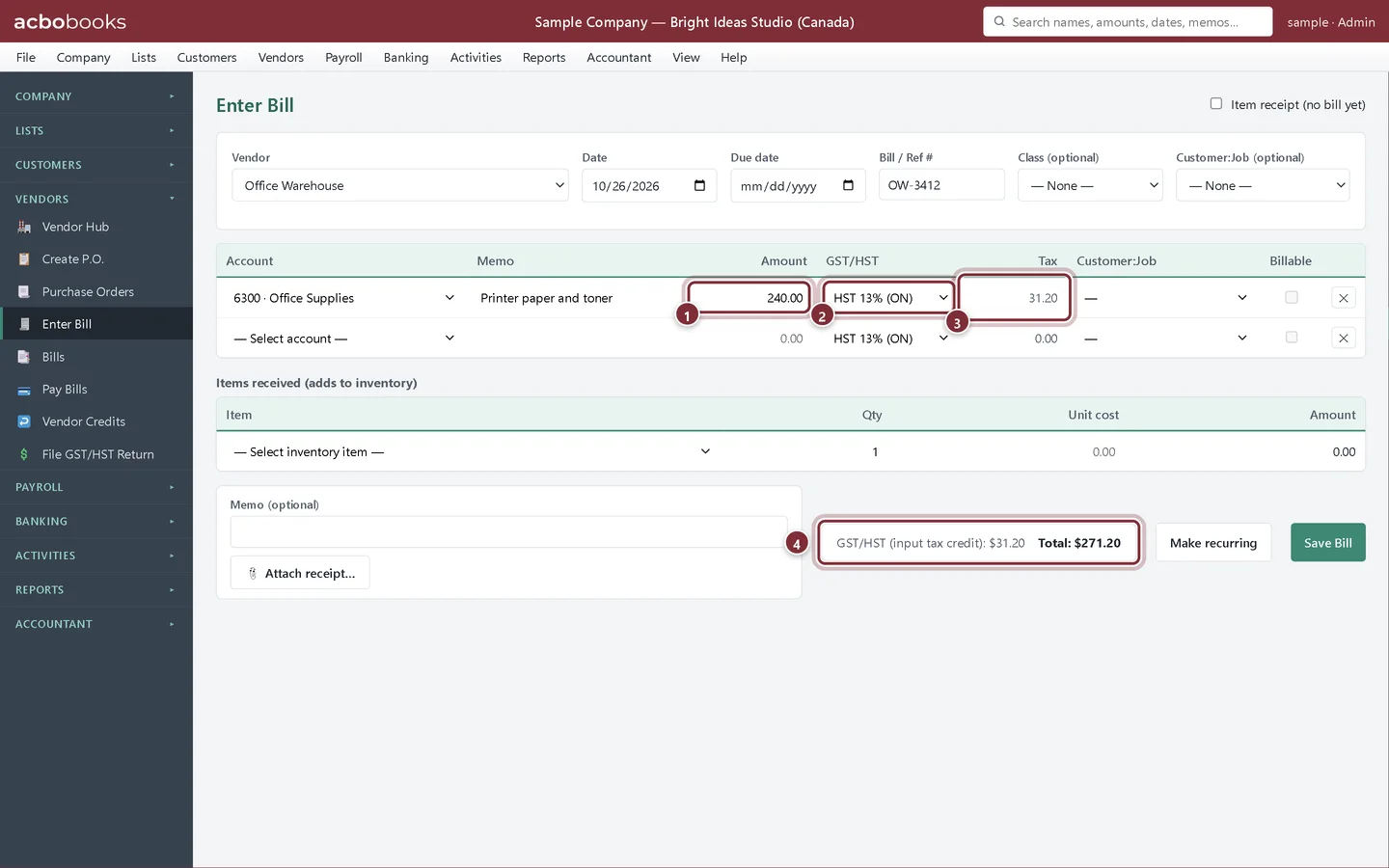
Claim input tax credits on bills and cheques
Enter the GST/HST you pay on a bill or cheque so AcboBooks tracks it as an input tax credit for your GST/HST return.
Lesson 7 · 8 min · Intermediate · Canadian edition
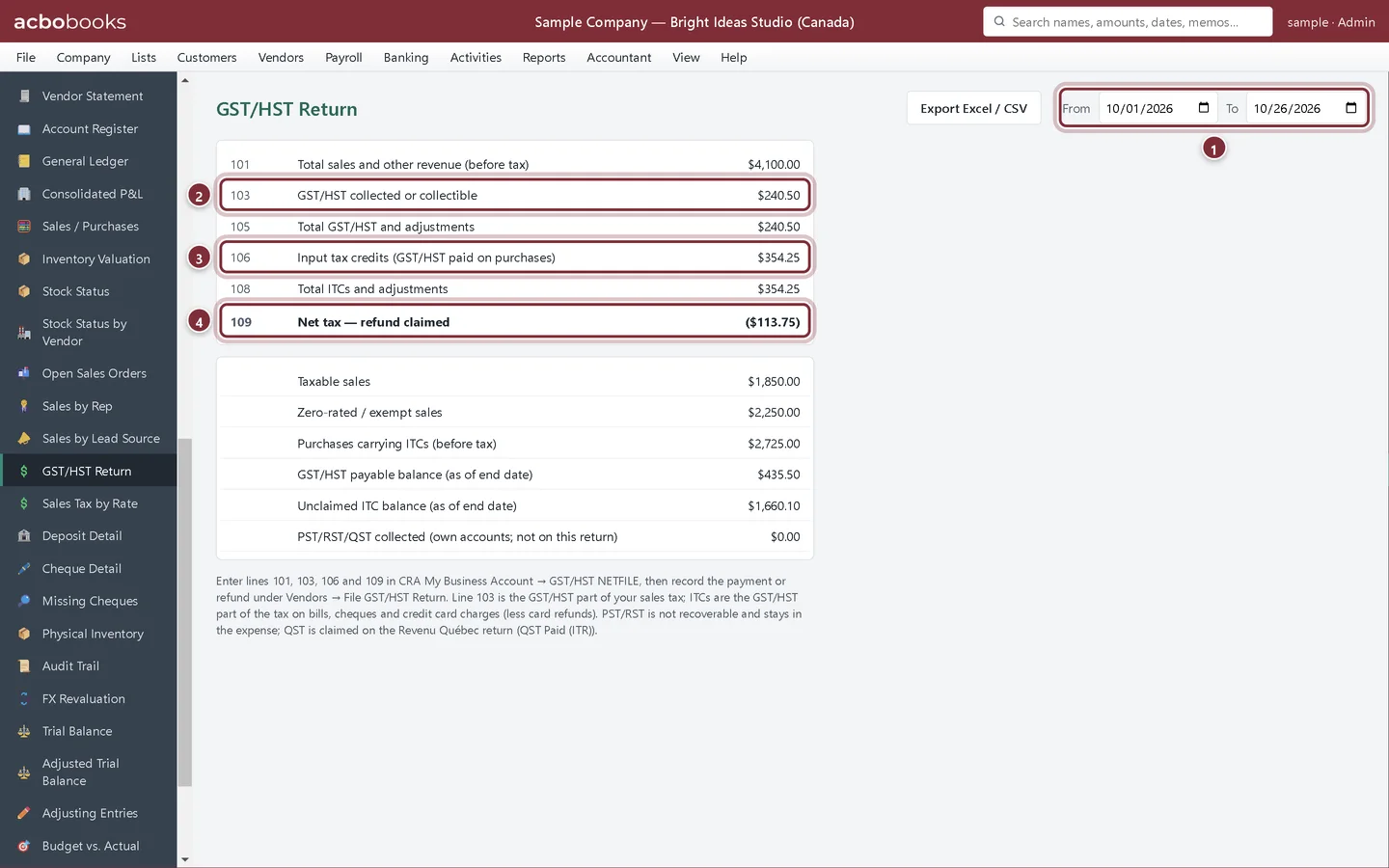
Prepare and record your GST/HST return
Get lines 101, 103, 106 and 109 from the GST/HST Return worksheet, file with CRA, then record the payment or refund in AcboBooks.
All Academy tracks · Help centre · Bookkeeping how-to guides
Get started
Try every lesson in the sample company.
AcboBooks comes with a sample company to practise on. Free for 15 days, then bought once.
No card. No account. Nothing to cancel.