
In this lesson you will
- Pick a start date and gather the figures
- Enter opening balances on bank and other balance-sheet accounts
- Enter what each customer owes and what you owe each vendor
- Check the result on the Balance Sheet
Before you start
Before you start
Step 1: Choose a start date and gather the figures
Pick a clean start date, usually the last day of a month or quarter, such as September 30. Then collect the balance on that date from each bank and card statement and loan statement, a list of unpaid customer invoices, and a list of unpaid vendor bills. If you have an accountant, their trial balance for that date gives you every figure at once.
Bank, card and loan accounts
Step 2: Enter the balance when you add the account
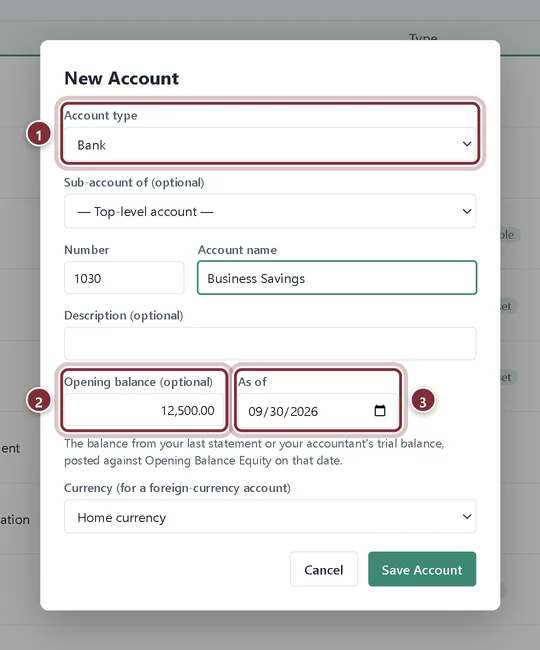
In Company → Chart of Accounts, click + New Account. Balance-sheet types (bank, other current asset, fixed asset, other asset, credit card, liabilities and equity) show two extra fields.
- Choose the Account type, here Bank.
- Opening balance: the balance on your start date, from the statement. A negative figure on a bank account is an overdraft.
- As of: your start date.
Step 3: Save it
Click Save Account. AcboBooks posts the balance on that date against Opening Balance Equity. Do the same for every bank account, credit card and loan you have on the start date.
Customers and vendors
Step 4: Enter what each customer owes you
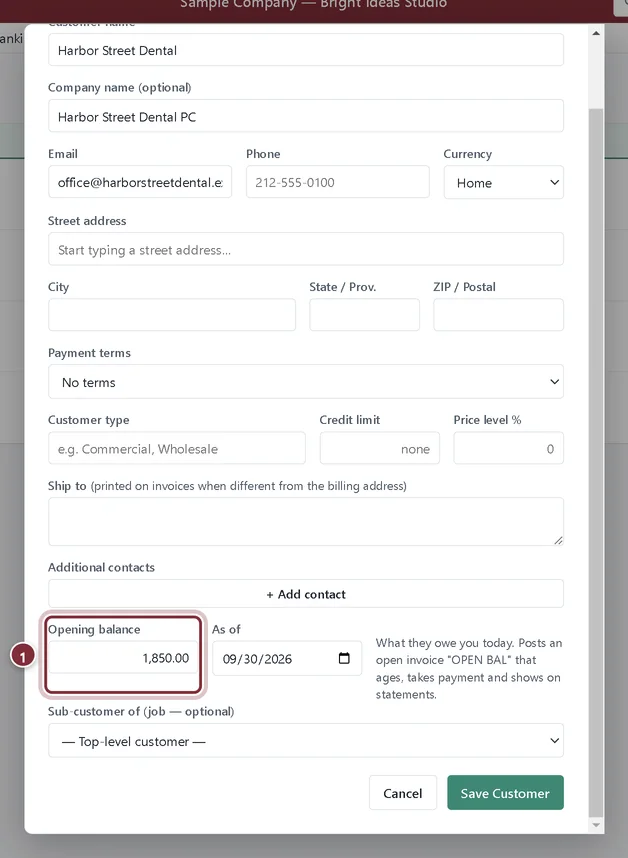
Open Lists → Customers and click + New Customer. Fill in the name and contact details, then the Opening balance and As of date near the bottom. AcboBooks posts an open invoice numbered OPEN BAL that ages, takes payments and appears on statements like any other invoice.
- Opening balance: what this customer owes you on the start date.
Step 5: Enter what you owe each vendor
Do the same in Lists → Vendors with + New Vendor. The opening balance becomes an open bill OPEN BAL that shows in Pay Bills and on the A/P Aging report.
Check the result
Step 6: Look at the Balance Sheet
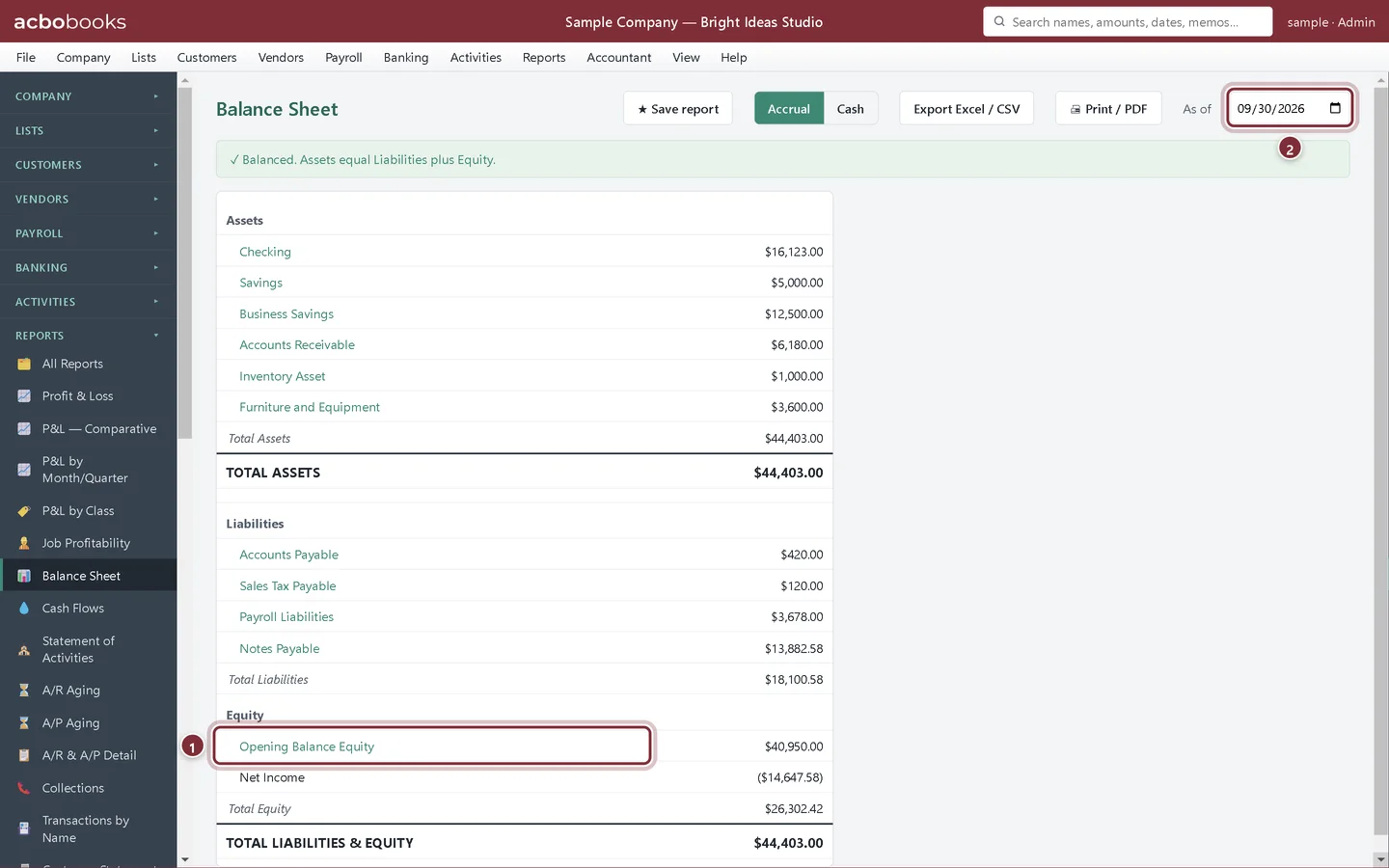
Open Reports → Balance Sheet as of your start date. Each account should show the balance you entered, and Opening Balance Equity holds the other side of all of them. Your accountant will usually move that balance into owner's equity or retained earnings with a journal entry once everything is in.
- Opening Balance Equity: the total of the opening balances you entered.
- As of: set it to your start date, here 09/30/2026.
Recap
- You picked a start date and gathered the balances for it.
- You can enter opening balances on bank, card and loan accounts.
- You can enter what customers owe and what you owe vendors as OPEN BAL documents.
- You can check the totals in Opening Balance Equity on the Balance Sheet.
Questions
What is Opening Balance Equity?
A temporary equity account that holds the other side of every opening balance, so the books balance while you set up. See the glossary entry.
Can I enter an opening balance for an account I already created?
The opening balance fields are on the New Account form. For an existing account, record the balance with a journal entry (Activities → Make Journal Entry) dated on your start date, against Opening Balance Equity.
Do I enter opening balances for income and expense accounts?
No. Income and expenses start from zero at your start date. If you start mid-year and want full-year reports, ask your accountant whether to enter year-to-date totals with a journal entry.
Related
Screenshots from AcboBooks 0.2.2 with the built-in sample company. Updated October 25, 2026. Your screens may differ slightly with another version or window size.