
In this lesson you will
- Enter hours, overtime and a reimbursement on a paycheck
- Estimate federal withholding from the employee's W-4
- Read the paycheck preview, including what the employer owes
- Print the pay stub or a voucher check, and edit or void a paycheck
Before you start
Before you start
Step 1: Read the payroll notice
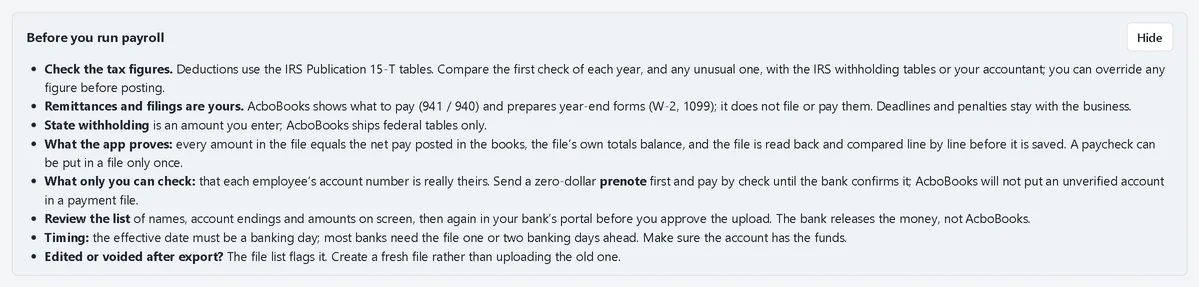
Choose Payroll → Run Payroll. The Before you run payroll box lists what AcboBooks checks and what stays your job. Click Hide once you have read it; Show brings it back.
Fill in the paycheck
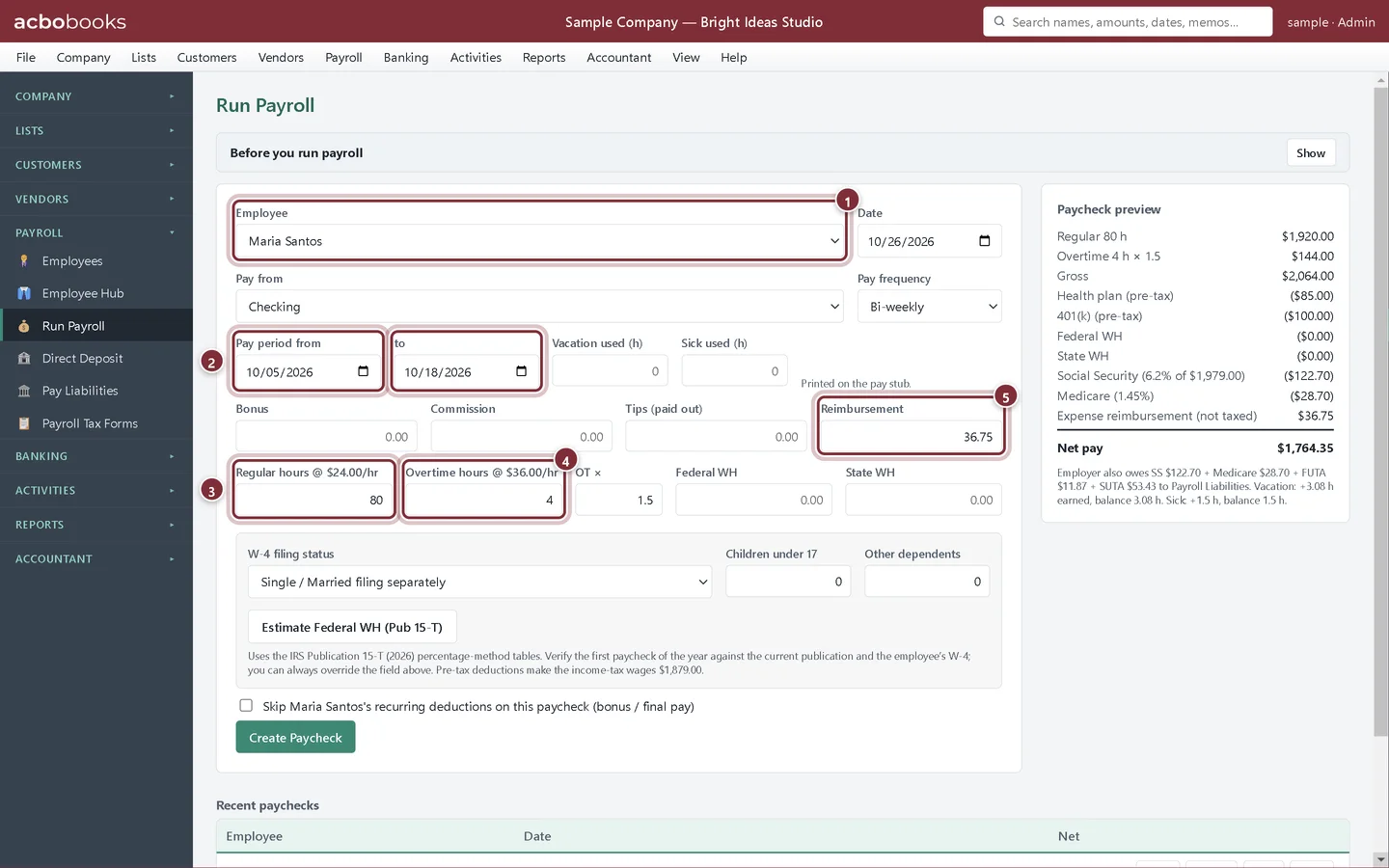
Step 2: Choose the employee and enter the hours
Pick the Employee, the date and the bank account in Pay from. Enter the pay period dates. For an hourly employee type the Regular hours and Overtime hours; the labels show the rates. For a salaried employee type the Gross pay instead.
- Employee: the pay frequency fills in from the employee record.
- Pay period from and to print on the stub.
- Regular hours at the employee's rate.
- Overtime hours at the rate times OT × (1.5 unless you change it).
- Reimbursement: expenses you pay back with the check. It is not wages and is not taxed.
Step 3: Estimate federal withholding
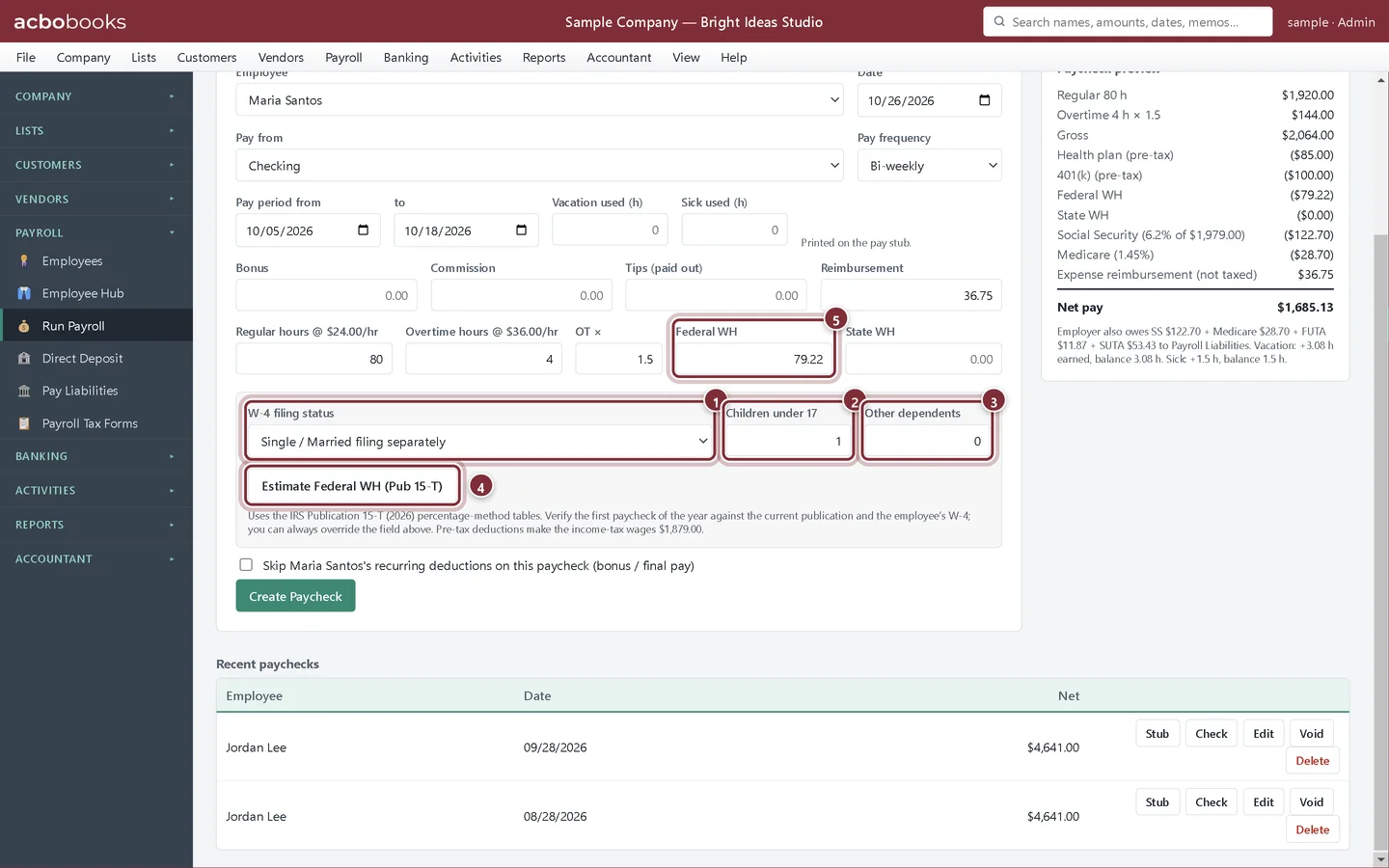
In the W-4 box choose the employee's W-4 filing status and type the number of Children under 17 and Other dependents from Step 3 of their W-4. Click Estimate Federal WH (Pub 15-T). AcboBooks fills Federal WH from the IRS percentage-method tables for the year. Type the State WH yourself.
- W-4 filing status: Single / Married filing separately, Married filing jointly, or Head of household.
- Children under 17: each one is a credit in Step 3.
- Other dependents: also from Step 3.
- Estimate Federal WH (Pub 15-T) works out the withholding, after pre-tax deductions.
- Federal WH: the result. You can type over it.
Check the preview and post
Step 4: Read the paycheck preview
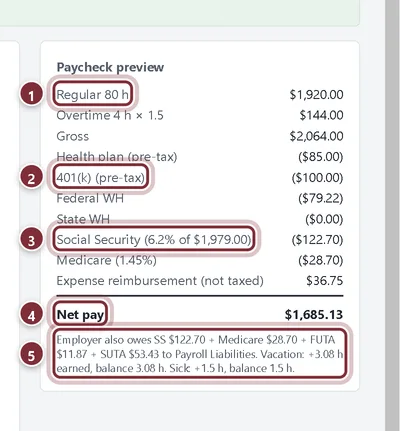
The preview on the right updates as you type. It is what the stub will show.
- Regular and overtime pay make up the gross.
- Pre-tax deductions come off before income tax.
- Social Security and Medicare, worked out by AcboBooks with the yearly wage limit.
- Net pay: the amount of the check or deposit.
- What the employer also owes (its share of Social Security and Medicare, FUTA, SUTA) and the vacation and sick balances.
Step 5: Create the paycheck, then print the stub
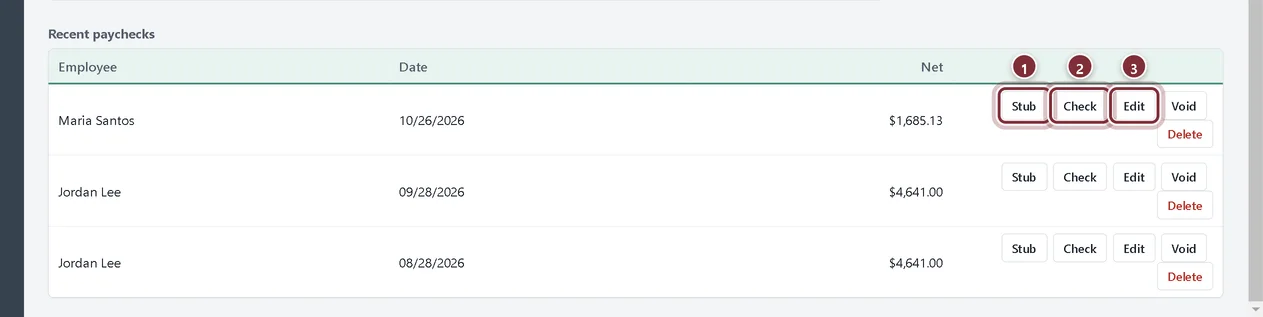
Click Create Paycheck. AcboBooks posts the wages and employer taxes as expenses, the net pay out of the bank account, and everything withheld or owed into Payroll Liabilities. The paycheck appears under Recent paychecks.
- Stub saves the pay stub as a PDF, with this period and year-to-date figures.
- Check saves a voucher check (check on top, stub below) as a PDF for printing on check stock.
- Edit reopens the paycheck to correct it. Void and Delete are on the same row.
Recap
- You can write a paycheck for hourly or salaried staff.
- You can estimate federal withholding from a W-4 and enter state withholding.
- You know what the preview shows and what the employer owes.
- You can print a stub or voucher check, and edit or void a paycheck.
Questions
Can I run payroll for several employees at once?
Run Payroll writes one paycheck at a time. The form clears after each one, so you pick the next employee and repeat.
What if the paycheck was wrong?
Click Edit on it under Recent paychecks, fix the figures and click Update Paycheck. If it is already in a direct-deposit file, AcboBooks warns you and flags the file.
How do I pay a final check without the 401(k)?
Tick Skip … recurring deductions on this paycheck. It appears when the employee has recurring deductions.
Screenshots from AcboBooks 0.2.2 with the built-in sample company. Updated October 25, 2026. Your screens may differ slightly with another version or window size.