
In this lesson you will
- Create an hourly or salaried employee with a pay frequency
- Enter the SSN and address the W-2 needs
- Set up pre-tax 401(k) and health deductions
- Accrue vacation and sick hours on every paycheck
Before you start
Pay and W-2 details
Step 1: Open the Employees list
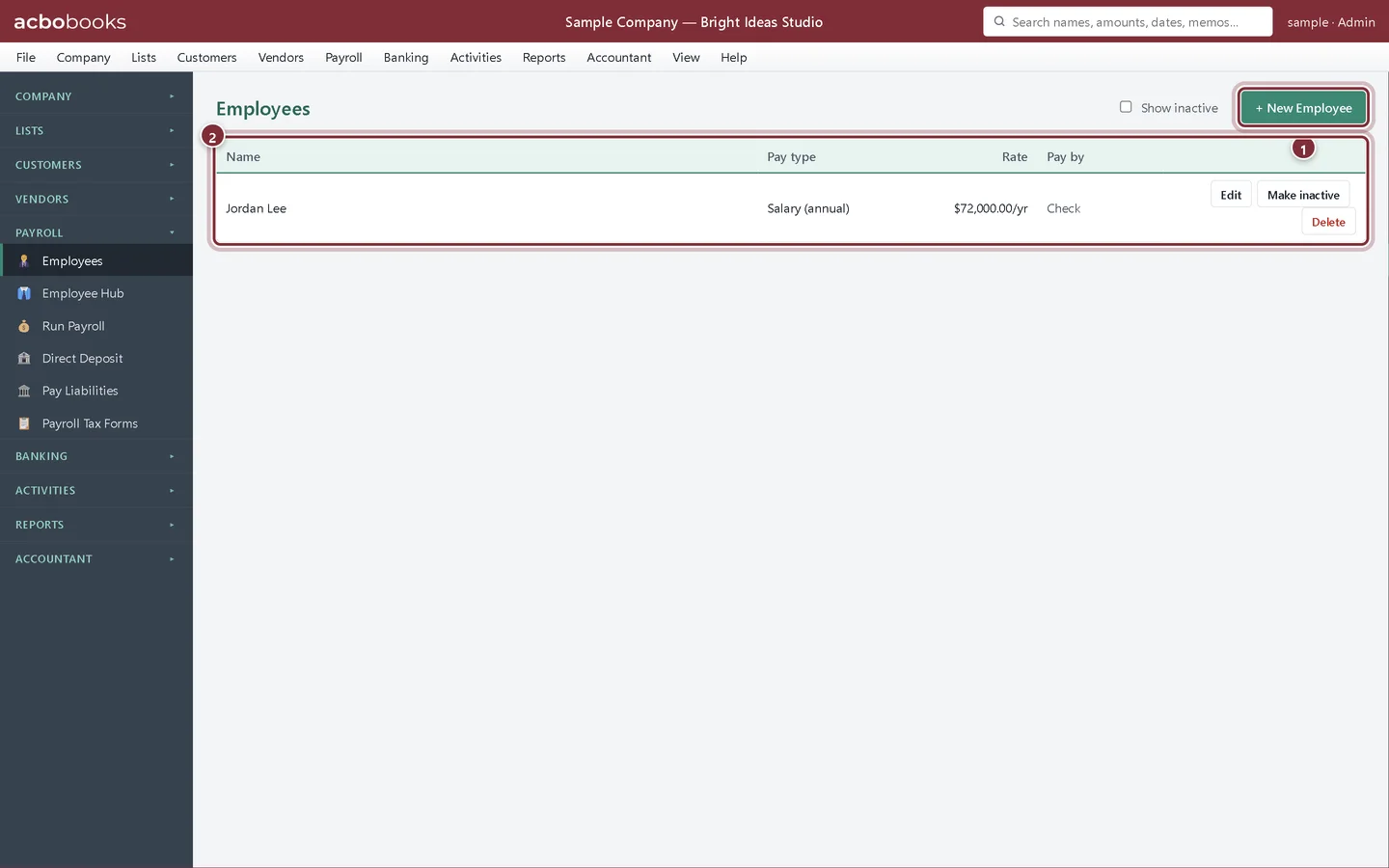
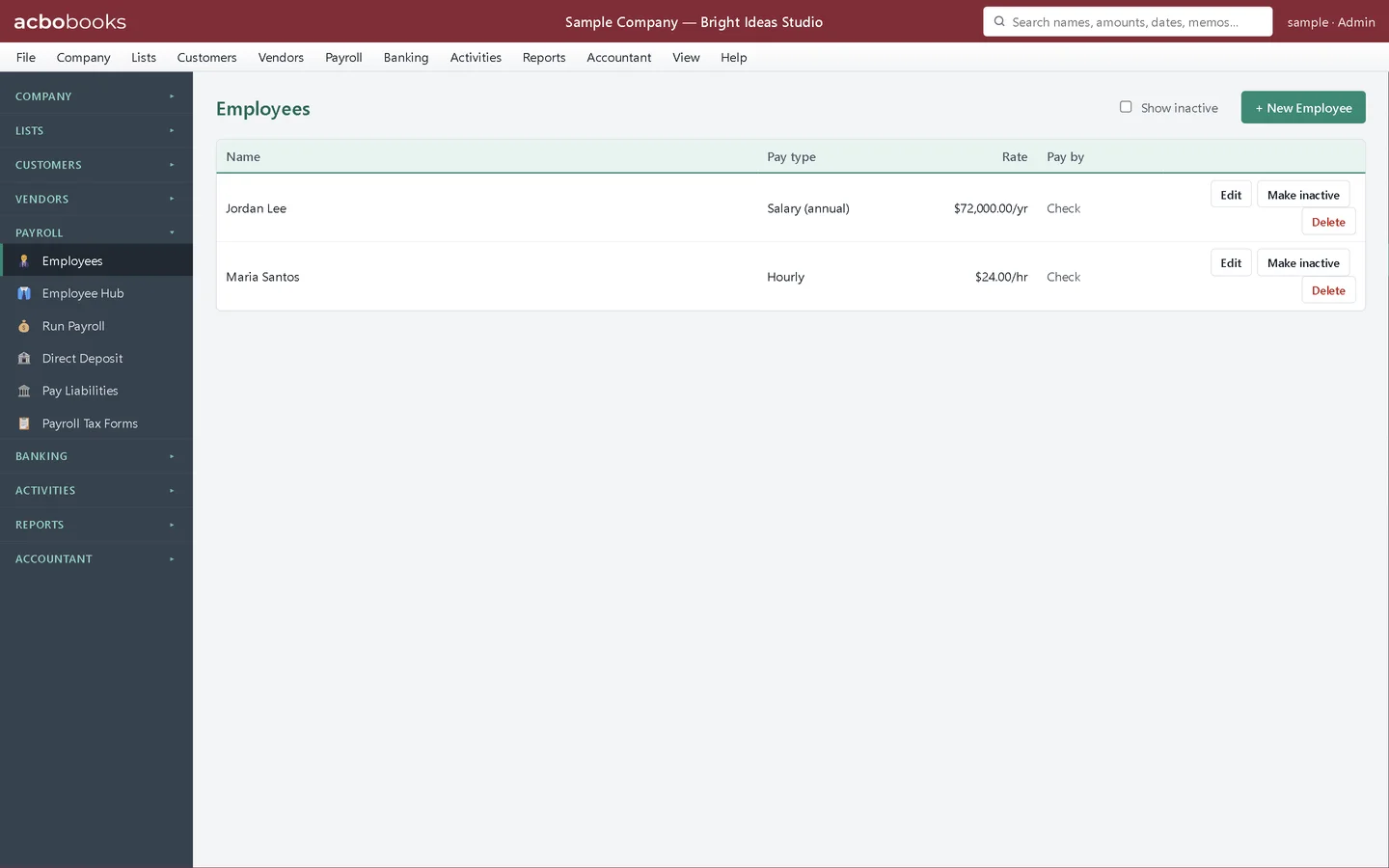
Choose Payroll → Employees. The list shows each employee's pay type, rate and whether they are paid by check or direct deposit. Click + New Employee.
- + New Employee opens a blank employee record.
- The employee list, with Edit, Make inactive and Delete on each row.
Step 2: Enter the name, pay and W-2 details
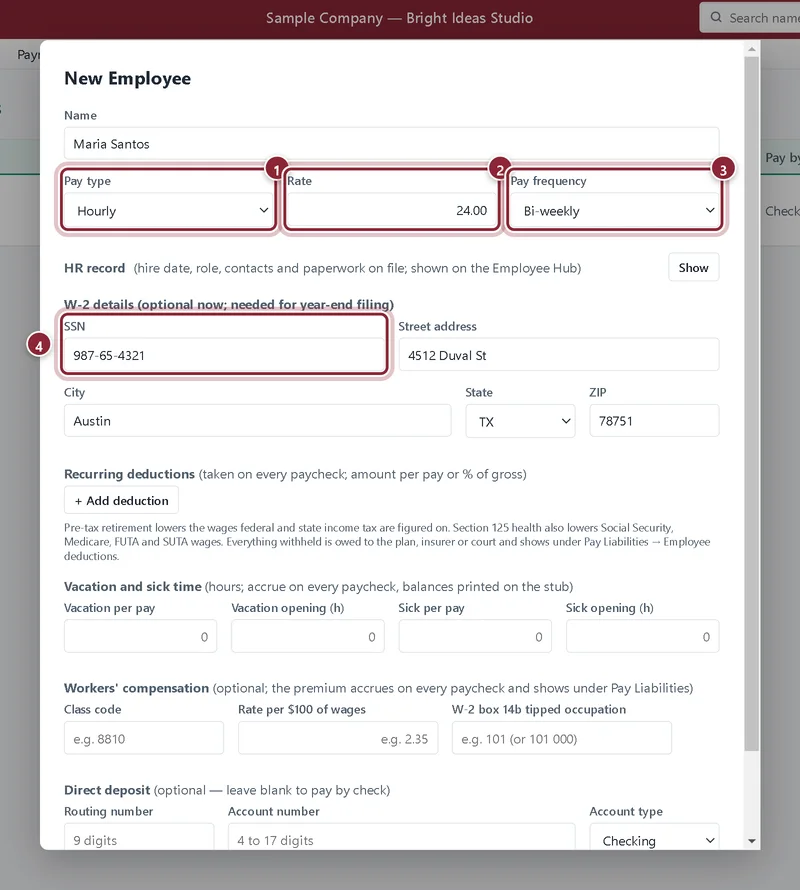
Type the employee's Name. Choose the Pay type and enter the Rate: an hourly rate for Hourly, or the yearly salary for Salary (annual). Pick the Pay frequency. Under W-2 details enter the SSN and home address now, or later before year-end.
- Pay type: Hourly or Salary (annual). Hourly employees get Regular and Overtime hours fields on Run Payroll.
- Rate: dollars per hour, or dollars per year for salaried staff.
- Pay frequency: Weekly, Bi-weekly, Semi-monthly or Monthly. Run Payroll uses it for the withholding estimate.
- SSN: required on the W-2 and in the EFW2 file.
The HR record
Step 3: Record the hire date and paperwork
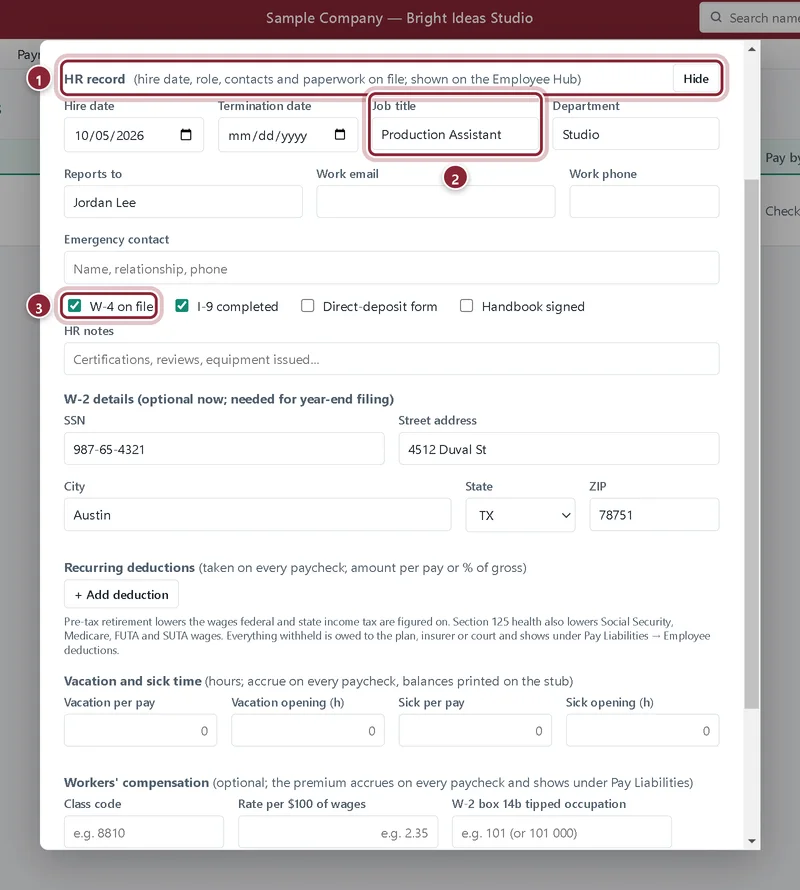
Click Show next to HR record to add the hire date, job title, department, manager, work contact details and an emergency contact. Tick the paperwork you have on file. This is for your records and the Employee Hub; it does not change any paycheck.
- HR record: click Show to open the section.
- Job title and department, shown on the Employee Hub.
- W-4 on file, I-9 completed and the other boxes are a simple paperwork checklist.
Deductions, vacation and sick time
Step 4: Add recurring deductions
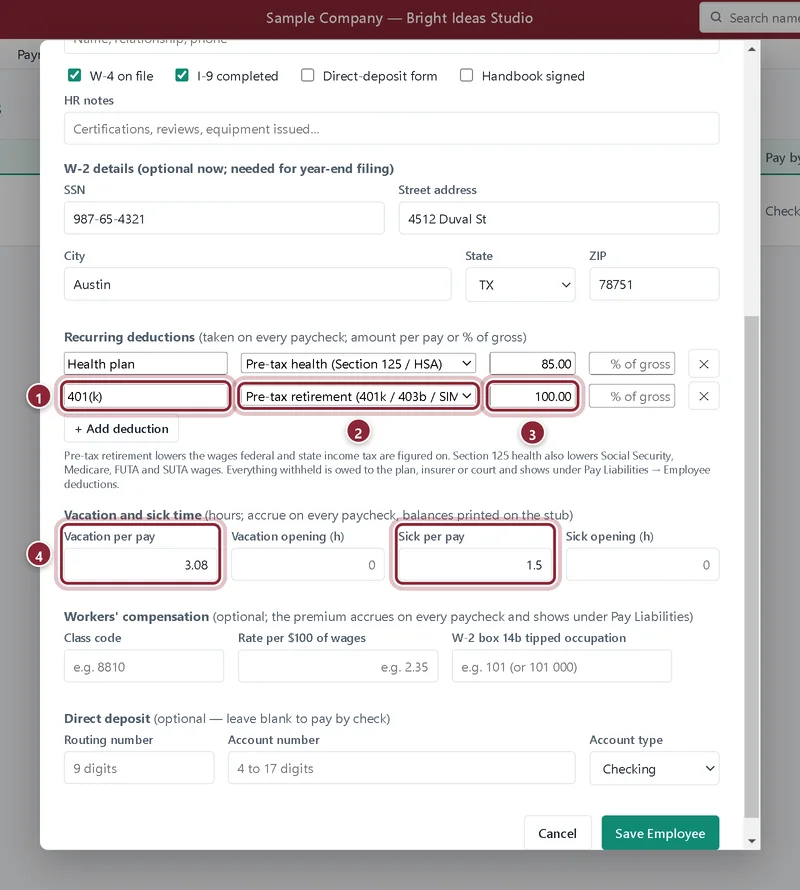
Under Recurring deductions click + Add deduction for each one. Give it a name, choose its kind, and enter either a dollar amount per pay or a percent of gross. Here Maria has a 401(k) of $100.00 per pay and a Health plan of $85.00.
- The deduction's name, as it prints on the pay stub.
- The kind decides how it is taxed: pre-tax retirement, pre-tax health (Section 125 / HSA), after-tax, or garnishment.
- The amount per pay. Use the % of gross box instead for a percentage.
- Vacation per pay and Sick per pay: hours earned on every paycheck. The balances print on the stub.
Step 5: Save the employee
Workers' compensation (class code and rate per $100 of wages) and direct-deposit bank details are further down; both are optional. Click Save Employee. The new employee appears in the list, paid by check until direct deposit is set up and verified.
Recap
- You can add hourly and salaried employees with a pay frequency.
- You know which details the W-2 needs.
- You can set up pre-tax and after-tax deductions and garnishments.
- Vacation and sick hours accrue on every paycheck.
Questions
Where do I enter the employee's W-4?
On Run Payroll, each time you estimate federal withholding: W-4 filing status, children under 17 and other dependents. Keep the signed W-4 in your files and tick W-4 on file in the HR record.
Can I change a deduction later?
Yes. Edit the employee and change or remove the deduction. The change applies to new paychecks; posted paychecks keep what they had.
Do hours from Time Tracking flow into payroll?
No. Time Tracking records hours for billing customers and job reports. You type an hourly employee's regular and overtime hours on Run Payroll.
Related
Screenshots from AcboBooks 0.2.2 with the built-in sample company. Updated October 25, 2026. Your screens may differ slightly with another version or window size.