
In this lesson you will
- Open the Form 941 worksheet for a quarter
- Read the Form 940 FUTA worksheet
- Export the figures to Excel
Before you start
Form 941, every quarter
Step 1: Open the 941 worksheet
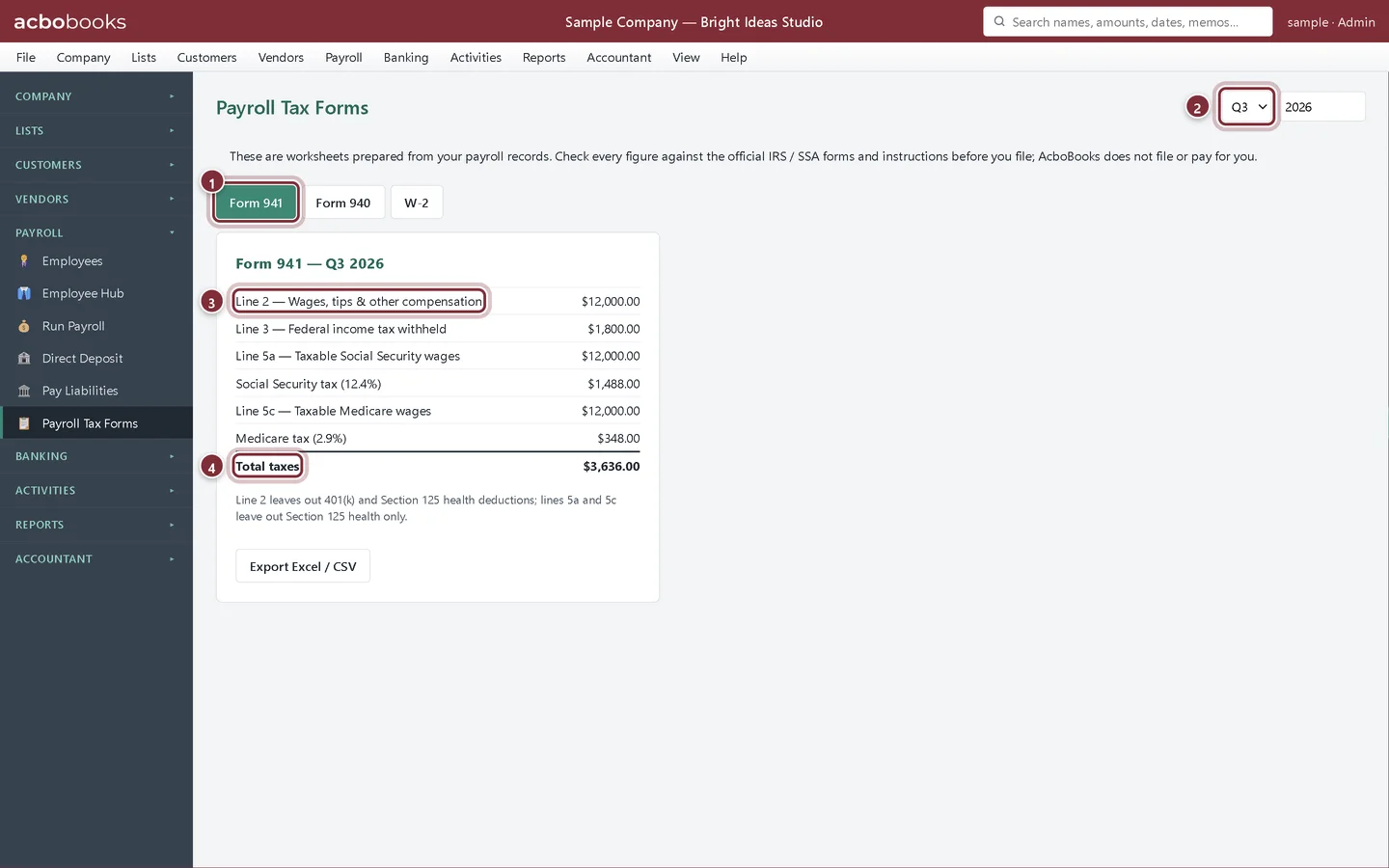
Choose Payroll → Payroll Tax Forms. Form 941 opens first. Pick the quarter and check the year on the right. The worksheet shows the 941 lines from the paychecks dated in that quarter.
- Form 941 tab.
- The quarter (Q1 to Q4), next to the year.
- Line 2: wages, tips and other compensation. It leaves out 401(k) and Section 125 deductions.
- Total taxes: income tax withheld plus both shares of Social Security and Medicare.
Form 940, once a year
Step 2: Open the 940 worksheet
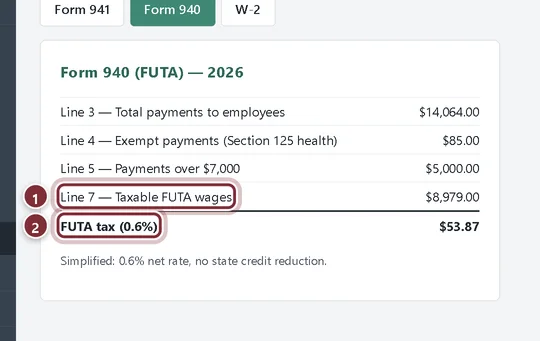
Click Form 940. It shows total payments to employees, exempt payments (Section 125 health), payments over the FUTA wage limit, taxable FUTA wages and the FUTA tax for the year.
- Line 7: taxable FUTA wages.
- FUTA tax: compare it with the FUTA payments on Pay Liabilities.
Recap
- You can read the 941 figures for any quarter.
- You can read the yearly 940 FUTA figures.
- You know these are worksheets you file yourself.
Questions
Does AcboBooks prepare state unemployment or withholding returns?
No state forms are built in. Pay Liabilities shows the state withholding and SUTA you owe, and the W-2 worksheet shows state withholding per employee.
Is there a Schedule B?
No. Semiweekly depositors can take each payday's liability from the paycheck dates and amounts on Run Payroll's Recent paychecks list.
Screenshots from AcboBooks 0.2.2 with the built-in sample company. Updated October 25, 2026. Your screens may differ slightly with another version or window size.