
In this lesson you will
- Enter the Revenu Québec number and your HSF rate
- Read QPP, QPIP and Quebec tax on a paycheque
- Find the Revenu Québec remittance and the RL-1 worksheets
Before you start
Settings for Quebec
Step 1: Enter the Revenu Québec details
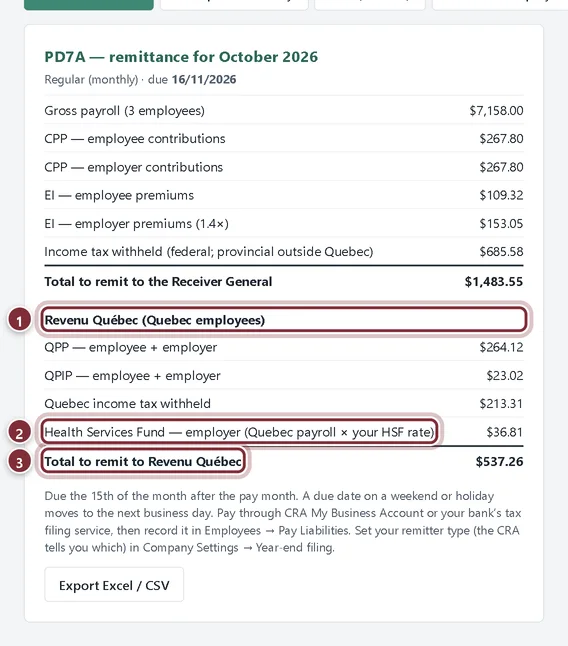
In Company → Company Settings, under Year-end filing & remittances, type your Revenu Québec ID + file number and this year's HSF rate %. Add the CNESST rate per $100 if you want an estimate for your annual declaration. Click Save. AcboBooks ships none of these rates; you enter them each year.
- Revenu Québec ID + file number: prints on the RL-1 worksheets.
- HSF rate %: your Health Services Fund rate, from the RLZ-1.S guide.
- CNESST rate per $100: from your CNESST notice; leave it blank to skip the estimate.
Paycheques and remittances
Step 2: Read a Quebec paycheque
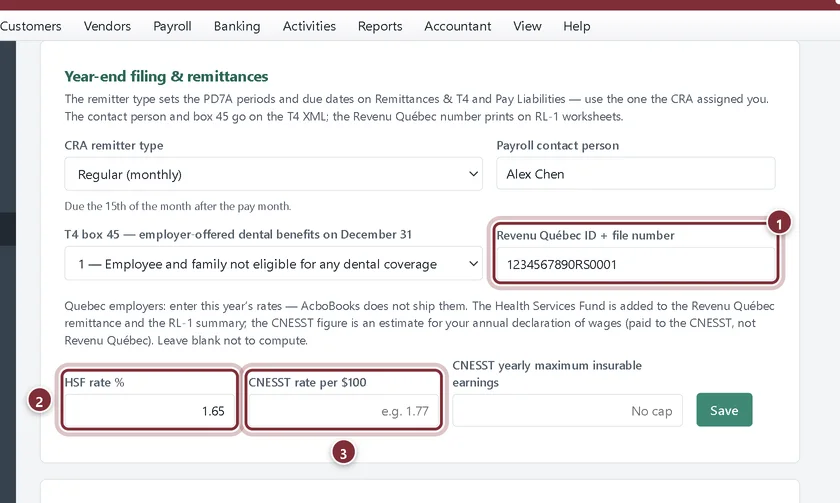
Add the employee with Province of employment set to Quebec and run payroll as usual. The preview shows QPP in place of CPP, a QPIP line, and Quebec income tax in place of provincial tax.
- QPP: the Quebec Pension Plan contribution.
- QPIP: the Quebec Parental Insurance Plan premium.
- Quebec income tax.
Step 3: See the Revenu Québec remittance
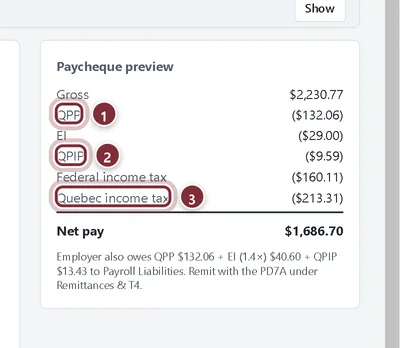
On Remittances & T4 → PD7A Remittance, a Revenu Québec section appears under the CRA total: QPP and QPIP (both shares), Quebec income tax, and the Health Services Fund. In Pay Liabilities, the Revenu Québec remittance is its own row, paid to Revenu Québec.
- Revenu Québec (Quebec employees).
- Health Services Fund: Quebec payroll times your HSF rate.
- Total to remit to Revenu Québec.
RL-1 at year-end
Step 4: Use the RL-1 worksheets
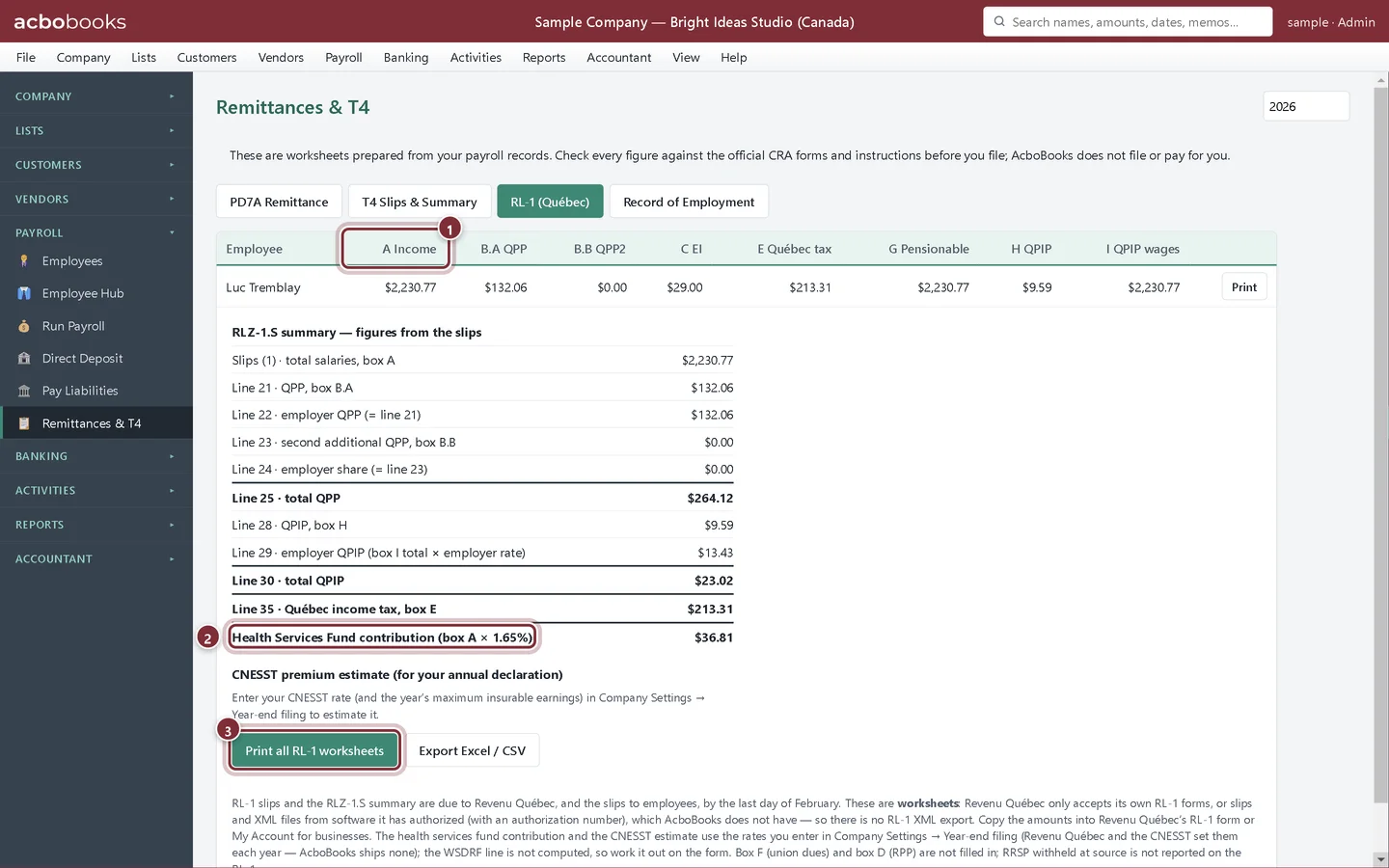
Click RL-1 (Québec). Each row is one employee's RL-1 boxes, with the RLZ-1.S summary lines below. Print all RL-1 worksheets saves them as PDFs. Copy the amounts into Revenu Québec's RL-1 form or My Account for businesses.
- A Income and the other RL-1 box columns.
- Health Services Fund contribution for the RLZ-1.S.
- Print all RL-1 worksheets.
Recap
- You can set the Revenu Québec number, HSF and CNESST rates.
- You can read QPP, QPIP and Quebec tax on a paycheque.
- You know where the Revenu Québec remittance and RL-1 worksheets are, and what they leave to you.
Questions
Is Quebec payroll fully supported?
Deductions and the remittance are supported best-effort. RL-1 is a worksheet only, and some RLZ-1.S items (WSDRF) are left for you to work out. Check the first cheques against Revenu Québec's WebRAS calculator.
Do I still file a T4 for a Quebec employee?
Yes. The T4 tab includes Quebec employees with QPP in box 17 and federal tax in box 22.
Screenshots from AcboBooks 0.2.2 with the built-in sample company. Updated October 25, 2026. Your screens may differ slightly with another version or window size.