
In this lesson you will
- Create an hourly or salaried employee with a pay frequency
- Enter the SIN, address and province of employment
- Enter TD1 claims, CPP and EI exemptions and RRSP at source
- Accrue vacation hours on every paycheque
Before you start
Pay and T4 details
Step 1: Open the Employees list
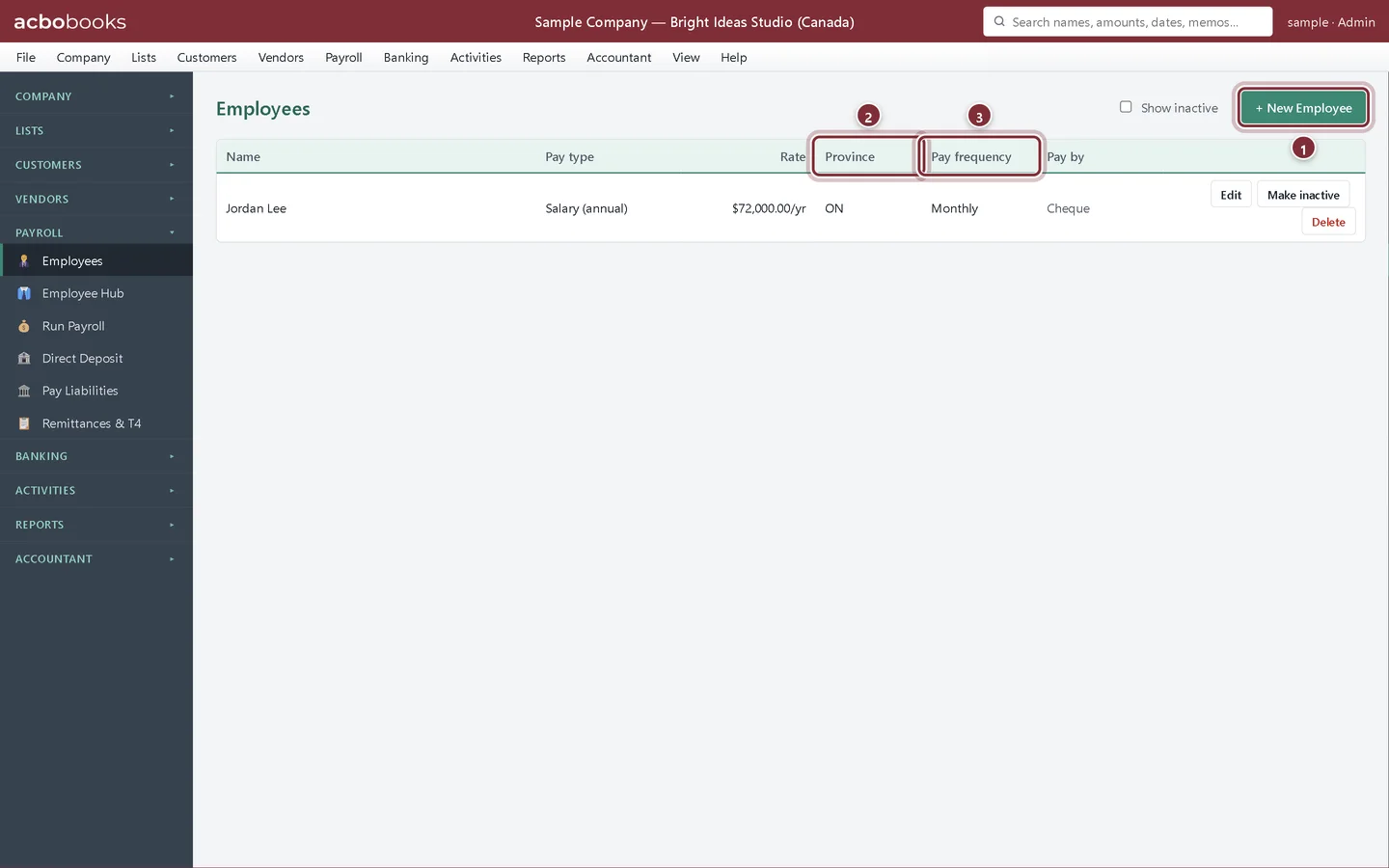
Choose Payroll → Employees. In the Canadian edition the list also shows each employee's province and pay frequency. Click + New Employee.
- + New Employee opens a blank record.
- Province: the province of employment the deductions use.
- Pay frequency: the number of pay periods a year.
Step 2: Enter the name, pay and SIN
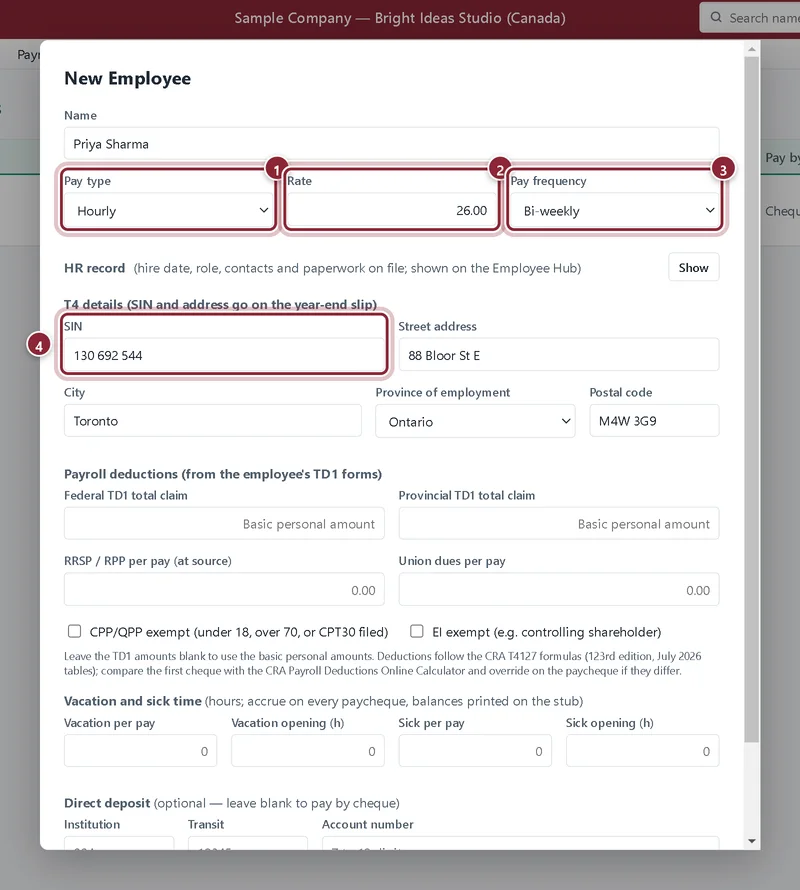
Type the Name, choose the Pay type, enter the Rate (per hour, or the yearly salary) and pick the Pay frequency. Under T4 details enter the SIN and home address; they go on the T4.
- Pay type: Hourly or Salary (annual).
- Rate: per hour for hourly staff, per year for salaried staff.
- Pay frequency: Weekly, Bi-weekly, Semi-monthly or Monthly. The CRA formulas use it.
- SIN: 9 digits. AcboBooks checks the length.
TD1, CPP and EI
Step 3: Enter the deduction details
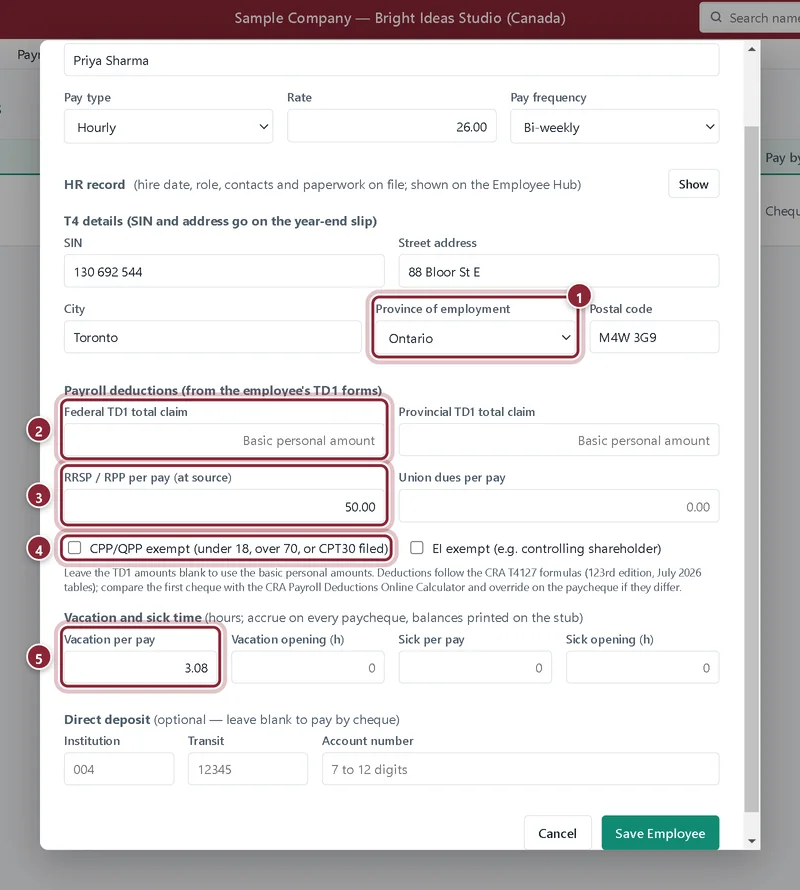
Choose the Province of employment. Under Payroll deductions type the totals from the employee's federal and provincial TD1 forms, or leave them blank to use the basic personal amounts. Add any RRSP or RPP deducted at source and union dues per pay. Tick an exemption only when it applies.
- Province of employment: decides the provincial tax and, for Quebec, QPP and QPIP.
- Federal TD1 total claim (and the provincial one beside it). Blank means the basic personal amount.
- RRSP / RPP per pay (at source): reduces the income tax on each paycheque.
- CPP/QPP exempt (under 18, over 70, or CPT30 filed) and EI exempt (for example a controlling shareholder).
- Vacation per pay: hours earned on every paycheque; the balance prints on the stub.
Step 4: Save the employee
Direct-deposit details (institution, transit and account number) are optional and further down. Click Save Employee. The employee is paid by cheque until direct deposit is set up and verified.
Recap
- You can add employees with a province and pay frequency.
- You know where the TD1 claims, CPP and EI status go.
- RRSP at source, union dues and vacation hours are set on the employee.
Questions
The employee gave me a new TD1. What do I do?
Edit the employee and change the TD1 claim amounts. New paycheques use them; posted ones do not change.
Do hours from Time Tracking flow into payroll?
No. You type an hourly employee's regular and overtime hours on Run Payroll.
Screenshots from AcboBooks 0.2.2 with the built-in sample company. Updated October 25, 2026. Your screens may differ slightly with another version or window size.