
Desktop accounting software
Accounting software that lives on your computer, not in a browser
Desktop accounting means the program is installed on your PC and the books are a file on your drive. It opens without internet, without an account, and without anyone else's servers being up. That is what AcboBooks is.
It is a Windows program for small businesses in the United States and Canada, bought once for $399.99, with invoices, bills, bank statement import, payroll, inventory and multi-user on the office network.
No card, no account. Windows 10 and 11. United States and Canada.
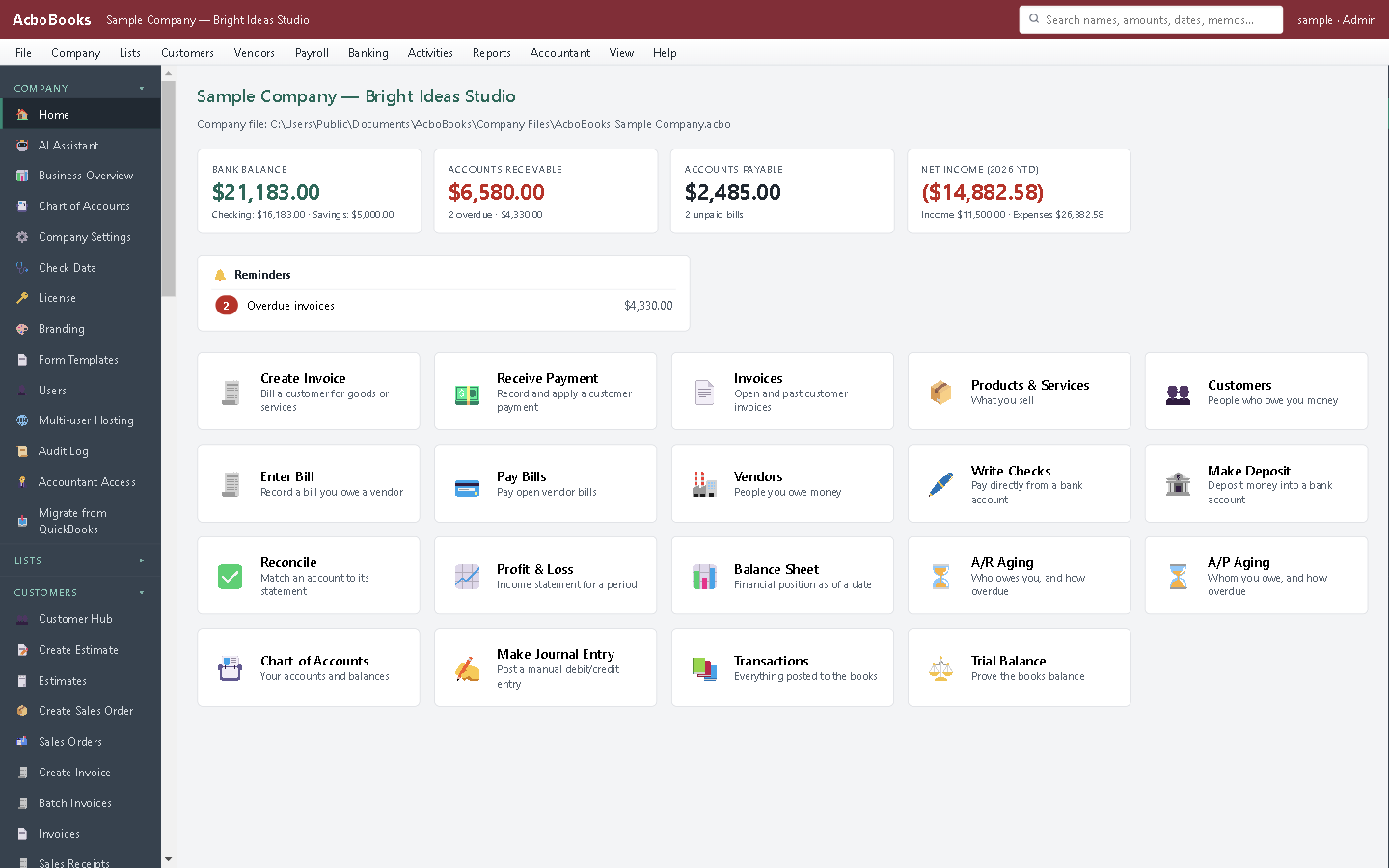
A Windows program: menu bar, sidebar, your company file.
What it means
In practice
Offline is the default
Open the program, open the file, work. A cabin, a plane, a storefront with a flaky connection: nothing changes. Internet is used only for the optional licence check and update check.
Your books are a file
One .acbo file per business, encrypted with your password. Copy it to a USB drive, keep it in your own backups, hand it to your accountant. Nobody can lock you out.
No account, no subscription
There is no sign-up and no login to a service. You install it, try it for 15 days, and buy it once. The price does not rise next year because there is no next year's bill.
What is in the licence
The whole job, in one price
Sales and money in
Purchases and money out
Banking and books
Payroll and people
Stock and jobs
Reports and sharing
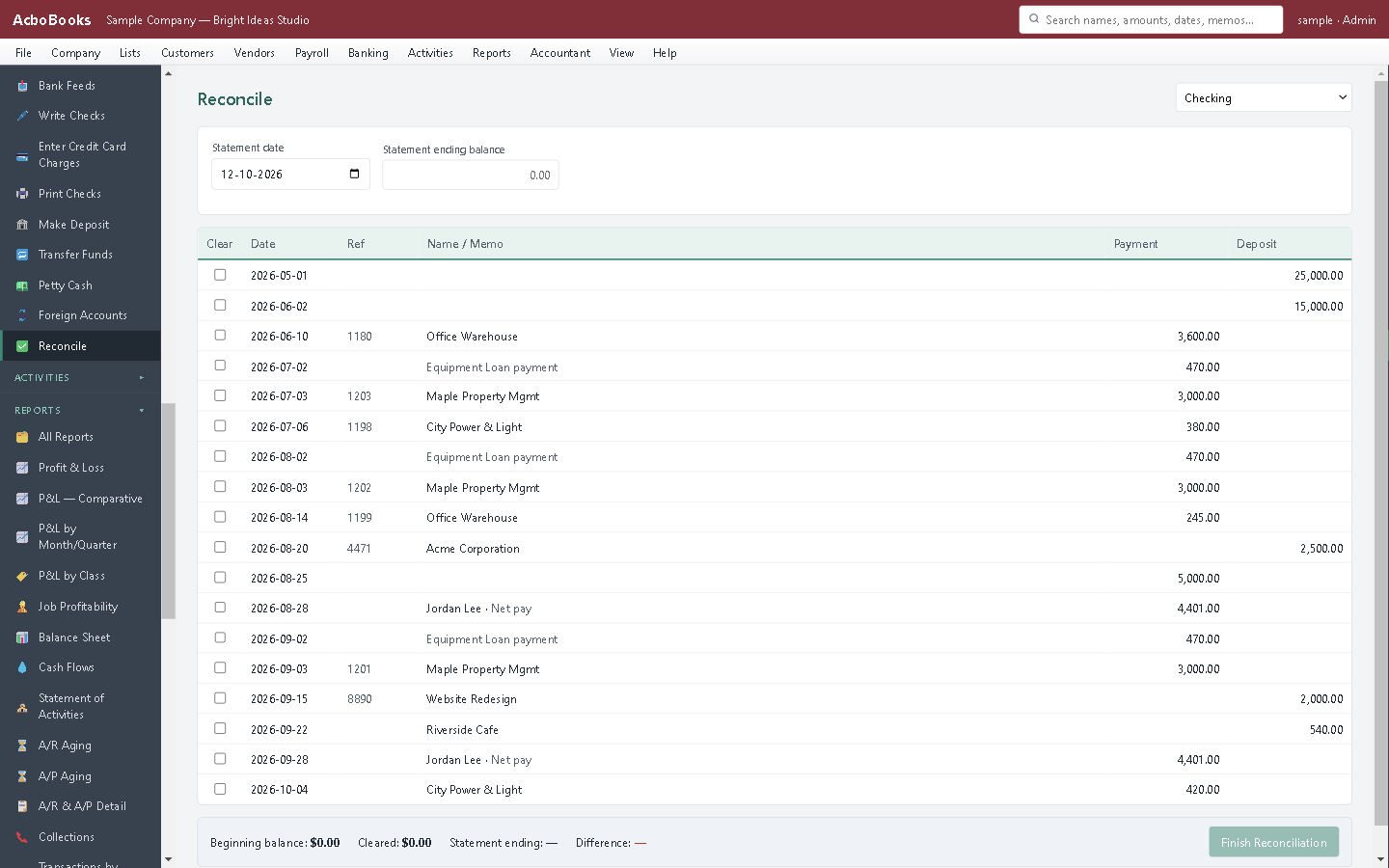
Reconcile from the statement file; no live connection needed.
What it does not do
· No phone app and no Mac version; Windows 10 and 11 only.
· No live bank connection; it imports the statement file your bank provides.
· Card payments go through a Stripe payment link rather than a built-in processor.
· One company per file; open as many files as you have businesses.
Questions people ask
Before you download
Is desktop accounting software still a good idea in 2026?
For a business that works from one office on Windows PCs, yes. It is faster, it works offline, the data is yours, and it costs a fraction of a subscription over a few years. Cloud makes sense when people post from many places every day or need a phone app.
Can more than one person use it?
Yes. One computer hosts the file and others on the office network connect to it, with record locking so two people never edit the same thing at once. A licence covers two computers; more seats are available.
What happens if my computer dies?
Your books are in the company file and its backups. The app can back up automatically each time it closes, and the file opens on any licensed computer with your password.
Does it import from QuickBooks Desktop?
Yes: lists and opening balances from an IIF export, or lists and transactions through Intuit's on-device SDK on the same PC. There is a dedicated page on the move.
How is the file protected?
Encryption inside the database (AES-256) with a password you set. Your own computer remembers it; another computer asks for it. A recovery key is shown once when the password is set.
Coming from something else?
How it compares to what you use now
Get started
Install it. Open your file. Work.
The 15-day trial has every feature, no card and no account.
No card. No account. Nothing to cancel.